
STAR WARS 225622
STAR WARS Construct Your Own Lightsabers Engineering Kits Instruction Manual
Model: 225622
Introduction
Welcome to the STAR WARS Construct Your Own Lightsabers Engineering Kits! This kit allows you to build two glowing lightsabers, one inspired by Obi-Wan Kenobi and another by Darth Vader. Designed to introduce fundamental STEM concepts such as fiber optics and LEDs, this kit provides an engaging and educational experience for young Padawans aged 6 and up.

Image 1: The complete Star Wars Lightsaber Engineering Kits package, displaying all components and the two fully assembled, glowing lightsabers (red and blue).
Safety Information
WARNING: CHOKING HAZARD - Small Parts. This product contains small parts and is not suitable for children under 3 years of age. Adult supervision is recommended during assembly and play, especially for younger users.
What's in the Box
Your STAR WARS Lightsaber Engineering Kits package includes the following components:
- 12-Piece Obi-Wan Kenobi Lightsaber Kit
- 12-Piece Darth Vader Lightsaber Kit
- White Glue (0.1 fl oz / 3mL)
- Educational Poster (Double-Sided)
- Easy-to-Follow Project Guide
- Required: 3 LR754 Button Cell Batteries (for each lightsaber, total 6 batteries)

Image 2: All individual components of the lightsaber kits, including hilt parts, blades, and a tube of white glue, displayed before assembly.
Setup: Assembly Instructions
Follow the detailed steps in the included Project Guide to assemble your lightsabers. The process involves connecting various hilt components, inserting the LED and fiber optic elements, and securing the blade.
- Unpack Components: Carefully remove all parts from the packaging. Organize the pieces for each lightsaber (Obi-Wan Kenobi and Darth Vader) separately.
- Review Project Guide: Read through the entire Easy-to-Follow Project Guide before beginning assembly to familiarize yourself with the steps and ensure you have all necessary parts.
- Hilt Assembly: Begin by connecting the hilt sections according to the guide. Ensure all connections are secure.
- LED and Fiber Optics Installation: Insert the LED and fiber optic elements into the designated hilt sections. Pay close attention to the orientation as indicated in the guide.
- Battery Installation: Each lightsaber requires 3 LR754 button cell batteries. Carefully insert the batteries into the battery compartment, observing the correct polarity (+/-).
- Blade Attachment: Securely attach the lightsaber blade to the hilt. Some steps may require the application of the provided white glue for permanent fixture. Allow adequate drying time if glue is used.
- Final Check: Once assembled, ensure all parts are firmly connected and the lightsaber feels sturdy.

Image 3: Artwork depicting Darth Vader and Obi-Wan Kenobi, highlighting the two distinct lightsaber designs included in the kit.
Operating Your Lightsaber
After successful assembly and battery installation, your lightsaber is ready for use.
- Power On/Off: Locate the power switch on the hilt of your lightsaber. Flip the switch to the 'ON' position to illuminate the blade. Flip it to 'OFF' when not in use to conserve battery life.
- Light Dynamics: Observe how the LED light travels through the fiber optic blade, creating the iconic glowing effect.
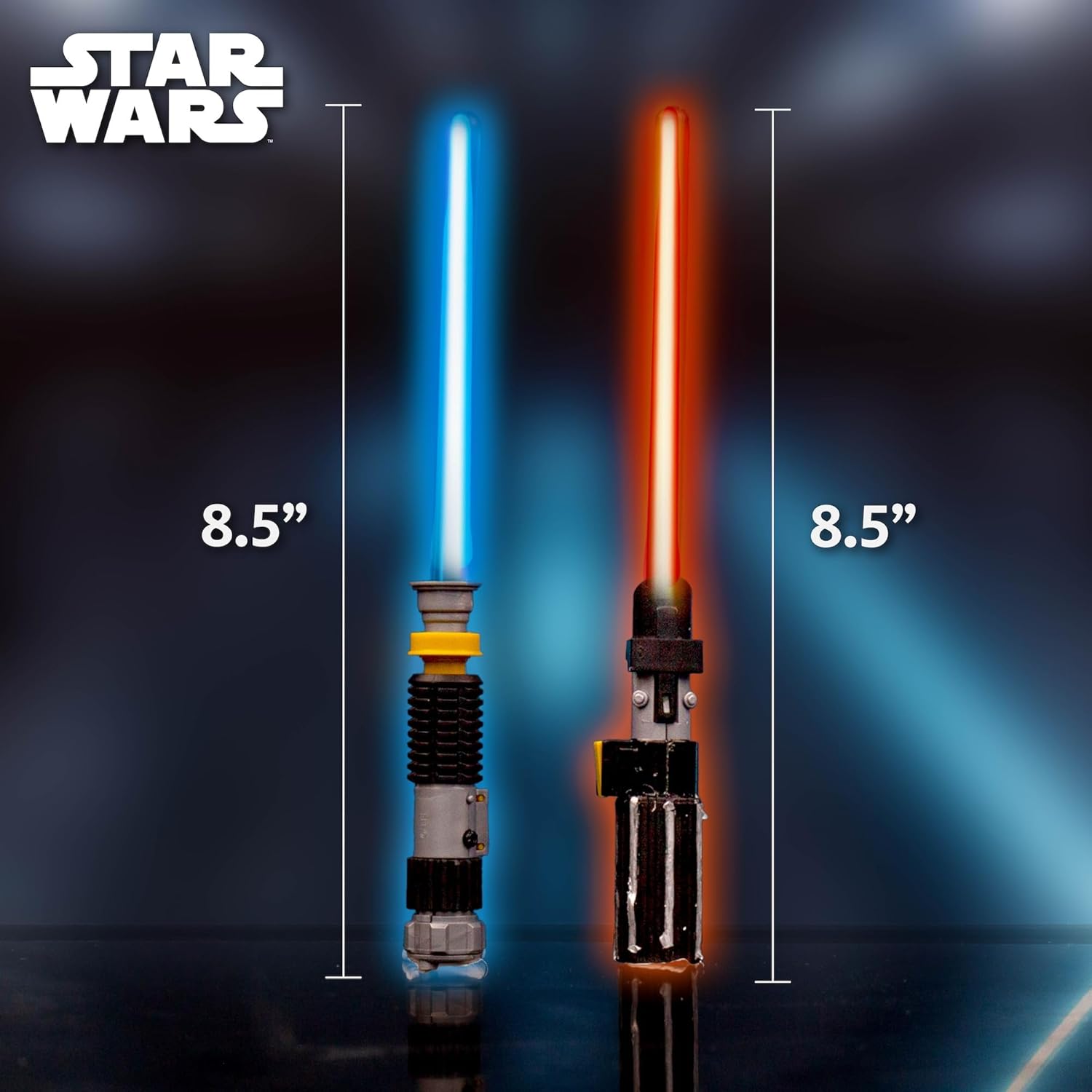
Image 4: The two assembled lightsabers, glowing brightly, demonstrating their operational state and approximate height of 8.5 inches.
Maintenance
- Battery Replacement: When the lightsaber's glow diminishes, it's time to replace the batteries. Carefully open the battery compartment, remove the old LR754 button cell batteries, and insert new ones, ensuring correct polarity.
- Cleaning: Wipe the lightsaber hilt and blade with a soft, dry cloth to remove dust and fingerprints. Do not use abrasive cleaners or immerse the lightsaber in water.
- Storage: Store the lightsabers in a cool, dry place away from direct sunlight when not in use. If storing for extended periods, it is recommended to remove the batteries to prevent leakage.
Troubleshooting
| Problem | Possible Cause | Solution |
|---|---|---|
| Lightsaber does not light up. |
|
|
| Lightsaber light is dim. |
|
|
| Parts do not fit together. |
|
|
Specifications
- Product Dimensions: 7.24 x 1.5 x 10 inches
- Item Weight: 5.6 ounces
- Item Model Number: 225622
- Manufacturer Recommended Age: 6 years and up
- Manufacturer: Horizon Group USA
- Power Source: 3 x LR754 Button Cell Batteries (per lightsaber)
Exploring STEM Concepts
This kit is designed to be a STEM-certified science kit, merging the excitement of Star Wars with real-world technology education. As you build, you will discover the science behind:
- LEDs (Light-Emitting Diodes): Learn how these small semiconductor light sources produce the vibrant colors of your lightsabers.
- Fiber Optics: Understand how light is transmitted through thin, flexible fibers, allowing the lightsaber blade to glow uniformly.
- Dynamics of Light: Explore principles of light, matter, crystals, and energy sources, as detailed in the accompanying educational poster.

Image 5: The double-sided educational poster included in the kit, measuring 12x18 inches, designed to teach about light, matter, crystals, and energy sources.

Image 6: An infographic illustrating scientific concepts, such as the sun as a powerful energy source, connecting them to the Star Wars universe and lightsaber technology.
Warranty and Support
Specific warranty information for this product is not provided in the available documentation. For any product support, inquiries, or to report missing/defective parts, please contact the manufacturer, Horizon Group USA, directly. Refer to the product packaging for their contact details or visit their official website.
Ask a question about this manual
Ask about setup, troubleshooting, compatibility, parts, safety, or missing instructions. Manuals+ will review the question and use this page’s manual context to help answer it.