Introduction
Welcome to your new Festina Timeless Chronograph F6855/A watch. This manual provides detailed instructions for setting up, operating, and maintaining your timepiece to ensure its longevity and optimal performance.
The Festina F6855/A is a men's chronograph watch featuring a silver-colored stainless steel case, a blue leather strap, and a white dial with blue hands and indexes. It is equipped with a precise quartz movement and an analog display.
Key features include: Chronometer function, three hands (hour, minute, second), and a calendar display.
Setup
Setting the Time
- Pull the crown out to position 2 (the outermost click).
- Turn the crown clockwise or counter-clockwise to set the hour and minute hands to the correct time.
- Once the time is set, push the crown back to position 0 (the innermost position) to start the watch.
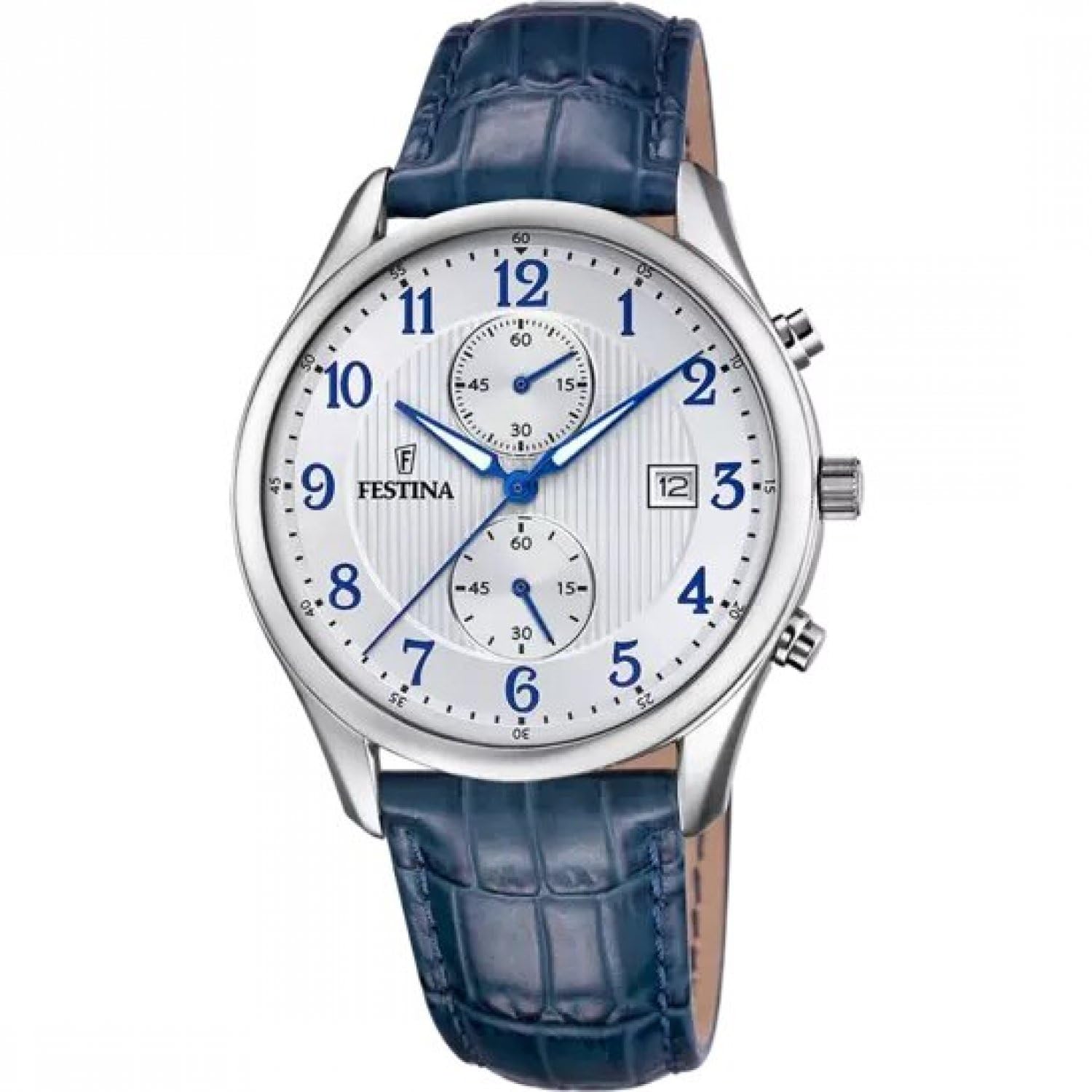
This image shows the Festina F6855/A watch. To set the time, gently pull the crown (the knob on the side of the watch case) to its outermost position. Rotate the crown to move the hour and minute hands to the correct time. Once set, push the crown back in to secure the time and activate the movement.
Setting the Date
- Pull the crown out to position 1 (the first click).
- Turn the crown clockwise or counter-clockwise to set the date. Avoid setting the date between 9 PM and 3 AM, as this can damage the movement.
- Once the date is set, push the crown back to position 0.
To set the date, pull the crown out to the first click position. Rotate the crown to advance or rewind the date until the correct date is displayed. Push the crown back in to its original position.
Operating the Chronograph
The chronograph function allows you to measure elapsed time with precision.
Starting and Stopping the Chronograph
- Press button A (the top pusher) to start the chronograph. The chronograph second hand will begin to move.
- Press button A again to stop the chronograph. The elapsed time will be displayed on the sub-dials.
This image displays the Festina F6855/A watch. The buttons on the side of the watch case, typically above and below the crown, are used to operate the chronograph. The top button (Button A) starts and stops the timing function.
Resetting the Chronograph
- After stopping the chronograph with button A, press button B (the bottom pusher) to reset all chronograph hands to their zero positions.
After stopping the chronograph with Button A, press the bottom button (Button B) to reset all chronograph hands back to their starting positions, usually 12 o'clock.
Maintenance
Water Resistance
Your Festina F6855/A watch has a water resistance rating of 3 ATM (30 meters). This means it is suitable for daily use and can withstand splashes or brief immersion in water, such as rain or hand washing. It is not suitable for swimming, showering, diving, or any water sports.
Important: Do not operate the crown or pushers when the watch is wet or submerged in water, as this can compromise the water resistance and damage the movement.
Cleaning
To clean your watch, wipe the case and crystal with a soft, dry, lint-free cloth. For the leather strap, use a slightly damp cloth and allow it to air dry completely. Avoid using harsh chemicals, solvents, or abrasive materials, as these can damage the watch's finish and strap.
Battery Replacement
The watch is powered by a quartz movement and requires a battery. When the watch stops or the second hand begins to jump erratically (typically every 2-4 seconds), it indicates a low battery. Battery replacement should be performed by a qualified watch technician to ensure proper sealing, maintain water resistance, and prevent damage to the movement.
Troubleshooting
Watch Not Running
Possible Cause: Depleted battery.
Solution: Have the battery replaced by a professional watch technician.
Incorrect Time/Date
Possible Cause: Crown not pushed in, or time/date was set incorrectly.
Solution: Ensure the crown is fully pushed in to position 0. Re-set the time and date as per the "Setup" section.
Chronograph Hands Not Resetting to Zero
Possible Cause: Chronograph hands require calibration.
Solution: This usually requires a specialized adjustment. Consult a professional watch repair service for calibration.
Specifications
| Feature | Detail |
|---|---|
| Model Number | F6855 |
| Movement Type | Quartz |
| Display Type | Analog |
| Case Material | Stainless Steel |
| Case Diameter | 42 Millimeters |
| Case Thickness | 10.2 Millimeters |
| Band Material | Leather |
| Band Width | 21 Millimeters |
| Crystal Type | Mineral Glass |
| Water Resistance | 30 Meters (3 ATM) |
| Item Weight | 50 Grams |
| Battery | 1 C battery (included) |
Warranty and Support
Your Festina Timeless Chronograph F6855/A watch comes with a three-year warranty from the date of purchase, covering manufacturing defects. This warranty does not cover normal wear and tear, damage caused by improper use, or unauthorized repairs.
For warranty claims or technical support, please contact your authorized Festina dealer or visit the official Festina website for service center information. Always retain your proof of purchase for warranty validation.