
Cubehom A02UK
Cubehom A02UK LED Nightstand Set of 2 Instruction Manual
Brand: Cubehom | Model: A02UK
1. Introduction
Thank you for choosing the Cubehom A02UK LED Nightstand Set of 2. This modern nightstand set is designed to enhance your bedroom with its functional features and aesthetic appeal. Each nightstand includes a multi-color RGB LED backlight system, two spacious drawers for storage, and a durable construction. This manual provides detailed instructions for assembly, operation, and maintenance to ensure optimal use of your product.
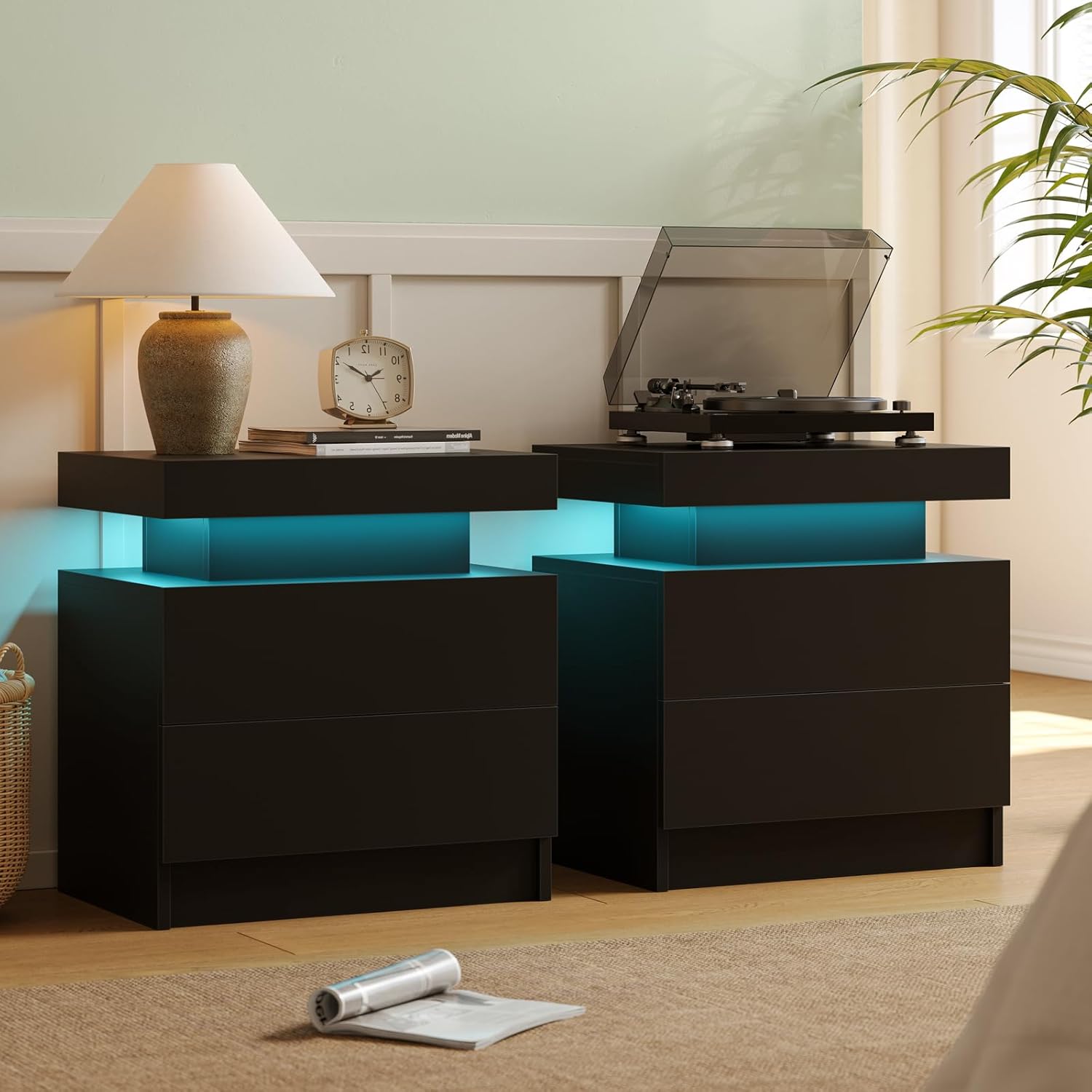
Image 1.1: Cubehom A02UK LED Nightstand Set of 2 in a bedroom environment.
2. Important Safety Information
- Product packaging includes safety warnings related to the assembly process and weight limits.
- Ensure all parts are present and undamaged before assembly. Do not use if any parts are missing or broken.
- Follow all assembly steps carefully to prevent injury or damage to the product.
- Do not exceed the maximum weight recommendations: Tabletop up to 44 pounds, each drawer up to 11 pounds.
- Keep small parts and packaging materials away from children to avoid choking hazards.
3. Package Contents
Before beginning assembly, please verify that all components listed below are included in your package:
- Assembly Guide
- Installation Tool (Screwdriver recommended, not always included)
- All labeled pieces of the nightstand structure
- LED light strips and associated power supply/controller
- Drawer slides and hardware
4. Product Specifications
| Feature | Detail |
|---|---|
| Brand | Cubehom |
| Model Name | A02-2DB |
| Model Number | A02UK |
| Product Dimensions (D x W x H) | 20.47" x 19.3" x 13.78" |
| Item Weight | 14.1 Kilograms |
| Maximum Weight Recommendation (Tabletop) | 44 Pounds |
| Maximum Weight Recommendation (Drawer) | 11 Pounds |
| Color | Deep Black |
| Material Type | Engineered Wood |
| Finish Type | Gloss |
| Number of Drawers | 2 |
| LED Features | Multi-color RGB LED backlight (16 modes), brightness adjustment |

Image 4.1: Product dimensions of the Cubehom A02UK LED Nightstand.
5. Setup and Assembly
The Cubehom A02UK LED Nightstand requires assembly. Please follow the steps carefully. An assembly guide is included in the package. For a visual aid, please refer to the official assembly video below.
Video 5.1: Official Assembly Guide for the Cubehom Nightstand Set.
General Assembly Steps:
- Unpack and Identify Parts: Lay out all labeled pieces and hardware on a clean, soft surface. Refer to the included assembly guide to identify each component.
- Assemble the Frame: Connect the main panels using the provided screws and dowels. Ensure all connections are secure.
- Install Drawer Slides: Attach the drawer slides to the inner sides of the nightstand frame, paying attention to their orientation.
- Assemble Drawers: Construct the drawer boxes by connecting the side, front, and back panels. Insert the drawer bottom into the designated grooves. Attach the remaining drawer slides to the assembled drawers.
- Integrate LED Lighting: Carefully place the LED light strip in the designated area, typically beneath the tabletop or within the open shelf. Connect the LED strip to its power supply/controller.
- Insert Drawers: Slide the assembled drawers into the nightstand frame, aligning the drawer slides.
- Final Checks: Ensure all screws are tightened, and the nightstand is stable.

Image 5.2: Illustration of connecting nightstand panels during assembly.
6. Operating Instructions
LED Light Operation:
The nightstand features a multi-color RGB LED backlight system with 16 different color modes and adjustable brightness. The LED lights can be controlled via a remote control or a mobile application.
- Power On/Off: Use the designated button on the remote control or mobile app to turn the LED lights on or off.
- Change Colors: Select from 16 available color modes using the remote or app.
- Adjust Brightness: Increase or decrease the light intensity to your preference.
- App Control: Download the companion mobile application (refer to the LED light strip manual for QR code or app name) to unlock additional features and control options.
Ask a question about this manual
Ask about setup, troubleshooting, compatibility, parts, safety, or missing instructions. Manuals+ will review the question and use this page’s manual context to help answer it.