1. Introduction
Thank you for choosing the Generic M88 Bluetooth 5.3 Earbuds. These earbuds are designed to provide a high-quality audio experience with advanced features for convenience and comfort. This manual will guide you through the setup, operation, and maintenance of your new earbuds.
Key Features:
- Bluetooth 5.3 Connectivity: Ensures a stable and efficient wireless connection.
- High-Quality Audio: Features noise-canceling technology for an immersive listening experience.
- Extended Playtime: Up to 48 hours of listening on a single charge with the charging case.
- Hands-Free Calling: Built-in microphone for clear communication.
- Comfortable Design: Lightweight and designed for a secure fit, suitable for all-day wear and sports.
2. Package Contents
Please check the box for the following items:
- M88 Earbuds (Left and Right)
- Charging Case
- Protective Case
- User Manual
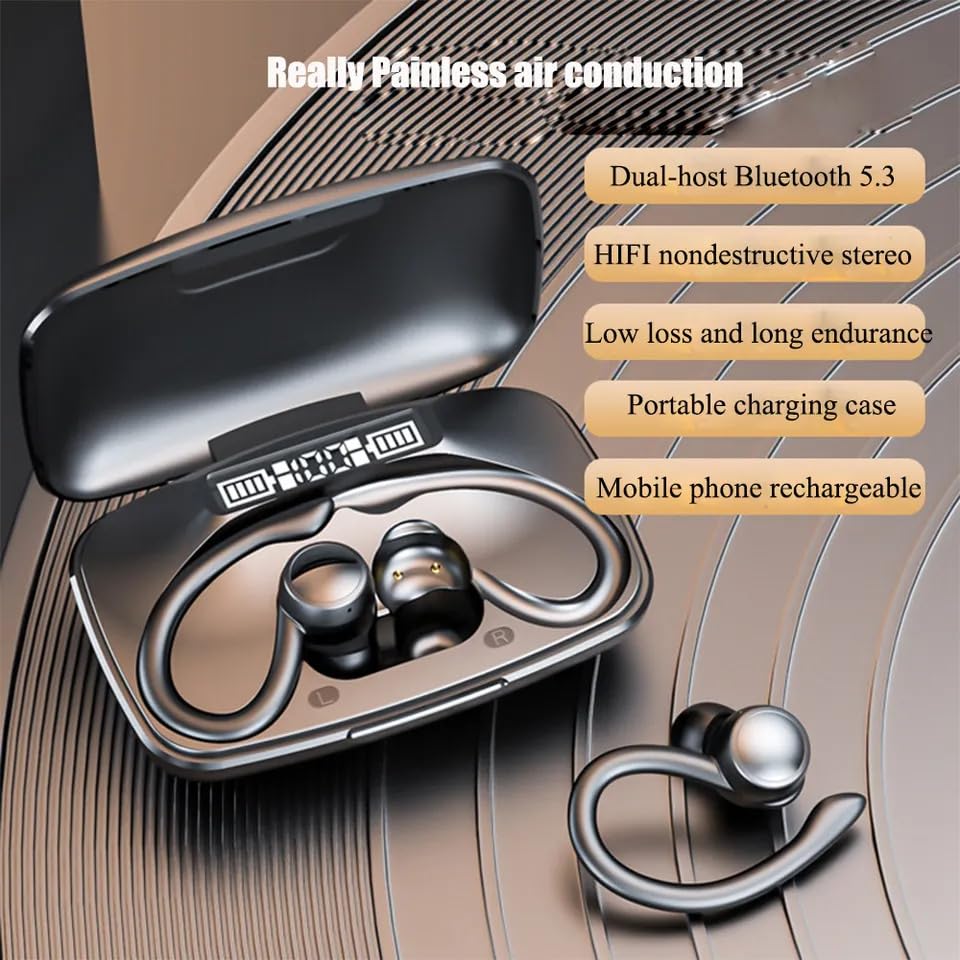
The M88 Earbuds are shown inside their charging case, which features a digital display indicating battery levels.
3. Setup
3.1 Charging the Earbuds and Case
Before first use, fully charge the earbuds and the charging case. The charging case has a 2000mAh battery capacity.
- Place the earbuds into the charging case. Ensure they are correctly seated.
- Connect the charging case to a power source using a compatible USB cable (not included).
- The digital display on the charging case will show the battery percentage of the case and individual earbud charge levels.
- A full charge typically takes approximately 1 hour.
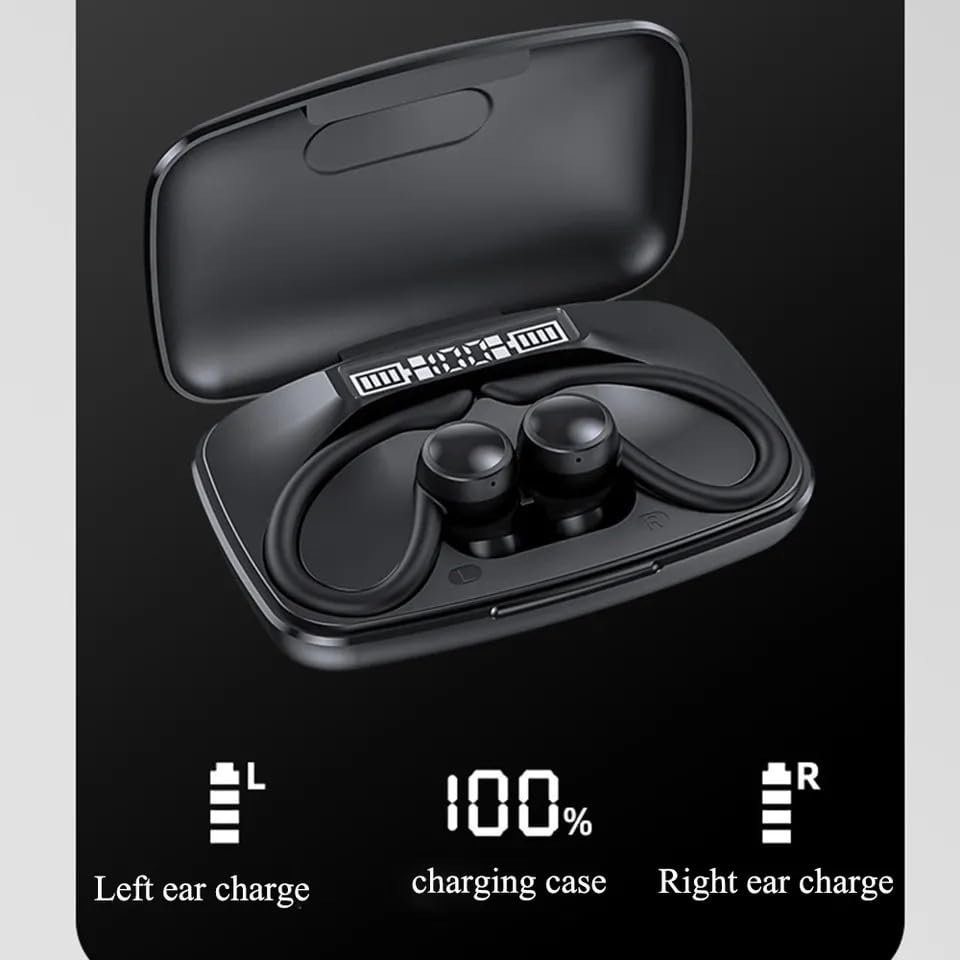
A close-up of the M88 Earbuds charging case display, indicating a full 100% charge for the case and individual earbud charge levels.
3.2 Bluetooth Pairing
Follow these steps to pair your M88 Earbuds with your device:
- Ensure the earbuds are charged.
- Open the charging case. The earbuds will automatically enter pairing mode.
- On your smartphone, tablet, or other Bluetooth-enabled device, go to the Bluetooth settings.
- Search for available devices and select "M88" (or similar name) from the list.
- Once connected, you will hear a confirmation tone, and the earbuds will be ready for use.
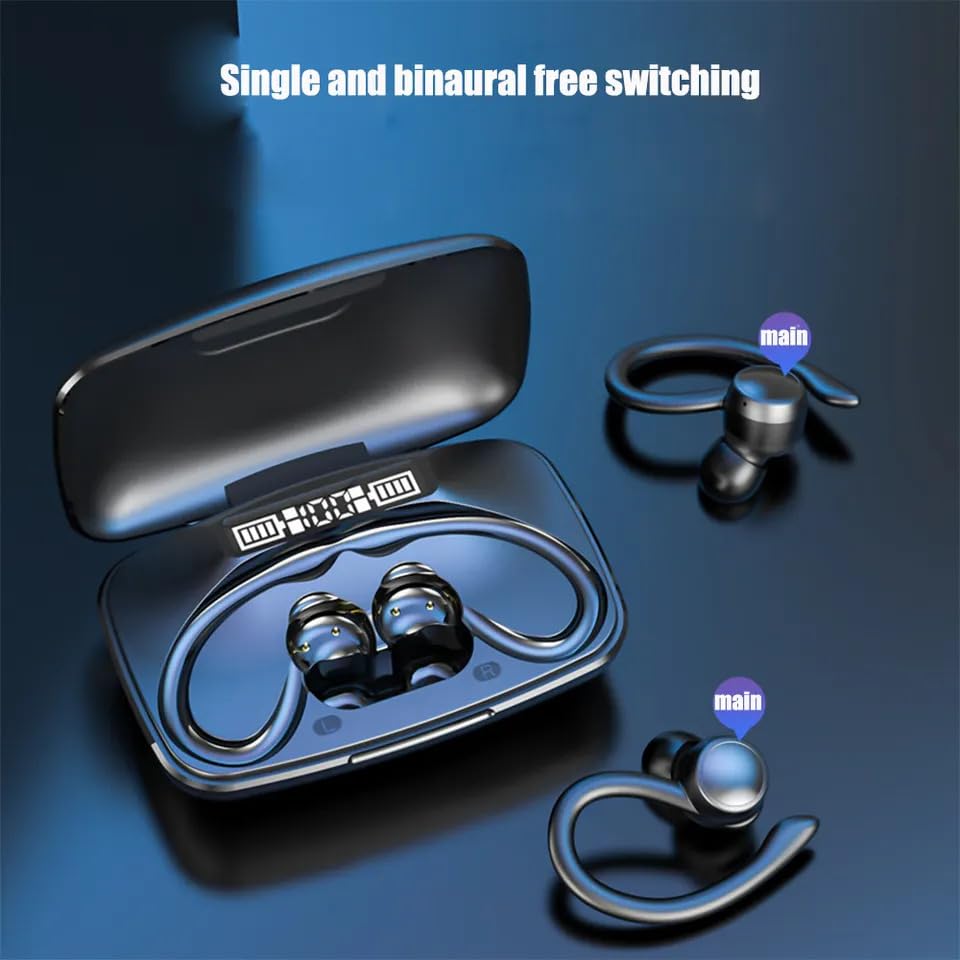
- The M88 Earbuds support dual-host Bluetooth 5.3, allowing for stable connections.
4. Operation
4.1 Wearing the Earbuds
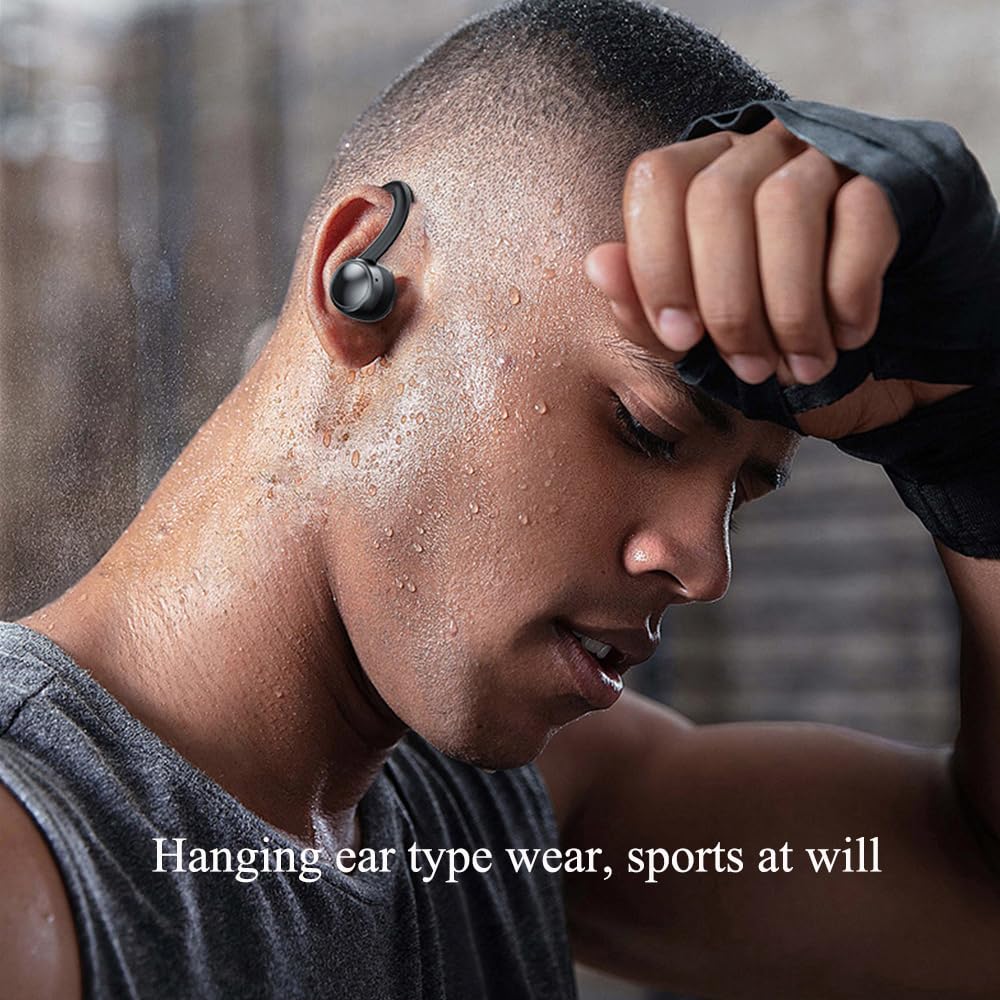
The M88 Earbuds feature a 'hanging ear type' design for a secure and comfortable fit, especially during physical activities.
- Identify the left (L) and right (R) earbuds.
- Gently place the earbud into your ear canal and hook the ear loop over your ear.
- Adjust for a snug and comfortable fit.
A person is shown wearing the M88 Earbuds during a workout, highlighting the secure 'hanging ear type' design suitable for sports.
4.2 Touch Controls
The M88 Earbuds feature intuitive touch controls for various functions:
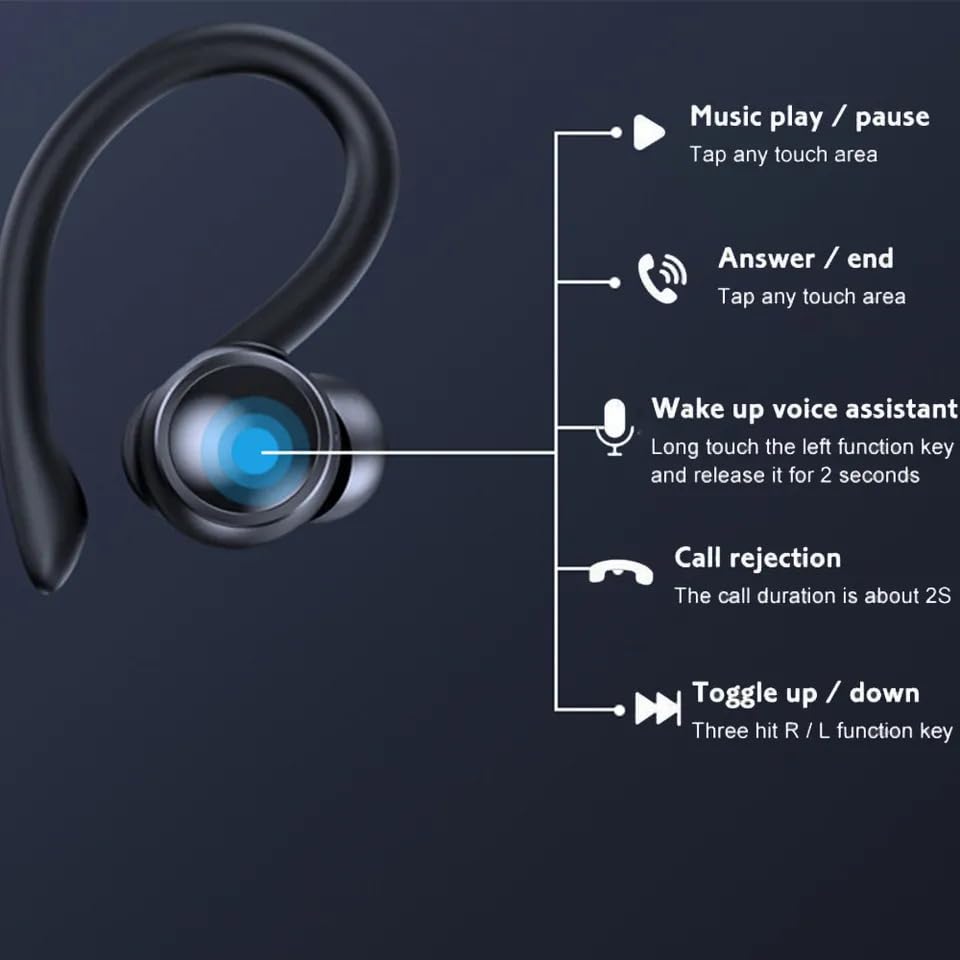
- Music Play/Pause: Tap any touch area once.
- Answer/End Call: Tap any touch area once.
- Wake Up Voice Assistant: Long touch the left function key for 2 seconds and release.
- Call Rejection: Long touch for approximately 2 seconds during an incoming call.
- Toggle Up/Down (Next/Previous Track): Triple tap the R/L function key.
A detailed diagram showing the touch control functions of the M88 Earbuds, including music playback, call management, voice assistant activation, and track skipping.
5. Maintenance
To ensure the longevity and optimal performance of your M88 Earbuds, follow these maintenance guidelines:
- Cleaning: Regularly clean the earbuds and charging case with a soft, dry, lint-free cloth. Avoid using harsh chemicals or abrasive materials.
- Storage: When not in use, store the earbuds in their charging case to protect them from dust and damage.
- Water Resistance: The earbuds are water-resistant, but not waterproof. Avoid submerging them in water or exposing them to heavy rain. Dry them thoroughly if they get wet.
- Temperature: Avoid exposing the earbuds to extreme temperatures (hot or cold) as this can affect battery life and performance.
6. Troubleshooting
If you encounter any issues with your M88 Earbuds, refer to the following common solutions:
- Earbuds not pairing:
- Ensure both earbuds are charged.
- Turn off Bluetooth on your device and turn it back on.
- Forget the "M88" device in your device's Bluetooth settings and try pairing again.
- Place earbuds back in the case, close, then reopen to reset pairing mode.
- No sound from one earbud:
- Ensure both earbuds are charged.
- Try resetting the earbuds by placing them in the charging case and then taking them out.
- Check your device's audio settings to ensure balance is centered.
- Charging case not charging:
- Ensure the charging cable is securely connected to both the case and the power source.
- Try a different USB cable and power adapter.
- Poor sound quality:
- Ensure the earbuds are clean and free of debris.
- Check the connection distance; move closer to your paired device.
- Ensure there are no obstructions between the earbuds and your device.
7. Specifications
| Feature | Specification |
|---|---|
| Model Name | ME (MADHUR ENTERPRISE Works 127) |
| Connectivity Technology | Wireless (Bluetooth 5.3) |
| Noise Control | Active Noise Cancellation |
| Charging Time | 1 Hour |
| Battery Life | Up to 48 Hours (with charging case) |
| Compatible Devices | Smartphones, Tablets, Laptops, Desktops, Telephones |
| Material | Plastic |
| Water Resistance Level | Water Resistant |
| Microphone Format | Built-In |
| Form Factor | In Ear |
| Impedance | 32 Ohms |
An infographic showcasing six key upgrades or features of the M88 Earbuds, including rubber lug design, waterproof performance, and intelligent noise reduction.
8. Product Overview Video
This video provides a brief overview of the Generic M88 Earbuds, showcasing their design and key features.
9. Warranty and Support
Your Generic M88 Earbuds come with a standard brand warranty. For specific warranty details and support, please refer to the warranty card included in your package or contact the retailer where you purchased the product.
For further assistance or inquiries, please visit the product detail page on Amazon.in or contact customer support.