
Introduction
Thank you for choosing the Bumpboxx Slapstik Magnetic Bluetooth Speaker. This portable audio device is designed to deliver premium sound quality with the convenience of magnetic attachment and weather resistance, making it ideal for various environments. This manual provides essential information for setting up, operating, maintaining, and troubleshooting your Slapstik speaker to ensure optimal performance and longevity.
Product Overview
The Bumpboxx Slapstik is a compact and powerful Bluetooth speaker featuring a robust design and versatile functionality. Its key attributes include:
- Magnetic Backing: Allows for secure attachment to metal surfaces.
- Weather Resistant (IPX6): Designed to withstand splashes and light rain, suitable for outdoor use.
- Portable Design: Lightweight and includes a strap for easy carrying or hanging.
- Premium Sound Quality: Equipped with two 2-inch speakers for clear audio.
- Built-in Microphone: Enables hands-free calling.
- Long Battery Life: Up to 12 hours of playback on a single charge.

Front view of the Bumpboxx Slapstik speaker, showcasing its sleek design and the Bumpboxx logo.

Graphic illustrating key features: two 2-inch speakers, magnetic backing, IPX6 water resistance, and up to 12 hours of battery life.
Setup
1. Charging the Speaker
Before first use, fully charge your Slapstik speaker. Connect the provided USB-C charging cable to the charging port on the speaker and the other end to a compatible USB power adapter (not included). The LED indicator will show charging status and turn off when fully charged.
2. Powering On/Off
Press and hold the power button located on the side of the speaker for approximately 3 seconds to turn it on or off. A sound prompt will indicate the power status.
3. Bluetooth Pairing
- Ensure the speaker is powered on and in pairing mode (LED indicator will flash).
- On your mobile device, enable Bluetooth and search for available devices.
- Select "Bumpboxx Slapstik" from the list.
- Once connected, the LED indicator will become solid, and a sound prompt will confirm successful pairing.
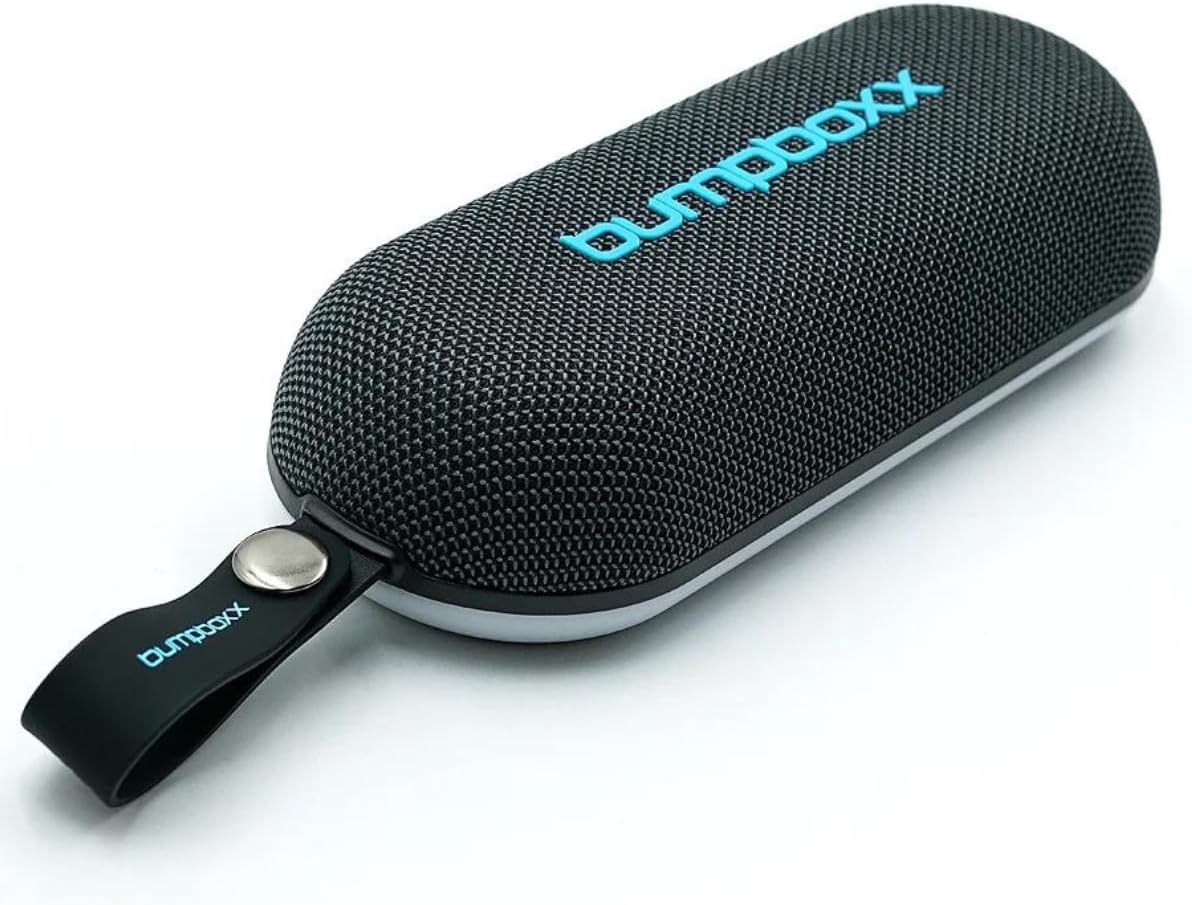
The Slapstik speaker with its durable strap, ready for portability.
Operating Instructions
1. Audio Playback
After successful Bluetooth pairing, you can play audio from your connected device. Use your device's controls to manage playback (play/pause, skip tracks) and adjust the volume. The speaker also has physical buttons for volume control and track navigation.
2. Magnetic Attachment
The Slapstik speaker features a strong magnetic backing, allowing it to securely attach to various metal surfaces. This is ideal for hands-free listening in workshops, golf carts, or other environments with suitable metal structures.

The speaker attached to a metal pole, demonstrating its magnetic capability and illuminated base.

The speaker securely mounted on a metal surface, highlighting its magnetic feature and ambient lighting.

The speaker conveniently attached to the frame of a golf cart, perfect for on-the-go music.
3. Built-in Microphone
The integrated microphone allows you to take calls directly through the speaker when connected to your smartphone. Press the multi-function button to answer or end calls.
4. LED Light Modes
The Slapstik speaker features dynamic LED lights. Press the power button briefly to cycle through different light modes or turn them off.
Official product video demonstrating the Bumpboxx Slapstik speaker's magnetic attachment capabilities and various use cases, including in a gym, on a basketball court, in a workshop, on a skateboard, on a golf course, and on a forklift.

The speaker attached to a backpack, showing its weather-resistant design suitable for outdoor adventures.

The compact size of the Slapstik speaker, easily held in one hand for ultimate portability.
Maintenance
Cleaning
To clean your Slapstik speaker, use a soft, damp cloth. Avoid using harsh chemicals or abrasive cleaners, as these can damage the surface and internal components. Ensure the charging port cover is securely closed before cleaning or exposing to moisture.
Storage
When not in use for extended periods, store the speaker in a cool, dry place away from direct sunlight and extreme temperatures. It is recommended to fully charge the battery before storing to maintain battery health.
Water Resistance
The Slapstik speaker is IPX6 water-resistant, meaning it can withstand powerful water jets. However, it is not designed for submersion in water. Do not expose the charging port to water when open.
Troubleshooting
| Problem | Possible Cause | Solution |
|---|---|---|
| Speaker does not power on. | Battery is depleted. | Charge the speaker fully using the provided USB-C cable. |
| No sound from speaker. | Volume is too low or muted; Not paired correctly; Device volume is low. | Increase speaker and device volume. Re-pair the speaker with your device. |
| Bluetooth pairing fails. | Speaker is not in pairing mode; Device is too far; Interference. | Ensure speaker is in pairing mode. Move device closer to speaker. Avoid strong electromagnetic interference. |
| Poor sound quality. | Device is too far; Obstructions; Low battery. | Move device closer. Remove obstructions. Charge the speaker. |
| Short battery life. | Speaker used at high volume; Old battery. | Reduce volume. Battery life naturally degrades over time. Ensure full charge before use. |
Specifications
| Feature | Detail |
|---|---|
| Model Number | BBSLPSTK |
| Dimensions | 7.83 x 3.15 x 1.85 inches |
| Item Weight | 1.34 pounds |
| Power Source | Battery Powered (1 Lithium Ion battery included) |
| Wireless Communication Technology | Bluetooth |
| Bluetooth Range | 30 feet (approx.) |
| Water Resistance Level | IPX6 (Water Resistant) |
| Speaker Maximum Output Power | 30 Watts |
| Frequency Response | 20 KHz |
| Audio Output Mode | Stereo |
| Number of Microphones | 1 |
| UPC | 810063742157 |
Warranty and Support
The Bumpboxx Slapstik speaker comes with a Limited Warranty. For detailed warranty information, product support, or to inquire about replacement parts, please visit the official Bumpboxx website or contact their customer service. You can also find more information and products at the Bumpboxx Store on Amazon.