
PHILIPS Alpha Easy Key 5HB
Philips Alpha Easy Key 5HB Digital Lock User Manual
Model: Alpha Easy Key 5HB
1. Introduction
Welcome to the user manual for your Philips Alpha Easy Key 5HB Digital Lock. This advanced digital lock offers multiple secure access methods, including numeric passwords, RFID tags, and biometric fingerprint recognition. It also features an integrated doorbell with real-time communication capabilities. Please read this manual carefully to ensure proper installation, operation, and maintenance of your new digital lock.
2. Key Features
The Philips Alpha Easy Key 5HB Digital Lock is designed for convenience and security, offering a range of features:
- Multiple Access Methods: Unlock your door using numeric passwords (up to 20 unique codes), RFID tags (up to 100 tags, 2 included), or biometric fingerprint recognition (up to 100 fingerprints).
- Integrated Doorbell: The lock features a built-in doorbell, allowing real-time communication with visitors via a connected application.
- Combination Lock Type: Provides robust security with its combination locking mechanism.
- Durable Construction: Made from high-quality zinc alloy and aluminum alloy for long-lasting performance.
- On-Device Management: All management and configuration, including adding/removing users, are performed directly on the lock itself, not through a mobile application.
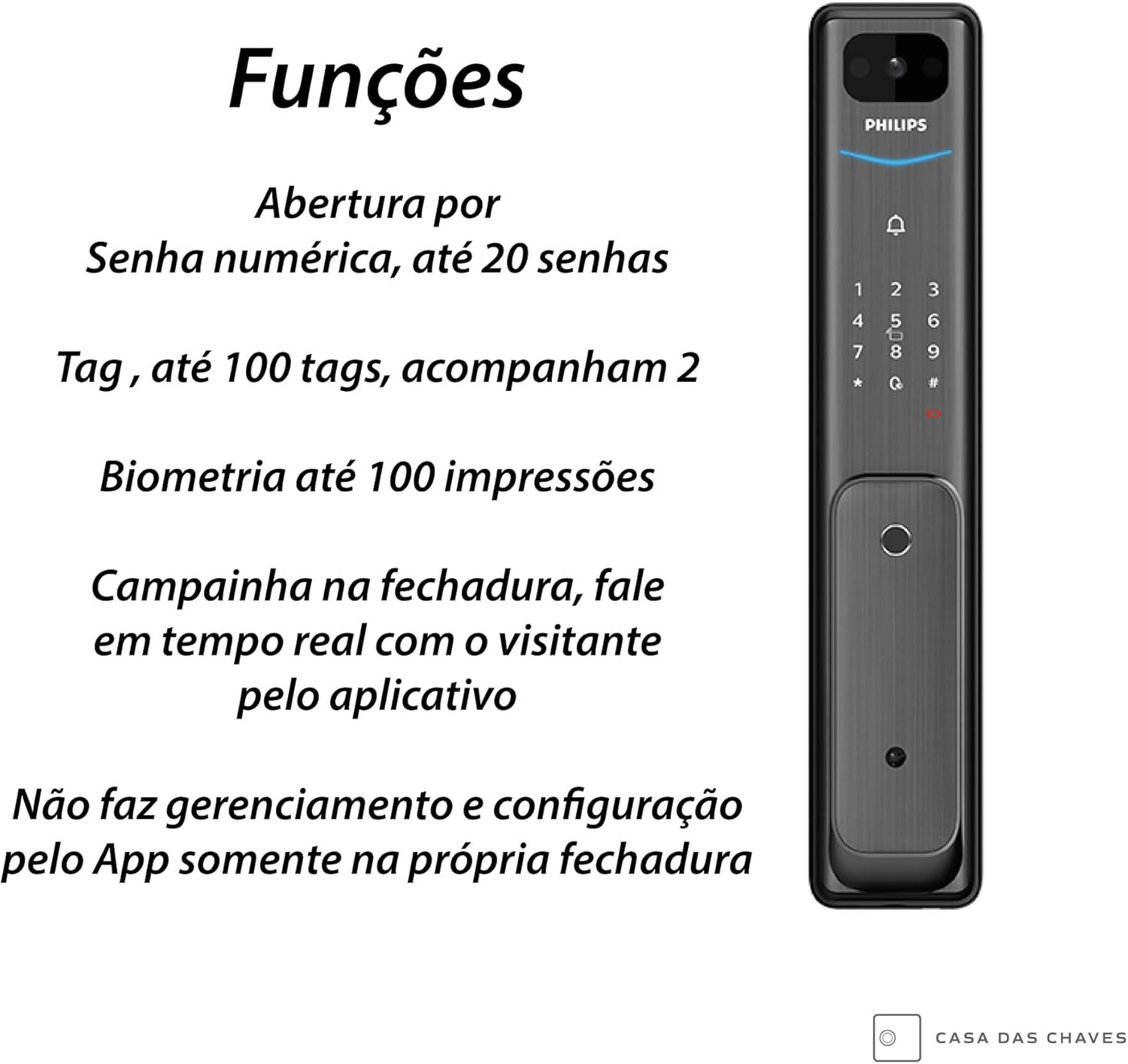
Figure 2.1: Overview of the lock's primary functions, including various access methods.
3. Package Contents
Please verify that all components are present in the package before beginning installation:
- Philips Alpha Easy Key 5HB Digital Lock (Front and Rear Assemblies)
- Mounting Hardware (screws, bolts, etc.)
- RFID Tags (2 included)
- Internet Connection Gateway
- User Manual (this document)

Figure 3.1: The included gateway for internet connectivity.
4. Installation and Setup
Proper installation is crucial for the optimal performance and security of your digital lock. It is highly recommended to have the lock installed by a qualified professional.
4.1 Pre-Installation Checks
- Ensure your door meets the required thickness and bore hole specifications. Refer to the dimensions diagram.
- Confirm all package contents are present and undamaged.
4.2 Installation Steps (General Overview)
- Prepare the door: Mark and drill holes according to the provided template (if applicable).
- Install the mortise lock into the door edge.
- Mount the exterior and interior lock assemblies, ensuring cables are properly connected and routed.
- Secure the lock with the included mounting hardware.
- Install batteries (if applicable, typically AA batteries).
- Test the lock's mechanical and digital functions.

Figure 4.1: Side view illustrating the lock's installation within a door.

Figure 4.2: Detailed dimensions of the digital lock for installation planning.
5. Operating Instructions
The Philips Alpha Easy Key 5HB Digital Lock offers several convenient ways to access your property.

Figure 5.1: Front and rear views of the Philips Alpha Easy Key 5HB Digital Lock.
5.1 Numeric Password Access
- To unlock, touch the keypad to activate.
- Enter your registered numeric password followed by the '#' key.
- The lock will unlock if the password is correct.
- To set/change passwords: Refer to the lock's internal menu system (accessed via the master password).
5.2 RFID Tag Access
- To unlock, present a registered RFID tag to the tag reader area on the lock.
- The lock will unlock automatically.
- To register new tags: Use the lock's internal menu system.
5.3 Biometric Fingerprint Access
- To unlock, place a registered finger firmly on the fingerprint sensor.
- The lock will unlock if the fingerprint is recognized.
- To register new fingerprints: Use the lock's internal menu system.
5.4 Doorbell and Communication
When a visitor presses the doorbell button on the lock, you can communicate with them in real-time through a connected application on your smartphone or device. This feature allows for convenient interaction even when you are not physically at the door.
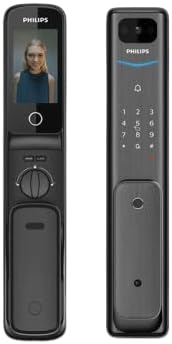
Figure 5.2: The lock's screen displaying a live video feed from the integrated doorbell.
5.5 Locking the Door
The lock typically features an automatic locking mechanism. Ensure the door is fully closed for the lock to engage. You may also manually lock the door from the inside using the handle or a dedicated button/switch.
6. Maintenance
To ensure the longevity and optimal performance of your Philips Alpha Easy Key 5HB Digital Lock, follow these maintenance guidelines:
- Cleaning: Wipe the lock's surface with a soft, dry cloth. Avoid abrasive cleaners, solvents, or harsh chemicals, as they can damage the finish and electronic components.
- Battery Replacement: While specific battery type and replacement frequency are not detailed, digital locks typically require periodic battery replacement. Replace batteries promptly when the low battery indicator appears to avoid being locked out. Use high-quality alkaline batteries.
- Sensor Care: Keep the fingerprint sensor and keypad clean and free of dirt, dust, or moisture to ensure accurate readings.
- Mechanical Check: Periodically check the door and lock for any signs of misalignment or loose components. Ensure the door closes smoothly and the latch engages properly.
7. Troubleshooting
If you encounter issues with your Philips Alpha Easy Key 5HB Digital Lock, refer to the following common problems and solutions:
| Problem | Possible Cause | Solution |
|---|---|---|
| Lock does not respond. | Dead batteries. | Replace all batteries with new ones. |
| Cannot unlock with password/tag/fingerprint. | Incorrect entry; Unregistered user; Sensor dirty. | Ensure correct password/tag/fingerprint; Register user if new; Clean sensor/keypad. |
| Doorbell not working or no communication. | Gateway not connected; App issue; Internet connectivity. | Check gateway connection; Restart app; Verify internet connection. |
| Lock is loose or misaligned. | Improper installation; Loose screws. | Check mounting hardware; Re-tighten screws; Consult professional installer. |
8. Specifications
| Manufacturer | Philips |
| Brand | PHILIPS |
| Model | Alpha Easy Key 5HB |
| Color | Black |
| Style | Polished |
| Finish | Polished |
| Material | Zinc alloy and Aluminum alloy |
| Special Features | Digital |
| Included Components | Mounting hardware |
| Package Dimensions | 50 x 24 x 12.5 cm; 5.3 kilograms |
| ASIN | B0CTRWRY6T |
| EAN | 6971318500725 |
| Available for purchase since | February 1, 2024 |
| Lock Type | Combination lock |
| Recommended Uses | Public spaces, gym lockers, bicycles, etc. |
9. Warranty and Support
For warranty information and technical support regarding your Philips Alpha Easy Key 5HB Digital Lock, please refer to the documentation provided with your purchase or visit the official Philips support website. You may also contact Philips customer service directly for assistance with product inquiries, troubleshooting, or service requests.
For general inquiries, you can visit the Philips store on Amazon: Philips Store
Ask a question about this manual
Ask about setup, troubleshooting, compatibility, parts, safety, or missing instructions. Manuals+ will review the question and use this page’s manual context to help answer it.