
Rollei Powerflex 10X
Rollei Powerflex10X Digital Camera User Manual
Model: Powerflex 10X (40150)
Brand: Rollei
Introduction
This manual provides comprehensive instructions for the operation and maintenance of your Rollei Powerflex10X digital camera. Please read this manual thoroughly before using the camera to ensure proper handling and to maximize its performance. The Rollei Powerflex10X is designed for capturing high-quality photos and videos with its 10x optical zoom and versatile shooting modes.
Package Contents
Please verify that all items listed below are included in your package. If any items are missing or damaged, contact your retailer.
- Rollei Powerflex10X Digital Camera
- Rechargeable Lithium-Ion Battery
- USB Cable
- Wrist Strap
- User Manual (this document)
Product Overview

Figure 1: Front view of the Rollei Powerflex10X digital camera, showcasing its compact design and prominent optical zoom lens.

Figure 2: Detailed view of the 10x optical zoom lens, indicating its focal length range of 4.9-49mm and aperture range of f/2.8-3.1.

Figure 3: Side view of the camera with the protective cover open, revealing the USB and HD (HDMI) ports for connectivity.

Figure 4: Rear view of the camera, showing the LCD display screen and control buttons for navigation and settings.
Setup
1. Charging the Battery
Insert the included Lithium-Ion battery into the camera's battery compartment. Connect the camera to a power source using the provided USB cable. The charging indicator light will illuminate during charging and turn off when fully charged.
2. Inserting a Memory Card
The Rollei Powerflex10X requires an SD card (not included) for storing photos and videos. Open the memory card slot cover and insert the SD card with the metal contacts facing the correct direction until it clicks into place.
3. Initial Power On
Press and hold the power button to turn on the camera. Follow the on-screen prompts to set the date, time, and language.
Operating Instructions
Basic Photography
To take a photo, frame your subject using the LCD screen. Press the shutter button halfway down to focus, then press it fully to capture the image.

Figure 5: The camera's display showing options for adjustable photo resolutions, ranging from 8 MP to an interpolated 64 MP.
Using the Optical Zoom
The camera features a 10x optical zoom lens. Use the zoom lever (typically around the shutter button) to zoom in or out. Optical zoom allows for clear magnification without loss of image quality.

Figure 6: An example illustrating the camera's 10x optical zoom, allowing users to capture distant subjects with clarity.
Photo Modes
The Rollei Powerflex10X offers 8 photo modes, ranging from fully automatic to manual settings, to suit various shooting conditions. Access these modes via the mode dial or menu options.

Figure 7: Visual representation of the 8 distinct photo modes available on the camera, designed for different photographic scenarios.
Using the Fold-Out Flash
For low-light conditions, the camera is equipped with a fold-out flash. Manually raise the flash unit when needed. The flash will automatically fire when activated in appropriate modes.

Figure 8: The camera with its integrated fold-out flash in the extended position, ready for use in low-light environments.
Video Recording
The camera supports video recording up to 4K resolution at 24 frames per second (fps). Switch to video mode and press the record button to start and stop recording.
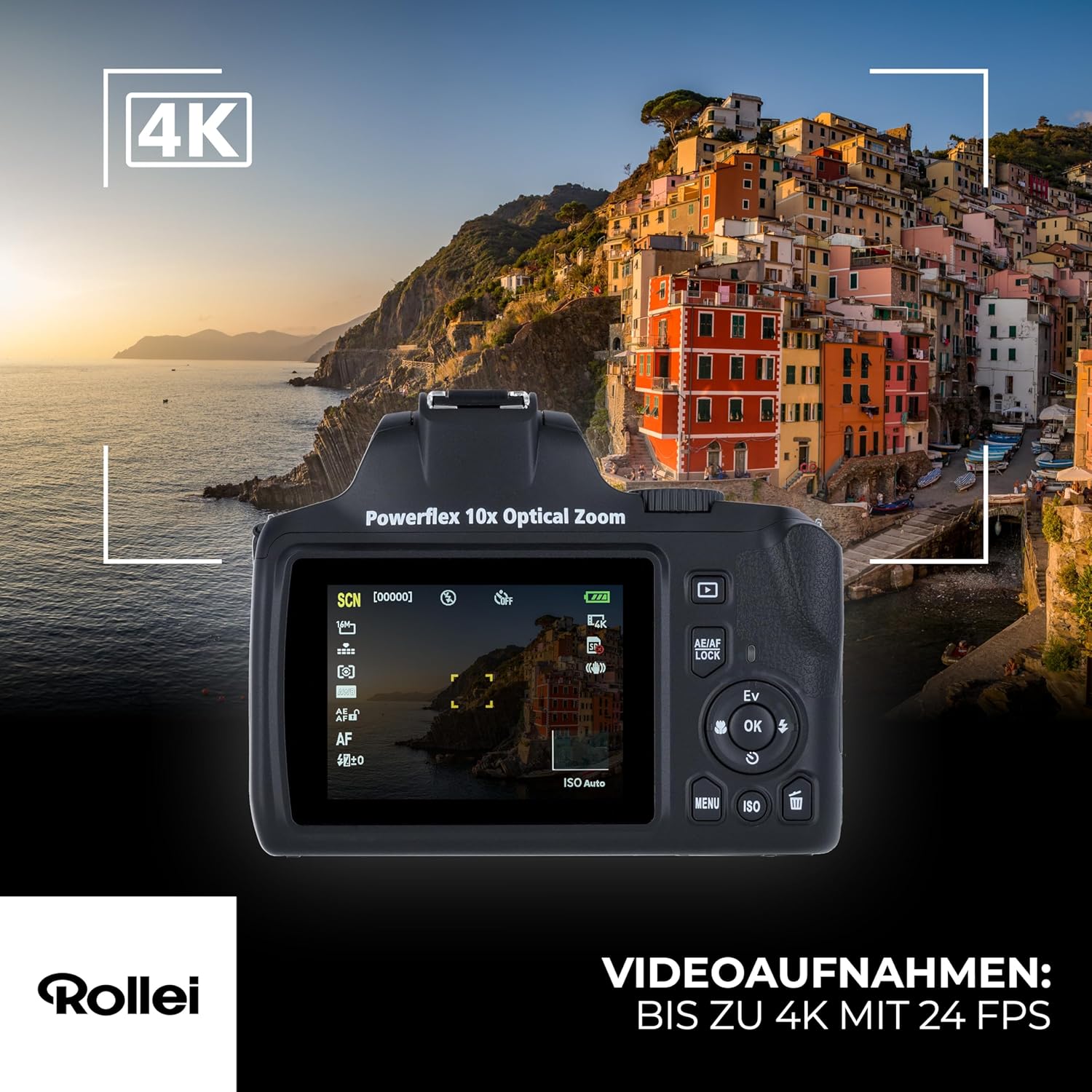
Figure 9: The camera's screen indicating 4K video recording capability, showing the video interface.
Maintenance
Cleaning the Camera
- Use a soft, lint-free cloth to clean the camera body.
- For the lens, use a specialized lens cleaning cloth and solution. Avoid touching the lens surface with your fingers.
- Do not use organic solvents or strong chemicals to clean the camera.
Storage
- Store the camera in a cool, dry place away from direct sunlight and extreme temperatures.
- Remove the battery if the camera will not be used for an extended period.
- Use a desiccant packet in the storage area to prevent moisture buildup.
Troubleshooting
| Problem | Possible Cause | Solution |
|---|---|---|
| Camera does not power on. | Battery is depleted or incorrectly inserted. | Charge the battery fully. Ensure the battery is inserted correctly. |
| Cannot take photos. | Memory card is full, locked, or not inserted. | Delete unnecessary files, unlock the card, or insert a valid memory card. |
| Images are blurry. | Camera shake, subject movement, or incorrect focus. | Hold the camera steady, use a tripod, or ensure proper focus before shooting. |
| Flash does not fire. | Flash is not raised or disabled in settings. | Manually raise the fold-out flash. Check flash settings in the menu. |
Specifications
| Feature | Detail |
|---|---|
| Model Number | 40150 |
| Optical Zoom | 10x |
| Photo Sensor Technology | Sony IMX415 |
| Maximum Photo Resolution | Up to 64 MP (interpolated from 8 MP sensor) |
| Video Recording | 4K at 24 fps |
| Supported File Formats | JPEG (Photos), MP4 (Videos) |
| Image Stabilization | Digital |
| Minimum Expanded ISO | 50 |
| Metering Description | Center Weighted |
| Battery Type | 1 Lithium Ion (included) |
| Dimensions (Package) | 19.6 x 15.5 x 12.2 cm |
| Weight (Package) | 606 g |
Warranty and Support
For warranty information and technical support, please refer to the official Rollei website or contact your local authorized dealer. Keep your proof of purchase for warranty claims.
Online Support: Visit www.rollei.com for FAQs, software updates, and contact information.