1. Introduction
Thank you for purchasing the Daewoo D43DM54UANSX 43-inch 4K UHD Android Smart TV. This manual provides essential information for the safe and efficient use of your television. Please read these instructions thoroughly before operating the device and retain them for future reference.
2. Safety Information
Always follow basic safety precautions when using this television to reduce the risk of fire, electric shock, and injury.
- Do not expose the TV to rain or moisture.
- Do not block ventilation openings.
- Ensure the power cord is not pinched or walked on.
- Only use attachments/accessories specified by the manufacturer.
- Refer all servicing to qualified service personnel.
3. Package Contents
Verify that all items are present in the packaging:
- Daewoo D43DM54UANSX 43-inch 4K UHD Android Smart TV
- Remote Control
- 2 x AAA Batteries (for remote control)
- TV Stand Feet
- User Manual (this document)
4. Product Overview
4.1. Key Features
- Display: 43-inch 4K Ultra HD (3840 x 2160) LED screen.
- Picture Enhancement: HDR Dolby Vision, Super Resolution, Micro Dimming, MEMC for smooth motion.
- Audio: Dolby Atmos for immersive sound.
- Smart TV: Android TV operating system with Google Play Store, Google Assistant, and Google Chromecast built-in.
- Tuners: Integrated Triple Tuner (DVB-T2, DVB-C, DVB-S2) for terrestrial, cable, and satellite reception.
- Connectivity: Wi-Fi, Bluetooth, 3x HDMI (CEC+ARC), 2x USB, CI Slot, LAN, Digital Audio Out, Headphone Jack.
4.2. Dimensions and VESA Mounting

The image above illustrates the physical dimensions of the television and the VESA mounting pattern. The TV measures approximately 97.3 cm in width. Height with stand is 62.9 cm, and without stand is 56.7 cm. Depth with stand is 24.4 cm, and without stand is 8.4 cm. The VESA mounting standard is M4 100x100 mm.
4.3. Connectivity Ports

The television offers a variety of connection options:
- 3x HDMI: For connecting external devices like game consoles, Blu-ray players, or soundbars. One port supports ARC (Audio Return Channel) and CEC (Consumer Electronics Control).
- 2x USB: For connecting USB storage devices to play media files.
- CI Slot: For Common Interface modules, typically used for encrypted digital TV services.
- ANTENNA (RF/F): For connecting terrestrial (DVB-T2) or cable (DVB-C) antenna.
- LAN: Ethernet port for wired internet connection.
- DIG. AUDIOAUSGANG (Digital Audio Out): For connecting to external audio systems via optical cable.
- HEADPHONES: 3.5mm jack for headphones.
- BLUETOOTH: For wireless connection to compatible audio devices or accessories.
4.4. Remote Control

The remote control provides quick access to various functions and popular streaming applications like Netflix, YouTube, Prime Video, and Google Play. Insert the two AAA batteries provided into the remote control, ensuring correct polarity.
5. Setup
5.1. Attaching the Stand
- Carefully place the TV face-down on a soft, flat surface to prevent screen damage.
- Align the stand feet with the corresponding slots on the bottom of the TV.
- Secure the feet using the screws provided.
5.2. Wall Mounting (Optional)
If you choose to wall mount your TV, ensure you use a VESA-compatible wall mount (M4 100x100 mm) and follow the instructions provided with the wall mount kit. Remove the stand feet before mounting.
5.3. Connecting External Devices
Connect your antenna, satellite dish, or other external devices (e.g., game consoles, soundbars) to the appropriate ports on the TV as described in Section 4.3.
5.4. Power Connection
Plug the power cord into the TV's power input, then into a wall outlet. The TV will enter standby mode.
5.5. Initial Setup Wizard
Upon first power-on, the TV will guide you through an initial setup process. This includes:
- Language selection.
- Network connection (Wi-Fi or Ethernet).
- Google account sign-in (recommended for full Android TV features).
- Channel scanning for DVB-T2/C/S2.
- Accepting terms and conditions.
6. Operating the TV
6.1. Basic Functions
- Power On/Off: Press the power button on the remote control.
- Volume Control: Use the Volume Up/Down buttons.
- Channel Selection: Use the Channel Up/Down buttons or number pad.
- Input Source: Press the 'Source' button to select HDMI, TV, or other inputs.
6.2. Android TV Interface

The Android TV home screen provides access to your installed apps, streaming services, and settings. Navigate using the directional pad and OK button on your remote.
6.3. Smart Features
- Google Play Store: Download and install a wide range of apps, games, and streaming services.
- Google Assistant: Use voice commands to control your TV, search for content, and get information.

Activate Google Assistant by pressing the dedicated button on your remote or saying "Ok Google" (if enabled and a compatible smart speaker is connected). This allows for hands-free control of your TV.
- Google Chromecast: Cast content from your compatible smartphone, tablet, or computer directly to your TV.
6.4. Picture and Sound Settings
Access the TV settings menu to adjust picture and sound preferences.
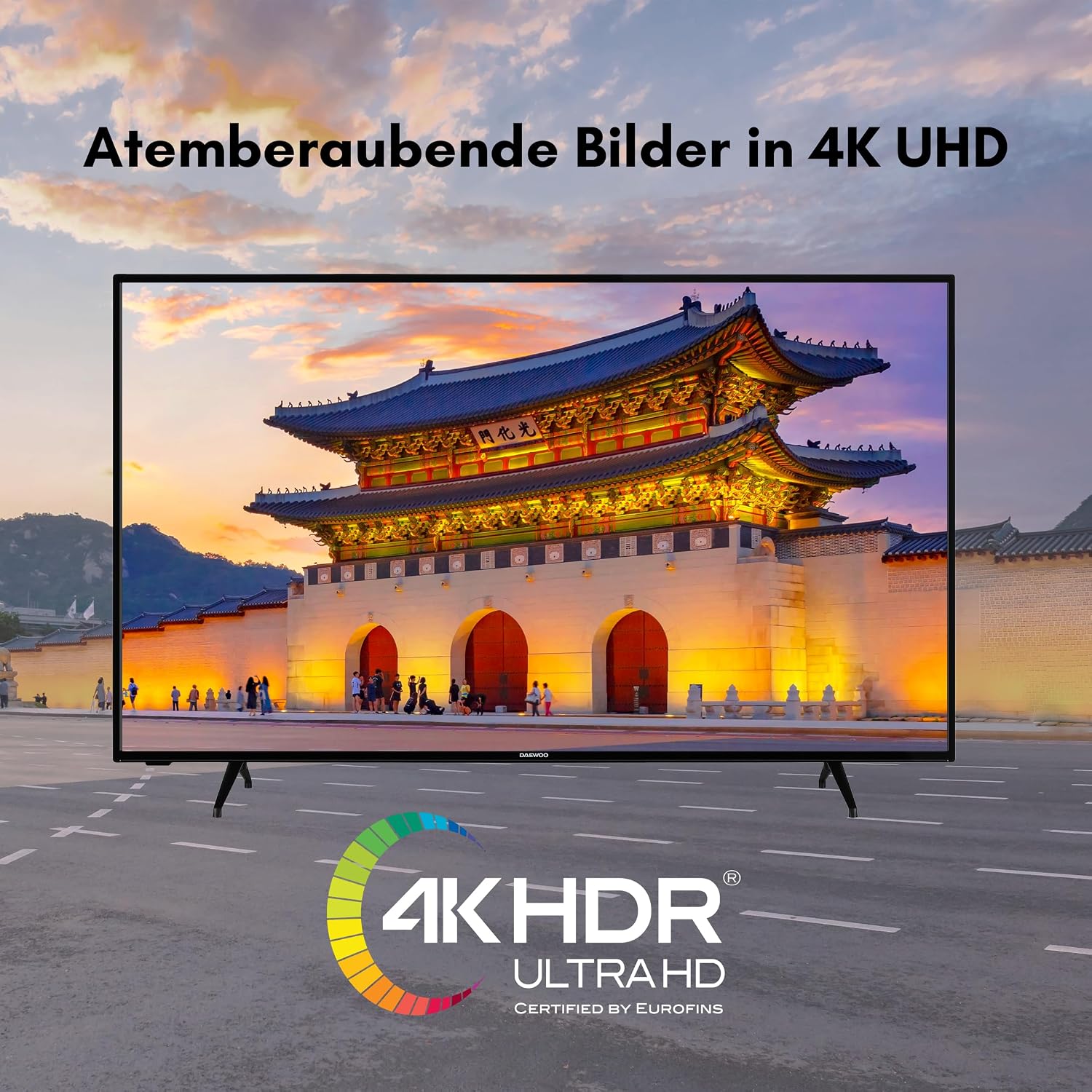
Your TV supports 4K UHD resolution and HDR Dolby Vision for enhanced contrast and color accuracy.

Experience immersive audio with Dolby Atmos, providing three-dimensional sound.

Super Resolution and Micro Dimming technologies optimize the LED backlight for improved contrast and detail.

MEMC (Motion Estimation, Motion Compensation) technology enhances motion clarity for smoother viewing, especially in fast-paced scenes.
6.5. Optimal Viewing Distance
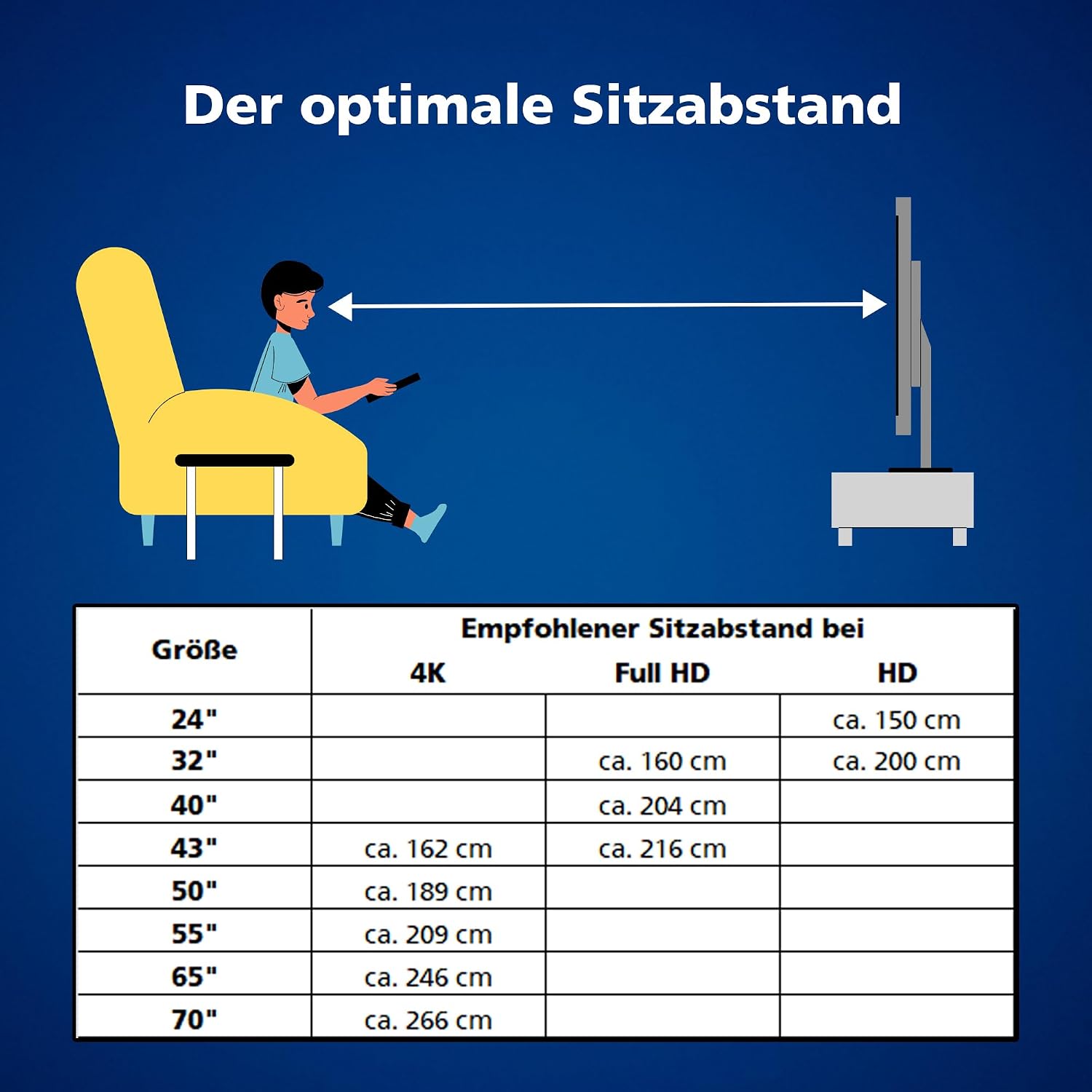
The recommended viewing distance for a 43-inch 4K TV is approximately 162 cm for optimal immersion and detail perception.
7. Maintenance
To ensure the longevity of your TV, follow these maintenance guidelines:
- Cleaning the Screen: Gently wipe the screen with a soft, lint-free cloth. For stubborn marks, use a screen cleaner specifically designed for TVs, applied to the cloth, not directly to the screen.
- Cleaning the Cabinet: Use a soft, dry cloth to wipe the TV cabinet. Do not use abrasive cleaners or solvents.
- Ventilation: Ensure the ventilation openings on the back of the TV are not blocked to prevent overheating.
- Power Cord: Regularly check the power cord for any damage. If damaged, replace it immediately with an approved cord.
8. Troubleshooting
If you encounter issues with your TV, refer to the following common problems and solutions:
- No Power: Check if the power cord is securely plugged into the TV and the wall outlet. Ensure the wall outlet is functional.
- No Picture/Sound: Verify the correct input source is selected. Check all cable connections (HDMI, antenna).
- Remote Control Not Working: Check the batteries and ensure they are inserted with correct polarity. Point the remote directly at the TV's IR sensor.
- Poor Picture Quality: Check antenna/cable connections. Adjust picture settings in the TV menu. For streaming content, ensure a stable internet connection.
- No Internet Connection: Check Wi-Fi settings or Ethernet cable connection. Restart your router.
- Apps Not Loading: Ensure the TV is connected to the internet. Try restarting the TV. Clear the app's cache in the TV settings.
For more complex issues, consult the full electronic manual or contact customer support.
9. Specifications
| Feature | Specification |
|---|---|
| Brand | Daewoo |
| Model Number | D43DM54UANSX |
| Screen Size | 43 Inches (108 cm) |
| Display Technology | LED |
| Resolution | 4K UHD (3840 x 2160 pixels) |
| Aspect Ratio | 16:9 |
| Refresh Rate | 120 |
| Operating System | Android TV |
| Special Features | Android TV, Dolby Atmos, Dolby Vision HDR, Google Play Store, Super Resolution, Micro Dimming, MEMC |
| Connectivity | Bluetooth, HDMI (3 ports), USB (2 ports), Wi-Fi, LAN |
| Audio Output | Digital Audio Out, Headphone Jack |
| Tuners | DVB-T2, DVB-C, DVB-S2 |
| Color | Black |
| Product Dimensions (with stand) | 24.4D x 97.2W x 62.9H cm |
| VESA Mounting | M4 100x100 mm |
| Included Components | TV, Remote Control, 2x AAA Batteries, TV Stand Feet, User Manual |
10. Energy Information

The energy label provides information on the energy efficiency of the television. For detailed product information and the official product data sheet, please refer to the EPREL database:
11. Warranty and Support
Spare parts for this product are guaranteed to be available for 7 years from the date of purchase. For warranty claims or technical support, please contact your retailer or the Daewoo customer service in your region. Please have your model number (D43DM54UANSX) and purchase information ready.