
1. Introduction
This manual provides essential information for the Nintendo Grand Theft Auto: The Trilogy (The Definitive Edition) for Nintendo Switch. This collection includes three classic titles: Grand Theft Auto III, Grand Theft Auto: Vice City, and Grand Theft Auto: San Andreas, updated for modern platforms.
The Definitive Edition features enhancements such as improved lighting, environmental upgrades, high-resolution textures, increased draw distances, and updated controls inspired by Grand Theft Auto V.

Image 1.1: The official game cover for Grand Theft Auto: The Trilogy (The Definitive Edition) on Nintendo Switch, featuring artwork from all three included games.
2. Setup and Installation
- Insert Game Card: Ensure your Nintendo Switch console is powered off or in sleep mode. Open the game card slot cover on your console and insert the Grand Theft Auto: The Trilogy game card until it clicks into place.
- Power On Console: Turn on your Nintendo Switch console. The game icon should appear on the HOME Menu.
- System Updates: It is recommended to connect your Nintendo Switch to the internet to check for and install any available system software updates. This ensures optimal performance and compatibility.
- Game Software Updates: Select the game icon from the HOME Menu. The system may prompt you to download and install game software updates. An internet connection is required for these downloads.
- Initial Download: Please note that an internet download may be required to access all content within the trilogy. Ensure sufficient storage space is available on your console or microSD card.
3. Operating Instructions (Gameplay)
3.1 General Gameplay Mechanics
- Movement: Use the left analog stick to move your character.
- Camera Control: Use the right analog stick to control the camera view.
- Interaction: Press the 'A' button to interact with objects, enter vehicles, or confirm selections.
- Attacking/Shooting: Use the 'ZR' button to aim and 'R' button to fire weapons. Controls are updated to be similar to Grand Theft Auto V.
- Vehicle Controls: 'ZR' for acceleration, 'ZL' for brake/reverse, left analog stick for steering.
- Missions: Progress through the game by completing story missions, typically marked on the in-game map.
- Saving Progress: Game progress can be saved at designated safe houses or by completing certain missions.
3.2 Grand Theft Auto III: Liberty City
Experience the origins of the 3D Grand Theft Auto universe in Liberty City. As Claude, navigate a criminal underworld filled with betrayal and opportunity. The game offers an open world environment where players can freely explore, undertake missions, and engage in various activities.

Image 3.2.1: A scene from Grand Theft Auto III: The Definitive Edition, showcasing a train moving through Liberty City with updated graphics.
3.3 Grand Theft Auto: Vice City
Step into the 1980s as Tommy Vercetti in the vibrant, neon-soaked city of Vice City. This installment focuses on Tommy's rise through the criminal ranks, marked by betrayal and revenge. The game features a distinct 80s aesthetic, including music, fashion, and vehicle designs.

Image 3.3.1: A nighttime street scene in Grand Theft Auto: Vice City: The Definitive Edition, highlighting the city's distinctive architecture and lighting.
3.4 Grand Theft Auto: San Andreas
Return to the early 90s as Carl 'CJ' Johnson in Los Santos, San Andreas. CJ's story involves family, gangs, and corruption as he attempts to rebuild his life and protect his loved ones. San Andreas offers a vast open world encompassing three major cities and rural areas, with elements like character customization and gang warfare.
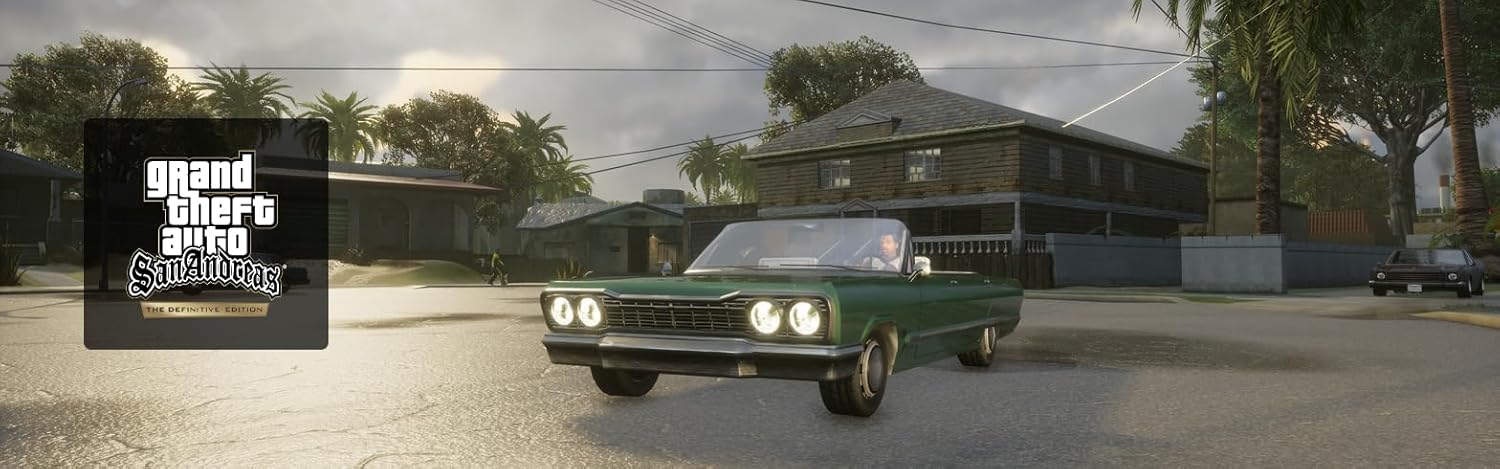
Image 3.4.1: A classic lowrider car driving through a neighborhood in Grand Theft Auto: San Andreas: The Definitive Edition, reflecting the game's setting.

Image 3.4.2: Two characters from Grand Theft Auto: The Trilogy holding firearms, illustrating combat elements within the games.

Image 3.4.3: A car chase scene in Grand Theft Auto: The Trilogy, depicting a red sports car evading police vehicles during a rainy sequence.
4. Maintenance and Care
- Game Card Handling: Always handle the game card by its edges. Avoid touching the metal connectors. Store the game card in its case when not in use to prevent dust and damage.
- Software Updates: Regularly check for and install game software updates. These updates often include performance improvements, bug fixes, and sometimes new content. Ensure your Nintendo Switch is connected to the internet for this.
- Console Care: Keep your Nintendo Switch console clean and free from dust. Avoid exposing it to extreme temperatures or direct sunlight.
- Storage Space: Ensure adequate storage space on your console or microSD card for game updates and save data.
5. Troubleshooting
| Issue | Possible Solution |
|---|---|
| Game does not start or load. |
|
| Performance issues (lag, frame drops). |
|
| "Internet download required" message persists. |
|
| Controls are unresponsive. |
|
6. Specifications
- Product Title: Grand Theft Auto: The Trilogy (The Definitive Edition)
- Platform: Nintendo Switch
- Brand: Nintendo
- Model Number: Switch-GTA-Trilogy-EU
- ASIN: B0CTN11JRM
- Compatible Console Models: Nintendo Switch, Nintendo Switch - OLED Model, Nintendo Switch 2, Nintendo Switch Lite
- Item Weight: 1.76 ounces
- Product Dimensions: 4.02 x 0.51 x 6.69 inches
- Type of Item: CD-ROM (Game Card)
- Manufacturer: Nintendo
- Date First Available: January 31, 2024
7. Warranty and Support
For warranty information regarding your Nintendo Switch console or accessories, please refer to the documentation included with your console or visit the official Nintendo support website.
For support related to the Grand Theft Auto: The Trilogy (The Definitive Edition) game software, including technical issues or gameplay questions, please visit the official support channels for Rockstar Games, the game's publisher, or Nintendo's customer support portal.
Nintendo Support: www.nintendo.com/support/
Rockstar Games Support: support.rockstargames.com


