
Introduction
This user manual provides detailed instructions for the safe and efficient operation of your XO X23 TWS Earbuds. Please read this manual thoroughly before using the product to ensure optimal performance and longevity. The XO X23 earbuds offer a seamless audio experience with Bluetooth 5.3 connectivity, designed for comfort and high-fidelity sound.
Package Contents
- XO X23 TWS Earbuds (Left and Right)
- Charging Case
- Charging Cable (TYPE-C)
- Invoice
Product Overview
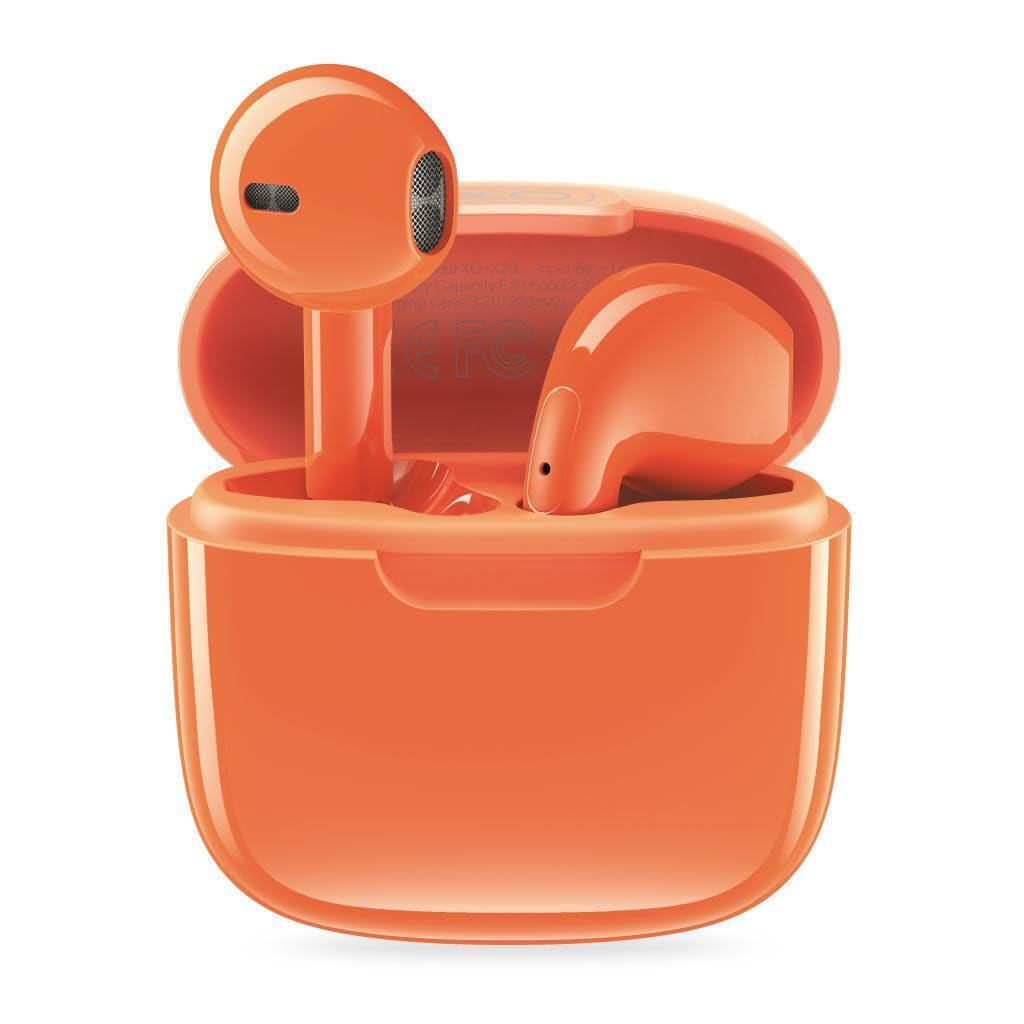
Figure 1: XO X23 TWS Earbuds in their orange charging case, with one earbud partially removed, showcasing the compact design.
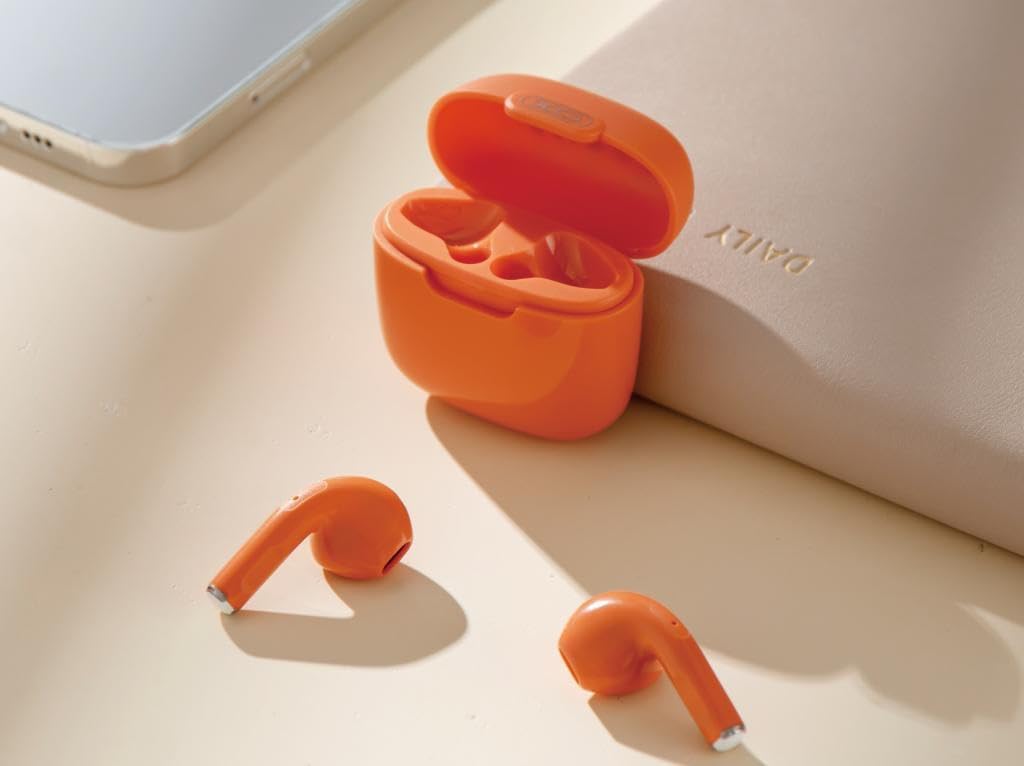
Figure 2: The XO X23 TWS Earbuds placed outside their open charging case, demonstrating their ergonomic in-ear design.
The XO X23 TWS Earbuds consist of two independent earbuds and a portable charging case. Each earbud features touch controls for various functions, and the charging case provides power on the go.
Setup
1. Initial Charging
Before first use, fully charge the earbuds and the charging case. Connect the provided TYPE-C charging cable to the charging case and a power source. The charging case takes approximately 2 hours to fully charge, and the earbuds take about 1.5 hours when placed inside the charged case.
2. Pairing with a Device
- Ensure the earbuds are charged.
- Open the charging case. The earbuds will automatically enter pairing mode.
- On your device (smartphone, tablet, laptop), enable Bluetooth.
- Search for available Bluetooth devices and select "XO X23" from the list.
- Once connected, a confirmation sound will be heard, and the earbuds will be ready for use.
The XO X23 utilizes Bluetooth 5.3 technology for a stable and efficient connection up to 10 meters.

Figure 3: Illustration highlighting the upgraded Bluetooth 5.3 technology for faster and more stable connections.
Operating Instructions
Power On/Off
- Power On: Open the charging case, and the earbuds will automatically power on and connect to the last paired device.
- Power Off: Place the earbuds back into the charging case and close the lid. They will automatically disconnect and power off.
Touch Controls
The XO X23 earbuds feature intuitive touch controls for easy management of music and calls.
- Play/Pause: Single tap on either earbud.
- Volume Up/Down: Specific touch gestures (refer to product packaging or quick start guide for exact gestures, as this detail is not in provided data).
- Next Song: Triple tap on the right earbud.
- Previous Song: Triple tap on the left earbud.
- Answer/End Call: Single tap on either earbud.
- Reject Call: Press and hold on either earbud.
- Activate Voice Assistant: Double tap on either earbud (if supported by your device).
Charging
The XO X23 TWS Earbuds provide extended listening time with their charging case.
- Earbud Charging: Place earbuds into the charging case. They will automatically begin charging. A fully charged case can recharge the earbuds approximately 3 times.
- Charging Case: Connect the TYPE-C cable to the charging port on the case and a USB power adapter.
- Battery Life:
- Talk Time: Approximately 4 hours
- Music Playback Time (at 80% volume): Approximately 4 hours
- Shutdown Standby Time (fully charged): 4-6 months

Figure 4: Visual representation of the XO X23's strong endurance, including talk/music time, charging time, and standby time.
Maintenance and Care
- Clean the earbuds and charging case regularly with a soft, dry, lint-free cloth.
- Avoid using abrasive cleaners, solvents, or harsh chemicals.
- Keep the charging contacts on both the earbuds and the case clean to ensure proper charging.
- Store the earbuds in their charging case when not in use to protect them from dust and damage.
- Avoid exposing the earbuds to extreme temperatures, humidity, or liquids. While they may have some sweat and splash resistance, they are not fully waterproof.
Troubleshooting
| Problem | Possible Cause | Solution |
|---|---|---|
| Earbuds not pairing/connecting. | Earbuds not in pairing mode; Bluetooth off on device; out of range; interference. | Ensure earbuds are in pairing mode (open case). Turn device Bluetooth off and on. Move closer to device. Disconnect from other Bluetooth devices. |
| No sound from one or both earbuds. | Low battery; volume too low; earbud not properly seated; connection issue. | Charge earbuds. Increase device volume. Re-seat earbuds in case and try again. Re-pair earbuds. |
| Charging case not charging. | Cable issue; power source issue; dirty charging port. | Try a different TYPE-C cable. Use a different USB power adapter/port. Clean the charging port gently. |
| Earbuds not charging in case. | Case battery low; dirty charging contacts; earbuds not seated correctly. | Charge the case. Clean the charging contacts on both earbuds and case. Ensure earbuds are properly placed in their slots. |
Specifications
| Feature | Detail |
|---|---|
| Model | X23 |
| Bluetooth Version | Bluetooth V5.3 (Jerry JL6983D2 chip) |
| Connectivity Technology | Wireless (Bluetooth) |
| Earbud Battery Capacity | 3.7V 25mAh * 2 |
| Charging Case Battery Capacity | 3.7V 200mAh |
| Earphone Charging Time | Approx. 1.5 hours |
| Charging Case Charging Time | Approx. 2 hours (TYPE-C) |
| Talk Time | Approx. 4 hours |
| Music Time (80% volume) | Approx. 4 hours |
| Shutdown Standby Time | 4-6 months (when fully charged) |
| Number of Earbud Charges from Case | About 3 times |
| Maximum Operating Distance | 10 Metres |
| Control Method | Touch Control |
| Microphone Format | Hands-Free, Stereo |
| Material | PC+ABS |
| Product Dimensions | 4.6 x 4.6 x 2.35 cm |
| Item Weight | 100 g |
Warranty and Support
For warranty information and technical support, please refer to the warranty card included in your product packaging or contact XO Manufacture directly through their official website or customer service channels. Please retain your purchase invoice for warranty claims.
Manufacturer: XO Manufacture
Model: X23


