
1. Introduction
The SAIVXIAN OTDR Fiber Optic Launch Cable is designed to eliminate the dead zone in Optical Time Domain Reflectometer (OTDR) measurements. This 1-kilometer single-mode fiber optic cable, featuring SC/APC to LC/UPC connectors, allows for accurate testing of the proximal and distal ends of fiber optic links by providing a buffer between the OTDR and the fiber under test. It is suitable for both indoor and outdoor applications.
2. Key Features
- Dead Zone Elimination: Specifically designed to make up for the blind area of OTDR tests, ensuring accurate measurements of the entire fiber link.
- Single-Mode Compatibility: Suitable for single-mode cables operating at 1310nm and 1550nm wavelengths.
- Connector Configuration: Equipped with SC/APC to LC/UPC connectors for versatile compatibility with various fiber optic equipment.
- Optimal Length: Features a 1-kilometer fiber length, ideal for most OTDR testing scenarios.
- Robust Construction: Housed in a durable, sealed case with excellent sealing performance, making it waterproof, anti-fouling, and explosion-proof.
- High Data Transfer Rate: Supports a data transfer rate of 1 Gigabit per second for efficient testing.
- Portable Design: Small in size, lightweight, and easy to carry, with no fusion interface in the middle of the optical fiber.
3. Specifications
| Parameter | Value |
|---|---|
| Brand | SAIVXIAN |
| Model | SC/APC-LC/UPC 1KM |
| Cable Type | Single-Mode Fiber Optic |
| Connector Type | SC/APC to LC/UPC |
| Cable Length | 1 Kilometer |
| Compatible Wavelengths | 1310nm, 1550nm |
| Data Transfer Rate | 1 Gigabits Per Second |
| Indoor/Outdoor Usage | Indoor, Outdoor |
| Approximate Weight | 21.86 oz (620g) |
| Case Dimensions (L x W x H) | 9.84 in x 5.9 in x 2.55 in |

Dimensions and weight of the SAIVXIAN OTDR Launch Cable case: 9.84 inches length, 5.9 inches width, 2.55 inches height, and approximately 21.86 ounces weight.
4. Setup and Connection
Proper setup of the OTDR launch cable is crucial for accurate fiber optic testing. Follow these steps to connect the launch cable:
- Inspect Connectors: Before each use, visually inspect both the SC/APC and LC/UPC connectors on the launch cable for any dust, dirt, or damage. Clean them if necessary using appropriate fiber optic cleaning tools.
- Connect to OTDR: Connect the LC/UPC end of the launch cable to the designated optical port on your OTDR device. Ensure a secure and firm connection.
- Connect to Fiber Under Test (DUT): Connect the SC/APC end of the launch cable to the fiber optic cable or device under test (DUT). This connection should also be secure.
- Secure the Cable: Place the launch cable box on a stable surface. Utilize the integrated cable retainers and portable hooks to manage the cable and prevent accidental disconnections or damage during testing.

Close-up view of the SAIVXIAN OTDR Launch Cable's components, including SC/APC and LC/UPC connectors, cable retainers, drawstring buckle, and portable hooks.
5. Operating Instructions
The primary function of the OTDR launch cable is to provide a sufficient length of fiber before the actual fiber under test, allowing the OTDR to stabilize and accurately measure the first connector and subsequent events without being affected by the OTDR's inherent dead zone.
- Power On OTDR: Turn on your OTDR device and allow it to complete its self-calibration process.
- Configure OTDR Settings: Set the appropriate parameters on your OTDR, such as wavelength (1310nm or 1550nm), pulse width, and range, according to the specifications of the fiber under test.
- Perform Test: Initiate the OTDR test. The launch cable will absorb the initial high-power pulse, allowing the OTDR to accurately detect and characterize the first connector of the DUT.
- Analyze Results: Review the trace on your OTDR. The launch cable's trace will appear first, followed by the trace of the fiber under test. This separation enables precise measurement of the first connector loss and reflectivity.

The SAIVXIAN OTDR Launch Cable in its protective case, illustrating its role in eliminating blind spots during OTDR testing.
Product Demonstration Video
Official product video demonstrating the SAIVXIAN Fiber Optic Launch Cable, showcasing its features and applications in OTDR testing.
6. Care and Maintenance
To ensure the longevity and optimal performance of your SAIVXIAN OTDR Fiber Optic Launch Cable, follow these maintenance guidelines:
- Connector Cleaning: Always keep the fiber optic connectors clean. Use lint-free wipes and fiber optic cleaning solutions or specialized cleaning tools to remove dust and contaminants. Dirty connectors are a primary cause of signal loss and inaccurate measurements.
- Proper Storage: After use, carefully coil the fiber optic cable and store it back in its protective green case. The case is designed to be waterproof, anti-fouling, and explosion-proof, providing excellent protection against environmental factors and physical damage.
- Avoid Bending: Do not bend the fiber optic cable beyond its minimum bend radius to prevent micro-bends and macro-bends that can cause signal attenuation.
- Handle with Care: Avoid dropping or subjecting the launch cable box to harsh impacts. While robust, excessive force can still cause internal damage.
- Environmental Protection: Although the case is designed for indoor and outdoor use, avoid prolonged exposure to extreme temperatures or direct sunlight when not in use.
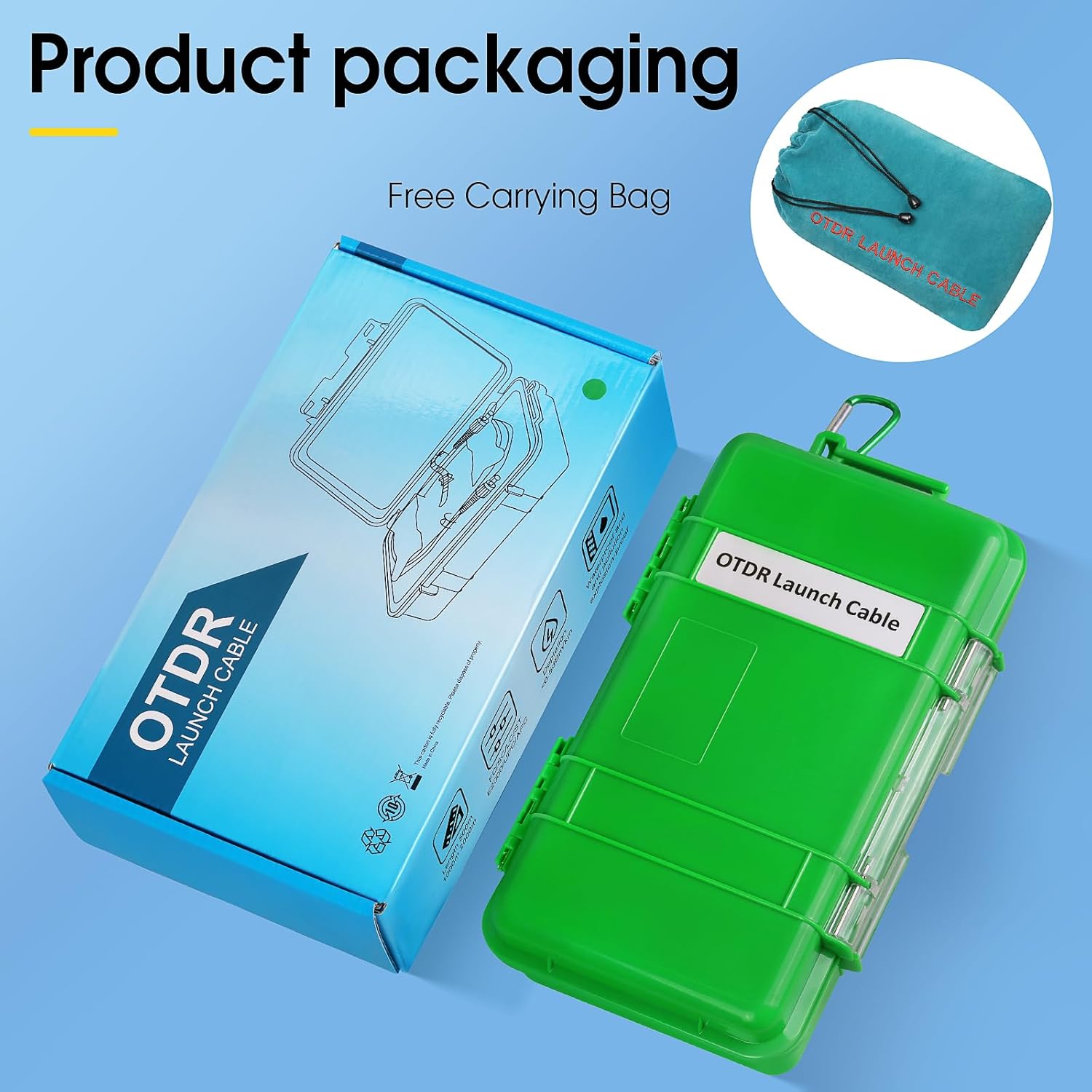
The SAIVXIAN OTDR Launch Cable and its packaging, including a free carrying bag for convenient transport and storage.
7. Troubleshooting
If you encounter issues during OTDR testing with your launch cable, consider the following common troubleshooting steps:
- No Signal or High Loss:
- Check Connectors: Ensure all connectors (OTDR to launch cable, launch cable to DUT) are clean and securely seated. Dirty or loose connectors are the most frequent cause of signal issues.
- Verify Cable Integrity: Inspect the launch cable for any visible damage, kinks, or sharp bends that could cause excessive loss.
- OTDR Settings: Confirm that your OTDR settings (wavelength, pulse width, range) are correctly configured for the fiber type and length being tested.
- Inaccurate Measurements:
- Recalibrate OTDR: If measurements seem inconsistent, try recalibrating your OTDR according to its manufacturer's instructions.
- Connector Quality: Ensure the connectors on both the launch cable and the DUT are of good quality and properly terminated.
- Dead Zone Still Present:
- Launch Cable Length: Verify that the 1KM launch cable is sufficient for the OTDR's dead zone. Some OTDRs with very long pulse widths might require longer launch cables.
- Connection Quality: A poor connection between the OTDR and the launch cable can sometimes mimic a dead zone issue.
8. Warranty and Support
For specific warranty information and technical support regarding your SAIVXIAN OTDR Fiber Optic Launch Cable, please refer to the documentation provided with your purchase or contact SAIVXIAN customer service directly. Keep your purchase receipt as proof of purchase for any warranty claims.