
Puro Sound Labs PuroFlex-Kids
Puro Sound Labs PuroFlex Kids Bone Conduction Headphones User Manual
Model: PuroFlex-Kids
Introduction
The Puro Sound Labs PuroFlex Kids Bone Conduction Headphones are designed to provide a safe and engaging audio experience for children. Utilizing bone conduction technology, these headphones transmit sound through the cheekbones, allowing the ears to remain open to ambient sounds. This design promotes situational awareness, which is crucial for safety in various environments. The headphones feature Bluetooth 5.3 for stable wireless connectivity, a built-in adjustable microphone for clear communication, and are volume-limited to 85dB to protect young ears from potential hearing damage. With an IPX5 waterproof rating, they are suitable for active use.
What's in the Box
Upon opening your PuroFlex Kids Bone Conduction Headphones package, you should find the following items:
- PuroFlex Kids Bone Conduction Headphones
- Magnetic Charging Cable
- Protective Case
- User Manual (this document)

Image: The side of the product box indicating the included items: Headphones, Magnetic Charging Cable, Protective Case, and User Manual.
Product Overview
Familiarize yourself with the components of your PuroFlex Kids Bone Conduction Headphones.

Image: A full view of the blue PuroFlex Kids Bone Conduction Headphones, showcasing the flexible headband, bone conduction transducers, and the adjustable microphone arm.
Key Components:
- Bone Conduction Transducers: These rest on the cheekbones, delivering sound without covering the ears.
- Adjustable Microphone: An extended microphone arm that can be rotated for optimal voice pickup during calls or online learning.
- Flexible Headband: Designed for a comfortable and secure fit for children.
- Control Buttons: Located on the headphone body for power, volume, and playback control.
- Magnetic Charging Port: For easy and secure charging.

Image: A diagram illustrating the adjustable microphone, showing its rotation capability for optimal positioning.

Image: A diagram detailing the flexible earpiece, explaining "Open Mode" for environmental awareness and "Immersion Mode" for noisy environments.
Setup
1. Charging the Headphones
Before first use, fully charge your PuroFlex headphones. Connect the magnetic charging cable to the charging port on the headphones and plug the other end into a USB power source. The LED indicator will show charging status. A full charge provides up to 6 hours of playback time.

Image: A close-up diagram illustrating the magnetic charging connection point on the headphones.
2. Powering On/Off
- Power On: Press and hold the Power button until the LED indicator lights up and you hear an audible prompt.
- Power Off: Press and hold the Power button until the LED indicator turns off and you hear an audible prompt.
3. Bluetooth Pairing
- Ensure the headphones are powered off.
- Press and hold the Power button for approximately 5-7 seconds until the LED indicator flashes red and blue alternately, indicating pairing mode.
- On your device (smartphone, tablet, computer), enable Bluetooth and search for available devices.
- Select "PuroFlex Kids" from the list of devices.
- Once paired, the LED indicator will turn solid blue, and you will hear a confirmation tone.
The headphones utilize Bluetooth 5.3 for a stable and efficient wireless connection.
Operating Instructions
Audio Playback
- Play/Pause: Press the Multi-function button once.
- Next Track: Double-press the Multi-function button.
- Previous Track: Triple-press the Multi-function button.
Volume Control
The PuroFlex Kids headphones are volume-limited to 85dB to protect children's hearing. Use the volume buttons on the headphones or your connected device to adjust the sound level within this safe limit.

Image: A child wearing the PuroFlex headphones, with text highlighting the 85dB volume limit for hearing protection.
Call Management
The built-in adjustable microphone allows for clear hands-free communication.
- Answer/End Call: Press the Multi-function button once.
- Reject Call: Press and hold the Multi-function button for 2 seconds.
Open Mode vs. Immersion Mode
The flexible earpiece design allows for two listening modes:
- Open Mode: The standard bone conduction experience, keeping ears open for environmental awareness. Ideal for home or classroom use.
- Immersion Mode: By adjusting the flexible earpiece, you can enhance the audio experience in noisy environments, providing a more focused sound.
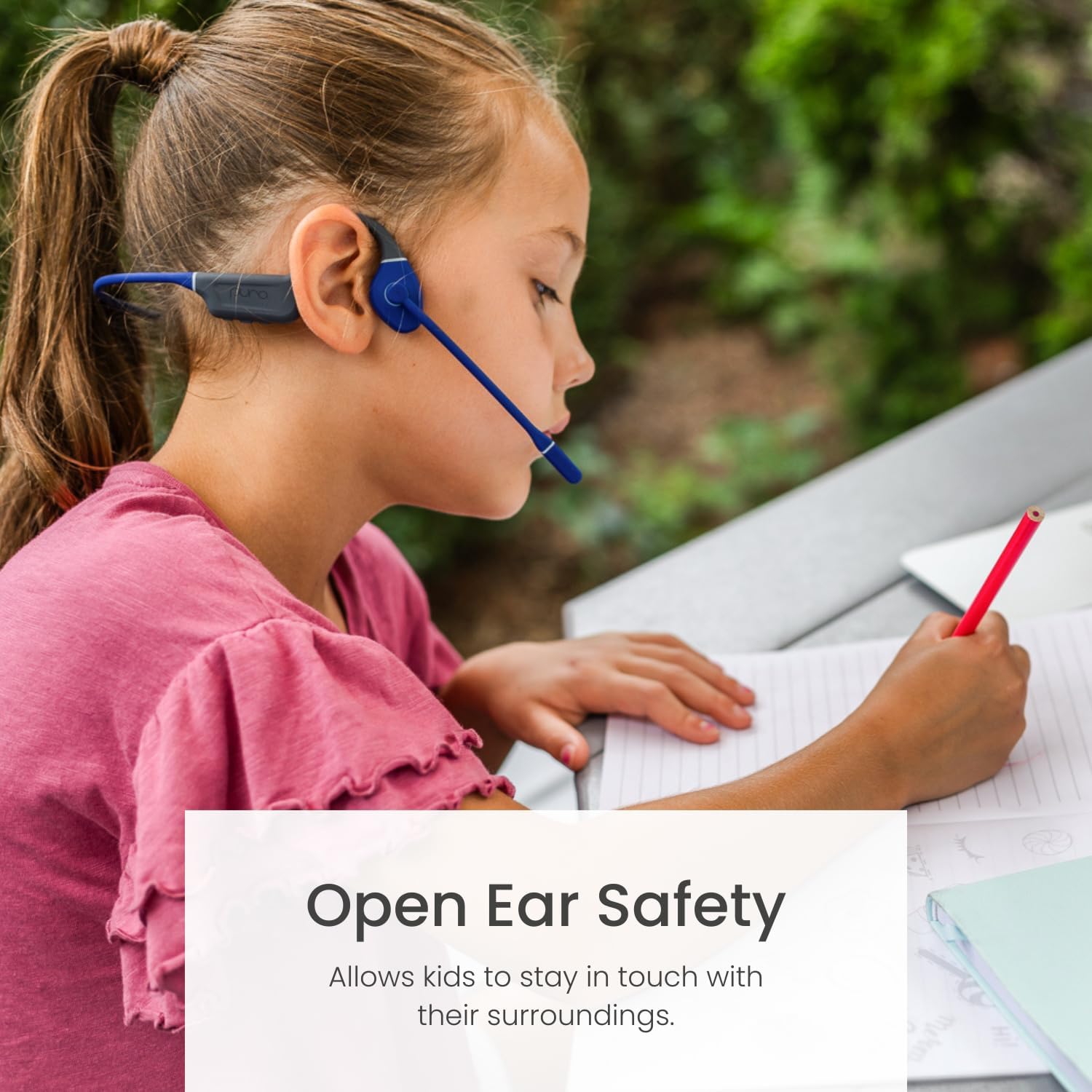
Image: A child wearing the PuroFlex headphones, with text emphasizing the "Open Ear Safety" feature, allowing awareness of surroundings.
Maintenance
- Cleaning: Wipe the headphones with a soft, damp cloth. Do not use harsh chemicals or abrasive cleaners. The IPX5 rating protects against splashes and sweat, but avoid submerging the headphones in water.
- Storage: When not in use, store the headphones in the provided protective case to prevent damage. Keep them in a cool, dry place away from direct sunlight and extreme temperatures.
- Battery Care: To prolong battery life, avoid fully discharging the headphones frequently. Charge them regularly, even if not in constant use.

Image: The PuroFlex Kids Bone Conduction Headphones neatly folded and placed inside their grey protective carrying case.
Troubleshooting
| Problem | Possible Cause | Solution |
|---|---|---|
| Headphones do not power on. | Low battery. | Charge the headphones using the magnetic charging cable. |
| No sound. | Headphones not paired or connected. Volume too low. | Ensure headphones are paired and connected to your device. Increase volume on both headphones and device. |
| Cannot pair with device. | Headphones not in pairing mode. Device Bluetooth off. | Put headphones into pairing mode (flashing red/blue LED). Ensure Bluetooth is enabled on your device. Forget previous pairings and try again. |
| Poor call quality. | Microphone not positioned correctly. Weak Bluetooth connection. | Adjust the microphone closer to the mouth. Ensure device is within Bluetooth range. |
Specifications
- Model Name: PuroFlex-Kids
- Connectivity Technology: Wireless (Bluetooth 5.3)
- Audio Driver Type: Bone Conduction Driver
- Battery Life: Up to 6 Hours
- Water Resistance Level: IPX5 (Sweat & Water Resistant)
- Microphone: Built-in, Adjustable
- Volume Limiting: 85dB
- Frequency Range: 20Hz - 20KHz
- Material: Silicone
- Item Weight: 9.9 ounces (0.28 Kilograms)
- Included Components: Headphones, Magnetic Charging Cable, Protective Case, User Manual
- UPC: 0850053840111
Safety Information
- Volume Limiting: These headphones are designed with an 85dB volume limit to protect against Noise-Induced Hearing Loss (NIHL). Do not attempt to bypass or modify this feature.
- Open Ear Awareness: The bone conduction design allows users to hear their surroundings. While this enhances safety, always remain vigilant, especially in traffic or other potentially hazardous environments.
- Water Resistance: The IPX5 rating means the headphones are resistant to sweat and light splashes. They are not designed for swimming or submersion.
- Choking Hazard: Keep small parts and the charging cable away from young children to prevent choking hazards.
- Battery Safety: Do not attempt to replace the battery yourself. Dispose of batteries according to local regulations.
Warranty and Support
Puro Sound Labs products are manufactured with quality and care. For warranty information, product support, or any inquiries, please visit the official Puro Sound Labs website or contact their customer service directly.
Manufacturer: PURO SOUND LABS
Website: www.purosound.com
Related Documents - PuroFlex-Kids
 |
Creative Outlier Mini PuroFlex Bone Conduction Headphones: Specifications, Warranty & Usage Guide A comprehensive guide for the Creative Outlier Mini PuroFlex bone conduction headphones, detailing specifications, warranty information, charging instructions, operational controls, maintenance tips, and safety compliance information. |
 |
Puro Sound Labs JuniorJams-PLUS User Manual - Volume Limiting Bluetooth Headphones Comprehensive user manual for Puro Sound Labs JuniorJams-PLUS headphones, detailing features, setup, operation, safety, and maintenance for volume-limited, Bluetooth-enabled audio. |
 |
PuroQuiet Bluetooth Headphones Quick Start Guide & Specifications Quick start guide and specifications for PuroQuiet Bluetooth noise-cancelling headphones. Learn about pairing, usage, features, warranty, and FCC compliance. |
 |
PuroQuiet-AIR Quick Start Guide and Specifications A quick start guide for the PuroQuiet-AIR earbuds, including setup instructions, product introduction, touch controls, charging information, specifications, and warranty details. |
 |
PuroQuiet-AIR Wireless Earbuds Quick Start Guide & Specifications Get started with your PuroQuiet-AIR wireless earbuds. This guide covers first-time setup, product introduction, charging, fitting, touch controls, specifications, and warranty information from Puro Sound Labs. |
 |
PuroGamer-BT Wireless Gaming Headset User Manual | Puro Sound Labs User manual for the PuroGamer-BT wireless gaming headset by Puro Sound Labs. Features include 2.4G connectivity, wireless mode, wired mode via Type-C cable, detailed specifications, operation guides for audio and microphone, warnings, and warranty information. |