
1. Introduction
Thank you for choosing the AKATUO AK-30 Smart Projector. This manual provides essential information for the safe and efficient operation of your device. Please read it thoroughly before use and retain it for future reference.
Safety Precautions
- Do not look directly into the projector lens when the lamp is on.
- Ensure proper ventilation around the projector to prevent overheating.
- Keep the projector away from water or other liquids.
- Use only the power adapter supplied with the device.
- Avoid placing the projector on unstable surfaces.
2. Package Contents
Verify that all items are present in the package:
- AKATUO AK-30 Smart Projector
- Power Cord
- AV Cable
- HDMI Cable
- Remote Control (batteries not included)
- User Manual (this document)
3. Product Overview
Familiarize yourself with the projector's components and interfaces.

Figure 3.1: The AKATUO AK-30 Smart Projector, showcasing its compact design, lens, control panel, and included remote control. A projected image of a scenic landscape is displayed above the unit, highlighting its visual capabilities.
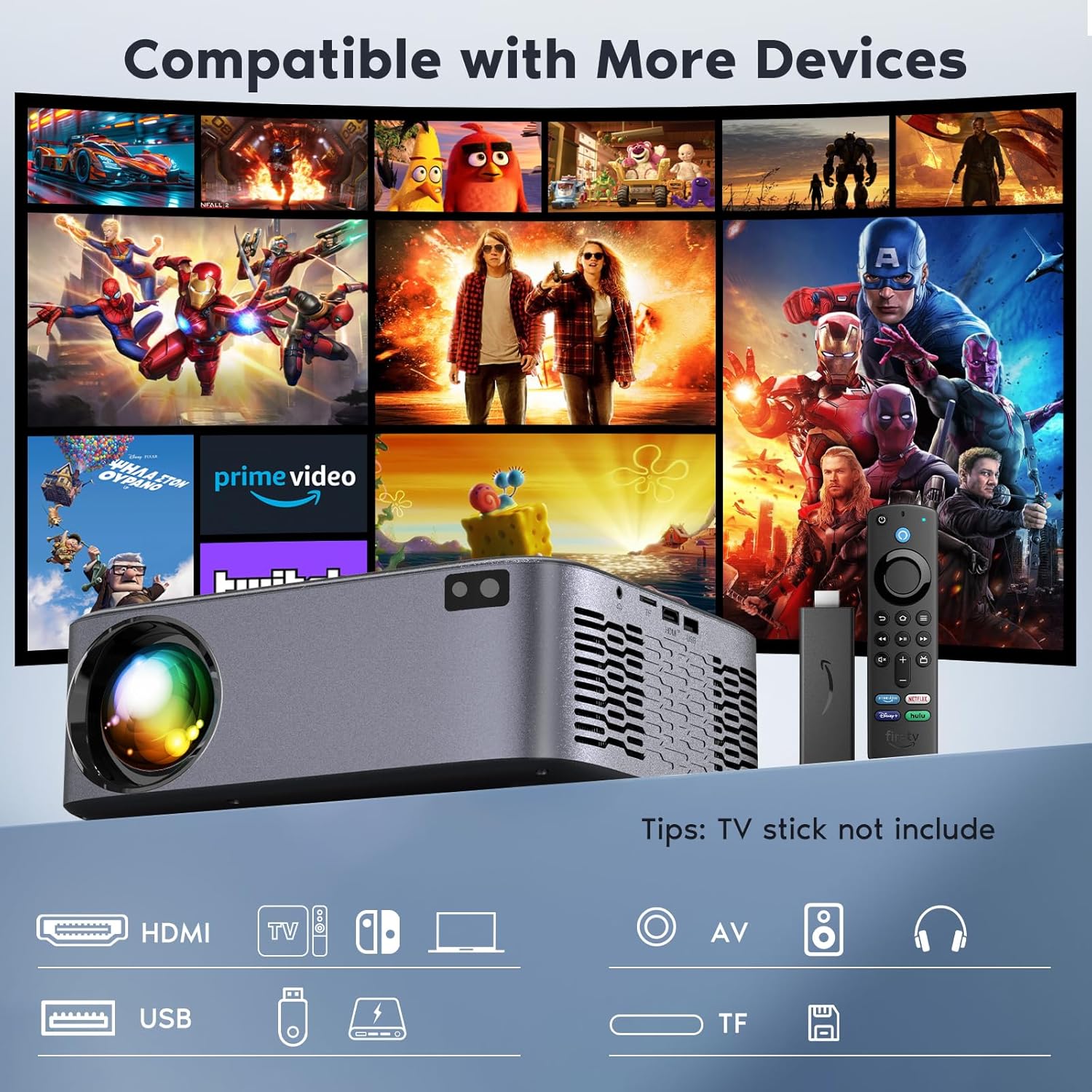
Figure 3.2: Rear view of the AKATUO AK-30 Smart Projector, illustrating its comprehensive connectivity options including HDMI, USB, AV, and headphone ports, compatible with various devices like TV sticks, gaming consoles, and smartphones.
4. Setup
4.1 Placement
Place the projector on a stable, flat surface or mount it securely. Ensure there is adequate space around the projector for ventilation. The projection size can range from 32 inches to 300 inches with a projection distance between 1 meter and 5 meters.
4.2 Power Connection
- Connect the power cord to the projector's power input.
- Plug the other end of the power cord into a power outlet.
- Press the power button on the projector or remote control to turn on the device.
4.3 Focus and Keystone Correction
The AKATUO AK-30 features intelligent electric focus and digital keystone correction for optimal image clarity and shape.
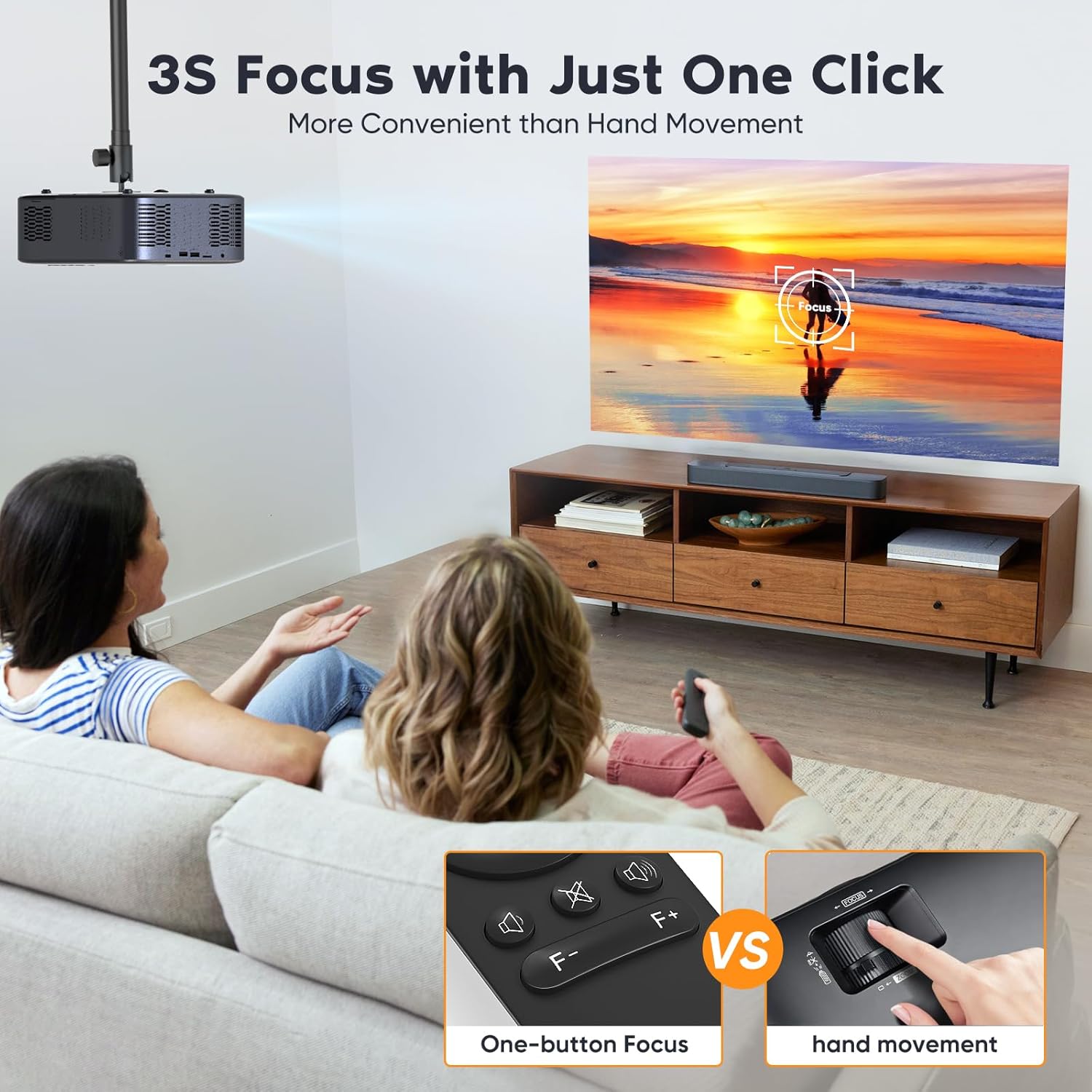
Figure 4.1: A user adjusting the projector's focus using the remote control, demonstrating the one-button electric focus feature for quick and convenient image sharpening compared to manual adjustment.
- Electric Focus: Use the dedicated focus buttons (F+ / F-) on the remote control to achieve a sharp image. This allows for quick focus adjustment without manual lens manipulation.
- Digital Keystone Correction: Access the keystone correction settings via the remote control to adjust the image's vertical angle, ensuring a perfectly rectangular projection even if the projector is not perfectly aligned with the screen. The projector supports up to ±50° vertical correction.
- Zoom Function: The projector includes a zoom function that allows you to reduce the image size from 100% to 50% without moving the projector. This is accessible through the menu or dedicated buttons on the remote.
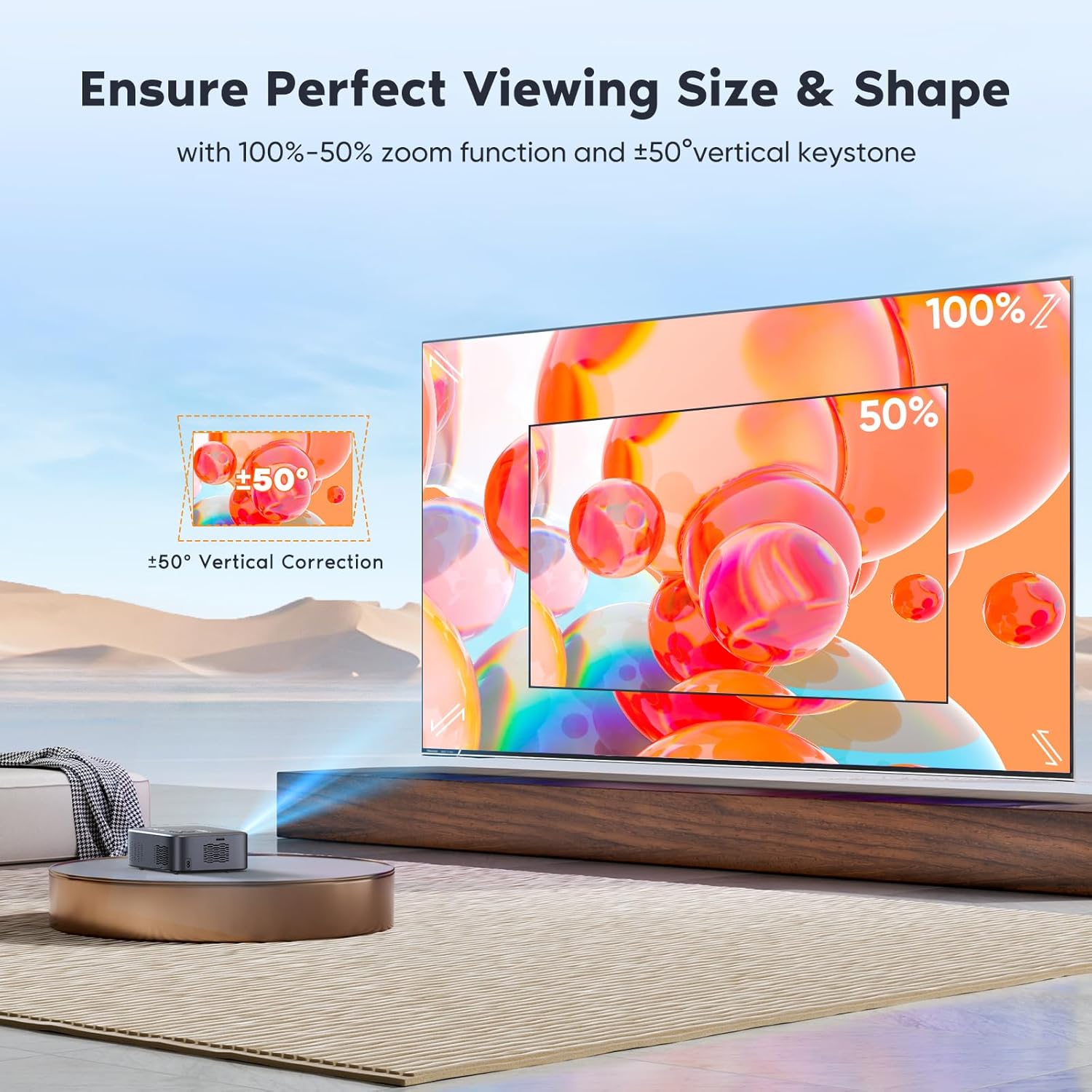
Figure 4.2: An illustration of the projector's zoom function, showing an image reduced from 100% to 50%, and its ±50° vertical keystone correction capability to ensure a perfect viewing shape.
5. Operating Instructions
5.1 Connectivity
The AKATUO AK-30 offers multiple ways to connect your devices.
5.1.1 Wi-Fi Connection (2.4G + 5G)
Connect your projector to a wireless network for online streaming and screen mirroring.
- Navigate to the 'Settings' menu on the projector.
- Select 'Network' or 'Wi-Fi Settings'.
- Choose your desired 2.4G or 5G Wi-Fi network from the list.
- Enter the password if prompted and connect.
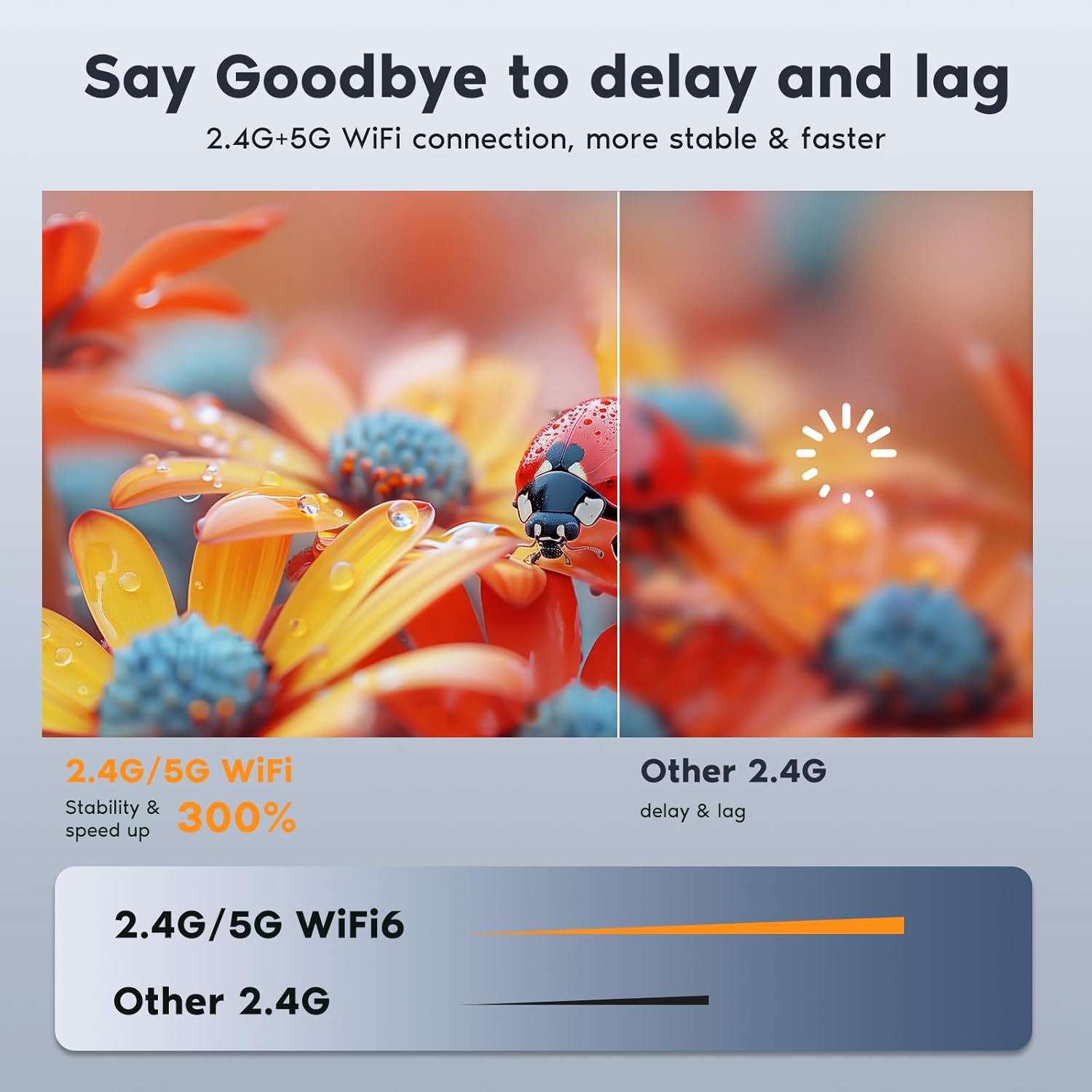
Figure 5.1: A visual comparison highlighting the improved stability and speed of 2.4G+5G WiFi connectivity compared to older 2.4G only systems, ensuring a smoother streaming and gaming experience.
5.1.2 Bluetooth Connection (Bi-directional 5.1)
The projector supports Bluetooth 5.1 for connecting to external audio devices or using the projector as a Bluetooth speaker.
- To connect to an external speaker/headset: Go to 'Bluetooth Settings' in the projector menu, enable Bluetooth, and select your device to pair.
- To use the projector as a Bluetooth speaker: Select the 'Bluetooth Speaker Mode' option in the menu. Your phone can then connect to the projector via Bluetooth to play audio.
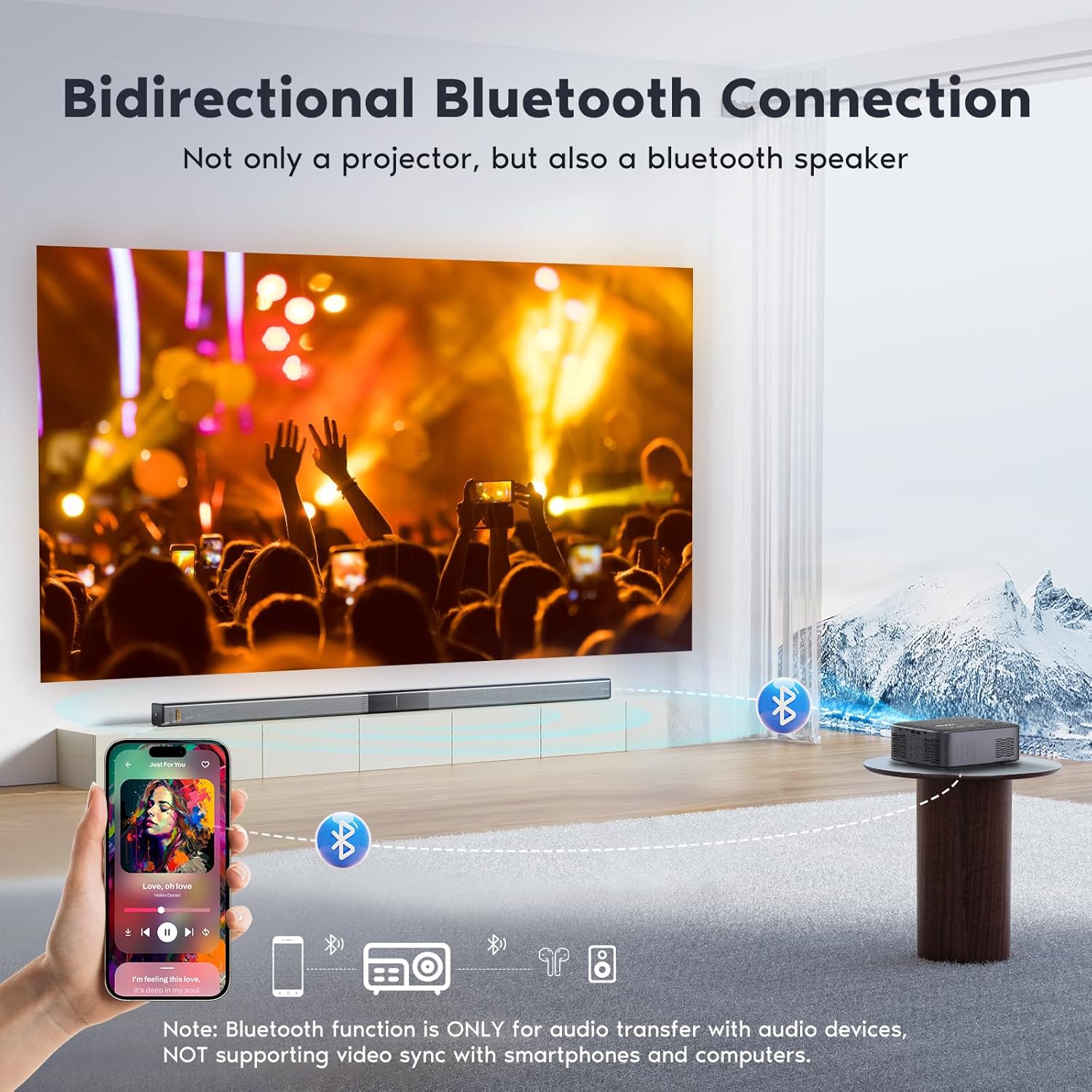
Figure 5.2: An illustration demonstrating the bidirectional Bluetooth connectivity of the AKATUO projector, allowing it to connect to external audio devices or function as a standalone Bluetooth speaker for a smartphone.
5.1.3 HDMI and USB Inputs
Connect devices such as laptops, gaming consoles, TV sticks, or USB drives.
- HDMI: Connect an HDMI cable from your source device to the projector's HDMI port. Select the HDMI input source from the projector's menu.
- USB: Insert a USB drive into the USB port to play media files directly. Select the USB input source from the projector's menu.
- AV: Use the provided AV cable to connect older devices.
5.2 Screen Mirroring
The projector supports screen mirroring from smartphones and tablets. Ensure both the projector and your mobile device are connected to the same Wi-Fi network. Select the appropriate mirroring option (e.g., Android or iOS) in the projector's wireless menu.
Note: Due to copyright protection, streaming services like Netflix, Amazon Prime Video, and Crunchyroll may not support screen mirroring via direct Wi-Fi connection. For these services, it is recommended to use an HDMI connection with a compatible streaming device (e.g., TV stick, laptop).
6. Maintenance
6.1 Cleaning
- Lens: Use a soft, lint-free cloth or lens cleaning paper to gently wipe the lens. Do not use abrasive cleaners.
- Casing: Wipe the projector's exterior with a soft, dry cloth. For stubborn dirt, use a slightly damp cloth and then dry thoroughly.
- Vents: Regularly check and clean the ventilation openings to ensure proper airflow and prevent dust buildup. Use a soft brush or compressed air.
6.2 Storage
When not in use, store the projector in a cool, dry place, away from direct sunlight and extreme temperatures. If storing for an extended period, consider placing it in its original packaging or a protective bag to prevent dust accumulation.
7. Troubleshooting
| Problem | Possible Cause | Solution |
|---|---|---|
| No image displayed | Power cable disconnected; Incorrect input source; Device not powered on. | Check power connection; Select correct input source (HDMI, USB); Ensure source device is on. |
| Image is blurry | Focus not adjusted; Projector too close/far; Lens dirty. | Adjust electric focus using remote; Adjust projection distance; Clean the lens. |
| Image is trapezoidal | Projector not perpendicular to screen. | Adjust digital keystone correction via remote control. |
| No sound | Volume too low; Muted; Incorrect audio output; External speaker not connected. | Increase volume; Unmute; Check audio settings; Connect external speaker via Bluetooth or audio cable. |
| Wi-Fi connection unstable | Weak signal; Router issues; Interference. | Move projector closer to router; Restart router; Try 5G Wi-Fi if available. |
8. Specifications
| Feature | Detail |
|---|---|
| Brand | AKATUO |
| Model | AK-30 |
| Display Resolution (Native) | 1920 x 1080p |
| Max Display Resolution | 3840 x 2160p (4K Supported) |
| Brightness | 600 ANSI Lumens |
| Display Type | LCD |
| Connectivity Technology | HDMI, USB, AV, Wi-Fi (2.4G + 5G), Bluetooth 5.1 |
| Special Features | Digital Keystone Correction, Integrated Speaker, Dust Resistant, Integrated Cooling System, Electric Focus |
| Recommended Use | Home Cinema |
| Form Factor | Portable |
| Mounting Type | Table Mount |
| Projection Size | 32" to 300" |
| Projection Distance | 1m to 5m |
9. Warranty and Support
9.1 Product Warranty
The AKATUO AK-30 Smart Projector comes with a 3-year warranty from the date of purchase. This warranty covers manufacturing defects and malfunctions under normal use. Please retain your proof of purchase for warranty claims.
9.2 Customer Support
If you encounter any issues or have questions regarding your AKATUO AK-30 Smart Projector, please contact our customer support team. Refer to the contact information provided with your purchase or visit the official AKATUO website for assistance.
