
1. Introduction
Thank you for choosing the Nakamichi NAM5210T HD Android Multimedia Receiver. This manual provides essential information for the proper installation, operation, and maintenance of your new car stereo system. Please read this manual thoroughly before using the product to ensure optimal performance and safety.
1.1 What's in the Box
- Nakamichi NAM5210T Android Receiver
- Remote Control
- Wiring Harness
- User Manual
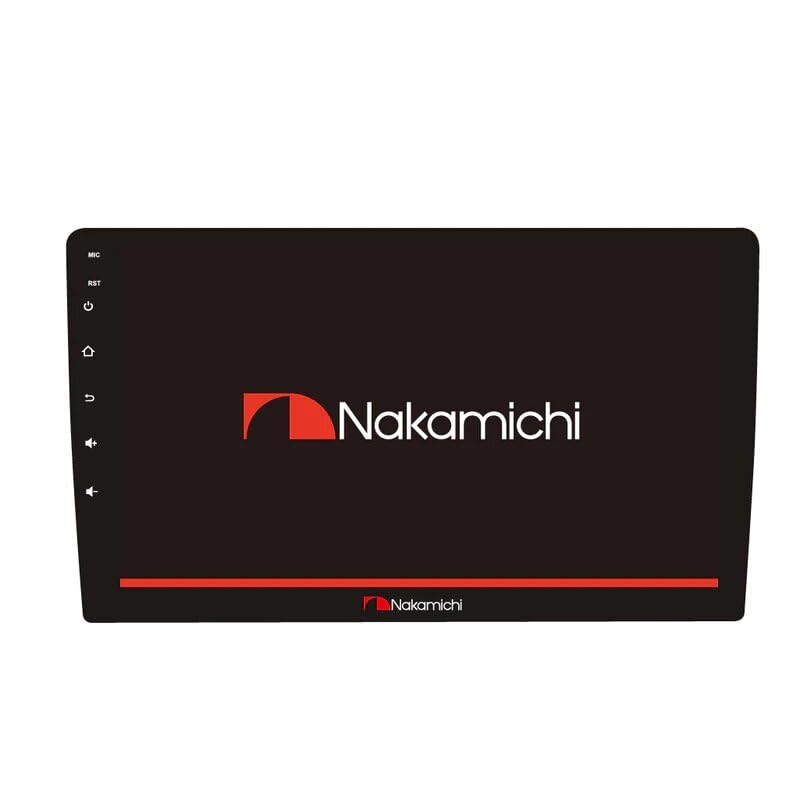
Figure 1.1: Front view of the Nakamichi NAM5210T HD Android Multimedia Receiver.

Figure 1.2: Packaging box of the Nakamichi NAM5210T HD Android Multimedia Receiver, showing product features.
2. Safety Information
To prevent injury or damage to the unit, please observe the following precautions:
- Professional Installation: It is highly recommended to have this product installed by a qualified professional to avoid improper wiring and potential damage.
- Power Supply: Ensure the unit is connected to a 12V DC power supply with a negative ground.
- Wiring: Do not modify the wiring harness. Incorrect wiring can cause fire or malfunction.
- Driving Safety: Do not operate the unit in a way that distracts you from driving. Always prioritize road safety.
- Temperature: Avoid exposing the unit to extreme temperatures or direct sunlight for prolonged periods.
- Moisture: Keep the unit away from water and excessive moisture.
3. Setup and Installation
Proper installation is crucial for the performance and longevity of your multimedia receiver. If you are unsure about any steps, consult a professional installer.
3.1 Wiring Connections
Refer to the wiring diagram provided with your unit for specific connections. Ensure all connections are secure and properly insulated.
- Power: Connect the yellow wire to constant 12V, red wire to accessory 12V, and black wire to ground.
- Speakers: Connect speaker wires to the corresponding positive (+) and negative (-) terminals.
- External Video Input: The unit supports NTSC/PAL/SECAM video input systems with 1VP-P/75Ω signal.
- Antenna: Connect the car's antenna to the receiver.
- Optional Connections: Connect reverse camera, external microphone, or other accessories as needed.

Figure 3.1: Rear view of the Nakamichi NAM5210T, illustrating various connection ports for power, speakers, and external devices.
4. Operating Instructions
This section details the basic functions and operations of your Nakamichi NAM5210T multimedia receiver.
4.1 Power On/Off
- Power On: Turn your vehicle's ignition to the ACC or ON position. The unit should power on automatically.
- Power Off: Turn your vehicle's ignition to the OFF position. The unit will power off.
4.2 Touchscreen Navigation
The 10-inch HD display is a capacitive touchscreen. Navigate through menus, select applications, and control functions by tapping, swiping, and dragging on the screen, similar to a smartphone.
4.3 Bluetooth Connectivity
The unit features Bluetooth for wireless communication, allowing hands-free calling and audio streaming.
- Go to the Bluetooth settings menu on the receiver.
- Enable Bluetooth on your smartphone.
- Search for available devices on your smartphone and select "NAM5210T" (or similar name).
- Confirm the pairing code on both devices if prompted.
- Once paired, you can make/receive calls and stream audio wirelessly.
4.4 Remote Control Operation
Use the included remote control to access various functions without touching the screen. Buttons typically include power, volume, mode selection, track skip, and call controls.
4.5 Android Auto
The unit supports Android Auto, allowing seamless integration with compatible smartphones for navigation, music, and communication. Connect your smartphone via USB and follow the on-screen prompts to activate Android Auto.
4.6 Multimedia Playback
The receiver supports various multimedia formats. You can play audio and video files from USB drives, or stream content via Bluetooth or internet connection (if available).
5. Maintenance
Regular maintenance helps ensure the longevity and optimal performance of your multimedia receiver.
- Cleaning the Screen: Use a soft, lint-free cloth to gently wipe the touchscreen. For stubborn smudges, slightly dampen the cloth with water or a screen-cleaning solution. Avoid harsh chemicals.
- General Cleaning: Keep the unit free from dust and debris. Use a soft brush or compressed air to clean vents and buttons.
- Avoid Liquids: Do not spray liquids directly onto the unit.
- Temperature Control: Avoid leaving the unit in extreme hot or cold conditions for extended periods.
6. Troubleshooting
If you encounter issues with your Nakamichi NAM5210T, refer to the following common problems and solutions:
- No Power:
- Check the vehicle's ignition.
- Verify all power connections (constant 12V, accessory 12V, ground).
- Check the fuse in the vehicle's fuse box and on the unit's wiring harness.
- No Sound:
- Ensure the volume is not muted or set to minimum.
- Check speaker wire connections.
- Verify the audio source is correctly selected.
- Bluetooth Connection Issues:
- Ensure Bluetooth is enabled on both the receiver and your smartphone.
- Delete previous pairings and try pairing again.
- Move your smartphone closer to the receiver.
- Touchscreen Unresponsive:
- Restart the unit by turning the vehicle's ignition off and then on again.
- Ensure the screen is clean and free of debris.
If problems persist, contact customer support or a qualified service technician.
7. Specifications
| Feature | Specification |
|---|---|
| Model Number | NAM5210T |
| Display Size | 10 inch |
| RAM | 1GB DDR |
| Internal Storage | 32GB Flash Hard Disk |
| Maximum Power Output | 4 × 50W |
| External Video Input System | NTSC/PAL/SECAM |
| External Video Input Signal | 1VP-P/75Ω |
| Wireless Communication | Bluetooth |
| Control Method | Remote |
| Special Feature | Android Auto |
| Compatible Devices | Smartphone |
| Audio Output Mode | Stereo, Surround |
| Color | Black |
| Item Weight | 1 kg 260 g |
| Package Dimensions | 20 x 20 x 12 cm |
8. Warranty and Support
For warranty information and technical support, please refer to the documentation provided at the time of purchase or contact your retailer. Keep your proof of purchase for warranty claims.


