
Spovan Electro 2
Spovan Electro 2 Smart Watch User Manual
Your comprehensive guide to setting up, operating, and maintaining your Spovan Electro 2 Smart Watch.
1. Introduction
The Spovan Electro 2 Smart Watch is an advanced wearable device designed to help you monitor your health with precision and convenience. Featuring rapid blood pressure measurement, ECG, blood lipid, and uric acid tracking, alongside comprehensive health management functions, it provides valuable insights into your well-being. This manual will guide you through all aspects of using your new smart watch.

Figure 1.1: Spovan Electro 2 Smart Watch, front view, displaying time and step count.
2. Box Contents
Please check the package contents to ensure all items are present:
- Spovan Electro 2 Smart Watch
- Standard Watch Strap
- Spare Watch Strap
- Inflatable Cuff (for detailed blood pressure measurement)
- Spare Inflatable Cuff
- Screen Protector
- Charging Cable
- User Manual (this document)
- 2-Year Warranty Certificate
3. Setup Guide
3.1 Charging the Device
Before first use, fully charge your Spovan Electro 2 Smart Watch. Connect the charging cable to the charging port on the watch and a USB power adapter (not included). The watch display will indicate charging status.
3.2 App Download and Installation
To unlock the full potential of your watch, download the companion application from your smartphone's app store (iOS App Store or Google Play Store). Search for "Spovan Health" or refer to the QR code in the quick start guide included in the box.
3.3 Pairing with Your Smartphone
- Ensure Bluetooth is enabled on your smartphone.
- Open the Spovan Health app and follow the on-screen instructions to create an account or log in.
- Select "Add Device" or similar option within the app.
- The app will search for nearby devices. Select "Spovan Electro 2" from the list.
- Confirm the pairing request on both your watch and smartphone.
3.4 Attaching the Inflatable Cuff
The inflatable cuff is designed for more detailed and accurate blood pressure measurements. It can be easily attached and detached from the watch strap as needed. Ensure it is securely fastened for optimal performance.

Figure 3.1: Spovan Electro 2 Smart Watch with its strap extended, showing the internal air pressure mechanism.
4. Operating Instructions
4.1 Basic Navigation
- Touchscreen: Swipe left/right to navigate between main screens (e.g., time, activity, health). Swipe up/down to access quick settings or notifications.
- Side Button: Press to wake the screen, return to the home screen, or access the app menu. Long press for power options.
4.2 Health Monitoring Features
The Spovan Electro 2 offers a range of advanced health monitoring capabilities:
4.2.1 Blood Pressure Measurement
The watch supports two methods for blood pressure measurement:
- Detailed Measurement (with Inflatable Cuff): Attach the inflatable cuff to the watch. Place the watch on your wrist, ensuring the cuff is positioned correctly. Follow the on-screen prompts to initiate the measurement. The cuff will inflate to provide a precise reading.
- Quick Measurement: From the blood pressure interface, press the designated quick measurement button. The watch will provide an immediate reading without cuff inflation.

Figure 4.1: Air pressure mechanism for accurate blood pressure measurement.
4.2.2 ECG (Electrocardiogram) Measurement
To perform an ECG, navigate to the ECG function on your watch. Place your finger on the designated sensor area (usually the side button or a specific contact point) and remain still during the measurement. The results will be displayed on the watch and synchronized with the app.
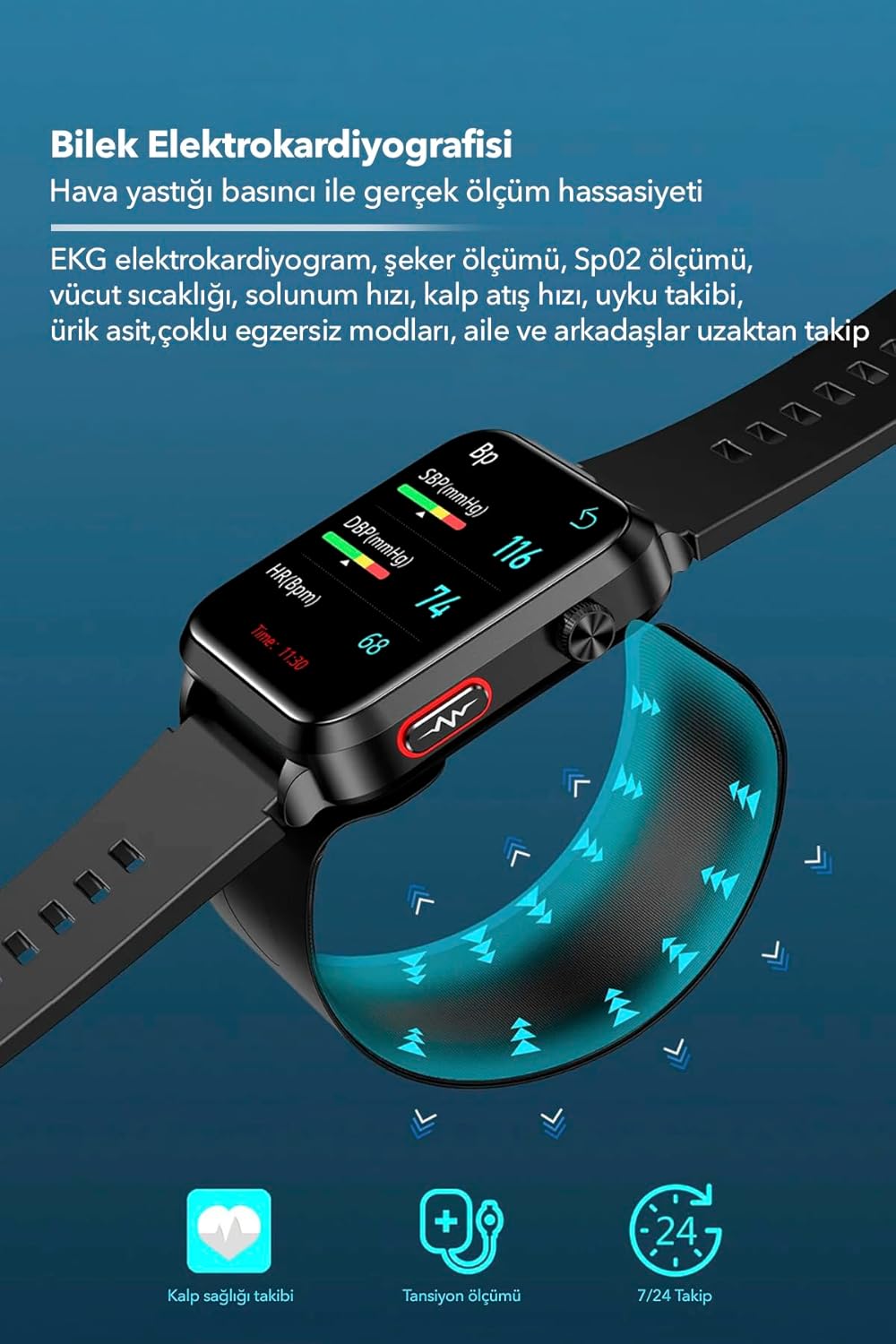
Figure 4.2: Wrist electrocardiography and blood pressure measurement.
4.2.3 Blood Lipid and Uric Acid Tracking
The Spovan Electro 2 can track blood lipid and uric acid levels. Access these features through the health menu on the watch. Ensure proper contact with your skin for accurate readings. Data will be recorded and analyzed in the companion app.
4.2.4 Heart Rate and SpO2 Monitoring
The watch continuously monitors your heart rate and blood oxygen saturation (SpO2). You can view real-time data on the watch face or access historical data and trends in the Spovan Health app.
4.2.5 Sleep Tracking
Wear your watch to bed to automatically track your sleep patterns, including deep sleep, light sleep, and awake times. Review your sleep quality and insights in the app to improve your rest.
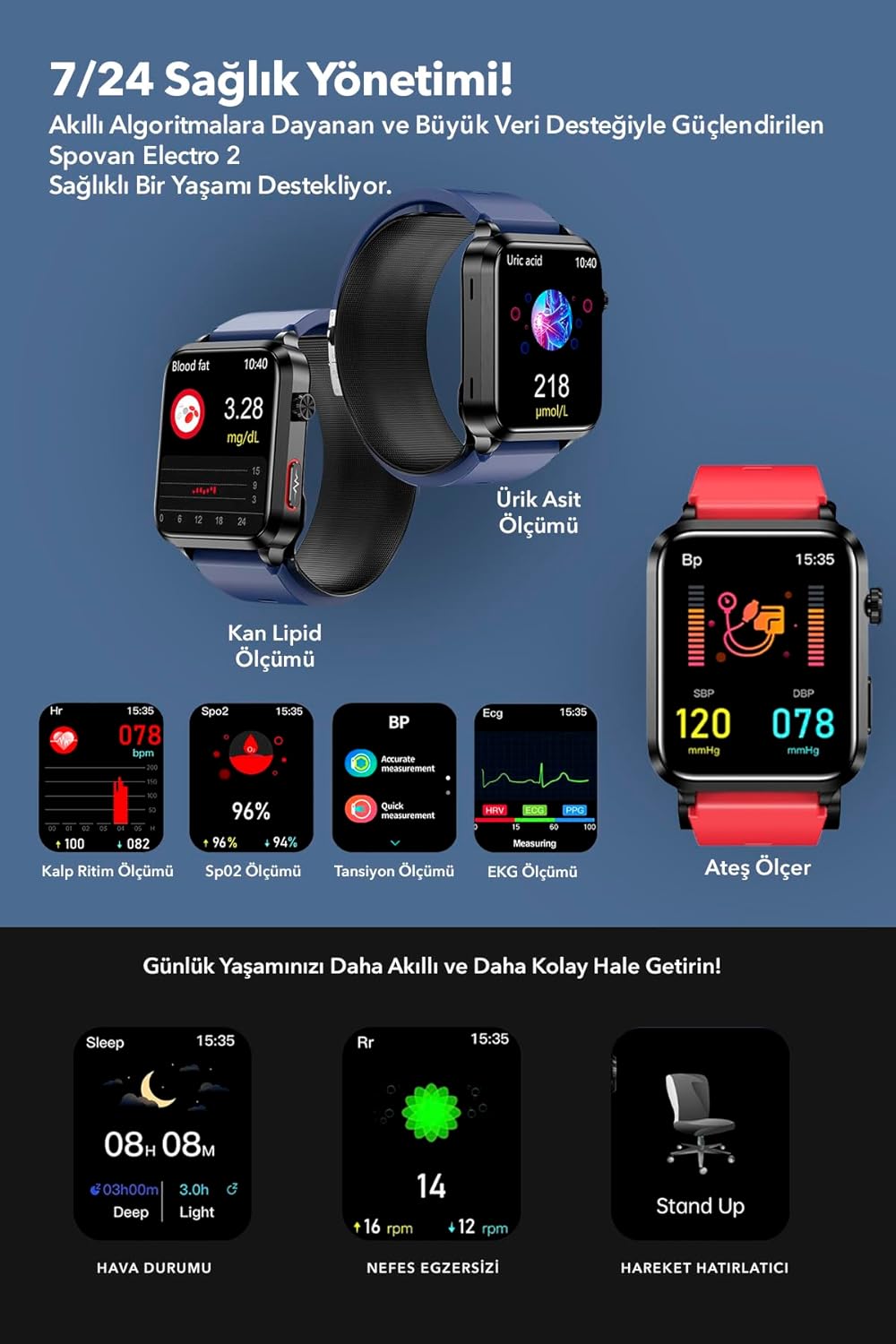
Figure 4.3: Comprehensive health management interface.
4.3 Smart Notifications
Once paired with your smartphone, the Spovan Electro 2 can receive notifications for incoming calls, messages, and app alerts. You can manage which notifications appear on your watch through the Spovan Health app settings.

Figure 4.4: Smart notifications for calls and messages.
4.4 Family Health Sharing
The Spovan Health app allows you to share and track the health measurements of your family members and loved ones, providing a convenient way to monitor their well-being remotely.
5. Maintenance
- Cleaning: Regularly clean your watch and strap with a soft, damp cloth. Avoid using harsh chemicals or abrasive materials.
- Charging: Charge the watch when the battery is low to ensure continuous operation.
- Storage: Store the watch in a cool, dry place when not in use.
- Water Resistance: Refer to the product specifications for water resistance ratings. Avoid exposing the watch to excessive water or extreme temperatures unless specified.
6. Troubleshooting
- Watch not turning on: Ensure the watch is fully charged. If it still doesn't turn on, try connecting it to the charger for a few minutes.
- Cannot pair with smartphone: Check if Bluetooth is enabled on your phone and the watch. Ensure the watch is within range. Try restarting both the watch and your phone.
- Inaccurate readings: Ensure the watch is worn correctly and snugly on your wrist. For blood pressure, ensure the inflatable cuff is properly attached and positioned. Avoid movement during measurements.
- App not syncing data: Check your internet connection and ensure the Spovan Health app is updated to the latest version. Try force-closing and reopening the app.
7. Specifications
| Feature | Specification |
|---|---|
| Brand | Spovan |
| Model Number | Electro 2 |
| Color | Black |
| Age Range | Adult |
| Size | Standard (39 mm) |
| Shape | Rectangular |
| Material Type | Polyurethane |
| Meter Type | Multi-Sensor |
| Operating System | Zepp OS |
| Memory Storage Capacity | 512 MB |
| Battery Capacity | 320 mAh |
| Connectivity Technology | Bluetooth |
| Special Features | Snoring Detection, Blood Pressure, ECG, Blood Lipid, Uric Acid |
| Country/Region of Origin | China |
| First Available Date | January 30, 2024 |
8. Warranty and Support
Your Spovan Electro 2 Smart Watch comes with a 2-year warranty from the date of purchase, covering manufacturing defects. Please retain your proof of purchase for warranty claims.
For technical support, troubleshooting assistance, or warranty inquiries, please refer to the contact information provided with your purchase or visit the official Spovan website. Ensure you have your product model number and purchase details ready when contacting support.
Related Documents - Electro 2
 |
Spovan Bravo II User Manual: Features, Functions, and Operation Comprehensive user manual for the Spovan Bravo II watch, detailing its features like altimeter, barometer, compass, chronograph, and how to use them for outdoor activities. Includes setup and operational guides. |
 |
Spovan Pocket Watch Overview and Features An overview of the Spovan pocket watch, highlighting its features for outdoor use and its utilitarian design. Compares it with contemporary Rolex watches. |
 |
FILA Smart Watch F45 User Manual & Guide Comprehensive user manual for the FILA Smart Watch F45 (SW-45), detailing setup, features, health tracking, app connection, specifications, safety guidelines, and warranty information provided by Innova Celular. |
 |
DAS-4 SG18 Smartwatch User Manual Comprehensive user manual for the DAS-4 SG18 smartwatch, detailing its operation, features, health monitoring capabilities, connectivity options, warranty information, and IP68 water resistance rating. |
 |
CardioWatch 287-2 Bruksanvisning for Pasientarmbånd og Mobilapp Utforsk CardioWatch 287-2, et avansert fjernovervåkingssystem fra Corsano Health. Denne bruksanvisningen gir detaljert informasjon om armbåndet, mobilappen og hvordan du bruker systemet for pasientovervåking. |
 |
INNOVA Smart Watch F70 CONNECTED BT 5.2 User Manual Comprehensive user manual for the INNOVA Smart Watch F70 (SW/70) with Bluetooth 5.2. Learn how to set up, pair with the FILA S-WATCH app, use features like health tracking (heart rate, blood pressure, blood oxygen), sports modes, notifications, calls, and understand safety guidelines and warranty information. |