
JIGUUN 2000W
JIGUUN 2000 Watt Pure Sine Wave Power Inverter User Manual
Model: 2000W
1. Introduction
This manual provides essential information for the safe and efficient operation of your JIGUUN 2000 Watt Pure Sine Wave Power Inverter. Please read it thoroughly before use and retain it for future reference.
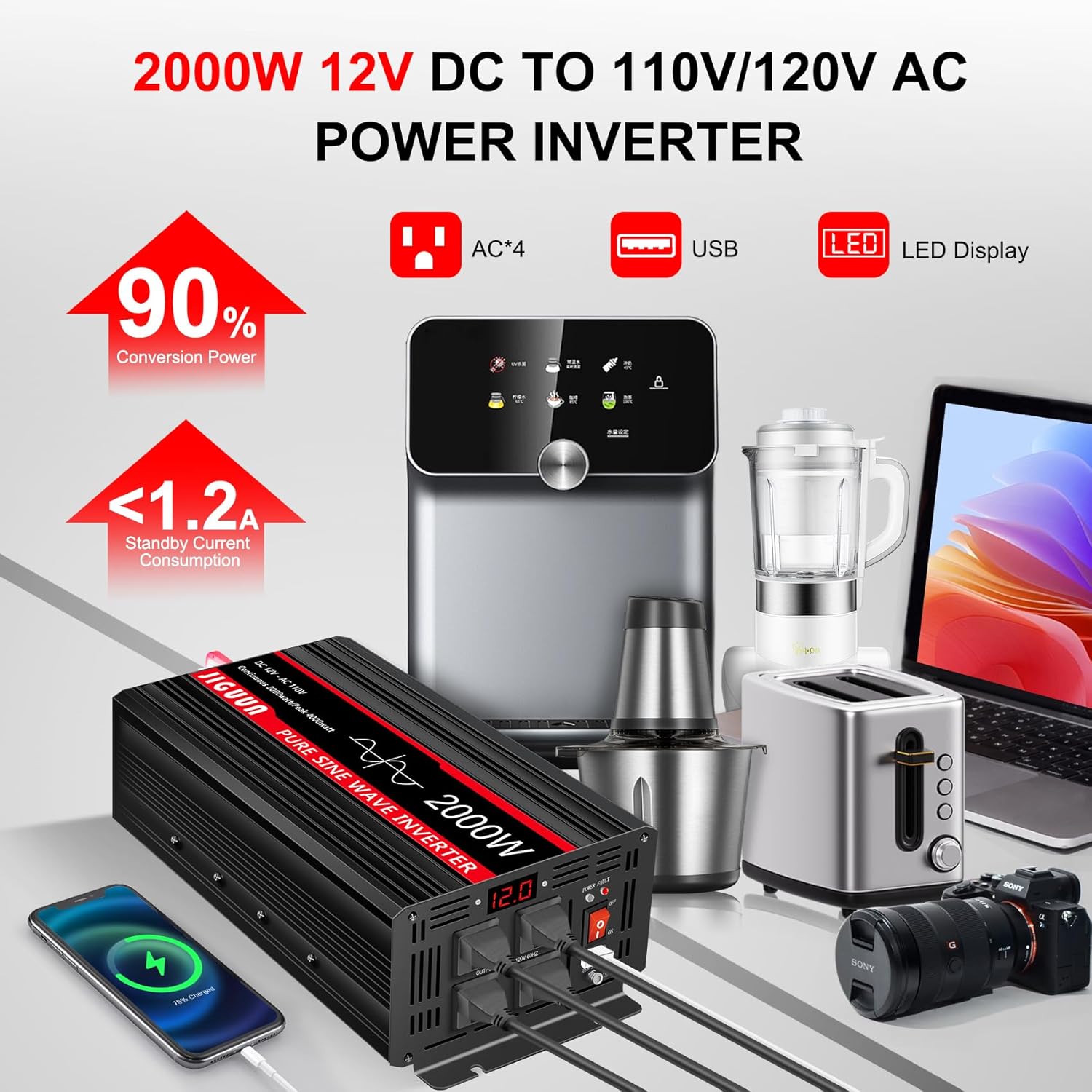
The JIGUUN Pure Sine Wave Power Inverter converts 12V DC battery power to 110/120V AC household power, providing clean and stable electricity suitable for sensitive electronics. It features multiple AC outlets, a USB charging port, and an LCD display for real-time monitoring.
2. Safety Information
WARNING: Failure to follow these safety instructions may result in electric shock, fire, serious injury, or death.
- Proper Ventilation: Ensure the inverter is placed in a well-ventilated area. Do not block ventilation openings.
- Dry Environment: Do not expose the inverter to water, rain, or excessive moisture.
- Correct Voltage: Connect the inverter only to a 12V DC power source. Ensure the AC output voltage matches your appliances' requirements.
- Secure Connections: Always ensure all DC and AC connections are tight and secure to prevent arcing and overheating.
- Overload Protection: Do not exceed the inverter's rated continuous power output (2000W) or peak power (4000W).
- Grounding: Properly ground the inverter according to local electrical codes.
- Temperature: The inverter has a fan cooling system that activates when the temperature exceeds 45℃. Ensure adequate airflow.
- Flammable Materials: Do not operate the inverter near flammable liquids, gases, or other combustible materials.
- Children and Pets: Keep the inverter out of reach of children and pets.
3. Package Contents
Verify that all items are present in your package:
- 1x JIGUUN DC 12V to AC 110V 2000W Pure Sine Inverter
- 1x User Manual
- 2 Sets of Battery Cables (2x Red, 2x Black)
- 1x Remote Control
- 10x 30A Fuses (Built-in fuse, no need to install)
- 1x Grounding Cable
- 2x Terminal Covers (Red, Black)

4. Product Features
The JIGUUN 2000 Watt Pure Sine Wave Power Inverter is designed with advanced features for reliable and safe power conversion:
- Pure Sine Wave Output: Provides clean, stable power (conversion efficiency >90%) suitable for sensitive electronics, similar to household AC power.
- High Power Output: True rated continuous 2000W, with a peak power of 4000W.
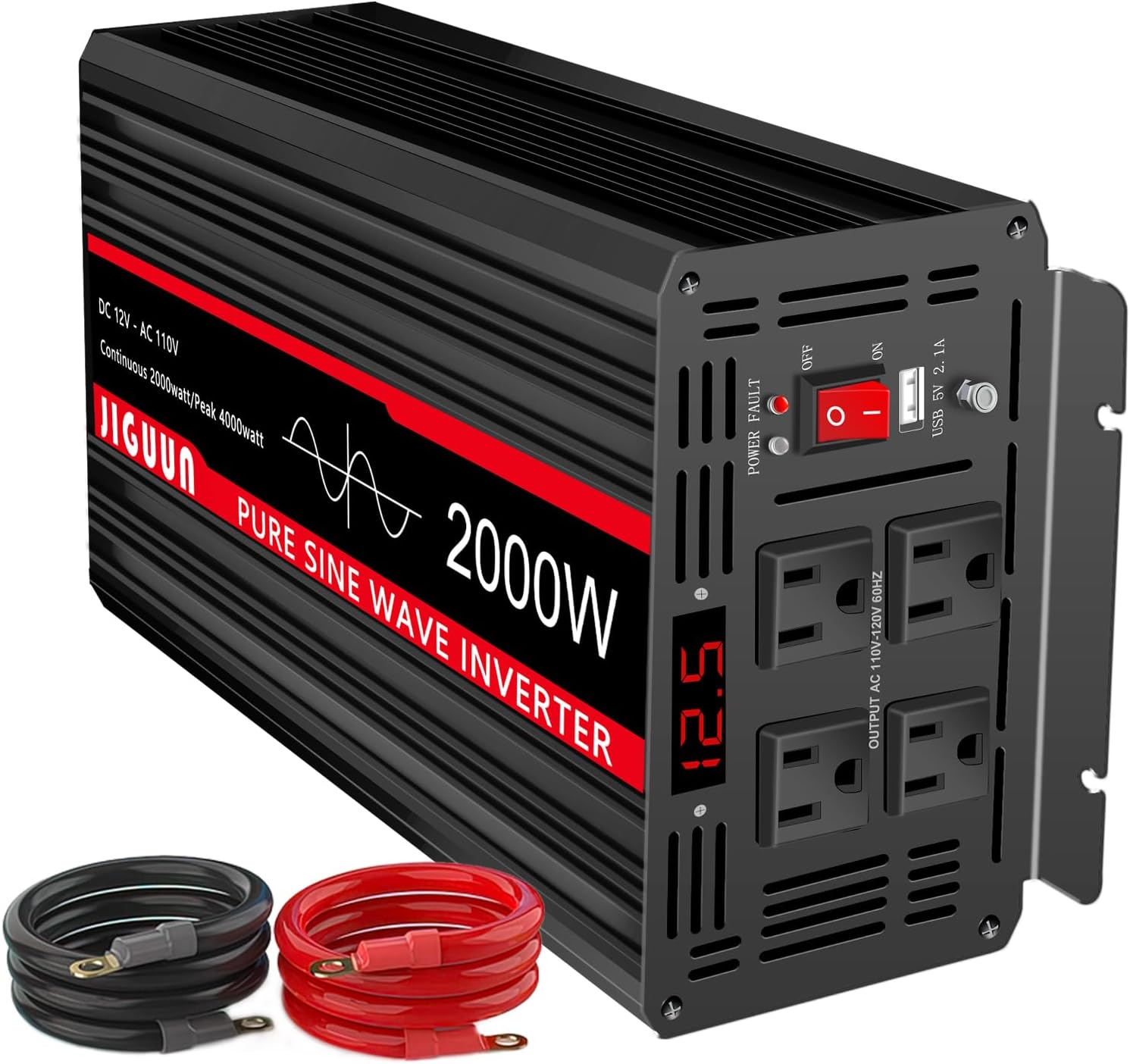
- Multiple Outputs: Equipped with 4 AC outlets and one 2.1A USB charging port.
- LED Display: Digital display shows input voltage, output voltage, and output frequency for real-time monitoring.
- Comprehensive Protection System: Includes under voltage, over voltage, overload, over temperature, short circuit, AC ground terminal, and reverse connection protection.
- Efficient Cooling: Features 2 high-speed heat dissipation silent fans that activate when the temperature exceeds 45℃.
- Durable Construction: Aluminum alloy shell provides lasting protection.
- Remote Control: Allows for convenient power control from a distance.


5. Setup and Installation
Follow these steps to properly set up and install your JIGUUN Pure Sine Wave Power Inverter:
- Choose a Location: Select a dry, well-ventilated area away from direct sunlight, heat sources, and flammable materials. Ensure sufficient space around the inverter for airflow.
- Mounting (Optional): The inverter can be mounted using its integrated mounting brackets. Ensure it is securely fastened to a stable surface.
- Connect DC Cables:
- Connect the red (positive) battery cable to the positive (+) terminal on the inverter.
- Connect the black (negative) battery cable to the negative (-) terminal on the inverter.
- Connect the other end of the red cable to the positive (+) terminal of your 12V DC battery.
- Connect the other end of the black cable to the negative (-) terminal of your 12V DC battery.
- Ensure all connections are tight and secure. Use the provided terminal covers for safety.
- Grounding: Connect the provided grounding cable to the inverter's ground terminal and to a proper earth ground point (e.g., vehicle chassis, ground rod).
- Initial Power On: Before connecting any AC appliances, switch the inverter's ON/OFF button to the "ON" position. The LED display should light up, indicating the input voltage.


6. Operating Instructions
Once the inverter is properly installed and powered on, you can connect your AC appliances:
- Connect Appliances: Plug your AC appliances into the 110V AC outlets on the front of the inverter. For USB charging, use the 2.1A USB port.
- Monitor Display: The LED display will show real-time information such as input DC voltage, output AC voltage, and output frequency. This helps you monitor the inverter's performance and ensure stable power delivery.
- Powering On/Off: Use the ON/OFF switch on the inverter or the remote control to turn the inverter on or off as needed.
- Load Management: Avoid connecting appliances that collectively exceed the inverter's continuous power rating. High surge loads (e.g., motors, compressors) should be considered against the peak power rating.
7. Maintenance
Regular maintenance ensures the longevity and optimal performance of your inverter:
- Cleaning: Keep the inverter clean and free from dust and debris. Use a dry cloth to wipe the exterior. Do not use liquid cleaners.
- Check Connections: Periodically inspect all DC and AC connections to ensure they are tight and free from corrosion. Loose connections can cause overheating and damage.
- Ventilation: Ensure the cooling fans and ventilation openings are not obstructed. Clean any dust buildup on the fans.
- Storage: If storing the inverter for an extended period, disconnect it from the battery and store it in a cool, dry place.
8. Troubleshooting
If you encounter issues with your JIGUUN inverter, refer to the following common troubleshooting steps:
| Problem | Possible Cause | Solution |
|---|---|---|
| No Power Output / Inverter Not Turning On | Loose battery connections; Low battery voltage; Blown fuse; Inverter switch OFF. | Check and tighten all battery cable connections; Recharge or replace battery; Check and replace internal fuses (if applicable); Ensure ON/OFF switch is in "ON" position. |
| Overload Alarm / Shutdown | Connected appliance exceeds inverter's rated power. | Reduce the load by disconnecting some appliances. Ensure total wattage is within continuous rating. |
| Over-temperature Alarm / Shutdown | Poor ventilation; High ambient temperature; Overload. | Ensure inverter is in a well-ventilated area; Clear any obstructions from cooling fans; Reduce load. Allow inverter to cool down before restarting. |
| Low Voltage Alarm / Shutdown | Battery voltage is too low. | Recharge or replace the battery. |
| High Voltage Alarm / Shutdown | Input voltage is too high. | Verify the input voltage from the battery is within the specified range (12V DC). |

9. Specifications
- Model Name: 2000W
- Wattage: 2000 watts (Continuous), 4000 watts (Peak)
- Input Voltage: 12V DC
- Output Voltage: 110V AC / 120V AC
- Output Frequency: 60Hz
- Output Waveform: Pure Sine Wave
- Conversion Efficiency: >90%
- USB Output: 2.1A
- Product Dimensions: 15.8 x 6.2 x 4.2 inches
- Item Weight: 5.08 pounds
- Cooling: 2 High-speed silent fans (activates >45℃)
- Protection: Under voltage, over voltage, overload, over temperature, short circuit, AC ground terminal, reverse connection.
10. Warranty and Support
JIGUUN offers a 1-year warranty with free replacement for this product. If you have any questions or require assistance, please feel free to contact the JIGUUN team via email. They are committed to providing excellent customer service and will assist you promptly.
For further support, please refer to the contact information provided in your user manual or on the official JIGUUN website.