
Introduction
Welcome to the PerchMe Smart Bird Feeder experience. This advanced bird feeder combines a 1080P HD camera with AI bird identification technology, allowing you to observe and learn about various bird species directly from your smartphone. Designed for durability and ease of use, it features solar charging, real-time notifications, and a two-way audio function to enhance your bird-watching journey.

The PerchMe Smart Bird Feeder in Vermilion, showcasing its integrated camera, solar panel, and various feeding options.
Package Contents
Before beginning assembly, please verify that all components listed below are present in your package.
- PerchMe Smart Bird Feeder with 1080P HD Camera
- 5W Solar Panel
- 5200mAh Rechargeable Battery (integrated)
- 5dBi Antenna
- Mounting Gear (screws, pole attachments, tree strap)
- Hummingbird Honey Box (x2)
- Fruit Fork (x2)
- Water Box (x1)
- Type-C Charging Cable
- User Manual

Detailed view of the feeder's dimensions and included accessories.
Setup and Installation
The PerchMe Smart Bird Feeder offers multiple installation options to suit your outdoor environment.
Assembly Steps:
- Carefully unpack all components from the box.
- Attach the bird stand to the main feeder unit. Ensure it clicks securely into place.
- Screw the 5dBi antenna into the designated port on the feeder for enhanced signal stability.
- If desired, attach the hummingbird honey boxes, fruit forks, or water tray to the designated slots on the feeder.
Mounting Options:
Choose the most suitable method for your location:
- Screw Installation: Securely mount the feeder to a wall or sturdy surface using the provided screws.
- Pole Installation: Attach the feeder to a pole using the included pole mounting accessories.
- Tree Strap Installation: Use the durable tree strap to fasten the feeder to a tree trunk.
- Tripod Installation: The feeder can be mounted on a standard tripod (not included) for flexible placement.

Various installation methods for optimal placement of your bird feeder.
Power Supply:
The feeder is equipped with an integrated 5200mAh rechargeable battery. For continuous power, connect the included 5W solar panel. The solar panel ensures the battery remains charged under sunlight, reducing the need for manual recharging. A Type-C port is also available for direct charging if preferred.

The feeder supports both solar and Type-C charging for flexible power management.
Weather Resistance:
The PerchMe Smart Bird Feeder is designed with IP65 dustproof and waterproof materials, making it suitable for all weather conditions and ensuring long-lasting performance outdoors.
Operating Instructions
To fully utilize your smart bird feeder, download the Vicoo Home app on your smartphone.
App Connection:
- Download the "Vicoo Home" app from your device's app store.
- Follow the in-app instructions to create an account and pair your PerchMe Smart Bird Feeder. Ensure your Wi-Fi network is 2.4GHz for seamless connectivity.

Connect your feeder to the Vicoo Home app for real-time monitoring and notifications.
Key Features:
- Real-Time Observation & Notifications: Receive instant alerts on your phone whenever birds visit the feeder. Enjoy live streaming of their activities.
- 1080P HD & Color Night Vision: The 160-degree wide-angle lens captures clear 1080P HD video. Full-color night vision ensures vivid imaging even in low-light conditions.
- AI Identification: The feeder utilizes artificial intelligence to identify over 10,000 bird species, providing detailed information about your feathered visitors. (Note: This service may require a subscription after an initial free period).
- Two-Way Audio Function: Listen to bird songs and activate an audible alarm to deter squirrels or other predators directly from the app.
- Cloud Storage & Micro SD Card: Automatically store real-time bird videos in the cloud (30-day free loop recording) or save them to a micro SD card (up to 128GB, not included).

Real-time notifications keep you connected to bird activity.
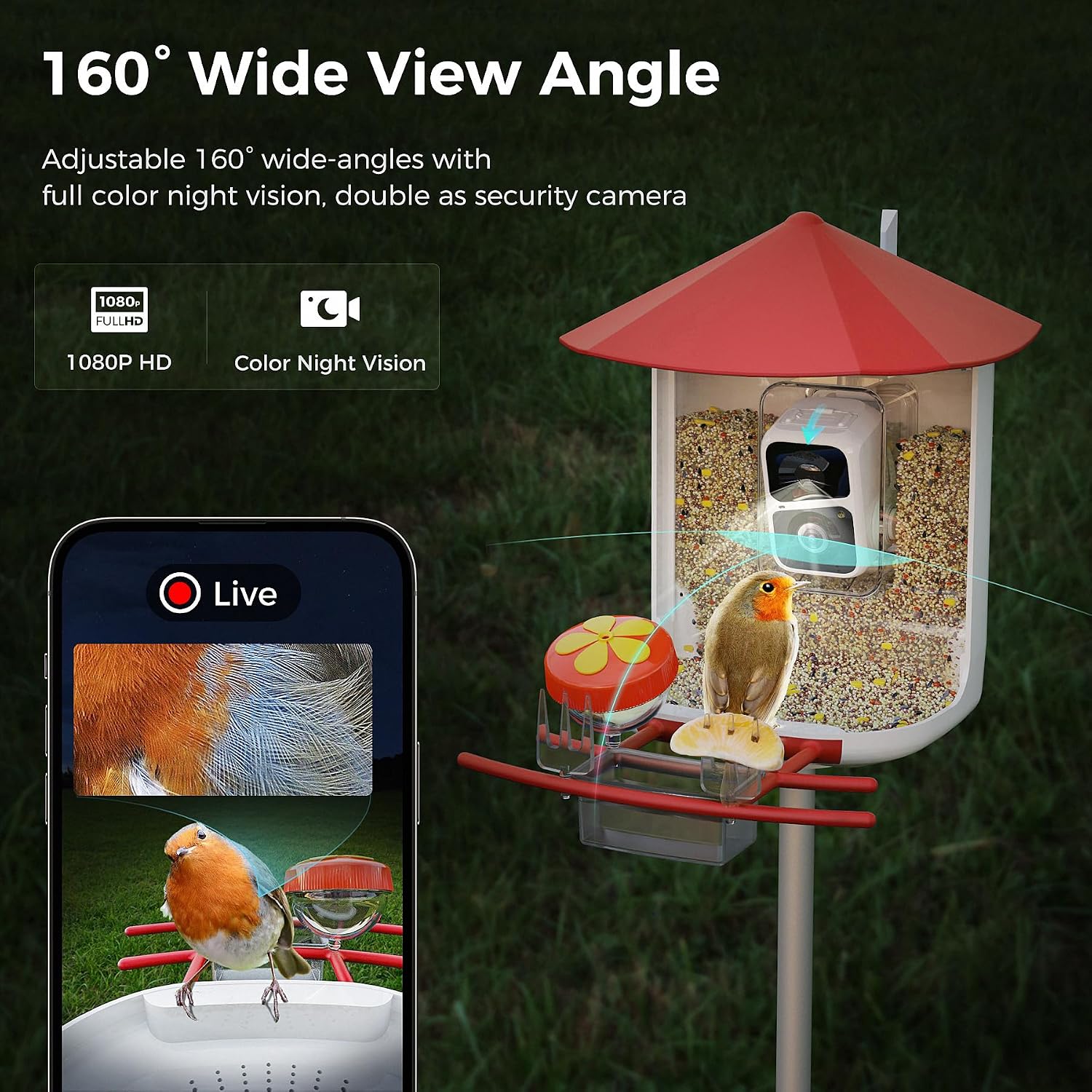
Experience clear 1080P HD video with a wide 160-degree view, day or night.
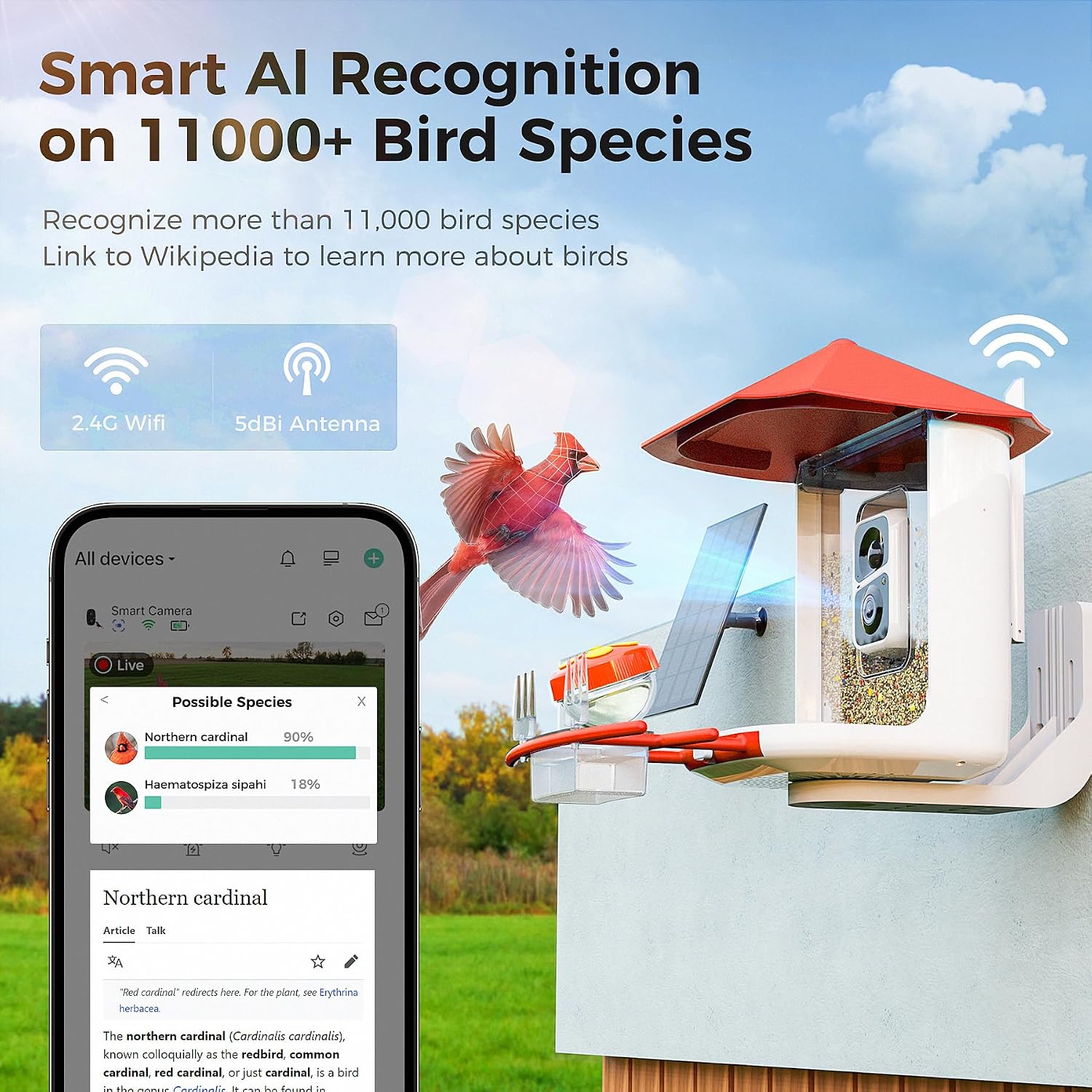
Smart AI recognition identifies over 10,000 bird species.

Utilize the two-way audio function to listen to birds or deter unwanted visitors.
Maintenance
Regular maintenance ensures the longevity and optimal performance of your PerchMe Smart Bird Feeder.
Cleaning the Feeder:
- The feeder is designed for easy cleaning. The seed tray is detachable, allowing for convenient removal and washing.
- Regularly clean the seed tray and other feeding surfaces to prevent mold and bacterial growth, which can harm birds.
- Use mild soap and water, then rinse thoroughly. Ensure all parts are completely dry before refilling with seeds.
- The feeder also features drainage holes to prevent water accumulation in the seed tray.

The feeder's design facilitates easy cleaning and maintenance.
Specifications
| Feature | Detail |
|---|---|
| Brand | PerchMe |
| Model Number | MPS-PCM-ZN-Red |
| Camera Resolution | 1080P HD |
| Field of View | 160 degrees (Wide-angle lens) |
| Night Vision | Full-color |
| AI Identification | Over 10,000 bird species |
| Connectivity | 2.4GHz Wi-Fi, 5dBi antenna |
| Battery Capacity | 5200mAh rechargeable battery |
| Solar Panel | 5W for continuous charging |
| Storage Options | Cloud storage (30-day free loop), Micro SD card (up to 128GB, not included) |
| Material | Recyclable Plastic |
| Waterproof Rating | IP65 Dustproof and Waterproof |
| Product Dimensions | 7.63"L x 10.83"W x 9.88"H |
| Weight | 5.46 pounds |
| Capacity | 1.8 Liters |
| Target Species | Blue Jay, Bluebird, Cardinal, Chickadee, Finch, Hummingbird, Oriole, Cockatiel, Deer, Parakeet, Robin |
Troubleshooting
If you encounter any issues with your PerchMe Smart Bird Feeder, please refer to the following common solutions:
- Feeder Not Connecting to Wi-Fi:
- Ensure your Wi-Fi network is 2.4GHz. The feeder does not support 5GHz networks.
- Check that the feeder is within range of your Wi-Fi router.
- Restart your router and the feeder, then attempt to reconnect via the Vicoo Home app.
- Verify correct Wi-Fi password entry in the app.
- Poor Image/Video Quality:
- Clean the camera lens with a soft, dry cloth.
- Ensure there are no obstructions in front of the camera.
- Check your Wi-Fi signal strength; a weak signal can affect streaming quality.
- Battery Not Charging:
- Ensure the solar panel is positioned in direct sunlight for several hours daily.
- Check that the solar panel cable is securely connected to the feeder.
- If using Type-C charging, ensure the cable and adapter are functioning correctly.
- AI Bird Identification Issues:
- Ensure the camera lens is clean and clear.
- Verify that the bird is clearly visible in the frame.
- Check your app settings to ensure AI identification is enabled and any necessary subscriptions are active.
- No Notifications:
- Check notification settings within the Vicoo Home app.
- Ensure your phone's system notification settings allow alerts from the Vicoo Home app.
- Verify that motion detection is enabled in the app.
Warranty and Support
PerchMe is committed to providing high-quality products and excellent customer service.
Return Policy:
This product is eligible for return, refund, or replacement within 30 days of receipt, in accordance with standard retail policies. Please refer to your purchase platform for specific details regarding the return process.
Customer Support:
If your order arrives broken, defective, unusable, or with missing parts, do not hesitate to reach out to our customer service team. We are dedicated to ensuring your satisfaction and will assist you promptly.

Our customer support team is ready to assist you with any inquiries or issues.
Important Safety Information:
Caution: Do not use this feeder with certain bird species like hummingbirds without the appropriate add-on. Avoid placing food that may harm specific species. Secure the feeder to prevent access by larger animals. Be mindful of solar panel placement to avoid potential bird collisions. Always follow local regulations regarding wildlife feeding. Supervise the AI identification feature for distress signals from birds.