
ARAL AURA Red Light Therapy Mask (Model B0CTJQ6FTT)
AURA Red Light Therapy Mask User Manual
Model: B0CTJQ6FTT | Brand: ARAL
1. Introduction
The ARAL AURA Red Light Therapy Mask is an advanced LED light therapy device designed for at-home facial treatment. It utilizes multiple wavelengths of light to address various skin concerns, promoting healthier and more radiant skin. This manual provides essential information for the safe and effective use of your device.
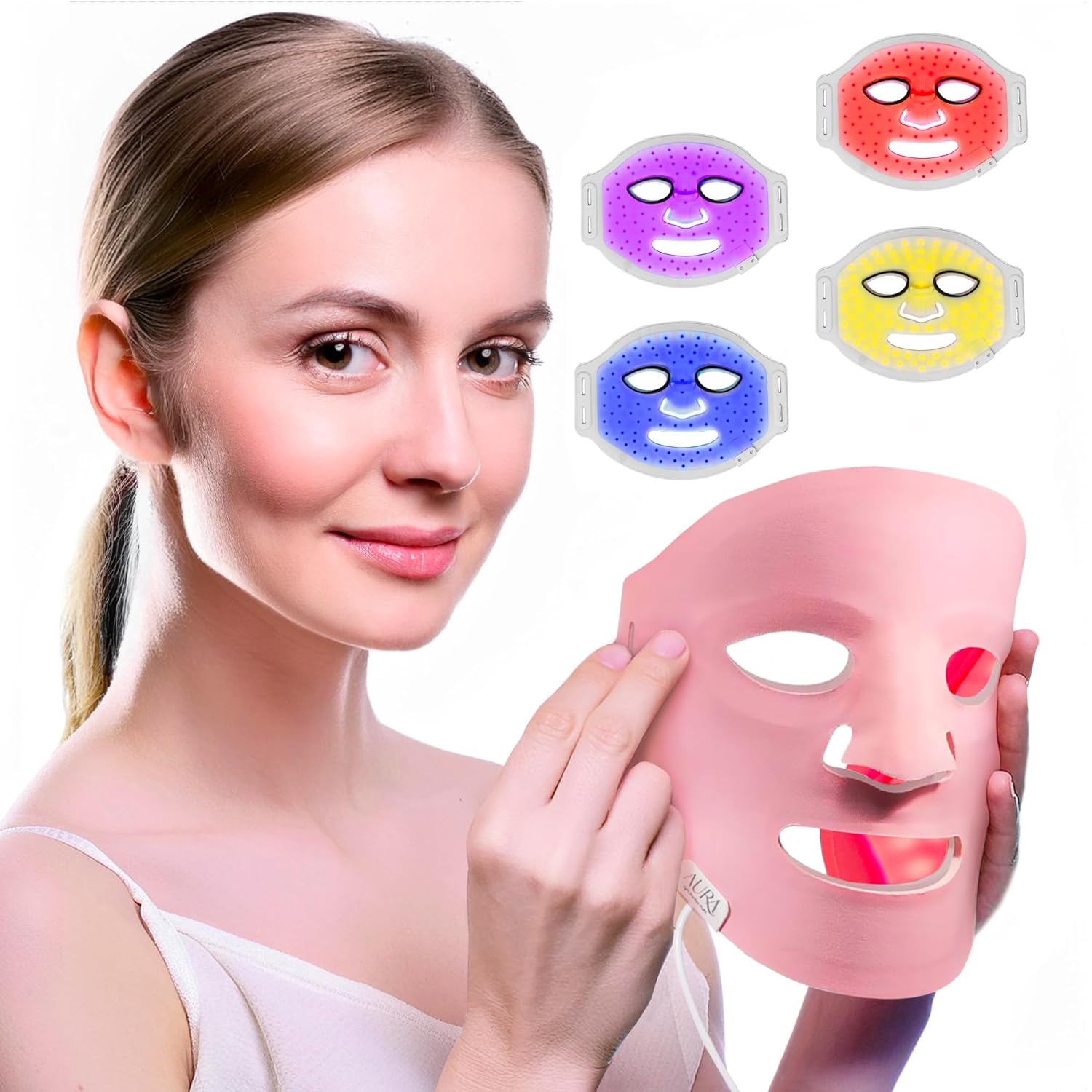
Figure 1.1: The AURA Red Light Therapy Mask and its various light modes.
2. Important Safety Information
Please read all instructions carefully before using the AURA Red Light Therapy Mask. Failure to follow these guidelines may result in injury or damage to the device.
- Do not use if you are pregnant, breastfeeding, or have a history of skin cancer.
- Consult a physician before use if you have any pre-existing medical conditions, are taking photosensitizing medications, or have light-sensitive skin.
- Avoid direct eye exposure to the LED lights. The mask is designed with eye protection, but do not intentionally stare into the lights.
- Keep the device dry. Do not immerse in water or use in wet environments.
- Keep out of reach of children.
- Do not use if the device or charging cable appears damaged.
- Use only the provided charging cable and power adapter.
3. Package Contents and Components
Verify that all items are present in your package:
- AURA Red Light Therapy Mask
- Mini-remote control
- USB Charging Cable
- User Manual (this document)
- Mask Stand (for hand therapy sessions)

Figure 3.1: Key components of the AURA Red Light Therapy Mask.
4. Setup Guide
Before first use, ensure the mask is fully charged.
- Charging the Mask: Connect the USB charging cable to the mask's charging port and plug the other end into a compatible USB power source (e.g., computer, wall adapter). The indicator light on the remote will show charging status. A full charge typically takes 2-3 hours. Do not use the mask while it is charging.
- Adjusting the Head Straps: The mask features adjustable Velcro straps. Place the mask on your face and adjust the straps around your head for a comfortable and secure fit. Ensure the mask sits evenly on your face without applying excessive pressure.
5. Operating Instructions
The AURA mask offers multiple light therapy modes, each targeting specific skin concerns.
5.1 Light Therapy Modes
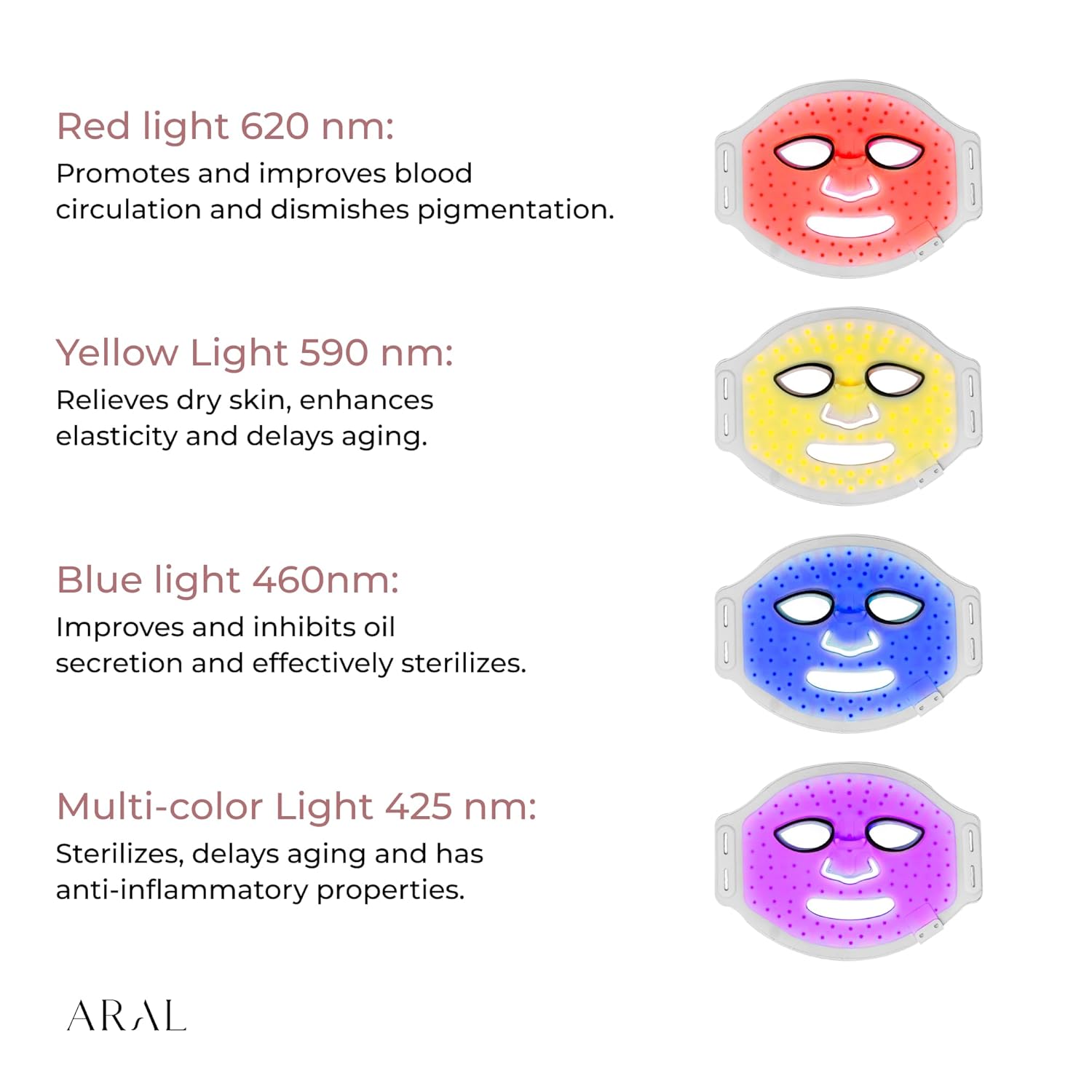
Figure 5.1: Overview of light therapy modes and their benefits.
| Light Color | Wavelength | Benefits |
|---|---|---|
| Red Light | 620 nm | Promotes and improves blood circulation, diminishes pigmentation. |
| Yellow Light | 590 nm | Relieves dry skin, enhances elasticity, delays aging. |
| Blue Light | 460 nm | Improves and inhibits oil secretion, effectively sterilizes. |
| Multi-color Light | 425 nm | Sterilizes, delays aging, and has anti-inflammatory properties. |
5.2 Usage Steps
Follow these steps for an optimal light therapy session:

Figure 5.2: Step-by-step guide for using the AURA Red Light Therapy Mask.
- Step 1: Cleanse and Dry Your Face. Ensure your face is clean and free of makeup, oils, or lotions. Pat your skin dry.
- Step 2: Strap on the Mask. Place the mask comfortably on your face and secure it with the adjustable head straps. Use the mini-remote to select your desired light treatment mode.
- Step 3: Begin Treatment. Leave the mask on for 10 to 15 minutes per session. The mask has an automatic shut-off feature after the recommended treatment time (10 minutes for red light, 20 minutes for automatic multi-color mode). You can relax or continue with light activities during the session.
- Step 4: Post-Treatment. Remove the mask. For enhanced results, apply your preferred moisturizer or serum to seal in the treatment benefits.
Note: For hand therapy, place the mask on the included stand and position your hands underneath the mask during a session.

Figure 5.3: Using the AURA mask with the stand for hand therapy.
6. Care and Maintenance
- Cleaning: After each use, gently wipe the mask's surface with a soft, dry cloth. For deeper cleaning, use a slightly damp cloth with a mild, non-abrasive cleaner. Ensure the mask is completely dry before storing or recharging. Do not use harsh chemicals or abrasive materials.
- Storage: Store the mask in a cool, dry place, away from direct sunlight and extreme temperatures. Keep it in its original packaging or a protective case to prevent damage.
- Battery Care: To prolong battery life, avoid fully discharging the mask frequently. Recharge the mask when the battery indicator is low. If storing for an extended period, charge the mask every 3-6 months.
7. Troubleshooting
If you encounter issues with your AURA Red Light Therapy Mask, refer to the table below for common problems and solutions.
| Problem | Possible Cause | Solution |
|---|---|---|
| Mask does not turn on. | Low battery; Device not charged; Remote control issue. | Ensure the mask is fully charged. Press the power button on the remote firmly. If still unresponsive, try a different USB port or charging cable. |
| Lights are dim or flickering. | Low battery. | Recharge the mask fully. |
| Remote control is unresponsive. | Remote battery low (if applicable); Connection issue. | Ensure the remote is properly connected to the mask. If the remote has a separate battery, check or replace it. |
| Skin irritation after use. | Overuse; Individual sensitivity. | Reduce treatment time or frequency. Ensure skin is clean and dry before use. Discontinue use if irritation persists and consult a dermatologist. |
8. Product Specifications
| Feature | Detail |
|---|---|
| Brand | ARAL |
| Model Number | B0CTJQ6FTT |
| Global Trade Identification Number (GTIN) | 00860009354784 |
| Skin Type Compatibility | All |
| Special Features | Adjustable headband, Lightweight design |
| Unit Count | 1.00 Count |
| Package Dimensions | 13.27 x 9.8 x 2.24 inches |
| Item Weight | 1.72 Pounds |
9. Warranty and Support
For information regarding warranty coverage, product registration, or technical support, please refer to the official ARAL website or contact their customer service directly. Contact details can typically be found on the product packaging or the brand's official online presence.
Keep your purchase receipt as proof of purchase for any warranty claims.
Ask a question about this manual
Ask about setup, troubleshooting, compatibility, parts, safety, or missing instructions. Manuals+ will review the question and use this page’s manual context to help answer it.