Introduction
This manual provides essential instructions for setting up, operating, maintaining, and troubleshooting your Samsung Galaxy Tab Active5 5G Enterprise Edition (Model: SM-X306B). Please read this manual thoroughly before using your device to ensure proper functionality and safety.
What's in the Box
The Samsung Galaxy Tab Active5 5G Enterprise Edition package includes the following items:
- Samsung Galaxy Active5 5G Tablet
- USB Type-C cable
- USB Charger (Non-US)
- Quick start guide
- S Pen
- Protective Case
- Removable Battery

Image: Samsung Galaxy Tab Active5 5G Enterprise Edition, showing the tablet, S Pen, and protective case.
Setup
1. Inserting the Battery
The Samsung Galaxy Tab Active5 features a user-replaceable battery. To insert the battery:
- Locate the small notch on the back cover of the tablet.
- Carefully pry open the back cover using the notch.
- Align the battery with the compartment and insert it firmly.
- Replace the back cover, ensuring it snaps securely into place around all edges.
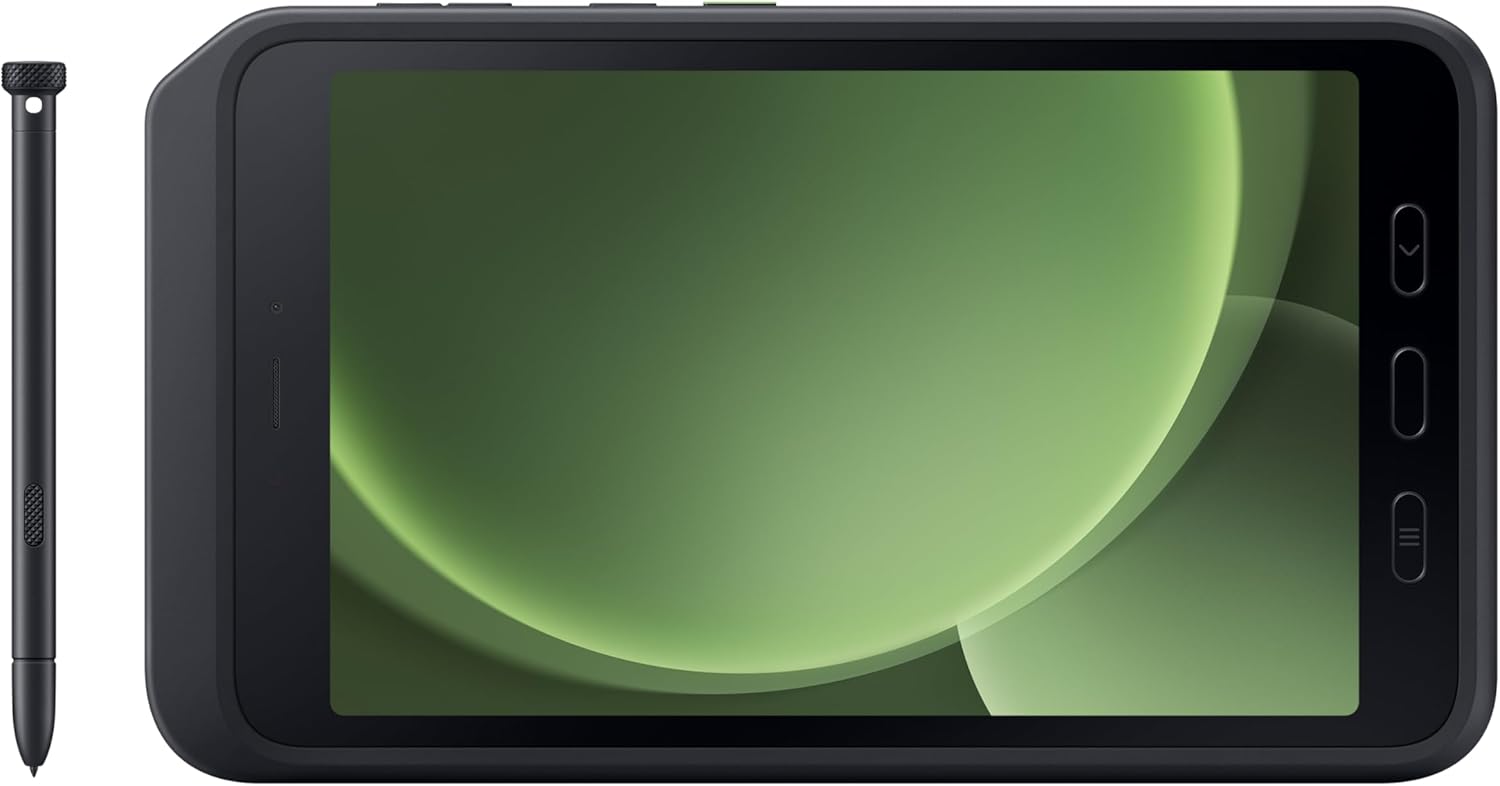
Image: The Samsung Galaxy Tab Active5 with its back cover removed, showing the battery compartment and the removable battery.
2. Initial Power On and Configuration
After inserting the battery, power on your tablet and follow the on-screen instructions for initial setup:
- Select your language and region.
- Connect to a Wi-Fi network.
- Sign in with your Google account or create a new one.
- Set up security features: Face recognition, fingerprints (using the physical home button), PIN, password, or pattern.
- Choose your display mode (Light or Dark).
Video: An unboxing and first review of the Samsung Galaxy Tab Active5, demonstrating the initial setup process including battery insertion and power-on sequence.
3. Installing the Protective Case and S Pen
The tablet comes with a durable protective case and an S Pen. To install them:
- Gently fit the tablet into the protective TPU case, ensuring all edges are covered.
- Insert the S Pen into its dedicated slot at the top of the case. Note that the S Pen is designed to be stored in the case for security and convenience.

Image: The Samsung Galaxy Tab Active5 with its protective case installed and the S Pen securely stored in its designated slot.
Operating the Device
1. Navigation and User Interface
The tablet runs on Android 14 with One UI 6.0. You can navigate using:
- Physical Buttons: The tablet features physical navigation buttons (Recents, Home/Fingerprint Scanner, Back) below the display, which can be used even with gloves.
- Gesture Navigation: Alternatively, you can enable gesture navigation in the settings.
- Active Button: A customizable green button on the side can be programmed to quick-launch apps or functions (e.g., camera).
- Edge Panel: Swipe from the side of the screen to access the Edge Panel for quick access to apps, contacts, and tools.
- Notification Shade: Swipe down from the top of the screen to access notifications and quick settings toggles. You can customize which toggles appear.
2. S Pen Functionality
The included S Pen offers enhanced interaction:
- Note-taking: Use the S Pen for precise note-taking and drawing.
- Smart Select: Capture specific areas of the screen.
- Air Actions: Perform actions by pressing the S Pen button and making gestures.
- S Pen to Text: Convert handwriting to text.
3. Connectivity
The Galaxy Tab Active5 supports various connectivity options:
- Wi-Fi: 802.11a/b/g/n/ac/ax (2.4GHz+5GHz, HE80, MIMO, 1024-QAM)
- Bluetooth: v5.3
- USB: USB 2.0 (Type-C) for charging and data transfer.
- 5G (International Version): For cellular connectivity and phone calls.
- NFC: Yes
- GPS: GPS, Glonass, Beidou, Galileo, QZSS
- MicroSD Card Slot: Supports up to 1TB for expandable storage.
- 3.5mm Stereo Earjack: For headphones.
4. Samsung DeX
Samsung DeX allows for a PC-like desktop experience. While the tablet supports DeX, it does not support video output via USB-C. You can connect to a compatible TV wirelessly to use DeX.
Maintenance
1. Cleaning the Device
The Galaxy Tab Active5 is IP68 rated for water and dust resistance. It can be cleaned with disinfectant. Ensure all ports are securely closed before cleaning or exposing to liquids.
2. Battery Replacement
The removable battery allows for easy replacement. To replace the battery, follow the steps for "Inserting the Battery" in the Setup section.
3. Software Updates
Samsung provides 4 years of major software updates and 5 years of security updates for the Galaxy Tab Active5. Regularly check for and install updates to ensure optimal performance and security.
Troubleshooting
- Device not powering on: Ensure the battery is correctly inserted and charged. Connect the tablet to the charger and try again.
- Slow performance: Close unused applications, clear cache, or restart the device. Check for available software updates.
- S Pen not responding: Ensure the S Pen is properly seated in its slot (if applicable) and try restarting the tablet.
- Connectivity issues: Restart Wi-Fi or Bluetooth, or reset network settings.
Specifications
| Feature | Detail |
|---|---|
| Model Name | Samsung Galaxy Tab Active5 |
| Item Model Number | SM-X306BZGAEEA |
| Operating System | Android 14 |
| Screen Size | 8 Inches |
| Screen Resolution | 1920 x 1200 Pixels |
| Processor | Samsung Exynos 1380 (2.4 GHz, 8 Processors) |
| RAM | 6 GB |
| Memory Storage Capacity | 128 GB |
| Expandable Storage | MicroSD (up to 1 TB) |
| Rear Webcam Resolution | 13 MP |
| Front Camera Resolution | 5 MP |
| Battery Life (Average) | 24 Hours (5050 mAh, removable) |
| Water/Dust Resistance | IP68 |
| Dimensions (LxWxH) | 9.56 x 6.7 x 0.4 inches |
| Item Weight | 1.72 pounds |
| Color | Green |
Warranty and Support
For warranty information and technical support, please refer to the documentation included in your product package or visit the official Samsung support website. Protection plans are available for purchase separately.
- 4-Year Protection Plan: Available for extended coverage.
- Complete Protect: Monthly plan covering eligible past and future purchases.


