
1. Introduction
This manual provides essential information for the safe and efficient operation of your Hover-1 Pro Series Altai R500 Electric Bicycle. The Altai R500 features a 500W motor, capable of reaching a top speed of 28 mph, and is equipped with 20-inch fat tires and a spring suspension fork for versatile riding. Its 48V/20Ah lithium-ion battery offers an average range of 60 miles. Please read this manual thoroughly before your first ride and retain it for future reference.

Image 1: The Hover-1 Pro Series Altai R500 Electric Bicycle, showcasing its robust design and blue finish.
2. Safety Information
Your safety is paramount. Adhere to all safety guidelines to prevent injury or damage.
- Wear a Helmet: Always wear an approved helmet that fits properly when riding.
- Obey Local Laws: Familiarize yourself with and follow all local traffic laws and regulations for electric bicycles.
- Pre-Ride Checks: Before each ride, inspect the brakes, tire pressure, battery charge, and ensure all components are securely fastened.
- Charging Safety: Charge the battery in a dry, well-ventilated area, away from flammable materials. Do not leave charging unattended for extended periods.
- Avoid Impaired Riding: Do not operate the electric bicycle under the influence of alcohol or drugs.
- Weight Limit: The maximum recommended weight for riders is 264 pounds (120 kg).

Image 2: The Altai R500's adjustable LED headlight and horn, crucial for visibility and alerting others.
3. Package Contents
Verify that all items are present in the package:
- Hover-1 Altai R500 Electric Bike
- Altai R500 Charger
- Altai R500 User Manual (this document)
4. Setup and Assembly
Assembly is required. Follow these general steps for initial setup:
- Unpack Components: Carefully remove all parts from the packaging.
- Install Handlebars: Securely attach the handlebars to the stem.
- Attach Pedals: Thread the pedals into the crank arms. Note that pedals are typically left (L) and right (R) specific.
- Adjust Seat Height: Adjust the seat to a comfortable and safe riding height, ensuring your feet can touch the ground.
- Install and Charge Battery: Insert the battery into its compartment and fully charge it before the first use. Refer to the charging section for details.
- Initial Safety Checks: Double-check all bolts, nuts, and quick releases for tightness. Ensure brakes are functioning correctly.
5. Operating Instructions
5.1 Power On/Off
To power on the electric bicycle, press and hold the power button located on the mid-mounted LCD display. To power off, press and hold the same button.
5.2 Riding Modes
- Pedal Assist (PAS): The motor provides assistance as you pedal. Adjust the assist level (1-5) using the controls on the handlebar. Higher levels provide more assistance.
- Throttle: Engage the throttle for full electric power without pedaling. The throttle is typically located on the handlebar.
5.3 Gear Shifting
The Altai R500 is equipped with a 7-speed Shimano gear system. Use the trigger shifter on the handlebar to change gears, adapting to different terrains and riding conditions.
5.4 LCD Display
The integrated 3.5-inch LCD display provides real-time riding information:
- Current Speed
- Battery Level
- Odometer (total distance)
- Trip Distance
- Pedal Assist Level

Image 3: Key components of the Altai R500, including the display and gear system.
5.5 Mobile App Connectivity
Enhance your riding experience by connecting your Altai R500 to the Hover-1 E-Mobility App. The app allows you to:
- Track riding distance and time.
- Navigate with GPS.
- Adjust various settings, including pedal assist levels and speed modes.
- Check battery level remotely.
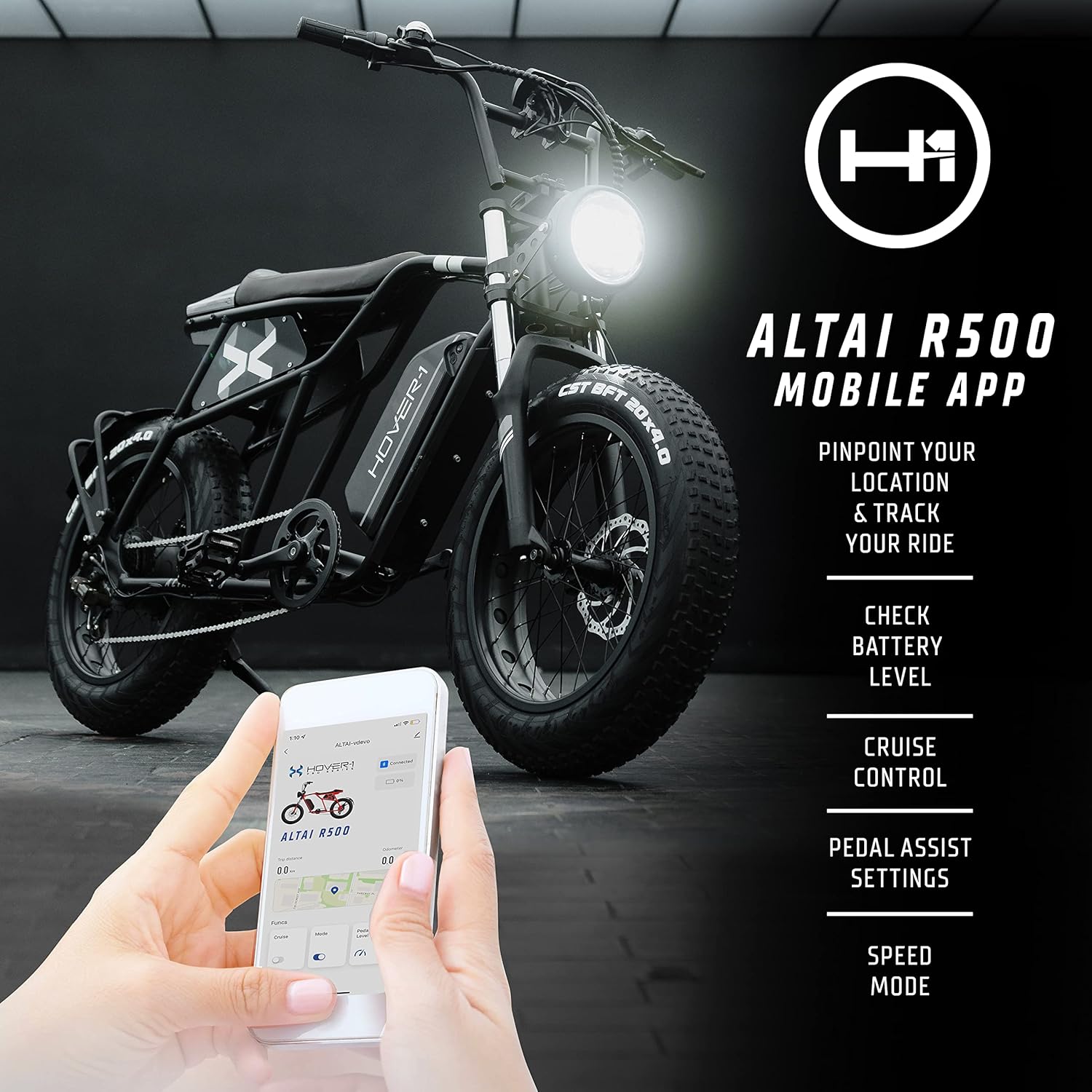
Image 4: The Hover-1 E-Mobility App interface on a smartphone, demonstrating connectivity features.
6. Features Overview
The Hover-1 Pro Series Altai R500 is designed with performance and convenience in mind:
- Powerful Motor: Equipped with a 500W motor, providing excellent acceleration and a top speed of 28 mph.
- All-Terrain Tires: Features durable 20-inch fat tires, suitable for various terrains including road and light off-roading.
- Comfortable Suspension: A spring suspension fork provides cushioning for a smoother ride.
- Advanced Lighting: Includes a bright LED headlight, LED taillight, and integrated front and rear turn signals for enhanced visibility and safety.
- Long-Lasting Removable Battery: The 48V/20Ah lithium-ion battery offers an average range of 60 miles and can be removed for convenient charging.
- Informative Display: A 3.5-inch LCD display shows key riding metrics.
- Smart Connectivity: App-enabled for tracking, navigation, and personalized settings.

Image 5: Visual representation of the Altai R500's performance capabilities and tire specifications.

Image 6: The removable battery of the Altai R500, highlighting its convenience for charging.
6.1 Product Video
Video 1: An official product video showcasing the Hover-1 Altai R500 Series electric bicycle in various riding environments.
7. Maintenance
Regular maintenance ensures the longevity and optimal performance of your electric bicycle.
- Battery Care: Charge the battery after every ride. Avoid fully discharging the battery and store it in a cool, dry place when not in use.
- Tire Pressure: Check tire pressure before each ride and inflate to the recommended PSI indicated on the tire sidewall.
- Brakes: Regularly inspect brake pads for wear and ensure the disc brakes are functioning effectively. Adjust or replace components as needed.
- Chain: Keep the chain clean and lubricated to ensure smooth gear changes and prevent rust.
- General Cleaning: Wipe down the bicycle with a damp cloth. Avoid using high-pressure water jets directly on electrical components.
8. Troubleshooting
If you encounter issues with your Altai R500, refer to the following common problems and solutions:
| Problem | Possible Cause | Solution |
|---|---|---|
| Bicycle does not power on. | Low or uncharged battery, loose battery connection. | Charge the battery fully. Ensure the battery is securely seated. |
| Motor not engaging. | Pedal assist level too low, throttle not engaged, brake lever sensor activated. | Increase pedal assist level. Ensure throttle is fully engaged. Check if brake levers are fully released. |
| Brakes feel weak or noisy. | Worn brake pads, contaminated rotors, loose brake cables/hydraulics. | Inspect and replace brake pads if worn. Clean rotors. Have a qualified technician inspect brake system. |
| Display not showing information. | Loose display cable, display malfunction. | Check display cable connections. Try restarting the bike. If issue persists, contact support. |
9. Specifications
| Feature | Detail |
|---|---|
| Brand | H1 PRO |
| Model Name | Altai Pro (R500) |
| Bike Type | Electric Bike |
| Motor Wattage | 500W |
| Max Speed | 28 mph |
| Battery | 48V/20Ah Lithium-ion (960 Watt Hours) |
| Average Range | 60 miles |
| Charging Time | 7-8 hours |
| Wheel Size | 20 Inches |
| Tire Type | Fat Tires |
| Frame Material | Aluminum |
| Suspension Type | Front (Spring Suspension Fork) |
| Brake Style | Disc (Dual Disc Brake) |
| Number of Speeds | 7 |
| Display | 3.5" LCD Digital Display |
| Item Weight | 72 Pounds |
| Maximum Weight Recommendation | 264 Pounds |
| Part Number | H1-ALT50-BLU |
| UPC | 888255295163 |
10. Warranty and Support
The Hover-1 Pro Series Altai R500 Electric Bicycle comes with a 1 Year Limited Warranty. For warranty claims, technical support, or service inquiries, please contact the manufacturer, DGL Group, or refer to the contact information provided with your purchase documentation.
For additional resources and support, you may visit the official H1 PRO store online: H1 PRO Store.