
Aiyingmei 5 in 2
Aiyingmei CAC Smart Card Reader User Manual
Model: 5 in 2
Brand: Aiyingmei
1. Introduction
This manual provides comprehensive instructions for the setup, operation, maintenance, and troubleshooting of your Aiyingmei CAC Smart Card Reader (Model: 5 in 2). This versatile device is designed to read various types of cards, including Common Access Cards (CAC), Smart Cards, SIM cards, SD cards, Micro SD cards, and TF cards, offering broad compatibility with Windows, Linux/Unix, and MacOS X operating systems.

Figure 1.1: The Aiyingmei CAC Smart Card Reader shown with an ID card, SIM card, Micro SD card, and an SD card adapter, illustrating its multi-functionality.
2. Key Features
The Aiyingmei CAC Smart Card Reader offers a range of features designed for convenience and broad compatibility:
- Broad Card Compatibility: Supports 5V, 3V, and 1.8V Smart Cards, as well as Memory Cards including SD card, micro SD card, micro TF card, MMC, and SIM Card.
- CAC USB Smart Card Reader: Specifically designed for DOD Military CAC, Government ID, and National ID cards. Compatible with applications such as ActivClient, AKO, OWA, DKO, JKO, NKO, BOL, GKO, Marinenet, AF Portal, Pure Edge Viewer, ApproveIt, DCO, DTS, LPS, and Disa Enterprise Email.
- Broad System Compatibility: Works with most contact chip cards and PC operating systems, including Windows 10, 8/8.1 (32/64 bit), 7 (64bit), Vista (64bit), XP / 2000 (64bit), 98 / ME, Windows Server 2008/2012/2016, Windows CE 5.0 / CE.NET, Linux/Unix (64bit), and MacOS X (All versions).
- Folding Design: Features smart-fold mechanics for a compact, thumb-sized form factor, making it convenient for portability without a power cord. Can be attached to a key ring.
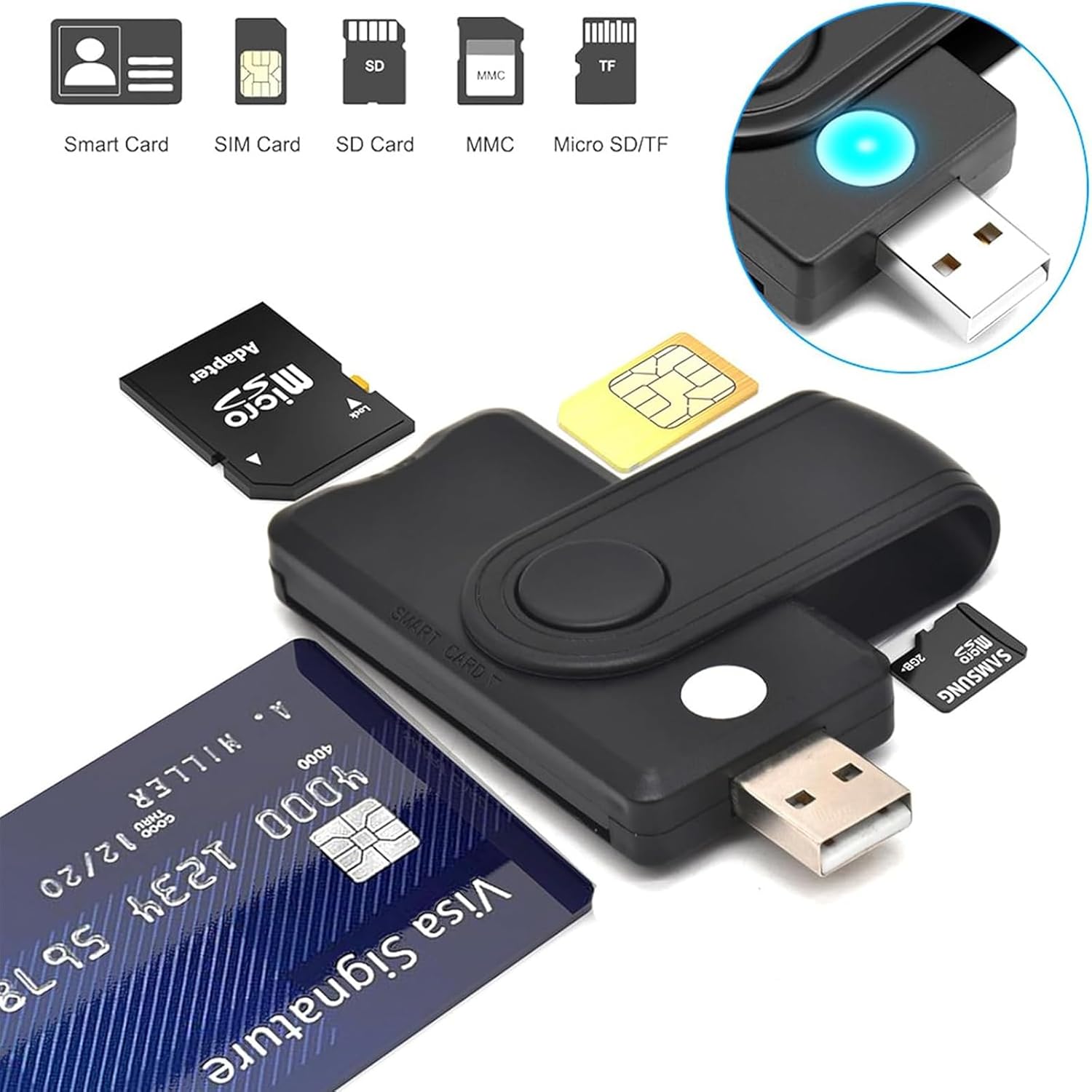
Figure 2.1: Visual representation of the card types supported by the reader, including Smart Card, SIM Card, SD Card, MMC, and Micro SD/TF.
3. Specifications
| Attribute | Detail |
|---|---|
| Brand | Aiyingmei |
| Model Number | 5 in 2 |
| Operating System Compatibility | Windows, Linux/Unix, MacOS X |
| Item Weight | 2.08 ounces (approx. 59 grams) |
| Package Dimensions | 4.76 x 4.25 x 0.83 inches (approx. 12.09 x 10.8 x 2.11 cm) |
| Color | Black |
| Manufacturer | AIYINGMEI |
| Media Type Supported | Memory Stick Duo, Memory Stick Micro, SD Card, microSD |
| Connectivity Technology | USB |
| Special Features | CAC Compatible, Government ID Compatible, Military ID Compatible, SIM card compatible |
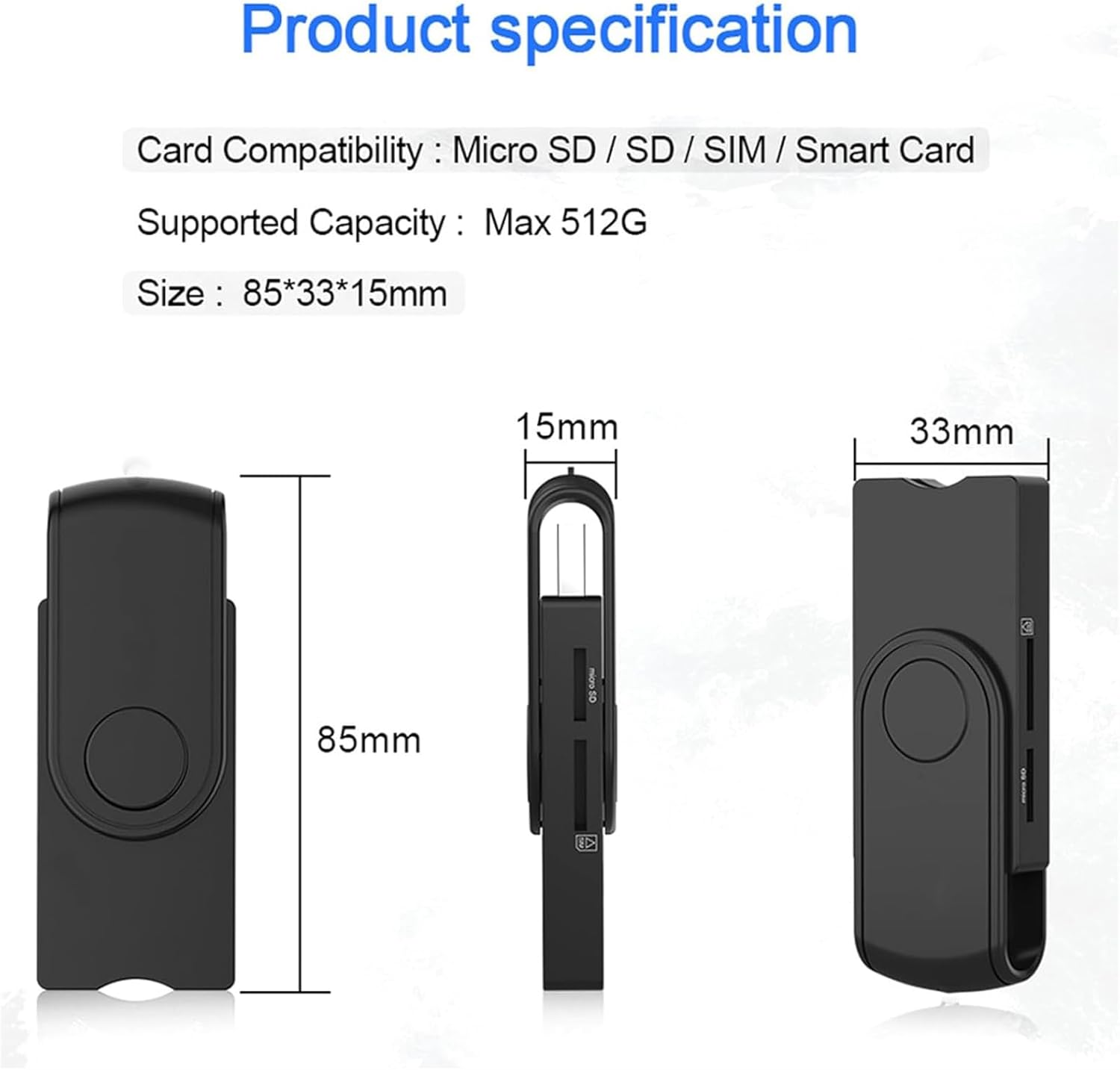
Figure 3.1: Physical dimensions of the card reader.
4. Setup Guide
Follow these steps to set up your Aiyingmei CAC Smart Card Reader:
- Driver Installation:
For most modern operating systems (Windows 10/8/7, MacOS X, Linux/Unix), the card reader is typically plug-and-play, meaning drivers will install automatically upon connection. However, for specific smart card applications (e.g., CAC, ID cards, bank cards) or older operating systems, you may need to install additional middleware or drivers provided by your card issuer or system administrator. Ensure your system is connected to the internet for automatic driver updates.

Figure 4.1: The card reader's broad compatibility with various operating systems.
- Connecting the Device:
Insert the USB connector of the Aiyingmei CAC Smart Card Reader into an available USB port on your computer. The device is designed to be compact and can be folded for easy connection.

Figure 4.2: The card reader connected to a laptop with an ID card inserted.

Figure 4.3: Detail of the USB connector.
- Initial Recognition:
Once connected, your operating system should recognize the device. A blue indicator light on the reader will illuminate, signifying that the device is powered and ready for use.
5. Operating Instructions
The Aiyingmei CAC Smart Card Reader features multiple slots for different card types. Ensure you insert the card into the correct slot for proper functionality.
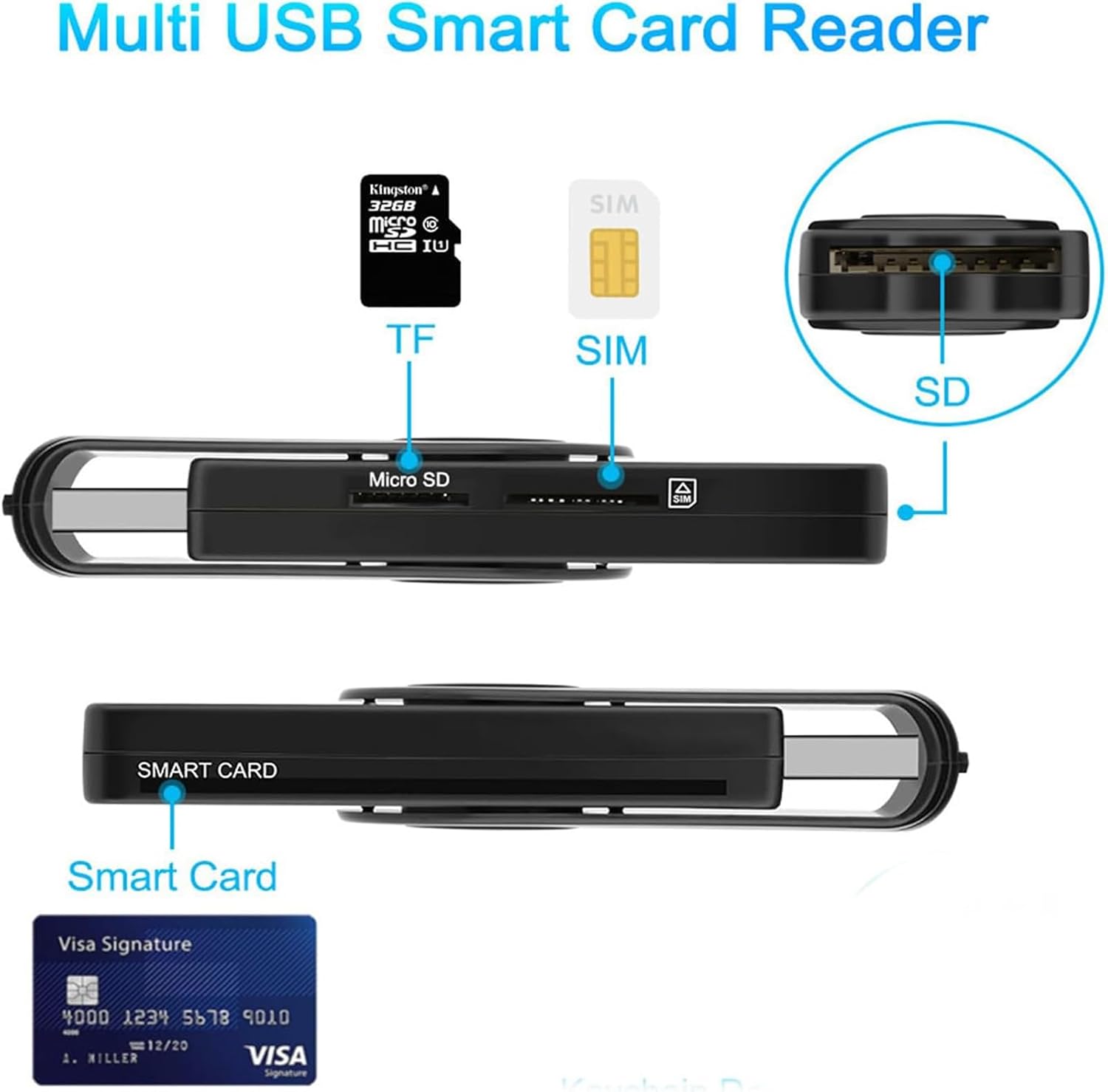
Figure 5.1: Overview of the card slots on the reader.
- Smart Card / CAC / ID Card Slot:
Insert your Smart Card, CAC, or ID card into the dedicated smart card slot with the chip facing upwards and towards the reader. Ensure it is fully seated. This slot supports 5V, 3V, and 1.8V smart cards.
- SD Card Slot:
Insert your standard SD card into the SD card slot until it clicks into place. This slot is typically located on the side of the reader.
- Micro SD / TF Card Slot:
Insert your Micro SD or TF card into the designated slot. This slot is often combined with the TF card slot.
- SIM Card Slot:
Carefully insert your SIM card into the SIM card slot. Note that SIM card functionality may require specific software or drivers and is primarily compatible with Windows operating systems. Refer to the Troubleshooting section for more details.
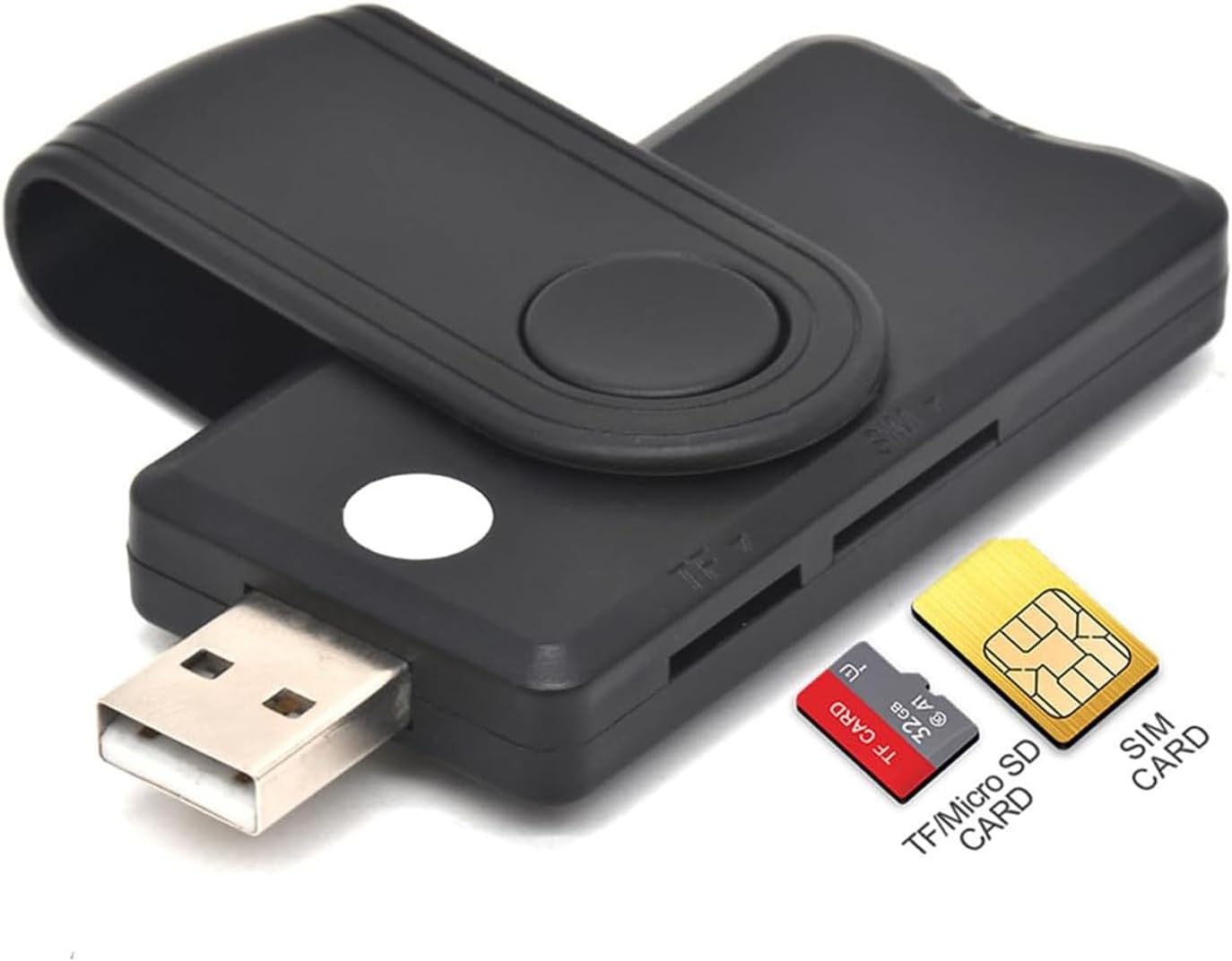
Figure 5.2: Insertion points for TF/Micro SD and SIM cards.
Once a card is inserted, your computer's operating system or relevant application should detect it. You can then proceed with your desired operation, such as accessing files on a memory card or authenticating with a smart card.
6. Maintenance
To ensure the longevity and optimal performance of your Aiyingmei CAC Smart Card Reader, follow these simple maintenance guidelines:
- Cleaning: Use a soft, dry, lint-free cloth to gently wipe the exterior of the reader. Avoid using liquid cleaners, aerosols, or abrasive materials, as these can damage the device. Do not attempt to clean the internal card slots with any objects.
- Storage: When not in use, store the card reader in a cool, dry place, away from direct sunlight, extreme temperatures, and excessive dust. The folding design helps protect the USB connector.
- Handling: Handle the device with care. Avoid dropping it or subjecting it to strong impacts. Do not force cards into slots; if a card does not insert easily, verify you are using the correct slot and orientation.
7. Troubleshooting
If you encounter issues with your Aiyingmei CAC Smart Card Reader, refer to the following common problems and their solutions:
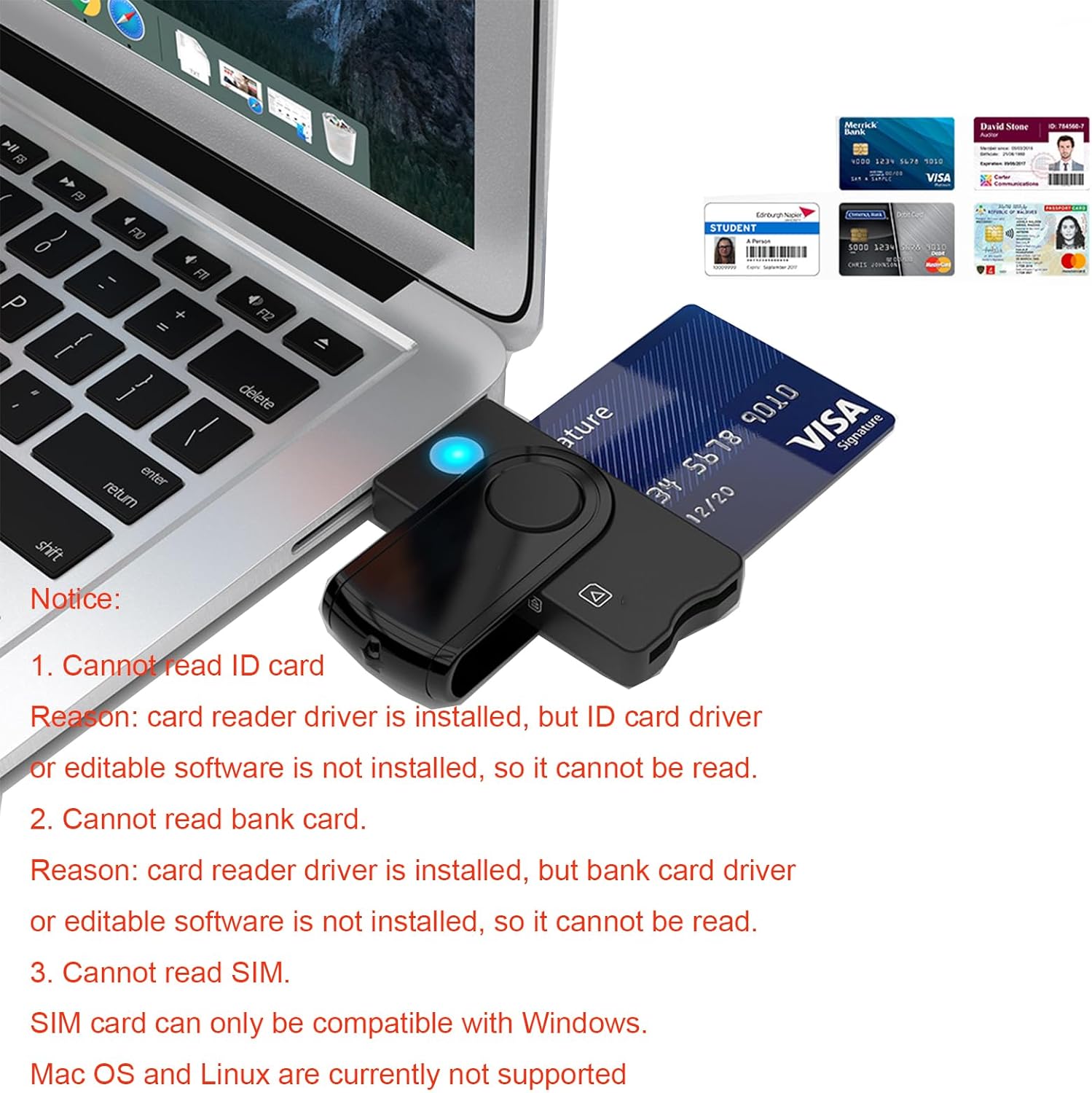
Figure 7.1: Common troubleshooting scenarios and their explanations.
- Problem: Cannot read ID card or Bank card.
Reason: The card reader driver is installed, but the specific ID card driver or editable software required to interact with the card's data is not installed on your computer.
Solution: Ensure you have installed the necessary middleware or software provided by your ID card issuer (e.g., ActivClient for CAC cards) or bank. These applications are essential for your computer to communicate with the secure chip on the card.
- Problem: Cannot read SIM card on Mac OS or Linux.
Reason: SIM card reading functionality is primarily compatible with Windows operating systems. Mac OS and Linux currently do not natively support SIM card reading through this device.
Solution: If SIM card access is critical, use a Windows-based computer. There are no known workarounds for Mac OS or Linux for this specific feature with this device.
- Problem: Device not recognized by the computer.
Solution:
- Try plugging the reader into a different USB port on your computer.
- Restart your computer.
- Ensure the USB cable (if applicable, though this model is direct USB) is securely connected.
- Check your computer's Device Manager (Windows) or System Information (MacOS/Linux) to see if the device is listed, even with an error.
- Problem: Card not reading after insertion.
Solution:
- Ensure the card is inserted correctly into the appropriate slot with the chip facing the correct direction.
- Remove and reinsert the card.
- Check if the card itself is damaged or dirty.
- Verify that the necessary software or drivers for that specific card type are installed and up-to-date.
8. Warranty Information
Aiyingmei products typically come with a manufacturer's warranty. For specific details regarding the warranty period, coverage, and terms for your CAC Smart Card Reader (Model: 5 in 2), please refer to the warranty card included with your product packaging or visit the official Aiyingmei website. Keep your proof of purchase for warranty claims.
9. Customer Support
For technical assistance, product inquiries, or support related to your Aiyingmei CAC Smart Card Reader, please contact Aiyingmei customer support through their official channels. You can usually find contact information (email, phone, or support portal) on the manufacturer's website or within your product documentation.
For general inquiries or to check for updated drivers/software, please visit the product page on Amazon or search for "Aiyingmei" online.