1. Introduction and Safety Information
This manual provides essential instructions for the safe and efficient operation, installation, and maintenance of your DNYSYSJ 101-0AB 45L Lab Convection Drying Oven. Please read this manual completely before installation and use, paying particular attention to all safety instructions.
Important Safety Warnings:
- For experimental safety, install an external grounding device.
- Use a power supply that matches the equipment specifications and install a leakage protection device.
- The equipment is strictly forbidden for use with flammable, explosive, toxic, or corrosive substances.
- Do not shut down the fan under normal operating conditions, as this can cause significant temperature deviation within the working chamber.
- An overtemperature alarm indication is included to enhance safety during use.
2. Product Overview
The DNYSYSJ 101-0AB is a 45L (12-gallon) digital forced air convection drying oven designed for drying, baking, wax melting, and heat treatment processes in laboratory environments. It features a robust construction and precise temperature control.
Key Features:
- Capacity: 45 Liters / 12 Gallons.
- Material: Cold plate shell with sprayed surface, high-quality stainless steel lining.
- Temperature Control: Digital display controller with a range of +10-300 ℃ / 50-572 ℉.
- Air Circulation: Hot air circulation system with dual duct and low noise self-cooling fan for uniform heating.
- Observation Window: Large double-layer tempered glass for viewing chamber contents.
- Sealing: New synthetic silicone sealing tape for high-temperature operation.
- Safety: Overtemperature alarm indication.
Components:

Figure 2.1: Front view of the oven, showing the control panel on the left, the main power switch, fan switch, and the tempered glass viewing window on the right.

Figure 2.2: Interior view of the oven with the door open, displaying the stainless steel chamber and two adjustable racks.
3. Setup
Proper setup is crucial for the safe and effective operation of your convection oven.
3.1 Unpacking and Inspection:
- Carefully remove the oven from its packaging.
- Inspect the unit for any signs of damage incurred during shipping. Contact your supplier immediately if damage is found.
- Ensure all included components are present: 1 Convection Oven, 1 English Manual.
3.2 Placement:
- Place the equipment on a dry, stable platform or ground.
- Maintain a minimum distance of 50cm (approximately 20 inches) from any walls or other obstructions to ensure proper ventilation.
- Ensure the bottom anti-slip feet are securely positioned to maintain stability and prevent scratches on surfaces.
3.3 Electrical Connection:
- Connect the power cord to a grounded electrical outlet. The oven operates on 110V, 60Hz.
- As a safety measure, install an external grounding device.
- Ensure the power supply matches the equipment's requirements and install a leakage protection device for safety.

Figure 3.1: US standard power plug for connecting the oven to an electrical outlet.
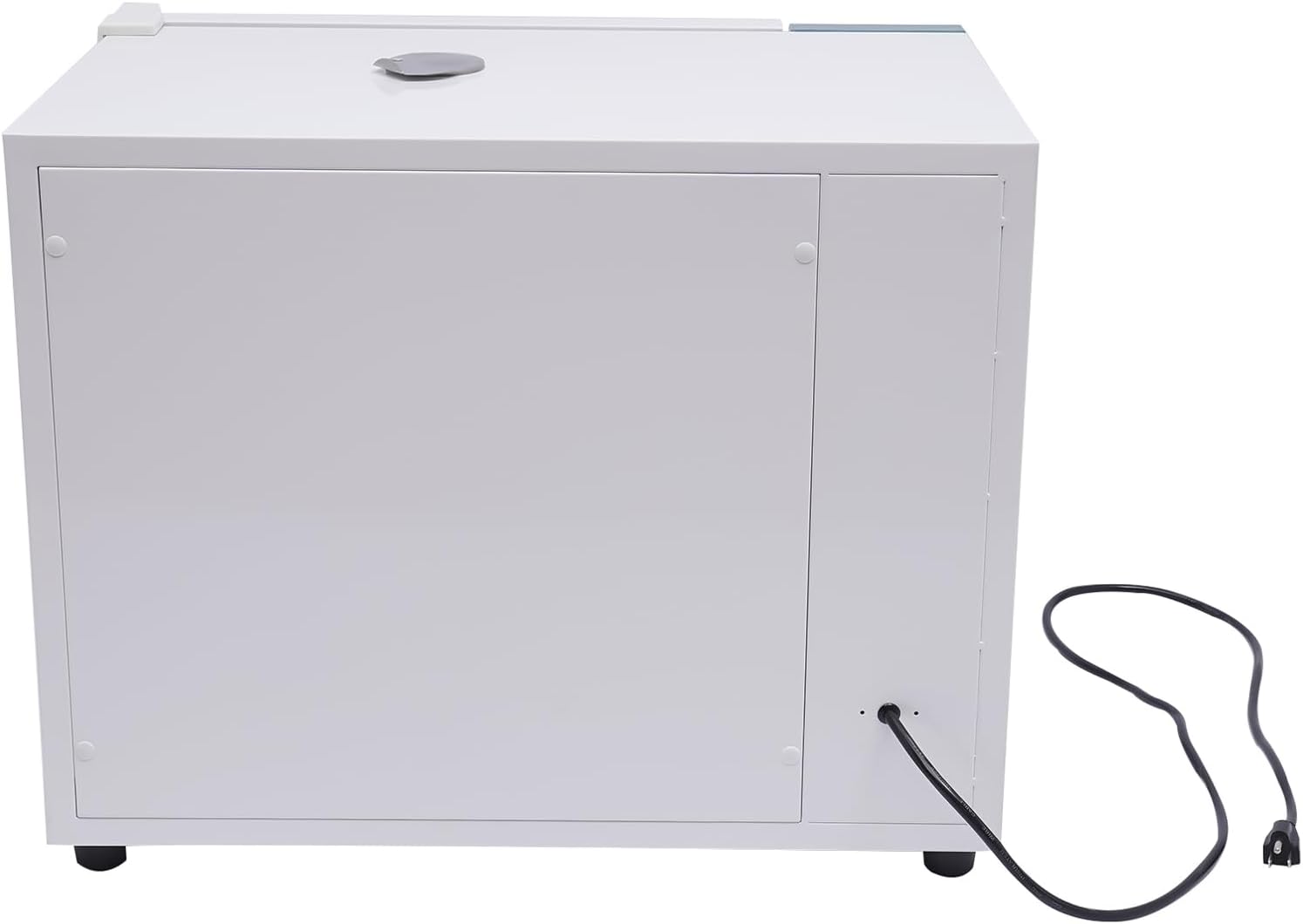
Figure 3.2: Rear view of the oven, indicating the power cord entry point.
3.4 Rack Installation:
- Open the oven door.
- Insert the stainless steel racks into the desired positions within the chamber. The racks are adjustable to accommodate various experimental items.
- Place experimental items on the tray as needed.

Figure 3.3: Demonstrating the installation of a stainless steel rack inside the oven.
4. Operating Instructions
Follow these steps to operate your DNYSYSJ 101-0AB Lab Convection Drying Oven.
4.1 Power On:
- After connecting the power, turn on the main power switch located on the control panel.
- The digital display (KTD-6000) will illuminate.
4.2 Setting Temperature:
- Use the control buttons on the KTD-6000 digital display to set the required temperature. Refer to the detailed operating instructions for the intelligent instrument (KTD-6000) for specific button functions (Set, Shift, Dev/AT, Inc).
- The temperature control range is +10-300 ℃ / 50-572 ℉.
- The controller supports temperature deviation correction and temperature control self-tuning.

Figure 4.1: KTD-6000 digital control panel for temperature and function settings.
4.3 Fan Operation:
- The oven features a fan speed control switch. Select the desired fan speed (I, II, III) or turn it OFF.
- For uniform heating and to avoid large temperature deviations, it is recommended to keep the fan running during operation, unless specific experimental conditions require it to be off.
4.4 Timing Function:
- The digital controller includes a timing function. Set the desired operation duration as per your experimental requirements.
4.5 Monitoring:
- Monitor the temperature and process through the large double-layer tempered glass observation window.
- The digital display shows current (PV) and set (SV) values.
5. Maintenance
Regular maintenance ensures the longevity and optimal performance of your oven.
5.1 Cleaning:
- Always turn off the power and unplug the oven before cleaning.
- Allow the oven to cool completely before cleaning.
- Wipe the exterior surfaces with a damp cloth and mild detergent. Avoid abrasive cleaners.
- The stainless steel lining is easy to clean. Use a non-abrasive cleaner suitable for stainless steel.
- Keep the oven dry and clean when not in use.
5.2 General Care:
- Regularly check the power cord for any signs of damage.
- Ensure the ventilation openings are not blocked.
- Inspect the silicone sealing tape for wear or damage.
6. Troubleshooting
This section addresses common issues you might encounter with your oven.
6.1 Oven Not Powering On:
- Check if the power cord is securely plugged into a functional electrical outlet.
- Ensure the main power switch on the oven is in the 'ON' position.
- Verify the circuit breaker or fuse for the outlet has not tripped.
6.2 Temperature Not Reaching Set Point:
- Confirm the set temperature is within the oven's operating range (+10-300 ℃).
- Ensure the oven door is properly closed and the silicone seal is intact.
- Check if the fan is operating correctly. The fan ensures uniform heating.
- Avoid overloading the oven, which can affect heating efficiency.
6.3 Overtemperature Alarm:
- If the overtemperature alarm activates, immediately check the set temperature and the actual temperature displayed.
- Reduce the set temperature if it is too high or if the oven is overheating.
- If the issue persists, power off the oven and contact customer support.
6.4 Uneven Heating:
- Ensure the fan is turned on and operating at an appropriate speed.
- Distribute items evenly on the racks to allow for proper air circulation.
- Avoid blocking the air vents inside the chamber.
7. Specifications
| Feature | Specification |
|---|---|
| Model | 101-0AB |
| Brand | DNYSYSJ |
| Material | Cold Plate (Shell), Stainless Steel (Lining), Tempered Glass (Door) |
| Color | White, Green |
| Finish Type | Spraying |
| Plug Type | US Standard |
| Voltage | 110V, 60Hz |
| Power | 1500W |
| Capacity | 45 Liters / 12 Gallons |
| Temperature Control Range | +10-300 ℃ / 50-572 ℉ |
| Temperature Resolution | 0.1 ℃ / 32.2 ℉ |
| Temperature Fluctuation | ± 1 ℃ |
| Product Dimensions (D x W x H) | 27.95" x 22.44" x 19.69" (71cm x 57cm x 50cm) |
| Control Type | Button (Digital Controller KTD-6000) |
| Door Style | Side Swing |
| Included Components | Dual-Layer Tempered Glass Window, Racks |

Figure 7.1: Dimensional diagram of the oven.
8. Warranty and Support
For warranty information, technical support, or service inquiries, please refer to the warranty card included with your product or contact the manufacturer directly. Ensure you have your model number (101-0AB) and purchase details available when contacting support.