
Mosptnspg ZH018
Mosptnspg 75% TKL Wired Mechanical Keyboard User Manual
Model: ZH018
Introduction
This manual provides detailed instructions for the setup, operation, maintenance, and troubleshooting of your Mosptnspg 75% TKL Wired Mechanical Keyboard (Model ZH018). Please read this manual thoroughly before using the product to ensure optimal performance and longevity.

Image: Mosptnspg 75% TKL Wired Mechanical Keyboard in Black Red color scheme.
Package Contents
Ensure all items are present upon unboxing:
- Mosptnspg 75% TKL Wired Mechanical Keyboard (Model ZH018)
- USB-C to USB-A Cable
- Keycap Puller
- Switch Puller
- User Manual (this document)
Setup
- Connect the Keyboard: Insert the USB-C end of the provided cable into the port on the keyboard. Plug the USB-A end into an available USB port on your computer (Laptop or PC).
- Driver Installation: The keyboard is plug-and-play. Your operating system should automatically detect and install the necessary drivers.
- Adjust Keyboard Feet: The keyboard features two-step adjustable feet on the underside. Flip them out to achieve your preferred typing angle.

Image: The keyboard connected via its removable USB-C cable, showing the adjustable feet.
Operating Instructions
Keyboard Layout and Features
The Mosptnspg ZH018 features a 75% TKL layout with 82 keys, providing a compact design while retaining essential function and arrow keys. It includes a multifunctional knob for media control.
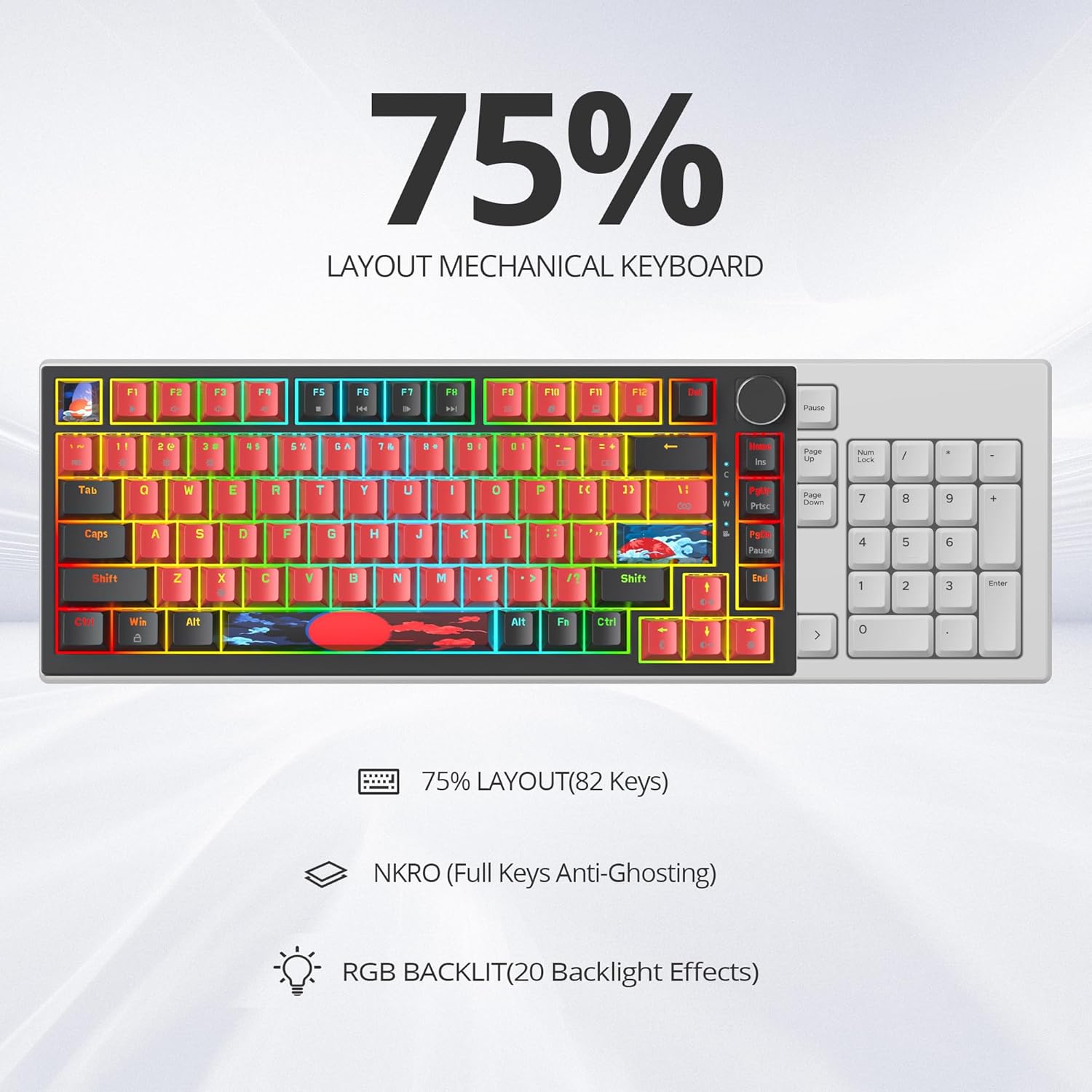
Image: Diagram illustrating the 75% layout, NKRO (N-Key Rollover), and RGB backlight features.
Multimedia Knob
The knob located in the upper right corner of the keyboard serves multiple functions:
- Rotate: Turn left or right to adjust the system volume (Volume + / Volume -).
- Press: Press the knob to play or pause media.

Image: Close-up of the multimedia knob, indicating its volume and play/pause functionalities.
Function Keys (Fn Combinations)
The keyboard includes 12 multimedia shortcut keys accessible via the Fn key:
- Fn + F1-F12: Access various multimedia and system functions. Refer to the keycap legends for specific functions (e.g., media playback, volume, brightness).

Image: Illustration of the function keys (F1-F12) and their multimedia shortcuts when combined with the Fn key.
RGB Backlighting
The keyboard features customizable RGB backlighting with over 16.8 million colors. Lighting effects can be adjusted directly on the keyboard or through the programmable software.
- On-keyboard control: Use specific key combinations (often Fn + arrow keys or other designated keys) to cycle through lighting modes, adjust brightness, and change colors. Refer to the keycap legends for exact controls.

Image: Close-up view of the keyboard switches illuminated with RGB lighting.
Hot-Swappable Switches
The keyboard supports 3-pin or 5-pin hot-swappable mechanical switches, allowing for easy customization without soldering. Use the provided switch puller to remove and replace switches.

Image: Diagram showing the hot-swappable feature, allowing for easy removal and replacement of 3-pin and 5-pin mechanical switches.
Programmable Software
Customize lighting effects, key functions, and macros using the dedicated software. The software allows for advanced personalization to suit individual preferences.
- Software Download: Refer to the manufacturer's website for the latest software download.
- Customization: Adjust RGB colors, lighting patterns, reassign keys, and create complex macros.

Image: Screenshot of the programmable software interface, demonstrating options for light settings, button settings, and macro management.
Gasket Mount Design
The keyboard incorporates a gasket mount internal structure with two silicone damping bottom pads and noise cancellation design. This construction provides a quiet typing experience and a solid feel.

Image: Exploded view diagram of the keyboard's gasket mount structure, highlighting components like PBT keycaps, linear red switches, PC positioning board plate, shock absorbing sponge, gasket mount, PCB board, sound-absorbing sponge, and ABS bottom shell.
Maintenance
Cleaning the Keyboard
- Disconnect the keyboard from your computer before cleaning.
- Use a soft, lint-free cloth slightly dampened with water or a mild cleaning solution to wipe down the keycaps and chassis.
- For deeper cleaning, use the provided keycap puller to remove keycaps and clean underneath with compressed air or a small brush.
- Ensure the keyboard is completely dry before reconnecting it.
Switch and Keycap Replacement
The hot-swappable design allows for easy replacement of switches and keycaps:
- Use the keycap puller to gently remove keycaps.
- Use the switch puller to carefully extract the mechanical switches.
- Align new switches with the PCB sockets and press firmly until they click into place.
- Place new keycaps onto the switches.
Troubleshooting
Keyboard Not Responding
- Ensure the USB cable is securely connected to both the keyboard and the computer.
- Try connecting the keyboard to a different USB port on your computer.
- Test the keyboard on another computer to rule out system-specific issues.
- Restart your computer.
RGB Lighting Not Working or Incorrect
- Check on-keyboard lighting controls (Fn key combinations) to ensure lighting is enabled and brightness is adjusted.
- Verify that the programmable software is installed and configured correctly.
- Ensure no conflicting software is running that might interfere with RGB control.
Keys Not Registering or Double-Typing
- Due to the hot-swappable nature, a switch might not be fully seated. Gently press down on the affected keycap to ensure the switch is properly connected.
- If the issue persists, use the switch puller to remove the switch and reinsert it, ensuring the pins are straight and align with the PCB sockets.
- Consider replacing the problematic switch with a spare if available.
Specifications
| Feature | Detail |
|---|---|
| Brand | Mosptnspg |
| Model Number | ZH018 |
| Layout | 75% TKL (82 keys) |
| Keyboard Description | Mechanical |
| Switch Type | Linear Red Switch (Hot-Swappable 3-pin/5-pin) |
| Keycaps | PBT Keycaps |
| Backlighting | RGB (16.8 million colors) |
| Connectivity | Wired (USB-A, USB-C) |
| Special Features | Backlit, Ergonomic, Hot-Swappable, Gasket Mount, Volume Knob |
| Compatible Devices | Laptop, PC |
| Item Weight | 1.96 pounds |
| Package Dimensions | 14.45 x 7.44 x 2.2 inches |