
TWS earbuds
Generic TWS Bluetooth 5.0 Earbuds Instruction Manual
Model: TWS earbuds
Introduction
These TWS Bluetooth 5.0 Earbuds are designed for wireless audio enjoyment, hands-free communication, and active lifestyles. They feature a matte finish, in-ear design, and come with a charging case for extended use. This manual provides essential information for setting up, operating, and maintaining your earbuds.

Figure 1: Generic TWS Bluetooth 5.0 Earbuds in their charging case.
Package Contents
- TWS Bluetooth Earbuds
- Wireless Charging Case
- Charging Cable
- Ear Cushions (various sizes)
- User Manual
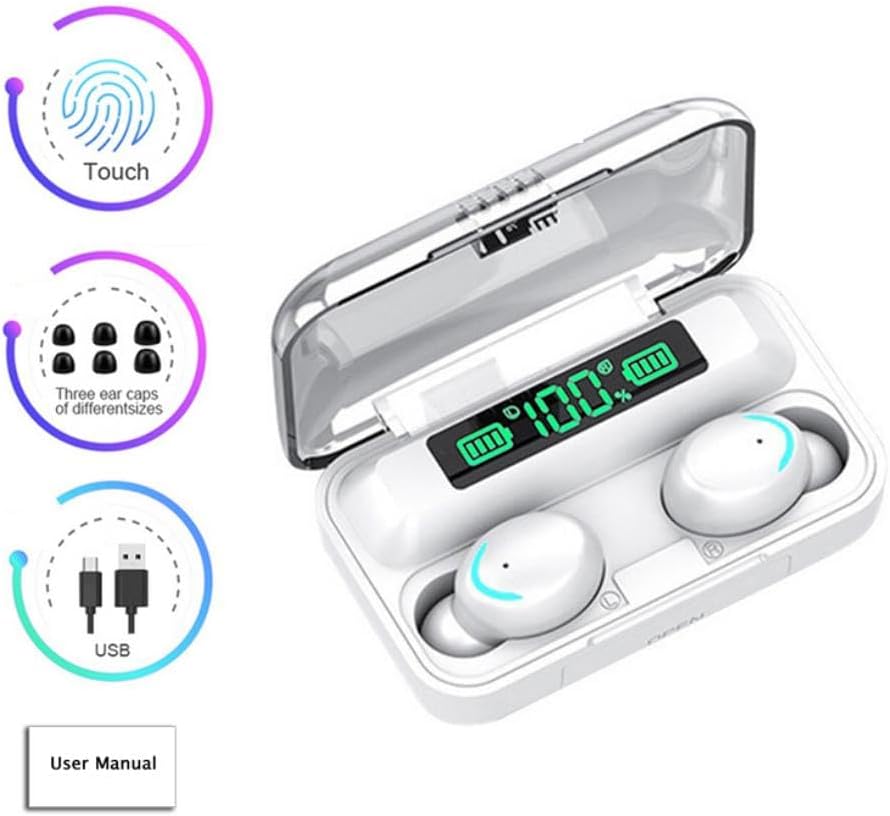
Figure 2: Earbuds with accessories and key features indicated (Touch control, different sized ear caps, USB charging, User Manual).
Setup
1. Initial Charge
Before first use, fully charge the earbuds and the charging case. Place the earbuds into the charging case. Connect the charging cable to the case and a power source. The LED display on the charging case will indicate the battery level of both the case and the individual earbuds.
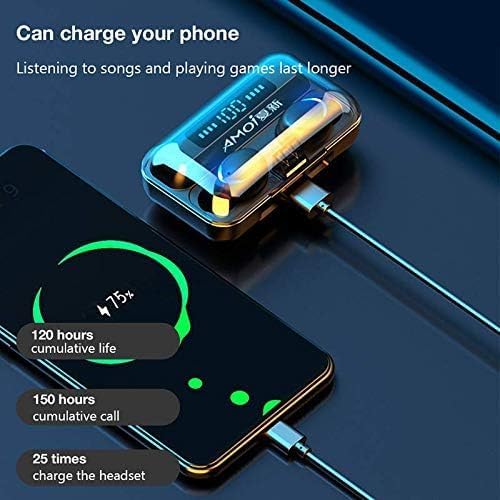
Figure 3: Charging the earbud case, which can also serve as a portable charger for other devices.
2. Pairing with a Bluetooth Device
- Ensure the earbuds are charged and placed inside the charging case.
- Open the charging case. The earbuds will automatically power on and enter pairing mode.
- On your Bluetooth-enabled device (e.g., smartphone, tablet), go to the Bluetooth settings.
- Search for available devices and select "TWS earbuds" (or similar name) from the list.
- Once connected, you will hear a confirmation tone, and the earbuds will be ready for use.
The earbuds support both monaural (single earbud) and binaural (both earbuds) use. For monaural use, simply take out one earbud; it will automatically boot and pair. For binaural use, take out both earbuds together to initiate pairing.
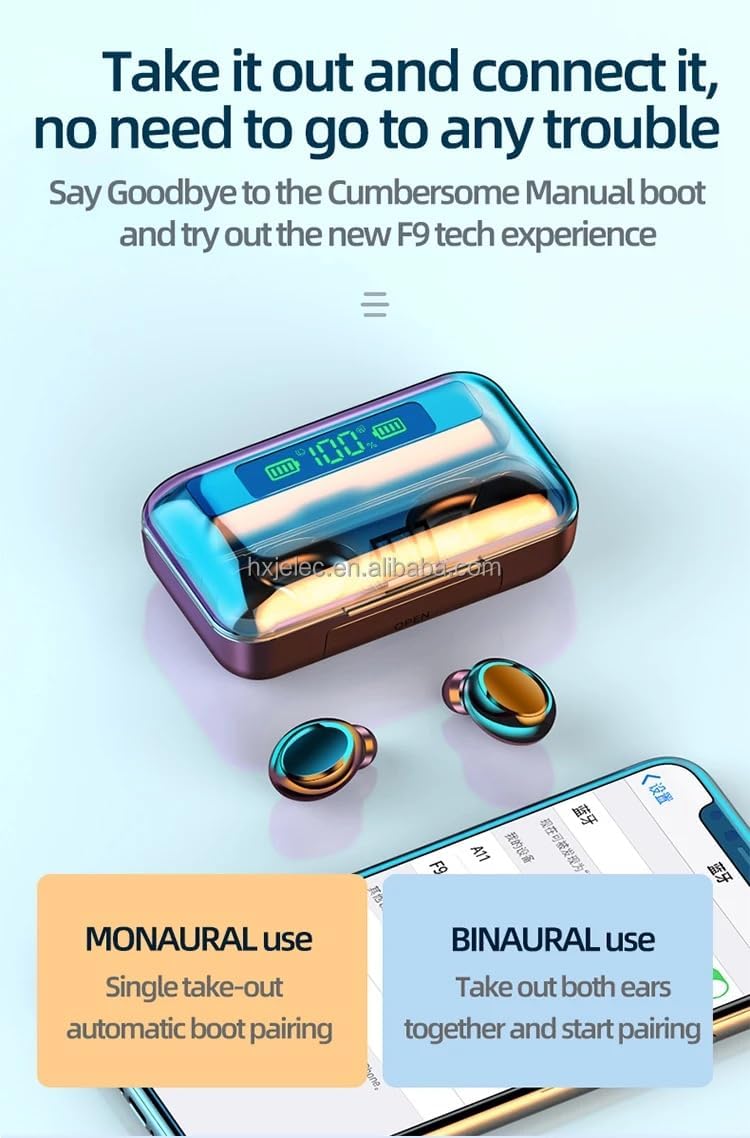
Figure 4: Instructions for monaural and binaural earbud use.
Operating Instructions
Touch Controls
The earbuds feature intuitive touch controls for easy management of music and calls.
- Play/Pause Music: Tap once on either earbud.
- Next Track: Double-tap the right earbud.
- Previous Track: Double-tap the left earbud.
- Answer/End Call: Tap once on either earbud during an incoming call.
- Reject Call: Press and hold either earbud for 2 seconds during an incoming call.
- Adjust Volume: Specific gestures for volume control may vary; refer to the quick start guide for detailed instructions.
- Activate Voice Assistant: Triple-tap either earbud (if supported by your device).
Hands-Free Calling
The built-in microphone allows for clear hands-free calls. Ensure the earbuds are connected to your device via Bluetooth to use this feature.
Maintenance
Cleaning
Regularly clean your earbuds and charging case to ensure optimal performance and hygiene. Use a soft, dry, lint-free cloth. Do not use abrasive cleaners or solvents.
Water Resistance
The earbuds feature an IPX7 waterproof rating and sweatproof construction, making them suitable for sports and fitness activities. However, they are not designed for swimming or prolonged submersion in water. Ensure the earbuds are dry before placing them back into the charging case to prevent damage.
Storage
When not in use, store the earbuds in their charging case to protect them and keep them charged. Store in a cool, dry place away from extreme temperatures.
Troubleshooting
Earbuds Not Pairing
- Ensure both earbuds are fully charged.
- Turn off Bluetooth on your device and then turn it back on.
- Forget the device ("TWS earbuds") from your device's Bluetooth settings and attempt to pair again.
- Place both earbuds back into the charging case, close the lid, wait a few seconds, then open the lid to re-initiate pairing mode.
No Sound or Low Volume
- Check the volume levels on both your earbuds and your connected device.
- Ensure the earbuds are properly seated in your ears.
- Reconnect the earbuds to your device.
- Clean any debris from the earbud speakers.
Charging Issues
- Verify the charging cable is securely connected to both the case and the power source.
- Ensure the charging contacts on the earbuds and inside the case are clean and free of debris.
- Try using a different charging cable or power adapter.
Specifications
| Feature | Description |
|---|---|
| Model Name | TWS earbuds |
| Connectivity Technology | Wireless (Bluetooth 5.0) |
| Bluetooth Range | Up to 10 meters |
| Battery Life (Earbuds) | 4 hours (single charge playback) |
| Battery Life (with Charging Case) | Additional 12 hours (total 16 hours) |
| Charging | Fast Charging Support |
| Water Resistance | IPX7 Waterproof, Sweatproof |
| Control Type | Touch, Voice (Media Control) |
| Microphone | Built-in for hands-free calls |
| Earpiece Shape | Rounded tip (In-Ear) |
| Material | Plastic (Earbuds), Plastic or Aluminum (Carrying Case) |
| Dimensions | 4 x 3.5 x 2 inches |
| Item Weight | 3.2 ounces |
| Manufacturer | Shenzhen Hongxingjiake Electronic Co |
Warranty and Support
For warranty information or technical support, please refer to the contact details provided with your purchase or visit the manufacturer's official website. Keep your proof of purchase for any warranty claims.