1. Introduction
Thank you for choosing the imuto Graffiti Style Portable Charger. This 20000mAh power bank features a unique graffiti design, a built-in USB-C cable, 30W fast charging capabilities, and an intuitive LED display. It is designed to provide reliable and efficient power for your mobile devices on the go. This manual provides essential information for safe and effective use of your new power bank.

Image: The imuto Graffiti Style Portable Charger, showcasing its unique design and compact form factor.
2. Key Features
- Artistic Design: Express your style with a graffiti-inspired exterior, adding a touch of fun to your charging routine.
- Built-In USB-C Cable: Features a hidden USB-C cable for convenient charging and portability, doubling as a carrying handle.
- 30W Fast Charging: Supports 30W Power Delivery (PD) for rapid charging of compatible devices and quick recharging of the power bank itself.
- 20000mAh High Capacity: Provides ample power to charge multiple devices, such as smartphones, tablets, and other USB-powered gadgets.
- Smart LED Digital Display: A clear digital display shows the precise battery status, indicating remaining power down to the last percentage point.
- Advanced Safety Features: Equipped with multiple protection mechanisms against overheating, overload, short-circuit, and overcharging, ensuring device safety. (UL safety certified)

Image: Visual representation of the 20000mAh capacity, showing approximate charges for various devices like iPhone 15 and Samsung Z Flip4.
3. Package Contents
Please check the package for the following items:
- 1 x imuto Graffiti Style Portable Charger (20000mAh)
- 1 x USB-C to USB-C Cable
- 1 x User Manual

Image: Contents of the product package, including the power bank, USB-C cable, and user manual.
4. Setup and Initial Use
4.1 Charging the Power Bank
Before first use, fully charge your imuto portable charger. This ensures optimal battery performance and longevity.
- Connect the provided USB-C to USB-C cable to the power bank's USB-C input port.
- Connect the other end of the cable to a compatible USB wall charger (not included). For fastest charging, use a 30W PD compatible charger.
- The LED digital display will show the charging progress, indicating the battery percentage.
- The power bank is fully charged when the display shows 100%.

Image: Illustration showing two methods to recharge the power bank: using the built-in USB-C cable or an external USB-C cable with a wall adapter.
4.2 Understanding the LED Digital Display
The integrated LED display provides real-time information about the power bank's status:
- Battery Percentage: Shows the exact remaining battery capacity from 0-100%.
- Charging Indicator: Displays when the power bank is being charged or is charging a device.

Image: Close-up of the power bank's LED digital display, showing the battery percentage and charging status.
5. Operating Instructions
5.1 Charging Your Devices
The imuto power bank offers versatile charging options for various devices:
- Using the Built-in USB-C Cable:
Unfold the built-in USB-C cable from its slot. Connect the USB-C end to your compatible device. The power bank will automatically begin charging.

Image: A user charging a smartphone using the power bank's integrated USB-C cable.
- Using USB-A or USB-C Ports:
For devices requiring a USB-A or an additional USB-C connection, use your device's original charging cable. Plug one end into the appropriate port on the power bank and the other into your device.
- Simultaneous Charging:
The power bank can charge up to three devices simultaneously using its built-in USB-C cable, USB-A port, and USB-C port. Note that total output power will be distributed among connected devices.

Image: The power bank simultaneously charging a smartphone, a tablet, and another device, demonstrating its multi-port capability.
5.2 Fast Charging Capabilities
This power bank supports 30W Power Delivery (PD) fast charging, allowing compatible devices to charge significantly faster than standard chargers. Ensure your device and cable support PD for optimal speed.
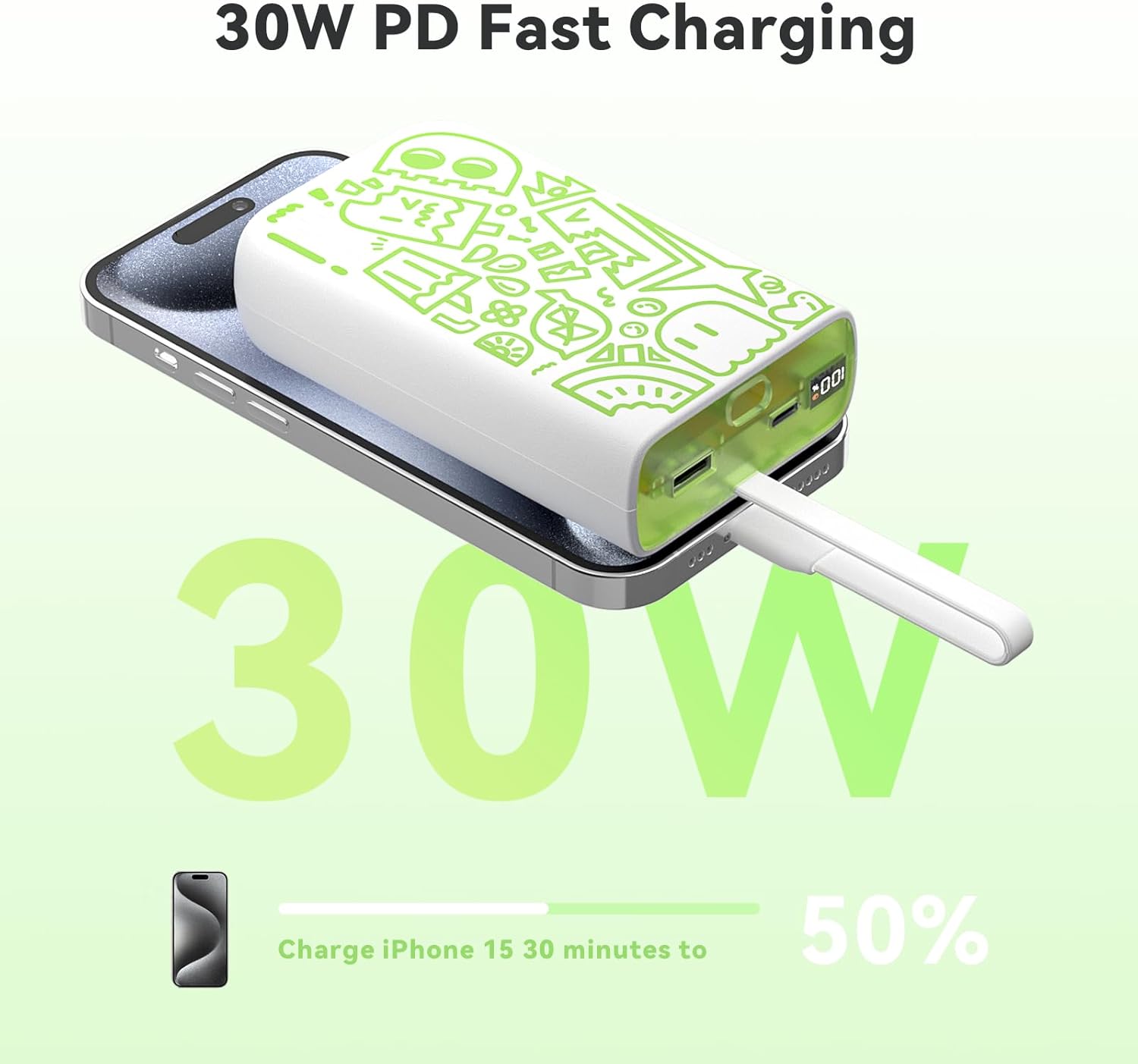
Image: Graphic illustrating the 30W PD fast charging capability, showing an iPhone 15 charging to 50% in 30 minutes.
5.3 Product Overview Video
Video: An official product video demonstrating the features, usage, and design aspects of the imuto Graffiti Style Portable Charger, including its fast charging, multi-device charging, and portability.
6. Maintenance
- Cleaning: Use a soft, dry cloth to clean the surface of the power bank. Do not use harsh chemicals or abrasive materials.
- Storage: Store the power bank in a cool, dry place away from direct sunlight and extreme temperatures.
- Battery Care: To prolong battery life, fully charge the power bank at least once every three months if not in regular use. Avoid fully discharging the battery for extended periods.
- Avoid Impacts: Do not drop or subject the power bank to strong impacts, as this can damage internal components.
7. Troubleshooting
| Problem | Possible Cause | Solution |
|---|---|---|
| Power bank not charging devices. | Low battery on power bank; incompatible cable/device; loose connection. | Recharge the power bank. Ensure cable and device are compatible. Check all connections are secure. |
| Power bank not recharging. | Faulty charging cable/adapter; power bank fully charged; internal issue. | Try a different USB-C cable and wall adapter. Check LED display for 100%. If problem persists, contact support. |
| Slow charging. | Cable/device not supporting fast charging; multiple devices charging simultaneously. | Ensure both cable and device support PD fast charging. Disconnect other devices for faster single-device charging. |
| LED display not working. | Power bank is off; internal malfunction. | Press the power button to activate the display. If it remains off, contact customer support. |
8. Specifications
| Model Number | TF-PB-030AS-PL |
| Battery Capacity | 20000 Milliamp Hours (mAh) |
| Product Dimensions | 4.72 x 2.75 x 0.75 inches |
| Item Weight | 14 ounces |
| Input (USB-C) | Up to 30W (PD) |
| Output (Built-in USB-C Cable) | Up to 30W (PD) |
| Output (USB Type A) | Up to 22.5W |
| Output (USB Type C) | Up to 30W (PD) |
| Simultaneous Output | 5V/3A (15W Max) |
| Battery Type | Lithium Polymer |
| Special Features | Built-in USB C Cable, Creative Graffiti Style, Digital Display, Fast Charging, Ice pop Appearance |

Image: Diagram illustrating the various input and output configurations and their respective power ratings for the power bank's ports.
9. Warranty and Support
imuto products come with a standard warranty. For detailed warranty information, product support, or any inquiries, please refer to the warranty card included in your package or visit the official imuto website. You can also contact imuto customer service directly through the contact information provided on their website or through your purchase platform.
For further assistance, please visit: imuto Official Store on Amazon