
Realtek8763EW
UWATCH 1.90" Smart Watch User Manual
Model: Realtek8763EW
Introduction
The DV03 Smart Watch is designed to be a powerful, stylish, and functional wearable that integrates seamlessly into your daily life. It offers a wide range of features including Bluetooth calling, smart notifications, comprehensive fitness tracking, and health monitoring. This manual provides essential information on setting up, operating, maintaining, and troubleshooting your UWATCH Smart Watch.
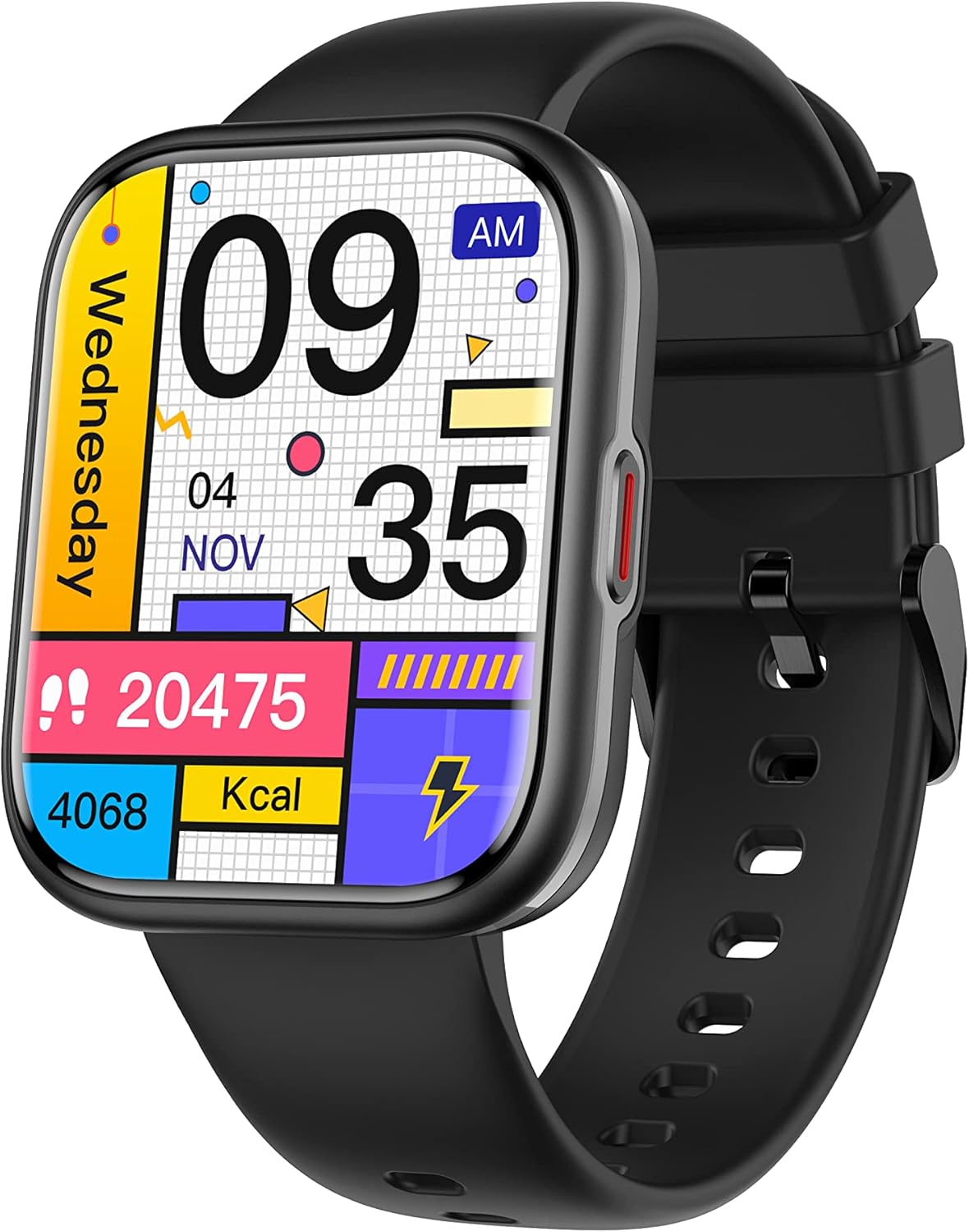
Image: The UWATCH 1.90" Smart Watch, featuring a black silicone strap and a vibrant digital display showing various health and activity metrics.
What's in the Box
Upon opening your UWATCH Smart Watch package, please ensure all the following items are present:
- UWATCH Smart Watch
- Silicone Strap
- Wireless Charger
- User Manual
Setup Guide
1. Charging the Watch
Before first use, fully charge your smart watch. Connect the wireless charger to a USB power source. Place the back of the watch onto the charging pad. The watch screen will indicate charging status. A full charge typically takes approximately 2 hours, providing 5-7 days of daily use or up to 30 days on standby.
2. Powering On/Off
- Power On: Press and hold the side button until the screen lights up.
- Power Off: Press and hold the side button, then select "Power Off" on the screen.
3. App Installation and Pairing
To unlock the full potential of your UWATCH Smart Watch, download and install the "GloryFit" app on your smartphone. The watch is compatible with Android 5.1 / iOS 8.2 and above.
- Scan the QR code in the included manual or search for "GloryFit" in your phone's app store (Google Play Store for Android, Apple App Store for iOS).
- Install the app and create an account or log in.
- Enable Bluetooth on your smartphone.
- Open the GloryFit app, navigate to the "Device" section, and tap "Add Device" or "Bind Device".
- Select your UWATCH Smart Watch from the list of available devices. Follow the on-screen prompts to complete the pairing process.
4. Wearing the Watch
For optimal performance of all health and fitness features, wear your DV03 Smart Watch snugly but comfortably. Ensure the sensors on the back of the watch maintain consistent contact with your skin, yet allow enough looseness for your wrist to breathe. Avoid wearing it too tightly, which can restrict blood flow, or too loosely, which can affect sensor accuracy.
Operating the Watch
1. Basic Navigation
The UWATCH Smart Watch features a vibrant 1.91" HD full-touch color screen. Swipe left, right, up, or down to navigate through menus, access quick settings, and view different data screens. Tap to select an option or open an application.
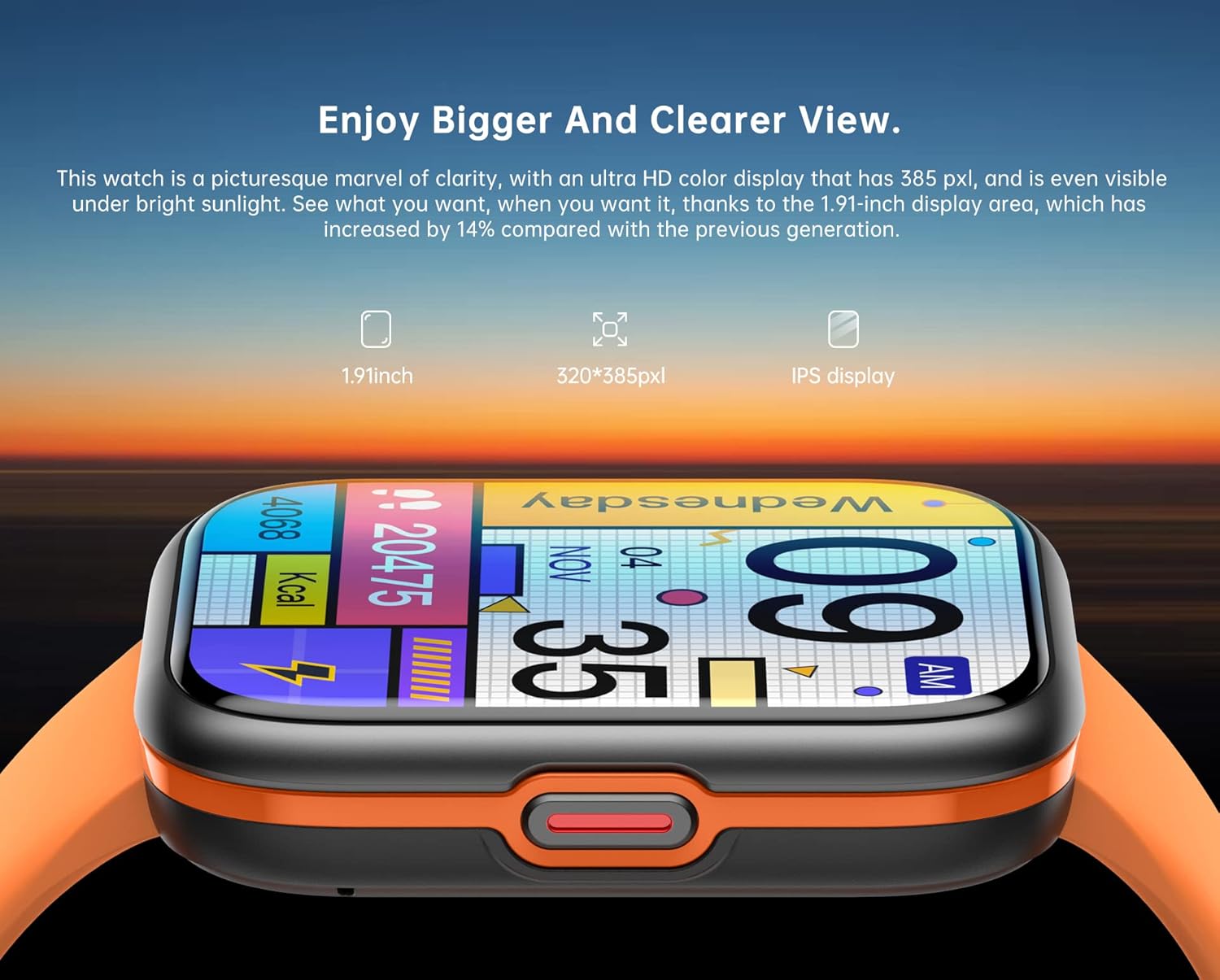
Image: The 1.91-inch HD full-touchscreen of the UWATCH Smart Watch, designed for clear visuals and responsive interaction.
2. Customizing Watch Faces
Personalize your watch with over 200 stylish watch faces available through the GloryFit app. You can also upload your own favorite photos to create a unique watch face.
- Open the GloryFit app on your smartphone.
- Navigate to the "Dial Settings" or "Watch Face" section.
- Browse the available watch faces or select an option to customize with your photos.
- Sync the selected watch face to your device.
3. Bluetooth Calling Functionality
Once paired, your watch allows you to make and receive calls directly from your wrist, utilizing its built-in microphone and speaker. It also supports syncing up to 100 contacts from your phone.
- Making Calls: Access the "Dialer" or "Contacts" app on your watch to initiate a call.
- Receiving Calls: When an incoming call arrives, the watch will display the caller ID. Tap the green icon to answer or the red icon to reject.

Image: The UWATCH Smart Watch's Bluetooth calling feature, allowing users to answer calls and access contacts directly from their wrist.
4. Smart Notifications
Receive timely alerts for SMS messages, incoming calls, calendar events, and notifications from social media platforms like Facebook, WhatsApp, Instagram, and Twitter directly on your watch.
- Ensure notifications are enabled in the GloryFit app and your phone's settings for the desired applications.
- Notifications will appear on the watch screen. Swipe down from the top of the watch face to view your notification history.

Image: The UWATCH Smart Watch displaying a notification, with surrounding icons representing various social media and messaging apps it supports.
5. Sports Modes and Fitness Tracking
The watch supports over 110 indoor and outdoor sports modes, tracking real-time data such as heart rate, steps, calories burned, distance, and active minutes. This data helps you monitor your progress and achieve your fitness goals.
- Access the "Workout" or "Sports" app on your watch.
- Select your desired activity (e.g., walking, running, cycling, basketball).
- Start the activity, and the watch will begin tracking. End the activity when finished to save your data.
- Review detailed workout summaries in the GloryFit app.

Image: The UWATCH Smart Watch tracking a badminton session, demonstrating its capability to monitor various sports activities and display real-time metrics.
6. Health Monitoring
The UWATCH Smart Watch provides comprehensive health monitoring features to help you stay informed about your well-being.
- Heart Rate Monitoring: The watch continuously monitors your heart rate throughout the day. Access the heart rate app on the watch to view real-time data.
- Sleep Monitoring: The watch automatically tracks your sleep quality (typically between 22:00–09:00), analyzing deep, light, and awake sleep stages. Review detailed sleep analysis in the GloryFit app.
- Blood Oxygen (SpO2) Monitoring: The watch can measure your blood oxygen level. Access the SpO2 app on the watch and follow instructions for an accurate reading.
- Blood Pressure Monitoring: The watch can provide an estimate of your blood pressure. Access the blood pressure app on the watch and follow instructions for an accurate reading.
- Other Health Functions: Includes breath training and respiration rate monitoring.

Image: The UWATCH Smart Watch demonstrating its blood oxygen and blood pressure monitoring capabilities.

Image: The UWATCH Smart Watch's sleep tracking feature, showing sleep duration and quality, alongside other health metrics like respiration rate.
7. Multifunctional Utility Tools
Your UWATCH Smart Watch comes equipped with various useful tools for daily convenience:
- Timer & Stopwatch: For timing activities or workouts.
- Alarm Clock: Set alarms directly from your wrist.
- Music Control: Control music playback on your paired smartphone.
- Weather Updates: Get real-time weather forecasts.
- Photo Remote: Use your watch as a remote shutter for your phone's camera.
- Sedentary Reminder: Get alerts to move if you've been inactive for too long.
- Do Not Disturb Mode: Silence notifications during specific times.
- Adjustable Screen Brightness: Optimize visibility in various lighting conditions.
- Find Phone: Locate your misplaced smartphone by making it ring.
- Calculator: Perform basic calculations.
- Games: Enjoy simple games on your wrist.

Image: A visual representation of the various utility tools available on the UWATCH Smart Watch, including music control, alarm, weather, and more.
Maintenance
IP68 Waterproof Rating
The UWATCH Smart Watch has an IP68 waterproof rating, meaning it is resistant to dust and can withstand immersion in water up to 1.5 meters for up to 30 minutes. This allows you to wear it during workouts, rainy days, or while washing your hands without worry.
- Do Not Use in Hot Water: Avoid using the watch in hot showers, saunas, or steam rooms, as steam can penetrate the seals.
- Avoid Saltwater: Rinse the watch with fresh water and dry it thoroughly after exposure to saltwater.
- Avoid Chemical Contact: Do not expose the watch to soaps, detergents, or other chemicals, as these can degrade the seals.
Image: The UWATCH Smart Watch demonstrating its IP68 waterproof capability, suitable for daily use and exposure to water splashes.
Cleaning Your Watch
Regularly clean your watch and strap to ensure hygiene and prolong its lifespan.
- Wipe the watch screen and body with a soft, lint-free cloth.
- For the silicone strap, you can use a mild soap and water solution, then rinse thoroughly and dry completely before reattaching to the watch.
- Ensure the charging contacts on the back of the watch are clean and dry.
Troubleshooting
If you encounter issues with your UWATCH Smart Watch, try the following common troubleshooting steps:
- Watch Not Turning On: Ensure the watch is fully charged. Connect it to the wireless charger and wait a few minutes before attempting to power it on again.
- Cannot Pair with Phone:
- Ensure Bluetooth is enabled on your phone and the watch.
- Make sure the watch is within the Bluetooth range of your phone.
- Restart both your phone and the watch.
- Clear the Bluetooth cache on your phone (if applicable).
- Try unpairing and re-pairing the device in the GloryFit app.
- Inaccurate Health Data:
- Ensure the watch is worn snugly on your wrist, with the sensors in good contact with your skin.
- Clean the sensors on the back of the watch.
- Avoid excessive movement during measurements (e.g., blood oxygen, blood pressure).
- Notifications Not Appearing:
- Check notification settings in the GloryFit app and your phone's system settings.
- Ensure the watch is connected via Bluetooth.
- Disable "Do Not Disturb" mode on the watch if it's active.
- Short Battery Life:
- Reduce screen brightness.
- Limit the number of apps running in the background.
- Turn off continuous heart rate monitoring if not needed 24/7.
- Ensure the watch is fully charged each time.
If these steps do not resolve the issue, please refer to the support section or contact customer service.
Specifications
| Feature | Detail |
|---|---|
| Model Number | Realtek8763EW |
| Screen Size | 1.91 inches |
| Display Resolution | 320*385px |
| Waterproof Rating | IP68 |
| Battery Life (Typical Use) | 5-7 days |
| Battery Life (Standby) | Up to 30 days |
| Charging Time | Approx. 2 hours |
| Connectivity | Bluetooth |
| Compatibility | Android 5.1 / iOS 8.2 and above |
| App Name | GloryFit |
| Item Weight | 2.65 ounces |
| Memory Storage Capacity | 16 GB |
| Operating System | AsteroidOS |
| Battery Cell Composition | Lithium Ion |
| GPS | No GPS |
Warranty and Support
For warranty information, please refer to the documentation provided with your purchase or contact the retailer. For technical support, questions regarding the GloryFit app, or further assistance with your UWATCH Smart Watch, please contact the manufacturer or seller directly.
You can often find contact details on the product packaging, the seller's page on the platform where you purchased the watch, or within the GloryFit application itself.
Ask a question about this manual
Ask about setup, troubleshooting, compatibility, parts, safety, or missing instructions. Manuals+ will review the question and use this page’s manual context to help answer it.