
YRDZXG H15-12-24A
YRDZXG 12V to 24V 15A DC Power Converter User Manual
Model: H15-12-24A
Brand: YRDZXG
Introduction
This manual provides essential information for the safe and efficient operation of your YRDZXG 12V to 24V 15A DC Power Converter. This device is designed to step up a 12V DC input voltage to a stable 24V DC output, capable of delivering up to 15 Amperes (360 Watts). Its robust, waterproof design makes it suitable for a wide range of applications, including automotive, marine, and industrial low-power systems.
Product Features
- Input Voltage: 12V DC (Operating range typically 10V-20V).
- Output Voltage: 24V DC.
- Maximum Load: 15A (360W).
- High Efficiency: ≥ 95% conversion efficiency.
- Robust Protection: Features IP67 waterproof rating, short circuit protection, overvoltage protection, overload protection, and overheating protection.
- Durable Construction: Aluminum shell and silicone sealing design for waterproof, shockproof, moisture-proof, and dustproof performance.
- Wide Operating Temperature: Functions reliably from -40°C to 80°C.
- Versatile Applications: Ideal for vehicles, safety systems, hospital equipment, telecommunications, LED products, and LED strips.

Figure 1: Diagram illustrating the intelligent protection features and basic input/output connections of the converter.

Figure 2: Visual representation of the converter's IP68 waterproof capability and efficient heat dissipation.

Figure 3: Overview of the converter's IP68 protection features and its robust, durable construction designed to withstand minor impacts.
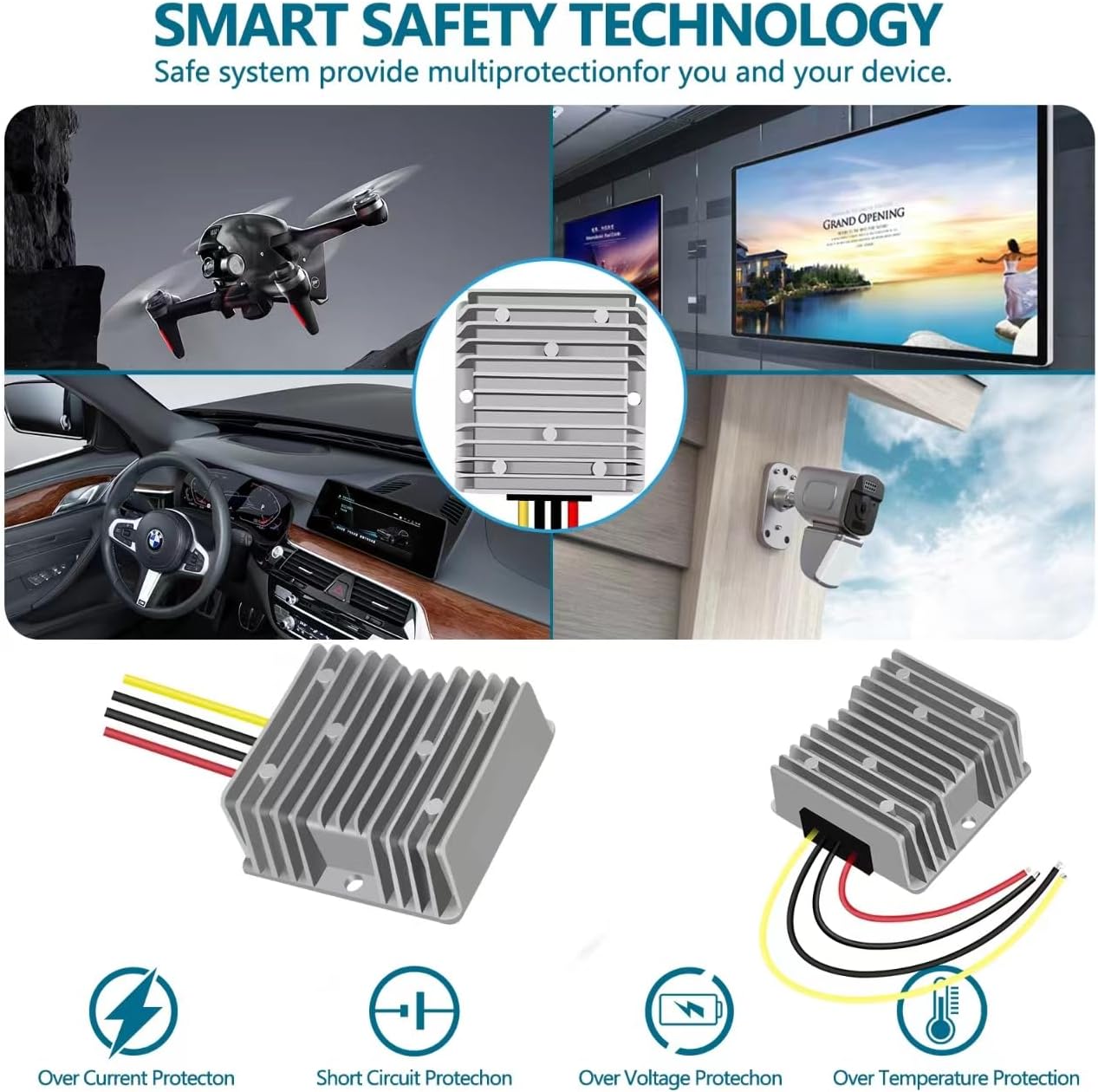
Figure 4: Examples of diverse applications where the converter's smart safety technology provides reliable power, including automotive, drone, display, and security systems.

Figure 5: Detailed view of the internal SMT (Surface Mount Technology) components and the protective resin/silicone potting, contributing to high integration, reliability, and stability.
Specifications
| Attribute | Value |
|---|---|
| Product Dimensions (L x W x H) | 2.91 x 1.26 x 2.91 inches (74 x 31 x 74 mm) |
| Item Weight | 10.8 ounces (0.31 Kilograms) |
| Input Voltage | 12 Volts DC (10V-20V) |
| Output Voltage | 24 Volts DC |
| Output Current (Max) | 15A |
| Output Power (Max) | 360W |
| Efficiency | ≥ 95% |
| Ripple | 200mVp |
| Voltage Accuracy | ±1.5% |
| Load Regulation Rate | ±0.2% |
| Linear Adjustment Rate | ±0.2% |
| Waterproofing Rating | IP68 |
| Working Temperature | -40°C to 80°C |
| Installation Line Length | 16.5 cm |

Figure 6: Detailed dimensions and electrical specifications of the YRDZXG DC Power Converter.
Setup and Installation
Proper installation is crucial for the safe and effective operation of the converter. Please follow these guidelines carefully:
- Wiring Connection:
- Identify the input and output wires. Typically, the input wires are for 12V DC, and the output wires are for 24V DC.
- Connect the Red wire to the Positive (+) terminal of your 12V DC power source (e.g., battery).
- Connect the Black wire to the Negative (-) terminal of your 12V DC power source.
- Connect the Yellow wire to the Positive (+) terminal of your 24V DC load device.
- Connect the Black wire (from the output side) to the Negative (-) terminal of your 24V DC load device.
- Important: Ensure that the positive and negative poles of both the input and output connections are correct. Reversing polarity can damage the converter and connected devices.
- Power Source Adequacy: Ensure that the 12V DC power source (e.g., battery) has sufficient capacity and current output to meet the demands of the converter and the connected 24V load. An insufficient input power source may lead to unstable output or damage.
- Mounting: Mount the converter in a location that allows for adequate air circulation, even though it has good heat dissipation properties. While waterproof, avoid prolonged submersion unless necessary for the application.
- Cable Management: Secure all wiring to prevent accidental disconnections, short circuits, or damage from vibration.

Figure 7: Wiring diagram for the DC Power Converter. Note the color coding for input and output connections.
Operation
Once properly installed, the YRDZXG DC Power Converter operates automatically. It will convert the 12V DC input to a stable 24V DC output for your connected devices. The converter is designed for continuous operation within its specified temperature and load limits.
- Power On: After connecting all wires correctly, apply 12V DC power to the input terminals. The converter will immediately begin regulating the voltage to 24V DC at the output.
- Load Management: Ensure that the total current draw of your 24V devices does not exceed the converter's maximum output of 15A (360W). Overloading the converter can trigger its internal protection mechanisms or lead to damage.
- Monitoring: While the converter has built-in protections, it is good practice to periodically check the temperature of the unit during operation, especially under heavy loads, to ensure it remains within its operating temperature range.
Maintenance
The YRDZXG DC Power Converter is designed for minimal maintenance due to its sealed and robust construction. However, following these simple steps can help ensure its longevity:
- Regular Inspection: Periodically inspect the converter and its wiring for any signs of physical damage, corrosion, or loose connections.
- Cleanliness: Keep the exterior of the converter clean and free from dust, dirt, or debris, especially around the heat sink fins, to ensure optimal heat dissipation. Use a dry, soft cloth for cleaning.
- Environmental Conditions: While the unit is waterproof and designed for harsh environments, prolonged exposure to extreme conditions beyond its specified limits should be avoided.
- No User-Serviceable Parts: Do not attempt to open or repair the converter. Doing so will void the warranty and may lead to electric shock or damage to the unit.
Troubleshooting
If you encounter issues with your YRDZXG DC Power Converter, refer to the following troubleshooting guide:
| Problem | Possible Cause | Solution |
|---|---|---|
| No output voltage / Converter not working |
|
|
| Output voltage is unstable or lower than 24V |
|
|
| Converter feels excessively hot |
|
|
If the problem persists after attempting these solutions, please contact customer support.
Warranty and Support
All YRDZXG converters come with a 1-year replacement warranty from the date of purchase. This warranty covers manufacturing defects and ensures your satisfaction with the product.
For technical assistance, troubleshooting beyond this manual, or warranty claims, please contact YRDZXG customer service. We are committed to providing 100% satisfaction.
Please have your product model number (H15-12-24A) and purchase information ready when contacting support.
Ask a question about this manual
Ask about setup, troubleshooting, compatibility, parts, safety, or missing instructions. Manuals+ will review the question and use this page’s manual context to help answer it.