
1. Introduction
Thank you for choosing the Jojoka Wide 10-Drawer Dresser and TV Stand. This manual provides essential information for the safe assembly, proper use, and maintenance of your new furniture. Please read these instructions carefully before beginning assembly and retain them for future reference.

Image 1.1: The Jojoka 10-Drawer Dresser functioning as a TV stand.
2. Safety Information
Your safety is paramount. Please adhere to the following guidelines:
- Anti-Tip Kit: Always install the included anti-tip kit to secure the dresser to a wall. This prevents accidental tipping, which can cause serious injury.
- Children's Safety: Do not allow children to climb on or play in dresser drawers. Keep small parts and assembly hardware out of reach of children.
- Weight Distribution: Distribute weight evenly across drawers and on the top surface. Avoid placing excessively heavy items in upper drawers.
- Stable Surface: Assemble and place the dresser on a flat, level, and stable surface.
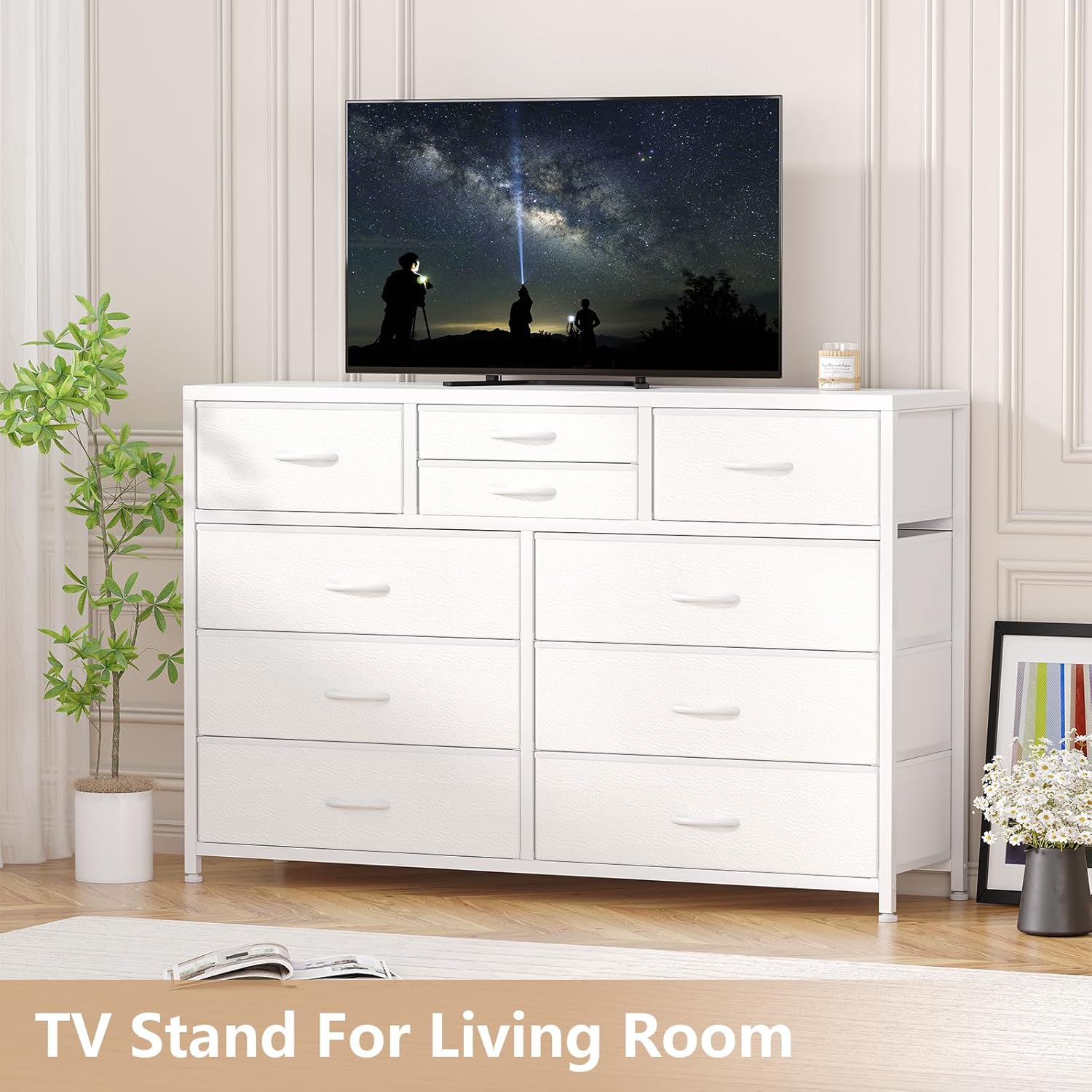
Image 2.1: Details of the adjustable feet and anti-tip kit for enhanced stability and safety.
3. Package Contents
Before assembly, verify that all components listed below are present. If any parts are missing or damaged, please contact customer support.
- Steel Frame Components
- Fabric Drawers (6 large, 2 medium, 2 small)
- Wood Top Panel
- Adjustable Feet
- Anti-Tip Kit (Wall anchor, strap, screws)
- Assembly Hardware (Screws, bolts, Allen wrench)
- Instruction Manual
4. Specifications
| Feature | Detail |
|---|---|
| Brand | Jojoka |
| Model Name | 10 Drawer Dresser TV Stand |
| Overall Dimensions (W x D x H) | 45.3" x 13.8" x 31.5" |
| Large Drawer Dimensions (L x D x H) | 21.2" x 13" x 6.9" |
| Medium Drawer Dimensions (L x D x H) | 13.7" x 13" x 6.9" |
| Small Drawer Dimensions (L x D x H) | 13.7" x 13" x 3.3" |
| Material | Steel Frame, Fabric Drawers, Wood Top |
| Color | White |
| Item Weight | 37 Pounds |
| Assembly Required | Yes |

Image 4.1: Detailed dimensions of the dresser and its various drawer sizes.
5. Setup and Assembly
Follow these steps to assemble your Jojoka 10-Drawer Dresser. It is recommended to have two people for assembly.
- Unpack and Identify Parts: Carefully unpack all components and lay them out on a clean, soft surface to prevent scratches. Refer to the parts list to ensure all pieces are present.
- Assemble the Steel Frame: Connect the steel frame components according to the diagrams in the included detailed instructions. Ensure all screws are tightened securely.
- Attach Adjustable Feet: Screw the adjustable feet into the bottom of the steel frame. Adjust them as needed to ensure the dresser is level and stable on your floor.
- Place the Wood Top: Carefully position the wood top panel onto the assembled steel frame. Secure it using the provided hardware.
- Insert Fabric Drawers: Unfold each fabric drawer and insert the bottom panel to give it shape. Place the drawers into their designated slots within the frame.
- Install Anti-Tip Kit: Locate a suitable wall stud and attach the anti-tip bracket to the wall using the provided screws. Secure the strap from the dresser to the wall bracket. This step is crucial for safety.
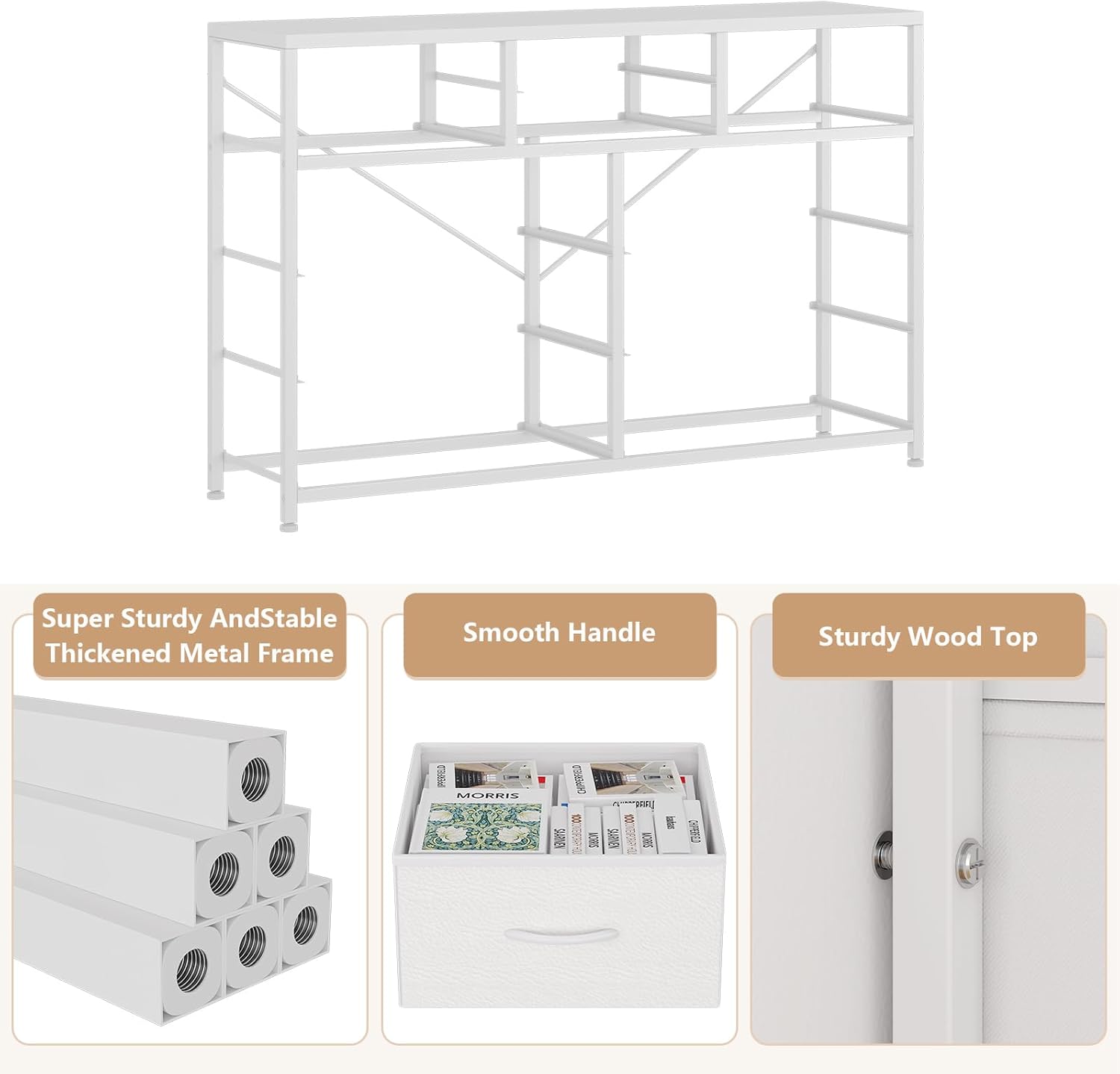
Image 5.1: The robust steel frame provides the primary support structure.
6. Operating Instructions
The Jojoka 10-Drawer Dresser is designed for versatile storage in various rooms, including bedrooms, living rooms, nurseries, and hallways.
- Drawer Usage: The dresser features 6 large deep drawers, 2 medium deep drawers, and 2 small deep drawers. Utilize the different sizes to organize various items efficiently. The small drawers are ideal for smaller items like socks or accessories.
- Weight Capacity: While the steel frame provides sturdy support, avoid overloading drawers. Distribute items evenly to prevent strain on the fabric and frame. The wood top can support a television or decorative items.
- Smooth Operation: Drawers are designed for smooth operation. If a drawer feels stiff, ensure it is properly seated in its slot and not overloaded.

Image 6.1: The dresser's drawers offer ample storage for various items.
7. Maintenance
Proper care will extend the life and appearance of your dresser.
- Cleaning: Wipe the wood top and steel frame with a dry cloth. For fabric drawers, spot clean with a mild detergent and damp cloth if necessary, then allow to air dry completely. Avoid harsh chemicals or abrasive cleaners.
- Inspection: Periodically check all screws and connections to ensure they remain tight. Re-tighten if necessary.
- Drawer Care: Avoid pulling drawers out with excessive force. Ensure items are not snagging the fabric when opening or closing.
8. Troubleshooting
Refer to this section for common issues and their solutions.
| Problem | Possible Cause | Solution |
|---|---|---|
| Dresser is wobbly | Uneven floor; loose connections | Adjust the leveling feet at the bottom of the frame. Check and tighten all assembly screws. |
| Drawers do not slide smoothly | Drawer not properly inserted; overloaded drawer; obstruction | Ensure the drawer is fully and correctly seated in its slot. Reduce the weight in the drawer. Check for any items obstructing the drawer's path. |
| Missing parts during assembly | Packaging error | Contact Jojoka customer support with your purchase details and the specific missing part. |
9. Warranty and Support
The Jojoka Wide 10-Drawer Dresser comes with a limited warranty. For specific details regarding warranty coverage, please refer to the warranty information included with your purchase or contact Jojoka customer service.
For any questions, concerns, or assistance with your product, please contact our customer support team:
- Email: support@jojoka.com (Example)
- Website: www.jojoka.com (Example)