
1. Introduction
This manual provides essential information for the safe operation, maintenance, and care of your GHAZAL Winner Sky E10 Electric Scooter. Please read this manual thoroughly before your first ride to ensure proper assembly, safe usage, and to maximize the lifespan of your scooter. Retain this manual for future reference.
2. Safety Information
Your safety is paramount. Always adhere to local laws and regulations regarding electric scooter use. Failure to follow these instructions may result in serious injury or property damage.
- Always wear a helmet and appropriate safety gear (knee pads, elbow pads, gloves) when riding.
- Perform a pre-ride inspection: check brakes, tire pressure, and ensure all components are secure.
- Do not ride in wet conditions, heavy rain, or on slippery surfaces.
- Avoid riding at night or in low visibility conditions. If unavoidable, ensure all lights are functional and wear reflective clothing.
- Maintain a safe speed and distance from other vehicles and pedestrians.
- Do not exceed the maximum weight capacity of 200 kg.
- This scooter is designed for adult use only.
- Avoid sudden braking or sharp turns at high speeds.
- Do not attempt stunts or jumps.
3. Package Contents
Upon unpacking, verify that all items listed below are present and in good condition:
- GHAZAL Winner Sky E10 Electric Scooter
- Charger
- Tool Kit
- User Manual Guide Book
4. Product Features and Components
Familiarize yourself with the key parts of your Winner Sky E10 Electric Scooter.
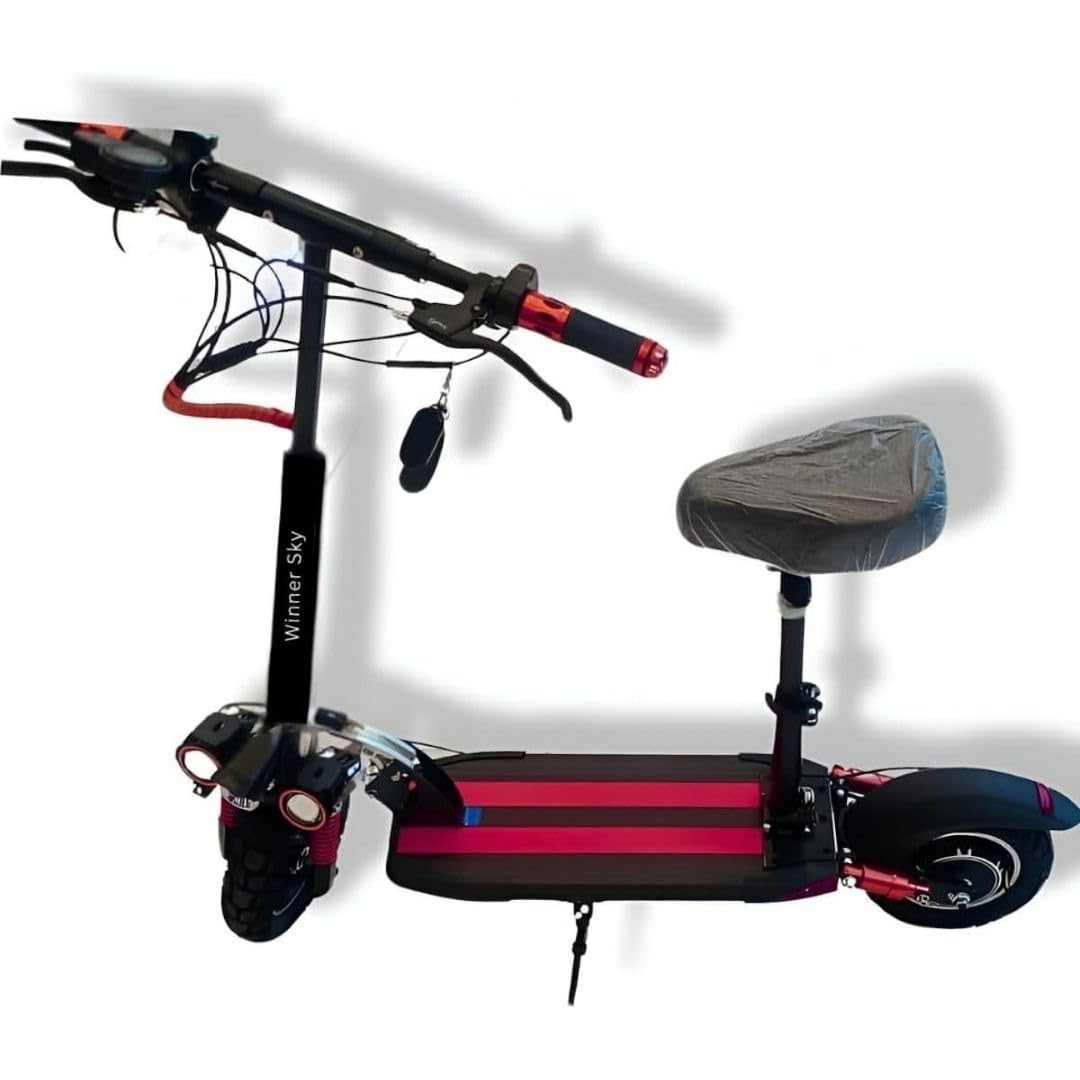
Figure 4.1: Overview of the Winner Sky E10 Electric Scooter with key components labeled.
- Comfortable Seat: Provides an option for seated riding.
- Mud Guard: Protects against splashes from the wheels.
- Foot Rest: Designated area for rider's feet during operation.
- Front Light: Enhances visibility and illuminates the path.
- Front and Rear Suspension: Coil spring suspension system for a smoother ride.
- Motor: Powerful 1200W motor for efficient propulsion.
- Battery: 48V-13Ah battery for extended range.
- Anti-Theft Remote Control: For security and remote locking/unlocking.
- Foldable Design: Allows for easy storage and transport.

Figure 4.2: Detail of the rear wheel, disc brake, and suspension system.
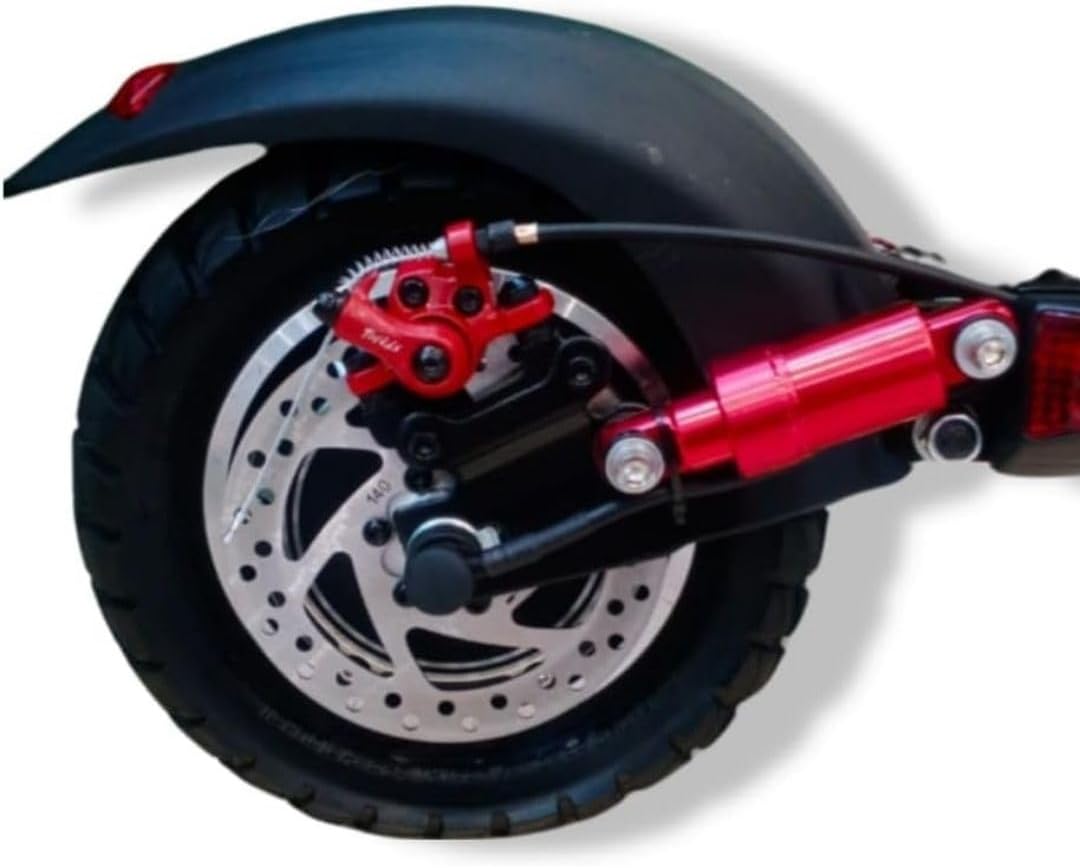
Figure 4.3: Detail of the front lights and suspension system.
5. Setup
Follow these steps for initial setup before your first ride.
5.1 Unfolding the Scooter
- Place the scooter on a flat surface.
- Locate the folding mechanism near the base of the steering column.
- Release the locking lever and carefully lift the steering column until it clicks into place in the upright position.
- Secure the locking mechanism firmly to prevent accidental folding during operation.
5.2 Handlebar Adjustment
- Loosen the quick-release clamp on the steering column.
- Adjust the handlebars to a comfortable height. Ensure the handlebars are aligned with the front wheel.
- Tighten the quick-release clamp securely.
5.3 Initial Charging
- Before first use, fully charge the scooter's battery.
- Locate the charging port, usually covered by a rubber flap, on the scooter body.
- Connect the charger to the scooter, then plug the charger into a standard power outlet.
- The charger indicator light will typically show red during charging and turn green when fully charged.
- Do not overcharge the battery. Disconnect the charger once charging is complete.
6. Operating Instructions
Understand how to operate your electric scooter safely and effectively.
6.1 Powering On/Off
- To power on: Press and hold the power button on the display panel for a few seconds.
- To power off: Press and hold the power button again until the display turns off.
6.2 Riding the Scooter
- Place one foot on the footrest and push off with the other foot to gain initial momentum.
- Once moving, gently press the throttle lever to engage the motor.
- Adjust speed using the throttle. The scooter features multiple speed modes (refer to your display for mode selection).
- To slow down or stop, release the throttle and apply the brake levers (front and rear braking).
6.3 Lights
- The scooter is equipped with three lights for improved visibility.
- Activate the lights using the dedicated light button on the handlebar control panel.
6.4 Anti-Theft Remote Control
- Use the provided remote control to lock and unlock your scooter.
- Refer to the separate remote control instructions for detailed usage.
7. Maintenance
Regular maintenance ensures the longevity and safe operation of your scooter.
7.1 Cleaning
- Wipe the scooter with a damp cloth after each ride. Avoid using high-pressure water jets or harsh chemicals.
- Ensure the charging port cover is securely closed to prevent water ingress.
7.2 Battery Care
- Charge the battery regularly, even if not in use, to maintain its health.
- Store the scooter in a cool, dry place, away from direct sunlight and extreme temperatures.
- Do not attempt to open or repair the battery pack. Contact qualified service personnel.
7.3 Tires and Brakes
- Regularly check tire pressure and inflate to the recommended PSI (refer to tire sidewall for details).
- Inspect brake pads and discs for wear. Replace worn components promptly.
- Ensure brake levers provide firm and responsive braking action. Adjust brake cables if necessary.
7.4 General Inspection
- Periodically check all screws and bolts for tightness.
- Inspect the frame for any signs of damage or cracks.
- Ensure the folding mechanism operates smoothly and locks securely.
8. Troubleshooting
This section addresses common issues you might encounter with your scooter.
| Problem | Possible Cause | Solution |
|---|---|---|
| Scooter does not power on | Low battery; Loose battery connection; Faulty power button | Charge the battery; Check battery connections; Contact support if button is faulty. |
| Reduced range or power | Under-inflated tires; Low battery charge; Overload (exceeding weight limit); Battery degradation | Inflate tires to correct pressure; Fully charge battery; Ensure rider weight is within limits; Consider battery replacement if old. |
| Brakes feel weak | Worn brake pads; Loose brake cable; Air in hydraulic system (if applicable) | Inspect and replace brake pads; Adjust brake cable tension; Seek professional service for hydraulic brakes. |
| Unusual noises during ride | Loose components; Debris in wheels; Worn bearings | Check all bolts and screws; Inspect wheels for foreign objects; Contact support for bearing issues. |
9. Specifications
Key technical specifications for the GHAZAL Winner Sky E10 Electric Scooter.
| Model Name | Sky E10 |
| Item Model Number | e2024upgrade |
| Brand | GHAZAL |
| Motor Power | 1200W |
| Battery | 48V 13Ah |
| Maximum Speed | Up to 55 Km/h |
| Maximum Weight Capacity | 200 Kilograms |
| Age Range | Adult |
| Brake Type | Front Braking, Rear Braking |
| Suspension | Coil Spring |
| Frame Material | Aluminum or Carbon Fiber |
| Material Type | Alloy Steel |
| Wheel Material | Rubber |
| Number of Wheels | 2 |
| Product Dimensions (L x W x H) | 120 x 30 x 40 cm |
| Product Weight | 3 kg |
| Color | Red |
| Features | Foldable, easy to carry |
10. Warranty and Support
The GHAZAL Winner Sky E10 Electric Scooter comes with a standard manufacturer's warranty. Please refer to the included manual guide book for specific warranty terms and conditions.
Extended warranty options may be available for purchase separately. For technical support, service, or warranty claims, please contact your retailer or the manufacturer's customer service department.
Contact Information: Please refer to the contact details provided in your purchase documentation or on the official GHAZAL website.


