
VEVOR EHM-939
VEVOR Alkaline Water Ionizer Machine
User Manual
Product Overview
The VEVOR Alkaline Water Ionizer Machine is designed to provide various types of healthy water for household use. It features advanced electrolysis technology to produce water with a wide pH range, varying ORP levels, and high hydrogen content. This manual provides essential information for the safe and effective operation, installation, and maintenance of your water ionizer.

An overhead view of the VEVOR Alkaline Water Ionizer Machine, showcasing its main unit, flexible hose, power cord, and various installation accessories like water pipes, faucet components, and a pH test kit. This image provides a comprehensive look at all items typically found in the product package.
Safety Information
- Water Source: Ensure the inlet water source complies with municipal tap water standards. Do not use well water or other non-municipal sources directly without an additional pre-filter system.
- RO Systems: Do not use with a Reverse Osmosis (RO) system unless it is accompanied by a post-mineralization filter cartridge system.
- Water Temperature: The inlet water temperature should not exceed 40℃ (104°F).
- Drinking Water: Water produced during acid water or cleaning modes is not suitable for drinking.
- Electrical Safety: Ensure the power supply matches the machine's requirements. Do not operate with damaged cords or plugs.
- Placement: Place the machine on a stable, level surface or mount securely on a wall. Avoid direct sunlight or heat sources.
Package Contents
Verify that all items listed below are included in your package:
- 1 x Alkaline Water Ionizer Machine
- 1 x Filter
- 1 x Faucet Component
- 1 x Faucet Adapter
- 1 x Set of Installation Accessories (including water pipes, T-connector, hanging kit, reagent + color card)
- 1 x Power Cord

A detailed layout of the various accessories provided with the VEVOR Alkaline Water Ionizer Machine. This includes a reagent and color card for pH testing, a faucet adapter assembly, a flexible hose, a water outlet faucet assembly, a power cord, a T-connector assembly, a hanging kit (with adhesive strip and pipe clips), and water pipes, all designed for easier installation and use.
Specifications
| Item Model Number | EHM-939 |
| Standby Power | ≤1.5W |
| ORP Range | +500~-800mv |
| Applicable TDS Range | 50-1000ppm |
| pH Range | 3-11.2 |
| Hydrogen Content | 1600ppd |
| Filterable Water Volume | 9000L |
| Operating Water Pressure Range | 0.1-0.3 Mpa |
| Heating Water Temperature Range | 35-55℃ / 95-131°F |
| Operating Humidity | ≤90% (at 25℃) |
| Net Weight | 5.84 kg / 12.9 lbs |
| Product Dimensions | 10.2 x 5.3 x 15.4 inches (260 x 135 x 390 mm) |

The VEVOR Water Ionizer Machine is shown with its physical dimensions (height, width, depth) clearly marked. Key specifications such as standby power, ORP range, applicable TDS range, pH range, hydrogen content, filterable water volume, operating water pressure, heating water temperature, operating humidity, and net weight are overlaid on the image, providing a quick reference for technical details.
Setup and Installation
The VEVOR Water Ionizer Machine offers flexible installation options to suit your needs.
Pre-Installation Checks
- Ensure your water source is municipal tap water.
- Verify the water pressure is within 0.1-0.3 Mpa.
- Confirm the inlet water temperature does not exceed 40℃ (104°F).
Installation Methods
There are two primary installation methods:
- Direct Faucet Installation: Use the provided faucet component for direct connection to compatible faucets.
- Faucet Adapter Installation: Utilize the faucet adapter for internal thread, external thread, or threadless faucets. This method is not suitable for shower or other irregular faucets.
- Placement: The machine can be placed on a countertop or mounted on a wall using the provided no-drill installation accessories.

This image demonstrates the two primary installation configurations for the VEVOR Water Ionizer Machine. One setup shows the machine connected to a standard kitchen faucet using a faucet adapter, while the other illustrates a countertop installation, highlighting its adaptability to various kitchen environments.
Connecting Water Lines
Follow the diagrams in the included quick start guide for detailed steps on connecting the water inlet and outlet hoses. Ensure all connections are secure to prevent leaks.
Initial Startup
After installation, plug in the power cord. The machine will perform an initial self-check. Allow water to run through the system for a few minutes before first use to flush out any manufacturing residues.
Operating Instructions
The control panel allows you to select different water types and functions.
Control Panel Overview
The front panel features a display screen, various function buttons, and a water flow knob.

The VEVOR Water Ionizer Machine is shown with a visual representation of its six healthy water settings: Drinking, Coffee/Tea, Cooking, Skin Washing, Sanitizing, and Purified Water. Each setting is associated with a specific button on the control panel, highlighting the machine's versatility for different water needs.
Selecting Water Types
The machine can produce 6 distinct types of water:
- Drinking Water: Optimized for daily consumption.
- Coffee/Tea Water: Enhances the flavor of beverages.
- Cooking Water: Ideal for preparing meals.
- Skin Washing Water: Suitable for skin management.
- Sanitizing Water: For general cleaning and producing electrolyzed water.
- Purified Water: Filtered water without ionization.
Press the corresponding button on the control panel to select your desired water type. The display will indicate the current setting.
Water Heating Function
The machine includes a water heating function with a range of 35-55℃ (95-131°F). Activate this function using the dedicated heating button on the control panel.
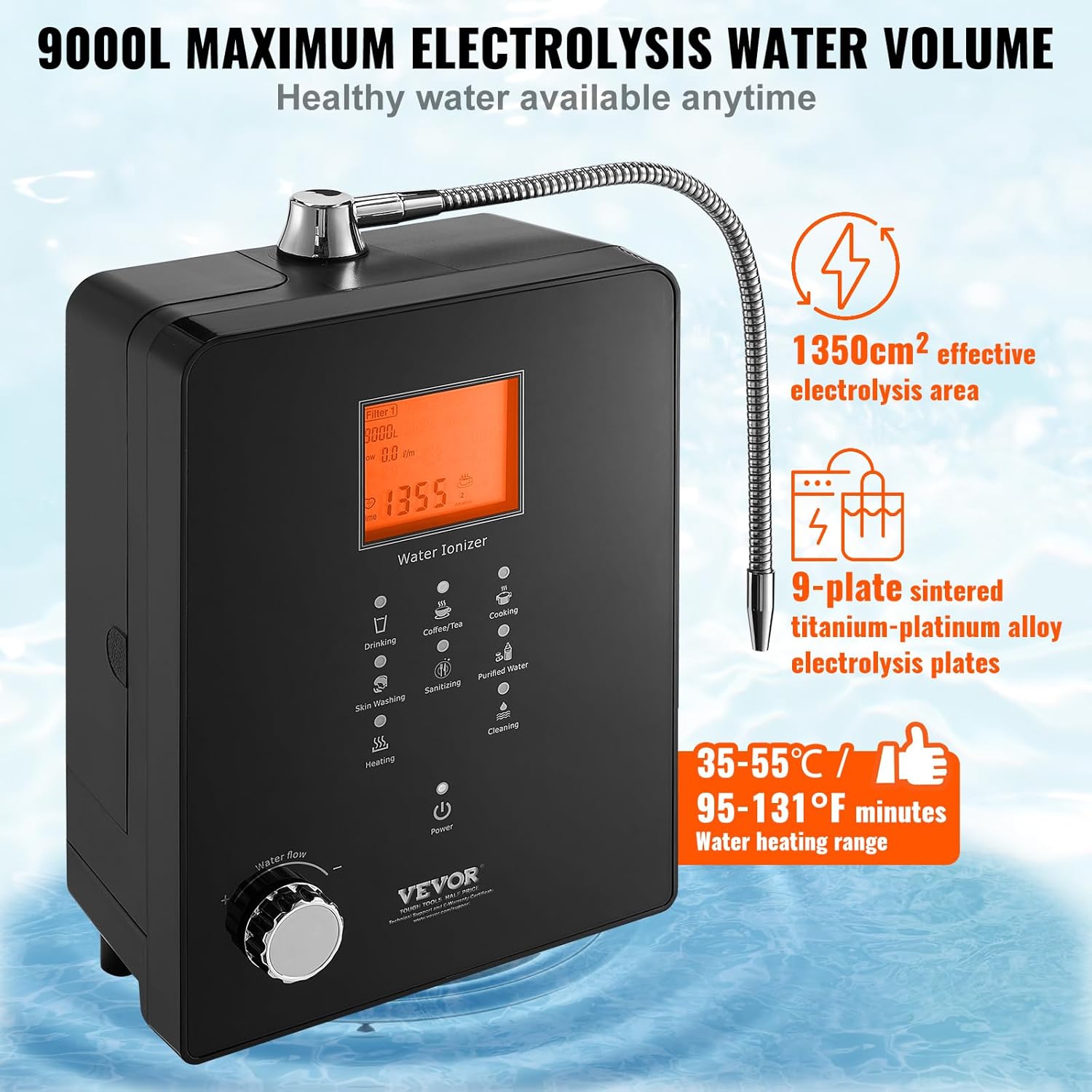
This image emphasizes key performance features of the VEVOR Water Ionizer Machine, including its 9000L maximum electrolysis water volume, the use of 9-plate sintered titanium-platinum alloy electrolysis plates for efficient water processing, and a water heating range of 35-55°C (95-131°F) for warm water output.
Maintenance
Regular maintenance ensures optimal performance and longevity of your water ionizer.
Filter Replacement
The machine will remind you to change the filter after 9000L of water usage. It is crucial to replace the filter cartridge promptly when this reminder appears.
- Replacement Procedure: Refer to the detailed instructions in the full user manual for filter replacement.
- Reset Filter Life: After replacing the filter, hold the maintenance key (or designated filter reset button) for 5 seconds to reset the filter life to factory settings.
Automatic Cleaning Function
The water ionizer is equipped with an automatic cleaning function to maintain hygiene:
- Post-Use Cleaning: After each use, the machine automatically engages in a 5-second cleaning state.
- Scheduled Cleaning: After every 60L of water used, the machine undergoes a 1-minute automatic cleaning process.
- Important Note: Water produced during cleaning mode is not suitable for drinking.
UV Function
The integrated UV function further ensures the healthiness of your water by sterilizing it.

The VEVOR Water Ionizer Machine is depicted with indicators for its multiple cleaning functions, specifically the UV function and the 60-second automatic cleaning function. This illustrates how the machine maintains hygiene and ensures the quality of the water produced.
General Cleaning
Wipe the exterior of the machine with a soft, damp cloth. Do not use abrasive cleaners or immerse the unit in water.
Troubleshooting
This section addresses common issues you might encounter. For problems not listed here, please contact customer support.
| Problem | Possible Cause | Solution |
|---|---|---|
| No power | Power cord unplugged; power outlet issue; machine fault. | Check power cord connection; test outlet with another device; contact support. |
| Water leakage | Loose connections; damaged hoses. | Tighten all water connections; inspect hoses for damage and replace if necessary. |
| Low water flow | Low inlet water pressure; clogged filter. | Check household water pressure; replace filter if due. |
| pH levels incorrect | Filter needs replacement; water source quality. | Replace filter; ensure water source is within applicable TDS range. |
| Filter reminder persists after replacement | Filter life not reset. | Hold the maintenance key for 5 seconds to reset filter life. |
Support and Warranty
For technical support, warranty information, or any inquiries regarding your VEVOR Alkaline Water Ionizer Machine, please visit the official VEVOR support website:
Please have your model number (EHM-939) and purchase details ready when contacting support.
Ask a question about this manual
Ask about setup, troubleshooting, compatibility, parts, safety, or missing instructions. Manuals+ will review the question and use this page’s manual context to help answer it.