
CHAIRMAN BL-5018D-BLK-New
Ergonomic Mid-Back Premium Faux Leather Adjustable Drafting Chair
Model: BL-5018D-BLK-New
Introduction
This user manual provides detailed instructions for the assembly, operation, and maintenance of your CHAIRMAN Ergonomic Mid-Back Premium Faux Leather Adjustable Drafting Chair. Designed for comfort and versatility, this chair is suitable for various environments including office, home, school, laboratory, or dental clinic, especially when paired with standing desks or drafting tables.
Important Safety Information
This chair has a maximum weight capacity of 295 pounds. To ensure safe use, assemble the chair according to the instructions provided. Do not exceed the maximum weight capacity, as it may lead to instability or damage to the chair. When adjusting the seat height or footrest ring, make sure the controls are properly engaged to avoid unexpected movement. Regularly inspect the chair for any signs of wear or damage and replace any worn or damaged parts immediately. This chair is for indoor use only. Keep it away from water and damp environments to prevent damage or injury.
Package Contents
Before assembly, please verify that all components are present and undamaged. Refer to the diagram below for a visual representation of the parts.

Figure 1: All parts included for assembly. This includes the backrest, seat, footrest, armrests, gas lift, mechanism, casters, base, and a screw kit.
- Backrest (1)
- Seat (1)
- Footrest (1)
- Armrest (2)
- Gas Lift (1)
- Mechanism (1)
- Casters (5)
- Base (1)
- Screw Kit (1)
Setup and Assembly
Assembly of the CHAIRMAN Drafting Chair is designed to be straightforward, typically taking about 25 minutes. A quality tool (Allen wrench) is included, and no additional tools are required.
Assembly Steps:
- Attach Casters to Base: Insert the five casters into the holes at the end of each leg of the chair base. Push firmly until they click into place.
- Install Gas Lift: Place the gas lift cylinder into the center hole of the assembled base.
- Attach Mechanism to Seat: Secure the chair mechanism to the underside of the seat using the provided screws from the screw kit. Ensure the front of the mechanism aligns with the front of the seat.
- Connect Seat to Gas Lift: Carefully place the assembled seat (with mechanism attached) onto the gas lift cylinder. Press down firmly to secure.
- Attach Armrests: Secure the armrests to the sides of the seat using the appropriate screws. Ensure they are oriented correctly for flip-up functionality.
- Attach Backrest: Connect the backrest to the seat assembly using the remaining screws.
- Install Footrest Ring: Slide the footrest ring onto the gas lift cylinder above the base. Adjust its height and secure it with the control knob.

Figure 2: Fully assembled CHAIRMAN Drafting Chair, ready for use.
Operating Instructions
Your CHAIRMAN Drafting Chair offers several adjustable features to customize your seating experience for optimal comfort and ergonomics.
Seat Height Adjustment:
To adjust the seat height, locate the lever on the right side beneath the seat. While seated, pull the lever up to lower the seat. To raise the seat, stand up slightly and pull the lever up. Release the lever at your desired height.
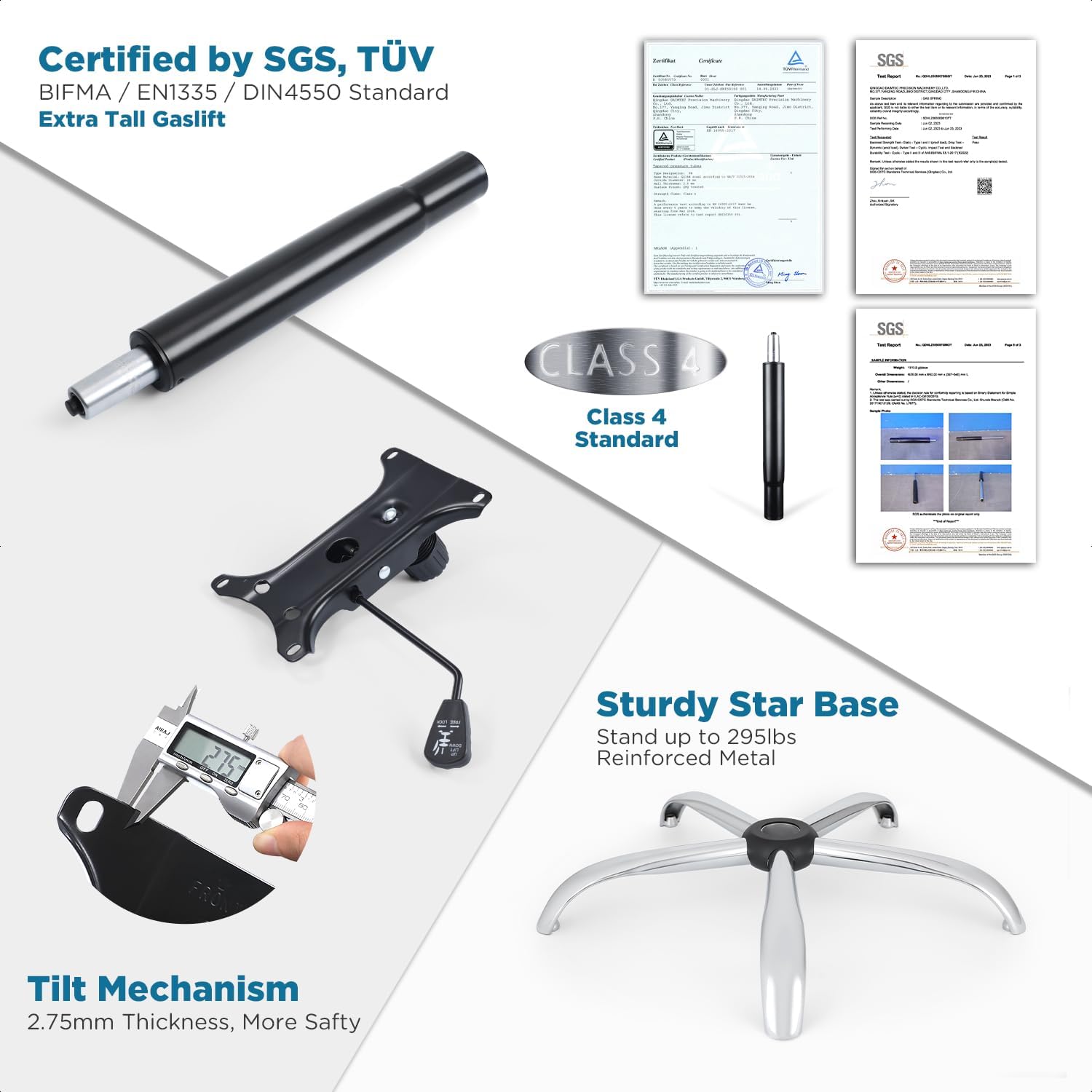
Figure 3: Demonstrating seat height adjustment and other features.
Armrest Adjustment:
The chair is equipped with flip-up and height-adjustable armrests. To flip them up, simply lift them upwards until they lock into a vertical position. To lower them, pull them down. For height adjustment, locate the button or lever on the side of each armrest, press it, and slide the armrest up or down to your preferred height.

Figure 4: Armrest functionality and other chair movements.
Footrest Ring Adjustment:
The 20-inch chrome footrest ring can be adjusted to match your height and preference. Loosen the control knob on the side of the footrest ring, slide the ring up or down the gas lift, and then tighten the knob to secure it in place.
Tilt Function and Tension Control:
The chair features a tilt mechanism allowing for up to 15 degrees of seat tilt. To activate or lock the tilt, use the lever on the left side beneath the seat. To adjust the tilt tension, rotate the knob located at the front center beneath the seat. Turn clockwise to increase tension (making it harder to tilt) and counter-clockwise to decrease tension (making it easier to tilt).

Figure 5: The CHAIRMAN Drafting Chair in an upright position.
360° Swivel:
The chair seat and footrest ring can swivel 360 degrees, providing flexibility and ease of movement around your workspace.
Maintenance
Regular maintenance will extend the life and performance of your CHAIRMAN Drafting Chair.
- Cleaning: For the premium faux leather upholstery, wipe with a soft, damp cloth. For tougher spots, use a mild soap solution and wipe dry immediately. Avoid harsh chemicals or abrasive cleaners.
- Casters: Periodically check the casters for hair, dust, or debris that may impede smooth rolling. Clean them as needed.
- Hardware: Every few months, check all screws and bolts to ensure they are tight. Re-tighten if necessary to maintain stability and prevent squeaks.
- Gas Lift: Ensure the gas lift operates smoothly. If it becomes stiff or fails to hold height, it may need replacement.
- General Inspection: Regularly inspect the chair for any signs of wear, cracks, or damage to any components. Address any issues promptly to prevent further damage or potential injury.
Troubleshooting
| Problem | Possible Cause | Solution |
|---|---|---|
| Chair does not hold height. | Gas lift failure or lever not fully engaged. | Ensure the height adjustment lever is fully released. If the problem persists, the gas lift may need to be replaced. |
| Chair squeaks or wobbles. | Loose screws or components. | Check and tighten all assembly screws, especially those connecting the seat, backrest, and mechanism. |
| Casters do not roll smoothly. | Debris caught in casters or damaged casters. | Remove any hair or debris from the caster wheels. If damaged, replace the casters. |
| Tilt function is too loose or too stiff. | Tilt tension knob not adjusted correctly. | Rotate the tilt tension knob (located under the seat) to increase or decrease tension as desired. |
Specifications
| Feature | Detail |
|---|---|
| Brand | CHAIRMAN |
| Model Name | BL-5018D-BLK-New |
| Color | Black |
| Product Dimensions | 19.37"D x 25.83"W x 42.24"H |
| Back Style | Mid-Back |
| Special Feature | Adjustable Height, Flip-up Arms, Swivel, Tilting |
| Recommended Uses | Drafting, Office |
| Maximum Weight Recommendation | 295 Pounds |
| Material | Premium Faux Leather, Foam (Fill Material) |
| Item Weight | 42.6 pounds |
| Certifications | BIFMA Standard, SGS-tested Gaslift |

Figure 6: Detailed dimensions and material specifications.
Warranty and Support
The CHAIRMAN Drafting Chair comes with a 12-month warranty for your peace of mind, covering manufacturing defects and material flaws under normal use.
For warranty claims, missing parts, or any product support inquiries, please contact the seller, Chairman Furniture, directly through the platform where you purchased the product. Please have your order number and product model (BL-5018D-BLK-New) ready when contacting support.
For additional information or common questions, you may also refer to the product listing page or the manufacturer's official website.
Ask a question about this manual
Ask about setup, troubleshooting, compatibility, parts, safety, or missing instructions. Manuals+ will review the question and use this page’s manual context to help answer it.