1. Introduction
This manual provides detailed instructions for the safe and effective use of your Viproud No-Touch Forehead Thermometer. Please read this manual thoroughly before use and keep it for future reference. This device is designed for fast, accurate, and hygienic temperature measurement for all ages.
2. Product Overview
2.1. Package Contents
- 1* Thermometer
- 2* AAA Battery
- 1* Pouch
- Instruction Manual
- Quick Start Guide
2.2. Key Features
- Fast & Accurate: Delivers highly accurate temperature measurements within seconds using a non-contact design.
- Color-Coded Temperature Guidance: Features color-coded buttons (blue, orange, red) and soft beeps to indicate different temperature levels (normal, elevated, fever).
- Easy to Use & Read: Equipped with an extra clear and large LED display for easy reading, even in low light. Simple one-button operation.
- Multiple Functions: Dual-mode for forehead and object temperature measurement (room, food). Includes 35 sets of memory storage, one-touch mute, ℉/℃ switchable, and 30-second auto shut-off.
- Comfortable & Portable: Ergonomic and lightweight design for comfortable handling and easy portability.

Figure 1: Viproud No-Touch Forehead Thermometer (Black model).
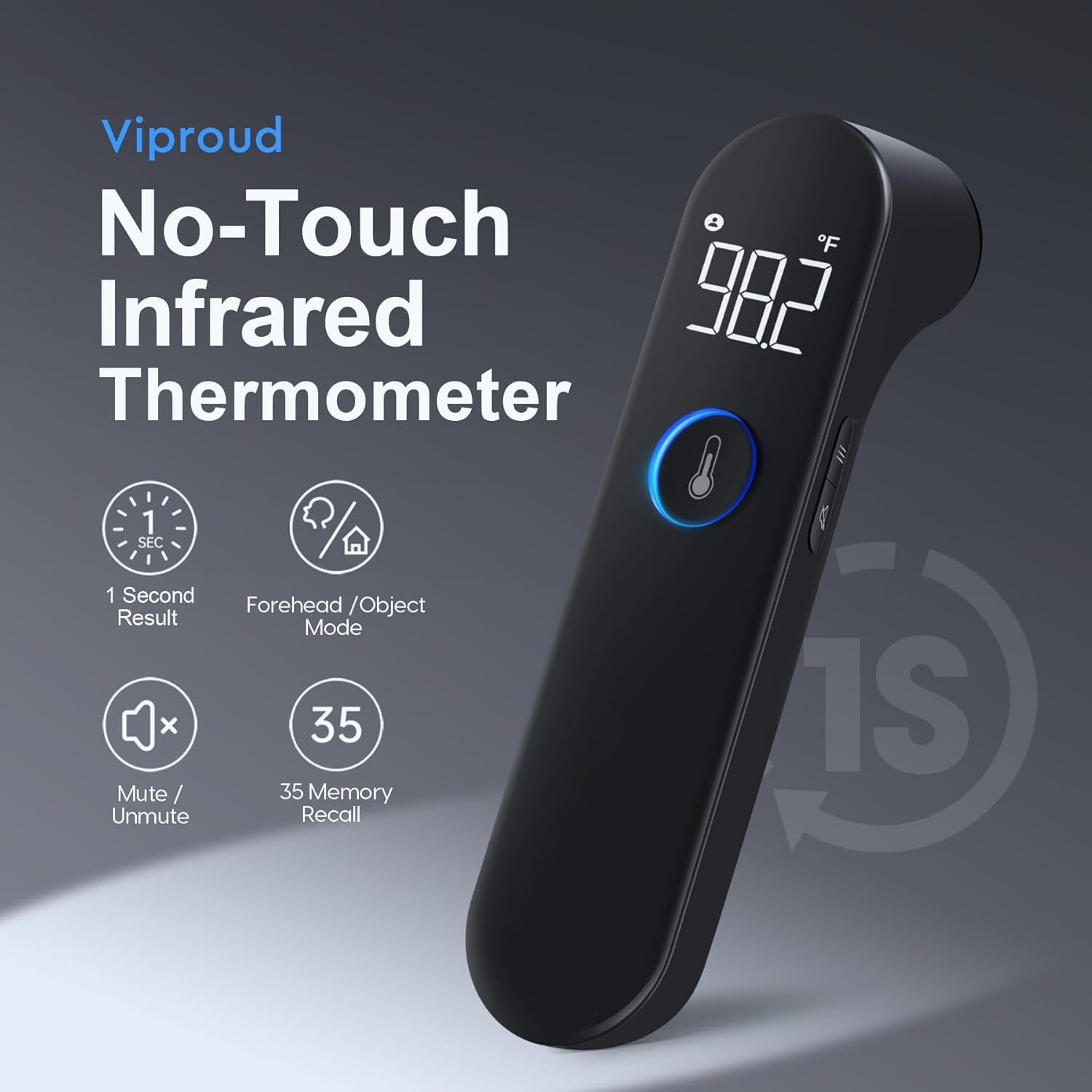
Figure 2: Overview of key features including 1-second result, Forehead/Object mode, Mute/Unmute, and 35 memory recall.
3. Setup
3.1. Battery Installation
- Locate the battery compartment cover on the back of the thermometer.
- Slide the cover open.
- Insert two AAA batteries, ensuring correct polarity (+/-).
- Close the battery compartment cover securely.
4. Operating Instructions
4.1. Taking a Forehead Temperature
- Ensure the thermometer is in Forehead mode. If not, press the mode button to switch.
- Hold the thermometer approximately 1-2 inches (2-5 cm) from the center of the forehead.
- Press the measurement button.
- The temperature reading will be displayed on the LED screen within 1 second.

Figure 3: The thermometer allows for one-touch temperature measurement suitable for all family members.
4.2. Color-Coded Guidance
The measurement button will illuminate with different colors to provide an instant visual indication of the temperature status:
- Green: Normal temperature (e.g., 89.6°F-99.2°F / 32.0°C-37.3°C)
- Orange: Elevated temperature (e.g., 99.3°F-100.3°F / 37.4°C-37.9°C)
- Red: Fever alert (e.g., 100.4°F-109.2°F / 38.0°C-42.9°C)

Figure 4: The measurement button changes color to indicate temperature ranges.
4.3. Mute Mode
To enable or disable the mute mode, press the mute button located on the side of the thermometer. This allows for silent temperature readings, ideal for not disturbing sleeping individuals.

Figure 5: The mute mode ensures quiet operation, preventing disturbance to sleeping children or adults.
4.4. Memory Function
The thermometer stores up to 35 previous temperature readings. To access the memory, press the 'Mem' button. Each press will cycle through the stored readings.
4.5. Unit Switching (℉/℃)
To switch between Fahrenheit (℉) and Celsius (℃), refer to the specific instructions in the Quick Start Guide or the full instruction manual provided with the product. Typically, this involves holding down a specific button while the device is off or in a particular mode.
4.6. Auto Shut-Off
The thermometer features an automatic shut-off function after 30 seconds of inactivity to conserve battery life.
5. Maintenance
5.1. Cleaning
To clean the thermometer, wipe the device, especially the sensor lens, with an alcohol swab or a cotton swab moistened with alcohol. Do not immerse the thermometer in water or any other liquid. Ensure the device is dry before storage or next use.
5.2. Storage
Store the thermometer in a cool, dry place, away from direct sunlight and extreme temperatures. Keep it out of reach of children.
6. Troubleshooting
- No Display/Low Battery: Check battery installation. Replace batteries if necessary.
- Inaccurate Readings: Ensure the sensor lens is clean. Verify correct measurement distance and forehead placement. Avoid taking temperature immediately after strenuous activity or bathing.
- Error Messages: Refer to the full instruction manual for specific error codes and their solutions. If an error persists, contact customer support.
7. Specifications
| Specification | Detail |
|---|---|
| Package Dimensions | 6.73 x 2.01 x 1.85 inches |
| Weight | 4.66 ounces |
| Batteries | 2 AAA batteries required (included) |
| Manufacturer | Viproud |
| ASIN | B0CKW3K16P |
| Special Feature | Fast Reading System, High Accuracy, Large Display, Non-Contact, Ultra Clear Screen |
| Color | Black |
| Age Range (Description) | Adult & Kid & Baby |
| Outer Material | Plastic |
| Specification Met | Fda / Fsa Eligible / Hsa Eligible |
| Display Type | Digital |
| Product Care Instructions | Wipe Clean |
| Unit Count | 1.0 Count |
8. Warranty and Support
For warranty information or technical support, please refer to the contact details provided in the product packaging or visit the official Viproud website. Keep your purchase receipt for warranty claims.


