
1. Introduction
Thank you for choosing the BENNTOP Micro Inverter 600W. This device is designed to convert direct current (DC) generated by solar photovoltaic (PV) panels into alternating current (AC) for use in your home or to feed into the electrical grid. Featuring Maximum Power Point Tracking (MPPT) technology, IP65 weather protection, and WiFi connectivity for remote monitoring, this microinverter offers an efficient and reliable solution for your solar energy needs.
This manual provides essential information for the safe installation, operation, and maintenance of your microinverter. Please read it thoroughly before installation and keep it for future reference.
2. Safety Information
- Installation must be performed by qualified personnel in accordance with local electrical codes and regulations.
- Do not attempt to repair the microinverter yourself. Refer all servicing to qualified service personnel.
- Ensure the microinverter is properly grounded.
- Disconnect all power sources (DC from solar panels and AC from the grid) before performing any maintenance or installation work.
- The microinverter is rated IP65 for outdoor use, meaning it is protected against dust and low-pressure water jets. However, avoid submerging the device.
- Do not operate the microinverter if it appears damaged.
- Keep children away from the installation area.
3. Product Features
- High Efficiency: Equipped with MPPT (Maximum Power Point Tracking) technology for optimal energy harvesting.
- Robust Design: IP65 rated for waterproof and sunproof performance, suitable for outdoor balcony installations.
- Safety Protections: Features circuit protection, overheat, overcurrent, and overvoltage protection.
- Easy Installation: Compact size and simple plug-and-play setup requiring minimal tools.
- Smart Monitoring: Integrated WiFi for remote monitoring and control via a dedicated mobile application.
- Grid-Tie Capability: Allows excess energy to be fed back into the grid, potentially generating income.
4. Specifications

Figure 1: BENNTOP Micro Inverter 600W Key Specifications
| Specification | Value |
|---|---|
| Brand | BENNTOP |
| Model Number | Micro Inverter 600W |
| MPPT Operating Voltage Range | 30-60V |
| Inverter Operating Voltage Range | 22-60V DC (Starting Voltage 22V) |
| Normal MPPT Efficiency | 99.8% |
| Peak Efficiency of Inverter | 92.7% |
| Maximum DC Input | 2 x 375W |
| Maximum AC Output | 600W |
| Normal Frequency Range | 50Hz/60Hz |
| Ambient Temperature | -20°C to +50°C |
| Waterproof Rating | IP65 |
| CEC Weighted Efficiency | 92.50% |
| Weight | 1.5 kg |
| Dimensions (L x W x H) | 283mm x 200mm x 41.6mm (11.1" x 7.9" x 1.6") |
| Recommended Product Use | Home |
| Power Source | Solar Energy |
| Input Voltage | 22 Volts (DC) |
5. Setup and Installation
The BENNTOP Micro Inverter 600W is designed for straightforward installation. Follow these steps for a safe and efficient setup:
5.1 Mounting the Microinverter
- Location: Choose a location that is well-ventilated and protected from direct sunlight, if possible, to optimize performance and longevity. The microinverter can be installed behind the solar panel or near a power outlet.
- Attachment: Secure the microinverter using the provided mounting hardware. Only two screws are typically needed for fixation.
5.2 Electrical Connections

Figure 2: Step-by-step installation guide for the microinverter.
- Connect to Solar Panels (DC Input): Connect the DC output cables from your solar panels to the DC input connectors on the microinverter. Ensure correct polarity (+ to + and - to -). The microinverter supports two 375W solar panels.
- Connect to AC Grid (AC Output): Connect the AC output cable from the microinverter to a standard electrical outlet or directly to your household electrical panel. This is a plug-and-play operation.

Figure 3: Diagram illustrating the connection of multiple microinverters to solar panels and the AC grid.
Important Notes for AC Connection:
- The maximum number of AC grid-connected cables is 3.
- In the same branch circuit, up to 6 units can be connected at 120V.
- In the same branch circuit, up to 12 units can be connected at 230V.
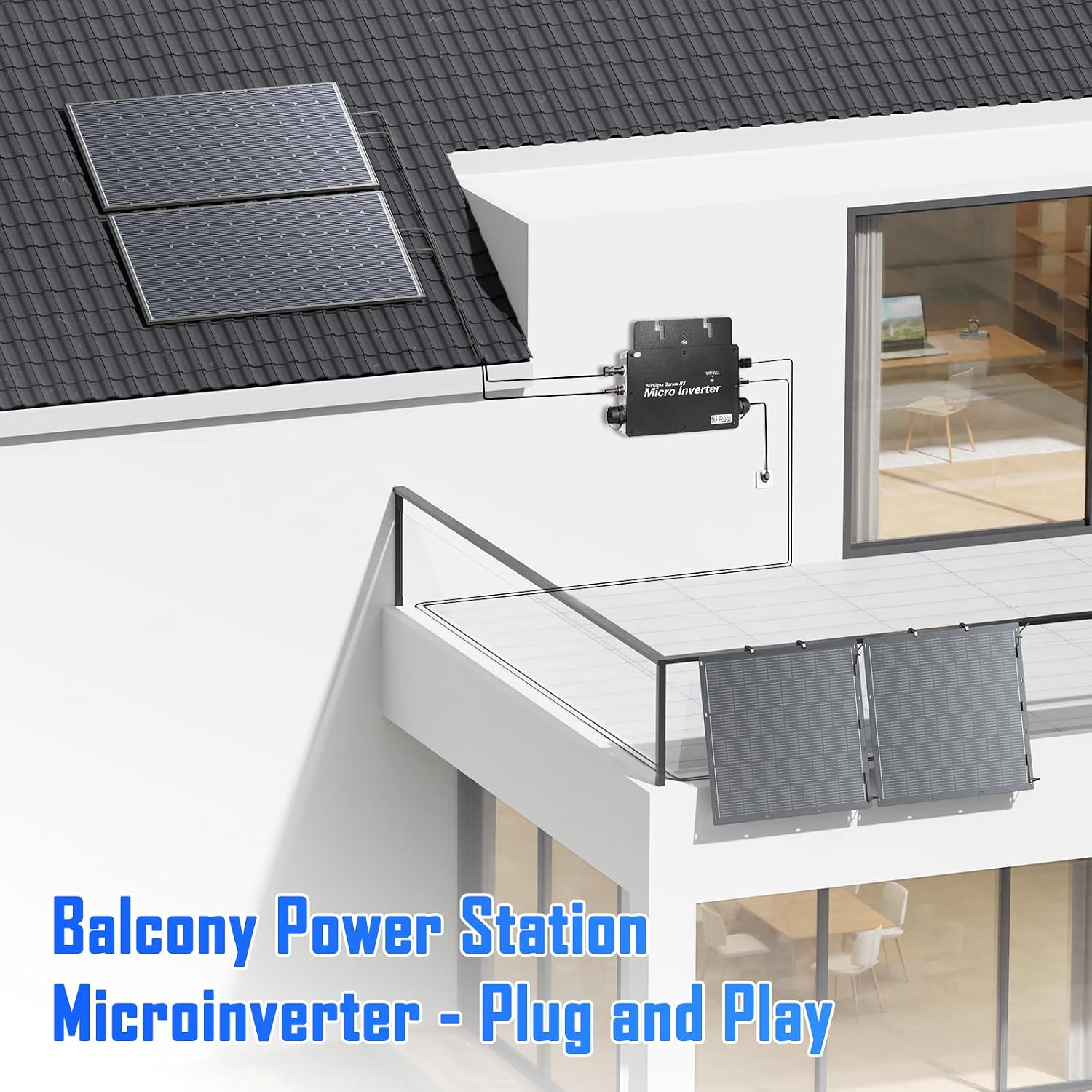
Figure 4: Example of a balcony power station setup with the microinverter.
6. Operating Instructions
Once installed and connected, the BENNTOP Micro Inverter 600W will automatically begin converting solar energy into usable AC power. The system operates on a plug-and-play principle.
6.1 Grid Feedback

Figure 5: Diagram showing how excess electricity is fed back into the grid.
After satisfying the current demand for electricity in your home, any excess power generated by the solar panels and converted by the microinverter can be transported to the electrical grid. This process may allow you to obtain subsidies or credits, depending on local regulations.
6.2 System Benefits

Figure 6: Illustration of system capabilities and benefits.
- Up to 12 inverters can be connected in series for larger installations.
- Four microinverters can collectively provide enough power to operate an air conditioner or electric heaters.
- The system can serve as an emergency power reserve.
- Simply connect to the nearest outlet to power various devices.
7. App Connection and Monitoring
The BENNTOP Micro Inverter 600W features integrated WiFi for remote monitoring and control via the SmartLife WiFi App. This allows you to track your solar energy production and system status from your smartphone.
7.1 Connecting the App
The app connection process typically involves 4 simple steps:
- Download the SmartLife WiFi App from your device's app store.
- Register or log in to your SmartLife account.
- Follow the in-app instructions to add a new device. This usually involves putting the microinverter into pairing mode (refer to the device's LED indicator for status).
- Connect the app to your home WiFi network and then to the microinverter.
7.2 Monitoring Features
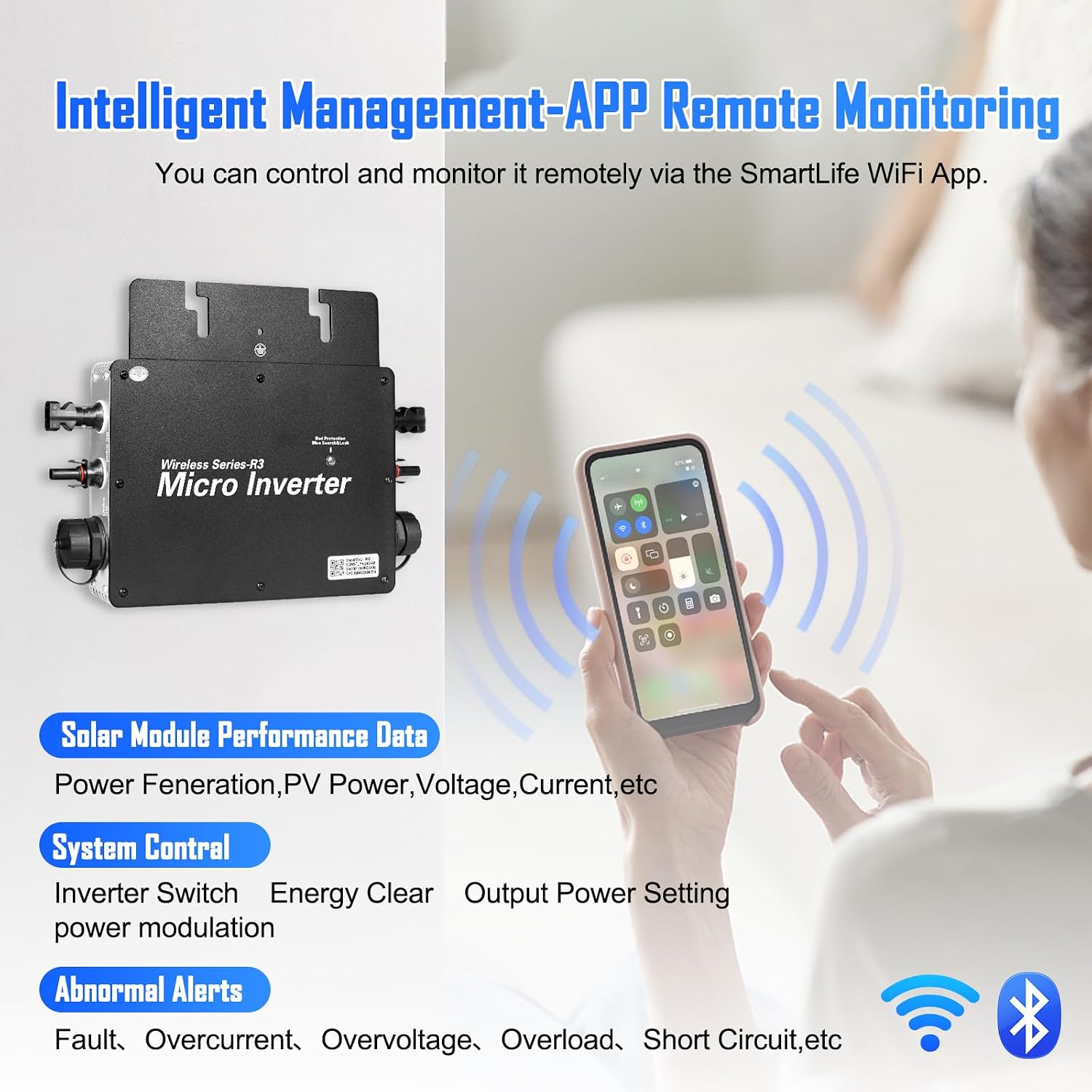
Figure 7: Overview of the SmartLife App interface for monitoring the microinverter.
Through the app, you can monitor various aspects of your solar system, including:
- Solar Module Performance Data: View PV power, voltage, current, and overall power generation.
- System Control: Manage inverter switch, clear energy data, and adjust output power settings.
- Abnormal Alerts: Receive notifications for faults, overcurrent, overvoltage, overload, or short circuit events.
- Environmental Data: Check weather conditions and inverter temperature.
8. Maintenance
The BENNTOP Micro Inverter 600W is designed for minimal maintenance due to its robust IP65 rating and durable construction. However, regular checks can help ensure optimal performance and longevity.
- Visual Inspection: Periodically inspect the microinverter and all cables for any signs of damage, corrosion, or loose connections.
- Cleaning: If necessary, gently clean the exterior of the microinverter with a damp cloth to remove dust or debris. Do not use harsh chemicals or abrasive materials.
- Ventilation: Ensure that the cooling fins are not obstructed to allow for proper heat dissipation.
- App Monitoring: Regularly check the SmartLife app for any abnormal alerts or performance drops, which may indicate an issue.
Always disconnect power before performing any physical maintenance on the device.
9. Troubleshooting
If you encounter issues with your BENNTOP Micro Inverter 600W, refer to the following common troubleshooting steps. The SmartLife app can provide valuable diagnostic information.
- No Power Output:
- Check DC input from solar panels: Ensure panels are receiving sunlight and connections are secure.
- Check AC output connection: Verify the microinverter is properly plugged into the grid and the outlet is functional.
- Check circuit breakers: Ensure no circuit breakers have tripped.
- App Connectivity Issues:
- Ensure your smartphone is connected to a stable WiFi network.
- Verify the microinverter's WiFi signal strength.
- Restart the microinverter and your router.
- Re-attempt the app pairing process if necessary.
- Abnormal Alerts (Overcurrent, Overvoltage, Overload, Short Circuit):
- These alerts indicate a potential issue with the electrical system. Immediately disconnect the microinverter from both DC and AC power.
- Inspect all wiring for damage or incorrect connections.
- Ensure the connected load does not exceed the microinverter's capacity.
- If the issue persists, contact customer support.
For issues not covered here, or if troubleshooting steps do not resolve the problem, please contact BENNTOP customer support.
10. Warranty and Support
While specific warranty details are not provided in this manual, BENNTOP products are designed for long-term performance. The product is expected to contribute to solar income for 10-30 years.
For technical assistance, warranty claims, or any questions regarding your BENNTOP Micro Inverter 600W, please contact BENNTOP customer support through the retailer where you purchased the product or visit the official BENNTOP website for contact information.