
1. Introduction
This manual provides essential instructions for the safe and effective installation and use of your new SWARK BN59 rechargeable battery. This battery is designed as a replacement for the Xiaomi Redmi Note 10S and Redmi Note 10 4G mobile phones. Please read all instructions carefully before proceeding with installation or use.
2. Compatibility
The SWARK BN59 battery is specifically compatible with the following mobile phone models:
- Xiaomi Redmi Note 10S
- Xiaomi Redmi Note 10 4G
Important: Please confirm your mobile phone model before installation to ensure compatibility and avoid damage.
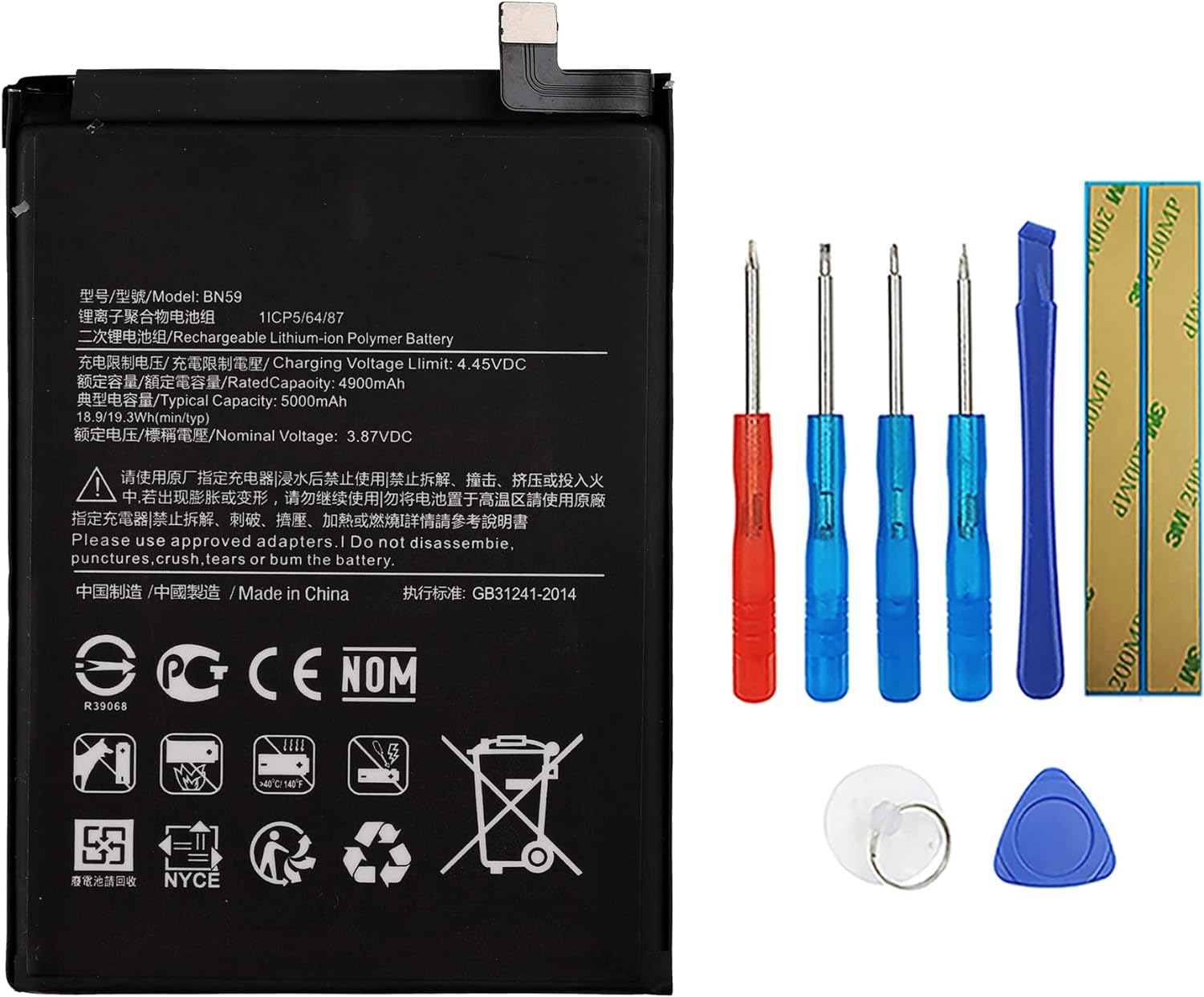
3. Package Contents
Your package should contain the following items:
- 1 x SWARK BN59 Rechargeable Battery
- 1 x Set of Installation Tools


4. Safety Information
Read and understand all safety warnings before installation and use.
- A charged lithium-ion battery can catch fire or explode if accidentally damaged. Handle with extreme care.
- Do not puncture, disassemble, or short-circuit the battery.
- Do not expose the battery to high temperatures (above 60°C / 140°F) or direct sunlight.
- Do not expose the battery to water or other liquids.
- Keep the battery out of reach of children.
- Dispose of old batteries responsibly according to local regulations. Do not dispose of in household waste.
5. Setup and Installation
Replacing a phone battery requires careful handling. If you are not confident in your ability to perform this replacement, it is recommended to seek professional assistance.
Installation Steps:
- Power Off Phone: Before starting, ensure your phone is completely powered off to prevent damage.
- Disassemble Phone: Carefully open your phone using the provided tools. Refer to specific guides for your phone model (Xiaomi Redmi Note 10S or Redmi Note 10 4G) for detailed disassembly instructions.
- Disconnect Old Battery: Locate the old battery and carefully disconnect its ribbon cable from the mainboard. Avoid pulling directly on the wires.
- Remove Old Battery: Gently pry out the old battery. Be cautious as it may be adhered with adhesive. Do not bend or puncture the old battery.
- Connect New Battery: Connect the ribbon cable of the new SWARK BN59 battery to the mainboard. Ensure the connection is firm and properly seated.
- Secure New Battery: Place the new battery into its compartment. If necessary, use new adhesive strips (not included) to secure it.
- Reassemble Phone: Carefully reassemble your phone, ensuring all components are correctly placed and secured.
- Initial Check: Before fully sealing the phone, attempt to power it on to confirm the battery is functioning.
Caution: Ensure the battery is connected to the cellphone well. Improper connection can lead to issues.
6. Operating and First Use
To optimize the performance and lifespan of your new battery, follow these recommendations for initial use:
- Initial Charging Cycles: It is recommended to fully drain the battery and then fully charge it, especially during the first 3 charging and discharging cycles. This process can significantly improve the overall life and calibration of the battery.
- Charging: Use a compatible and certified charger for your phone. Avoid using damaged or non-standard chargers.
7. Maintenance
Proper maintenance can extend the life of your battery:
- Avoid extreme temperatures.
- Do not allow the battery to fully discharge for extended periods.
- Store the phone with a partial charge (around 50%) if not used for a long time.
8. Troubleshooting
If you encounter issues after battery replacement, consider the following:
- Phone Constantly Restarts or Logo Flashes: This often indicates a poor connection of the battery's ribbon cable. Power off your phone, carefully re-open it, and re-insert the ribbon cable, ensuring it is firmly clamped to the mainboard connector.
- Battery Not Charging: Check the charging cable and adapter. If they are functional, re-check the battery connection as described above. Ensure there is no debris in the charging port.
- Battery Drains Quickly: Ensure you have completed the recommended initial charging cycles. If the issue persists, verify that no background applications are excessively consuming power.
If problems persist after following these steps, please contact customer support.
9. Specifications
| Feature | Specification |
|---|---|
| Part Number | BN59 |
| Capacity | 5000mAh / 19.3Wh |
| Voltage | 3.87V |
| Type | Li-ion Polymer |
| Item Weight | 5.3 ounces (approx. 150g) |
| Package Dimensions | 7.48 x 3.98 x 0.67 inches |
10. Support
If you have any questions or encounter problems with your SWARK BN59 battery, please contact our customer support team. We are available to assist you with product-related inquiries.
For customer service, please refer to the contact information provided with your purchase or on the SWARK official website.


