
Introduction
Thank you for choosing the YHW Smart Touch Table Lamp. This versatile and portable lamp offers 16 million colors, dimmable brightness, and smart control via a dedicated app, making it ideal for various settings including bedrooms, nurseries, living rooms, and outdoor use. This manual provides detailed instructions for setup, operation, maintenance, and troubleshooting to ensure optimal performance and longevity of your device.
Product Overview
Key Features
- Multi-functional Nightlight: Offers 16 million colors via the Surplife app, with agile top touch control for brightness and color changes. Provides soft, eye-friendly light suitable for relaxation, nurseries, diaper changes, reading, and creating a romantic atmosphere.
- Scene Creation: Features 41 dynamic and static scene modes to enhance various occasions. Can simulate candle shaking for specific ambiance.
- Portable Design: Cordless and rechargeable with a 5V 3600mAh battery, allowing for extended use without charging, suitable for outdoor activities or travel.
- Helpful Schedules: Program the lamp to automatically power on/off and adjust brightness, aiding in sleep or wake-up routines.
- Easy Installation: Quick app connection (within 10 seconds) for convenient smart control. Includes a Type C charging cable.
What's in the Box
- YHW Smart Touch Table Lamp
- Type C Charging Cable
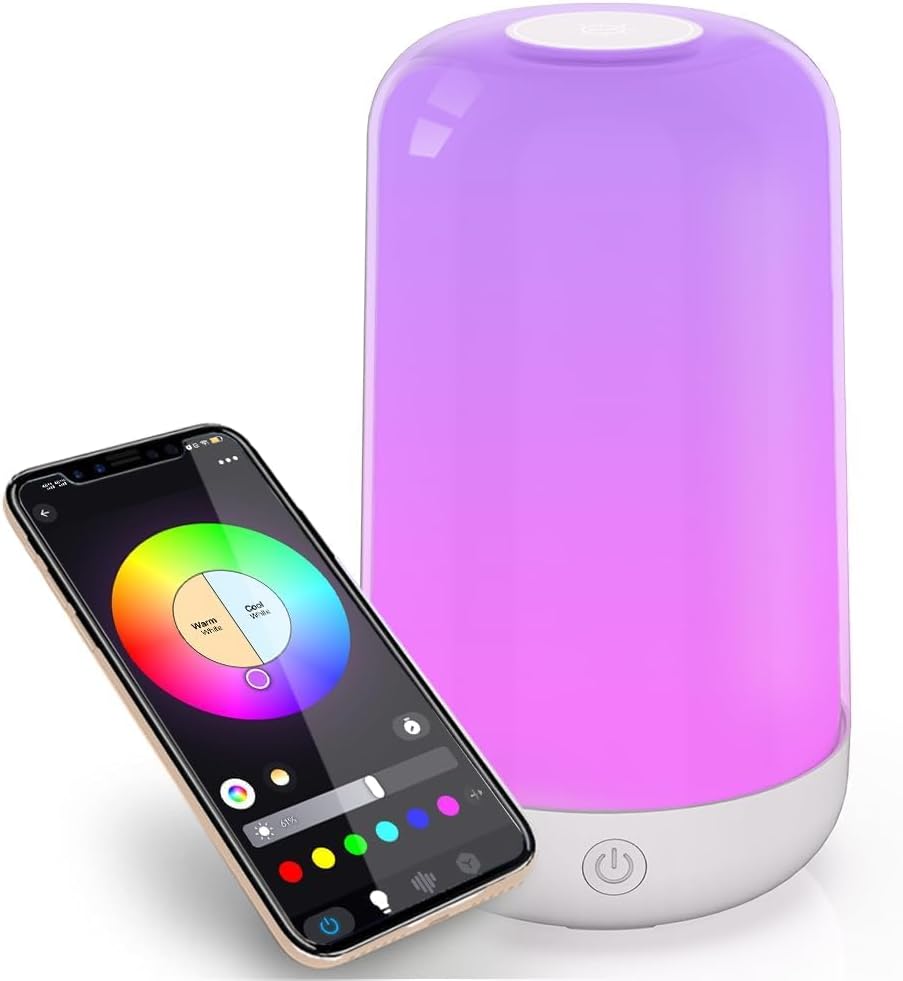
Image: The YHW Smart Touch Table Lamp shown alongside a smartphone displaying its color control app interface.

Image: A diagram illustrating the lamp's intuitive controls, including color changing, brightness adjustment, and power on/off functions.

Image: The portable smart Bluetooth lamp illuminating the inside of a tent, demonstrating its suitability for outdoor use and long battery life.
Setup
1. Charging the Lamp
Before first use, fully charge the lamp using the provided Type C charging cable. Connect the cable to the lamp's charging port and a compatible 5V USB power adapter (not included). The lamp is designed for ultra-long durability, with normal household use requiring charging only once or twice a month. It provides over 8 hours of high brightness lighting on a full charge.
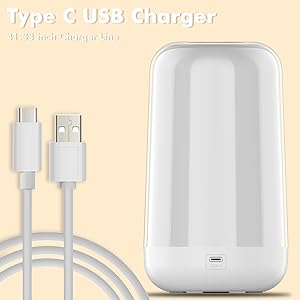
Image: The lamp with its Type C USB charging cable, illustrating the charging method.
2. App Installation and Connection
- Download the Surplife app from your device's app store (available for iOS and Android).
- Ensure your lamp is charged and powered on.
- Open the Surplife app and follow the on-screen instructions to add a new device. The app connection typically completes within 10 seconds via Bluetooth.
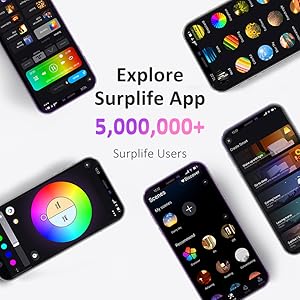
Image: Multiple smartphone screens showcasing the diverse interface and features of the Surplife App.
Operating Instructions
Touch Control
- Power On/Off: Press the power button located at the base of the lamp.
- Brightness Adjustment: Tap the top surface of the lamp to cycle through preset brightness levels.
- Color Change: Long-press the top surface of the lamp to cycle through different colors.
App Control (Surplife App)
The Surplife app provides comprehensive control over your lamp's features:
- Color Selection: Choose from 16 million colors by sliding your finger across the color wheel in the app.
- Brightness Control: Adjust the brightness steplessly from 0% to 100% using the slider in the app.
- Scene Modes: Select from 41 dynamic and static scene modes to instantly change the ambiance of your room.
- Timer Function: Program the lamp to turn on or off automatically at specific times, or to adjust brightness gradually for sleep or wake-up routines.
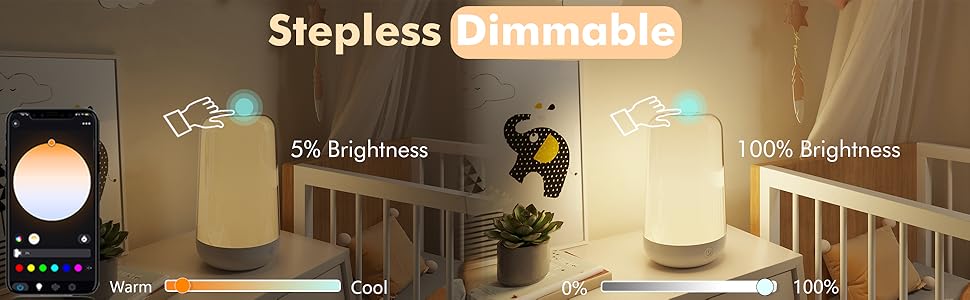
Image: A visual comparison demonstrating the lamp's stepless dimming capability, showing it at 5% and 100% brightness.
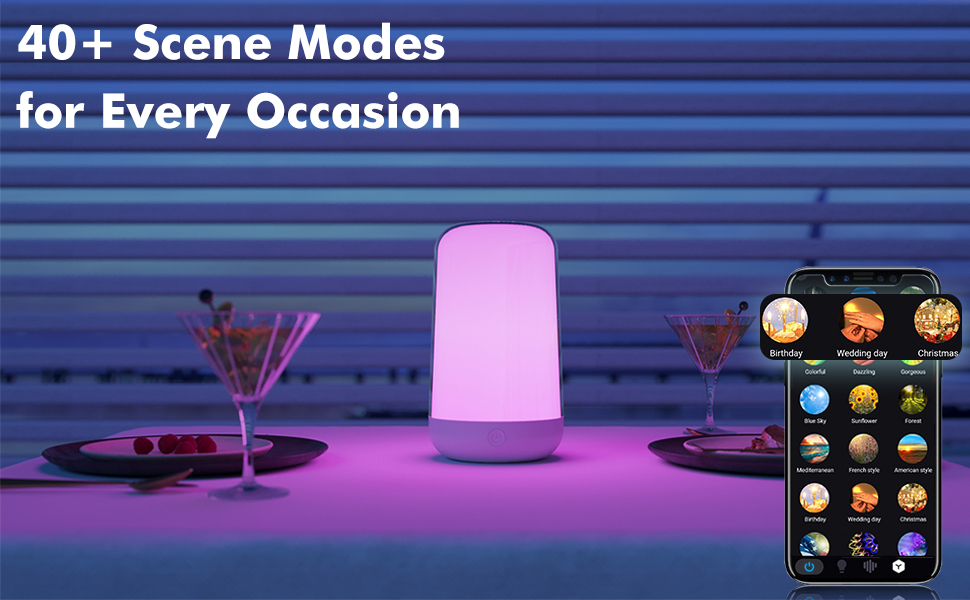
Image: The lamp displaying various colors, accompanied by a smartphone showing the app's extensive library of over 40 scene modes for different occasions.
Maintenance
To ensure the longevity and optimal performance of your YHW Smart Touch Table Lamp, follow these simple maintenance guidelines:
- Cleaning: Use a soft, dry cloth to wipe the lamp's surface. For stubborn marks, a slightly damp cloth can be used, followed by immediate drying. Avoid abrasive cleaners or solvents.
- Storage: When not in use for extended periods, store the lamp in a cool, dry place away from direct sunlight and extreme temperatures.
- Charging: Always use the provided Type C charging cable. Avoid using damaged cables or non-compatible chargers.
- Water Exposure: The lamp is not waterproof. Avoid exposing it to water or high humidity.
Troubleshooting
| Problem | Possible Cause | Solution |
|---|---|---|
| Lamp does not turn on. | Battery is depleted. | Charge the lamp using the provided Type C cable. |
| Cannot connect to the app. | Bluetooth is off or lamp is out of range. App not installed correctly. | Ensure Bluetooth is enabled on your device and the lamp is within 10 meters. Restart the app or reinstall it. Ensure the lamp is powered on. |
| Touch control is unresponsive. | Lamp is off or low battery. Sensor obstruction. | Ensure the lamp is on and charged. Clean the top surface of the lamp to remove any dust or debris. |
| Light is too dim. | Brightness setting is low. | Adjust brightness via touch control or the Surplife app. |
Specifications
| Feature | Detail |
|---|---|
| Model Number | BTTB-2604-PB |
| Brand | YHW |
| Dimensions (D x W x H) | 4.25" x 4.21" x 7.36" (approx. 10.8cm x 10.7cm x 18.7cm) |
| Item Weight | 1.01 pounds (approx. 0.46 kg) |
| Material | Plastic |
| Light Source Type | LED |
| Color Temperature | 6500 Kelvin (adjustable via app) |
| Brightness | 500 Lumen |
| Wattage | 18 watts |
| Power Source | Rechargeable Battery / Corded Electric (via Type C) |
| Battery Capacity | 5V 3600mAh |
| Control Method | App (Surplife), Touch |
| Connectivity Technology | Bluetooth |
| Color Options | 16 Million RGB Colors, Warm Light, Daylight |
| Indoor/Outdoor Usage | Indoor, Outdoor |
| Water Resistance Level | Not Water Resistant |
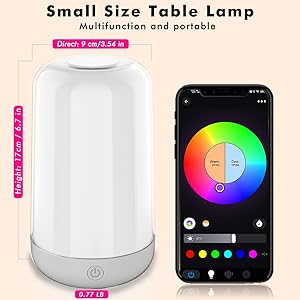
Image: A diagram illustrating the compact dimensions of the YHW Smart Touch Table Lamp.
Warranty and Support
For product support, troubleshooting assistance, or warranty inquiries, please refer to the contact information provided with your purchase or visit the official YHW store on Amazon:
Please retain your proof of purchase for any warranty claims.


