
1. Introduction
This manual provides comprehensive instructions for the HaiTun Waverider 3x3 Magnetic (Flagship) Speed Cube. It covers product features, setup, operation, maintenance, and specifications to ensure optimal performance and longevity of your speed cube.
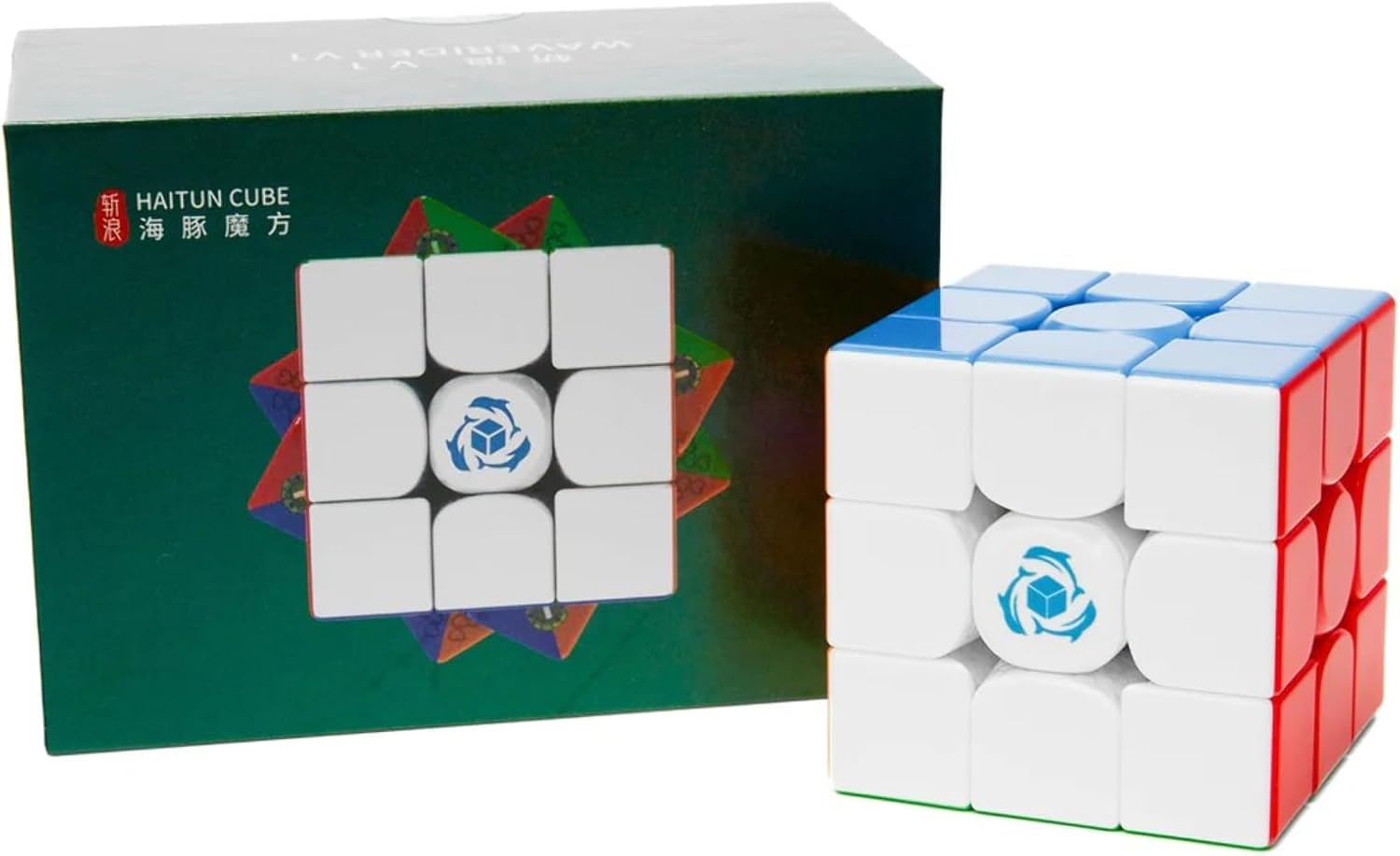
Figure 1: HaiTun Waverider 3x3 Magnetic Speed Cube and its retail packaging.
2. Product Overview
2.1 Key Features
- 96 factory-installed magnets: Provides precise tactile feedback and stability during turns.
- Dual-adjustment system (8 settings): Allows for fine-tuning of tension and compression to suit individual preferences.
- "Hearts" piece design: Engineered for smoother turning and reduced friction.
- Quiet turning: Designed to minimize noise during operation.
- Anti-pop mechanism: Prevents pieces from dislodging during fast solves.
- Anti-corner-twist mechanism: Reduces instances of corner pieces twisting incorrectly.
- Strengthened core: Enhances durability and structural integrity.
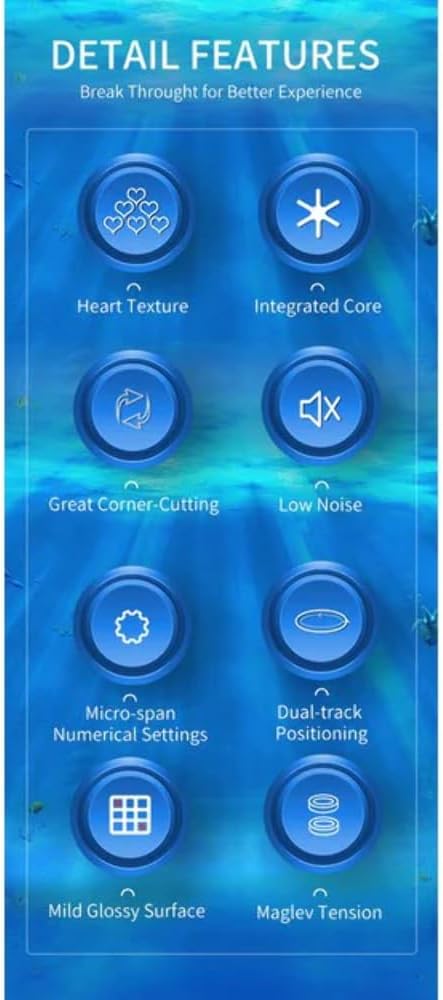
Figure 2: Visual representation of the HaiTun Waverider's key features, including Heart Texture, Integrated Core, Great Corner-Cutting, Low Noise, Micro-span Numerical Settings, Dual-track Positioning, Mild Glossy Surface, and Maglev Tension.
2.2 Accessories Included
The HaiTun Waverider 3x3 Magnetic Speed Cube comes with the following accessories:
- Storage bag
- Display stand
- Adjustment tool

Figure 3: The included storage bag, display stand, and adjustment tool for the speed cube.
2.3 Version Comparison
The HaiTun Waverider series offers different versions with varying features. The Flagship model is detailed below:
| Feature | Standard | Flagship | Pioneer |
|---|---|---|---|
| MagLev | -- | Yes | Yes |
| Dual-adjustment | Yes | Yes | Yes |
| Spring/MagLev | Spring | Spring | MagLev |
| Magnet positioning | Single track | Double track | Double track |
| Compression settings | 8 | 8 | 8 |
| Tension settings | 8 | 8 | 8 |
| Magnet settings | 6 | 6 | 6 |
| Total magnets | 48 | 96 | 96 |
3. Setup and Adjustment
The HaiTun Waverider features a precise micro-span numerical settings system, allowing for extensive customization of the cube's feel. This system combines center distances, tensions, and magnet strengths.
3.1 Understanding the Adjustment System
The cube offers 8 settings for center distance, 8 for tension, and 6 for magnet strengths, providing up to 384 unique combinations. These settings are numerical, making it easy to replicate preferred setups.

Figure 4: The adjustment system, illustrating compression and magnet settings dials.
3.2 Adjusting Your Cube
Use the included adjustment tool to modify the cube's settings. The tool is designed for easy and precise adjustments without requiring complex disassembly.
- Locate the adjustment points on the center caps of the cube.
- Insert the adjustment tool into the designated slots.
- Rotate the tool to change the compression and tension settings. Refer to the numerical indicators for precise adjustments.
- Experiment with different settings to find the feel that best suits your solving style.

Figure 5: The internal core mechanism of the HaiTun Waverider, showing the adjustment points.
3.3 Magnetic Positioning System
The Flagship model features a parallel dual-track magnetic positioning system with 96 magnets. This double-track design ensures better distributed positioning and a more stable, tactile feel during turns.

Figure 6: The dual-track magnetic system, highlighting the placement and function of the 96 magnets.
4. Operating the Speed Cube
The HaiTun Waverider 3x3 Magnetic Speed Cube is designed for smooth and efficient turning, suitable for both casual solving and competitive speedcubing.
4.1 Basic Operation
To operate the cube, simply rotate its faces and layers to mix and solve the colors. The magnetic system assists in aligning layers, providing a satisfying click and stability.

Figure 7: A side view of the assembled HaiTun Waverider speed cube.
4.2 Corner Cutting
The cube's design allows for excellent corner cutting, meaning you can complete turns even if the layers are not perfectly aligned. This feature is crucial for faster solving times.
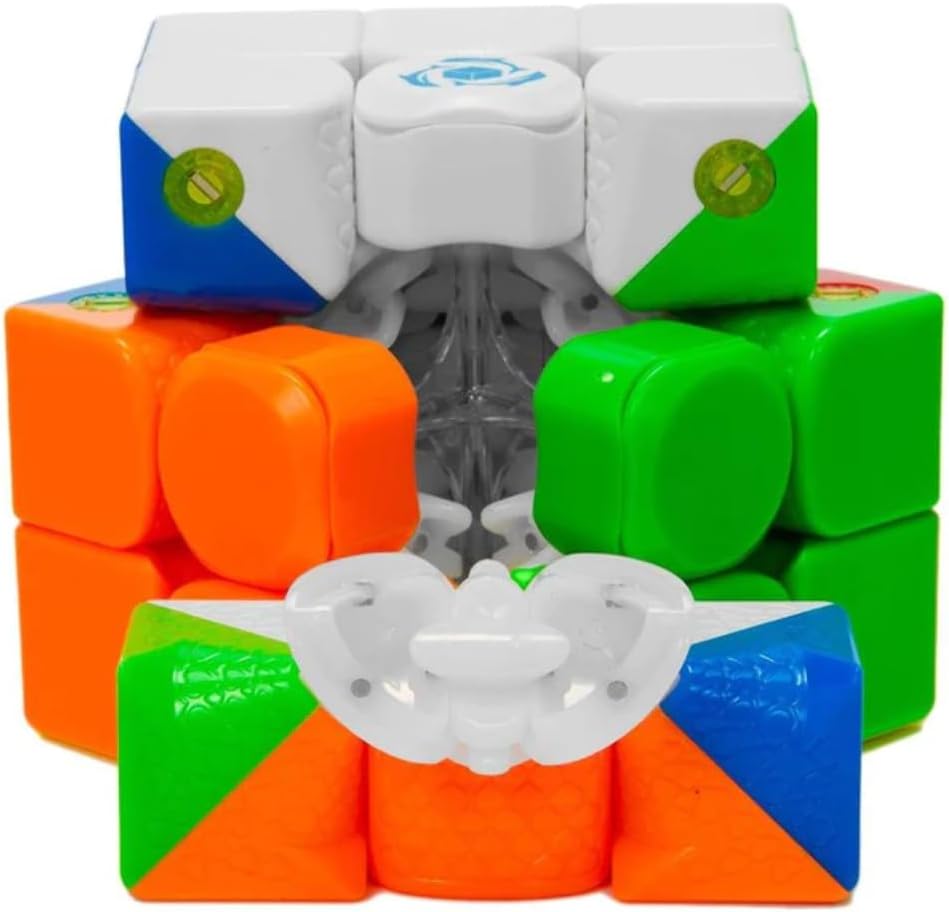
Figure 8: The internal "Hearts" piece design, contributing to smooth turning and corner cutting.
5. Maintenance
Proper maintenance ensures the longevity and optimal performance of your HaiTun Waverider speed cube.
5.1 Cleaning
- Wipe the exterior of the cube with a soft, dry cloth to remove dust and fingerprints.
- Avoid using harsh chemicals or abrasive materials, as these can damage the plastic and colors.
5.2 Lubrication (Optional)
While the cube is designed for smooth turning out of the box, some users prefer to apply speed cube lubricant for an even smoother feel. If applying lubricant:
- Use only lubricants specifically designed for speed cubes.
- Apply a small amount to the internal contact surfaces of the pieces.
- Work the lubricant in by turning the cube for a few minutes.
- Wipe off any excess lubricant from the exterior.
5.3 Storage
Store the cube in the provided storage bag when not in use to protect it from dust and scratches.
6. Troubleshooting
Here are some common issues and their solutions:
6.1 Cube Feels Stiff or Loose
- Solution: Adjust the tension and compression settings using the adjustment tool (refer to Section 3.2). A stiffer cube might need looser settings, while a loose cube might need tighter settings.
6.2 Pieces Pop Out (Pop-outs)
- Cause: This can occur if the cube is too loose or if turns are made too aggressively.
- Solution: The HaiTun Waverider has an anti-pop mechanism, but if it still occurs, try tightening the tension settings slightly. Reinsert any popped-out pieces carefully.
6.3 Corner Twists
- Cause: A corner piece rotates in place without the rest of the cube moving.
- Solution: The cube features an anti-corner-twist mechanism. If a corner twists, simply rotate it back into its correct orientation. If it happens frequently, consider slightly tightening the tension.
7. Specifications
| Attribute | Detail |
|---|---|
| Product Dimensions | 2.2 x 2.2 x 2.2 inches |
| Item Weight | 7.6 ounces |
| Model Number | HT-WAVE-3-M-FLG-STB |
| Manufacturer Recommended Age | 0 months and up |
| Total Magnets | 96 (factory-installed) |
| Adjustment System | Dual-adjustment (8 compression, 8 tension, 6 magnet settings) |
| Magnetic Positioning | Parallel Dual-track |
| Manufacturer | SpeedCubeShop |
8. Warranty and Support
For any questions, concerns, or support regarding your HaiTun Waverider 3x3 Magnetic Speed Cube, please contact the manufacturer, SpeedCubeShop.
Please refer to your purchase documentation or the SpeedCubeShop website for specific warranty terms and contact information.