
Introduction
Thank you for choosing the QXHOL Gesture Sensing RC Stunt Car. This manual provides essential information for setting up, operating, and maintaining your new remote control vehicle. Please read it thoroughly before use to ensure safe and optimal performance.

Image: The QXHOL Gesture Sensing RC Stunt Car, showcasing its sleek design, multi-directional wheels, and both the traditional remote control and the gesture-sensing wrist controller.
Package Contents
Verify that all items listed below are included in your package:
- 1 x QXHOL Gesture Sensing RC Stunt Car
- 1 x Traditional Remote Controller
- 1 x Gesture Sensing Wrist Controller
- 2 x Rechargeable Lithium Polymer Batteries (for car)
- 1 x USB Charging Cable
- 1 x Screwdriver
- 1 x User Manual
Setup Guide
1. Battery Installation & Charging
- Car Battery: Use the provided screwdriver to open the battery compartment on the underside of the car. Insert one of the rechargeable Lithium Polymer batteries, ensuring correct polarity. Close the compartment securely.
- Charging the Car Battery: Connect the USB charging cable to the car's charging port and to a standard USB power adapter (not included). The indicator light on the cable will show charging status (e.g., red for charging, off for fully charged). A full charge typically takes 2-3 hours.
- Remote Controller Batteries: The traditional remote controller requires 2 AA batteries (not included). Open the battery compartment, insert the batteries with correct polarity, and close. The gesture controller has a built-in rechargeable battery and charges via its own USB port.
2. Pairing Controllers
To ensure proper communication, pair the controllers with the car:
- Turn on the RC Stunt Car.
- Turn on your preferred controller (either the traditional remote or the gesture controller).
- The controller's indicator light will flash and then become solid, indicating successful pairing. If pairing fails, turn off both the car and controller, then repeat the steps.
Operating Instructions
1. Traditional Remote Control Operation
Use the joystick and buttons on the traditional remote for precise control:
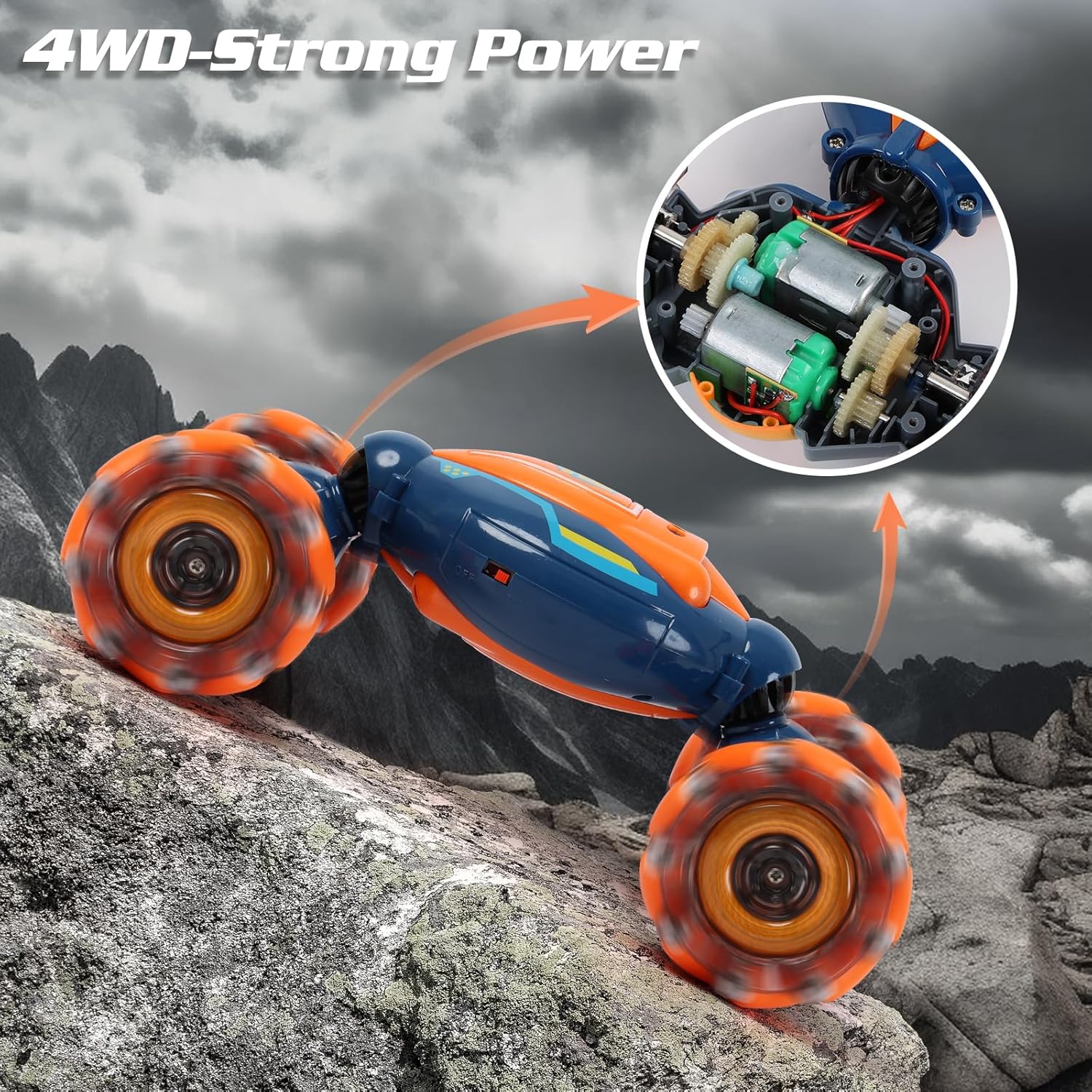
Image: Detailed diagram of the traditional remote control, highlighting buttons for forward, backward, sidle left/right, rotation, deformation, and one-key demo.
- Forward/Backward: Use the left joystick.
- Turn Left/Right: Use the left joystick while moving forward or backward.
- Sidle Left/Right: Use the dedicated sidle buttons.
- 360° Rotation: Use the rotation buttons.
- Deformation: Press the 'Deformation' button to switch between flat and off-road modes.
- One Key Demo: Press the 'One Key Demo' button for an automatic stunt show.
2. Gesture Control Operation
Wear the gesture sensing wrist controller and use hand movements to command the car:

Image: A hand wearing the gesture controller, demonstrating how to control the car with hand movements.
- Forward: Tilt your hand forward.
- Backward: Tilt your hand backward.
- Turn Left/Right: Tilt your hand left or right.
- Sidle Left/Right: Move your hand sideways.
- 360° Rotation: Rotate your wrist.
- Deformation: Press the button on the gesture controller to change the car's mode.
3. Driving Modes & Stunts
The QXHOL RC Stunt Car is designed for versatile driving and impressive stunts:

Image: The stunt car demonstrating its double-sided driving capability, showing both upright and inverted positions.

Image: The stunt car navigating different surfaces like road, sand, grass, and gravel, highlighting its all-terrain capability.

Image: A collage of the car performing stunts such as moving forward/backward, sideways driving, front wheel swings, and 360-degree rotations.
Video: An official product video from QXHOL demonstrating the Gesture Sensing RC Stunt Car performing various maneuvers and stunts, highlighting its dynamic capabilities.
Features
- Three Remote Control Modes: Control the car using either the traditional remote, the gesture-sensing wrist controller, or engage the one-key demo mode for automated stunts.
- All-Terrain Capability: Equipped with powerful 4WD, the car can perform stunts and navigate various environments, including indoor floors, grass, sand, and gravel.
- Cool Lights & Music: The car features dazzling LED lights and plays lively music, enhancing the driving experience.
- Master of Stunts: Capable of drifting in every direction, moving sideways, and revolving 360 degrees, offering a wide range of exciting maneuvers.
- Extended Playtime: Includes two high-capacity rechargeable batteries to ensure longer, uninterrupted fun.

Image: The stunt car showcasing its vibrant LED lights and dynamic music feature.

Image: An internal view of the car's gears, emphasizing its 4WD strong power system.
Maintenance
- Cleaning: Wipe the car with a soft, dry cloth after each use. Avoid using water or harsh chemicals, as this may damage electronic components.
- Battery Care: Always fully charge the batteries before first use. Do not overcharge or leave batteries unattended while charging. Remove batteries from the car and controllers if not in use for an extended period.
- Storage: Store the car and its accessories in a cool, dry place away from direct sunlight and extreme temperatures.
Troubleshooting
| Issue | Possible Cause | Solution |
|---|---|---|
| Car not responding to controller | Low battery in car or controller; Not paired correctly; Interference | Charge batteries; Re-pair car and controller (see Setup Guide); Move away from other electronic devices. |
| Short playtime | Battery not fully charged; Old battery; Continuous high-power usage | Ensure batteries are fully charged; Replace old batteries; Use the second included battery for extended play. |
| Car moves erratically | Interference; Damaged wheels/components | Move to an open area; Inspect wheels for debris or damage. |
| Lights or music not working | Low battery; Feature turned off | Charge car battery; Check controller buttons for light/music activation. |
Specifications
| Attribute | Detail |
|---|---|
| Product Dimensions | 6 x 4 x 9 inches |
| Item Weight | 1.52 pounds |
| Model Number | 1829-2 |
| Batteries | 2 Lithium Polymer batteries (included) |
| Manufacturer Recommended Age | 6 years and up |
| Brand | QXHOL |
Safety Information
- Adult Supervision: Always supervise children during operation to prevent accidents and ensure proper use.
- Battery Safety: Do not mix old and new batteries. Do not mix alkaline, standard (carbon-zinc), or rechargeable (nickel-cadmium) batteries. Dispose of used batteries responsibly.
- Choking Hazard: Small parts may be present. Not suitable for children under 3 years old.
- Operating Environment: Avoid operating near water, heat sources, or in crowded areas to prevent damage or injury.
- Impacts: Avoid crashing the car into hard objects or dropping it from heights, as this can cause damage.
Warranty and Support
QXHOL products are designed for quality and performance. If you encounter any issues or require assistance with your Gesture Sensing RC Stunt Car, please do not hesitate to contact QXHOL customer support. Refer to the product packaging or the official QXHOL website for contact details.