
Introduction
This manual provides instructions for the Ceybo 3026000066 Remote Control, designed for use with Onn Roku Smart TVs. This remote offers an intuitive layout and simple button configuration for ease of use. It is a direct replacement and requires no programming.

Front view of the Ceybo 3026000066 remote control, showing its ergonomic design and button layout.
Setup
Battery Installation
The Ceybo 3026000066 remote control requires two AAA batteries (not included) for operation. Follow these steps to install the batteries:
- Locate the battery compartment cover on the back of the remote control.
- Press down on the tab and slide the cover downwards to open the compartment.
- Insert two new AAA batteries, ensuring the positive (+) and negative (-) terminals align correctly with the markings inside the compartment.
- Slide the battery compartment cover back into place until it clicks securely.
Note: This remote control does not require any programming or pairing. Once batteries are installed, it is ready for use with compatible Onn Roku Smart TVs.
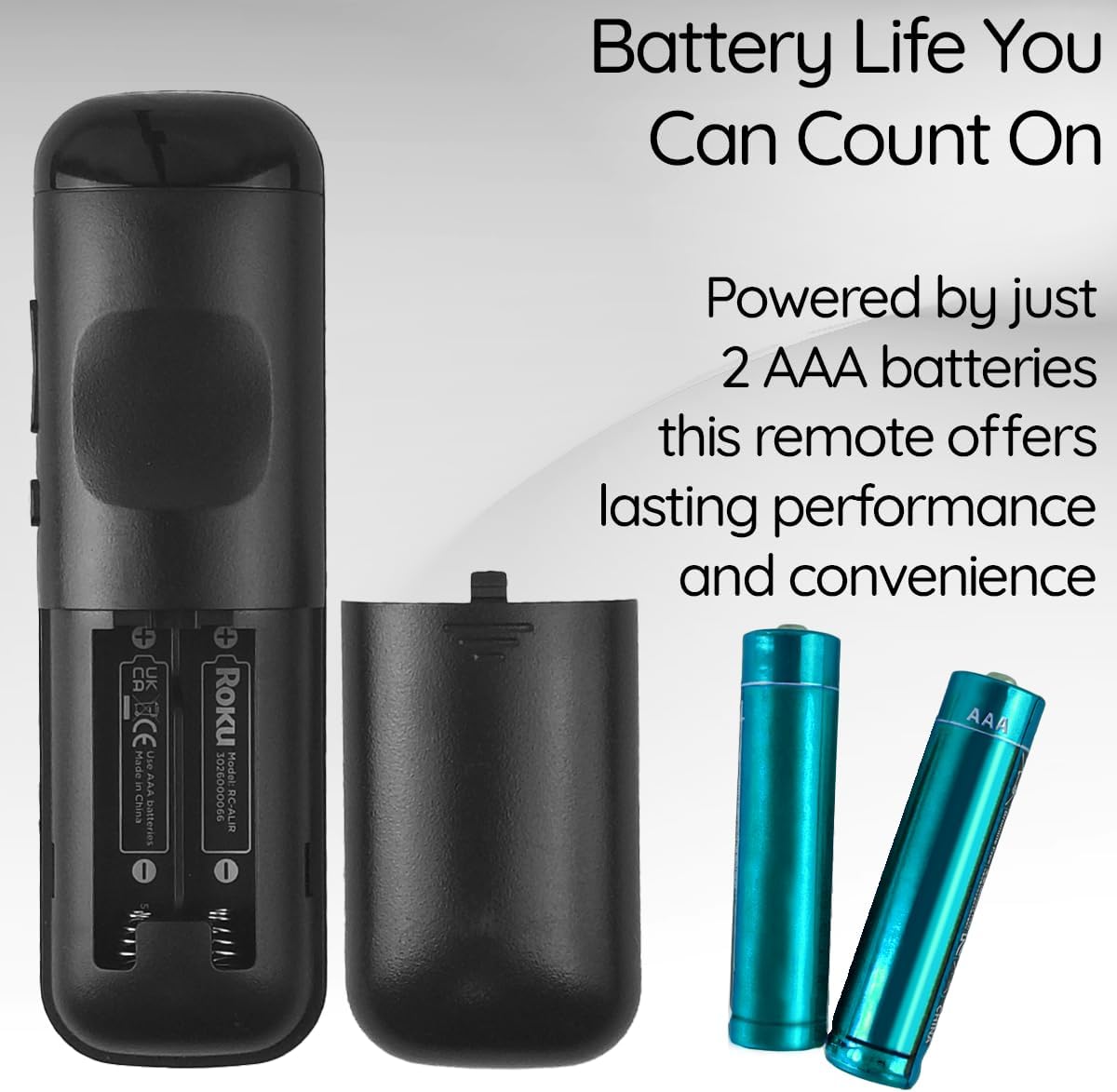
View of the remote control's battery compartment, indicating the use of two AAA batteries.
Operating Instructions
The Ceybo 3026000066 remote control features a user-friendly design with clearly labeled buttons for easy navigation and quick access to your entertainment options.
Key Functions:
- Power Button: Turns the TV on or off.
- Directional Pad (Up, Down, Left, Right) & OK Button: Navigates menus and selects options.
- Back Button: Returns to the previous screen or menu.
- Home Button: Returns to the Roku home screen.
- Volume Up/Down: Adjusts the TV volume.
- Mute Button: Mutes or unmutes the TV audio.
- Play/Pause, Fast Forward, Rewind: Controls media playback.
- Star Button (*): Accesses options within certain apps or menus.
Dedicated Shortcut Buttons:
This remote includes dedicated shortcut buttons for popular streaming services, allowing for instant access with a single press:
- Netflix
- Paramount+
- Apple TV
- HBOMax

Close-up view of the remote control highlighting the dedicated shortcut buttons for Netflix, Paramount+, Apple TV, and HBOMax.
Compatibility
The Ceybo 3026000066 Remote Control is compatible with the following Onn Roku Smart TV models:
- 100005843
- 100007147
- 100012586
- 100005397
- 100018971
- 100005844
- 100024699
- 100012587
- 100021261
- 100012588
- 100012590
- 100012589
- 100005395
- 100005842
- 100068372
- 100018254
- 100012584
- 100012585
- 100021258
- 100005396
Important: This remote control is not compatible with Roku Box or Roku Stick devices.

Image illustrating the Ceybo remote control alongside various Onn Roku Smart TV models, indicating broad compatibility.
Maintenance
To ensure optimal performance and longevity of your remote control, consider the following maintenance tips:
- Battery Replacement: Replace both AAA batteries when the remote's responsiveness decreases or it stops functioning. Always replace both batteries at the same time with new ones.
- Cleaning: Use a soft, dry cloth to clean the remote's surface. Avoid using liquid cleaners or abrasive materials, as these can damage the remote.
- Storage: Store the remote in a dry place away from extreme temperatures and direct sunlight. If the remote will not be used for an extended period, remove the batteries to prevent leakage.
Troubleshooting
If you encounter issues with your Ceybo 3026000066 remote control, try the following troubleshooting steps:
- Remote Not Responding:
- Check if the batteries are inserted correctly with the correct polarity (+/-).
- Replace the batteries with new AAA batteries. Weak or dead batteries are a common cause of remote control issues.
- Ensure there is a clear line of sight between the remote control and the TV's infrared receiver. Obstructions can block the signal.
- Buttons Not Working:
- If only specific buttons are not working, try cleaning the remote's surface around those buttons.
- Replace the batteries, as low power can sometimes affect individual button responsiveness.
- Remote Works Intermittently:
- This often indicates low battery power. Replace the batteries.
- Ensure you are within the maximum operating range of 30 feet from the TV.
If these steps do not resolve the issue, please refer to the Warranty and Support section.
Specifications
| Brand | Ceybo |
| Model Name/Number | 3026000066 |
| Special Feature | Ergonomic, Lightweight, No Programming Required |
| Color | Black |
| Max Number of Supported Devices | 1 |
| Compatible Devices | Television (Onn Roku Smart TVs) |
| Connectivity Technology | Infrared |
| Button Quantity | 15 |
| Controller Type | Button Control |
| Maximum Range | 30 Feet |
| Battery Type | AAA (2 required, not included) |
| UPC | 689176329575 |
Warranty and Support
This Ceybo remote control comes with a 1 Year Manufacturer Warranty.
For technical support, warranty claims, or further assistance, please contact Ceybo customer service. Refer to the product packaging or the Ceybo official website for contact information.