
Introduction
Welcome to the user manual for your RIVERSONG AirFly M2 Wireless Earbuds. These earbuds feature Bluetooth 5.3, True Wireless Stereo (TWS) technology, and a portable charging case, designed for an immersive audio experience and convenient communication.
Please read this manual carefully before using the product to ensure proper operation and to maximize its lifespan.
Package Contents
- RIVERSONG AirFly M2 Wireless Earbuds
- Portable Charging Case
- User Manual
- USB Charging Cable (assumed included)
- Multiple Sizes of Ear Tips (assumed included)
Product Overview
Earbuds
Each earbud is equipped with touch control sensors and a built-in microphone for calls and voice commands.
Charging Case
The charging case features a digital display indicating battery level and charging status. It also serves as a secure storage for your earbuds when not in use.
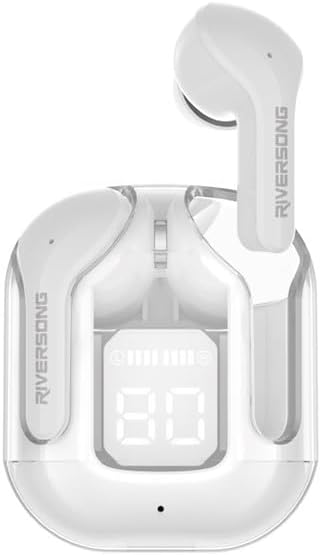
Image: Front view of the RIVERSONG AirFly M2 earbuds inside their transparent charging case, displaying a digital battery percentage.

Image: Top view of the RIVERSONG AirFly M2 earbuds in their charging case, surrounded by icons representing features such as sound quality, touch control, Bluetooth connectivity, microphone, and water resistance.
Setup
1. Charging the Earbuds and Case
Before first use, fully charge the earbuds and the charging case.
- Place the earbuds into the charging case.
- Connect the charging case to a power source using the provided USB cable.
- The digital display on the case will show the charging status and battery level.
2. Pairing with Your Device
- Ensure the earbuds are charged and inside the charging case.
- Open the charging case lid. The earbuds will automatically enter pairing mode.
- On your device (smartphone, tablet, laptop), enable Bluetooth.
- Search for "AirFly M2" in the list of available Bluetooth devices.
- Select "AirFly M2" to connect. Once connected, you will hear a confirmation sound, and the earbuds will be ready for use.
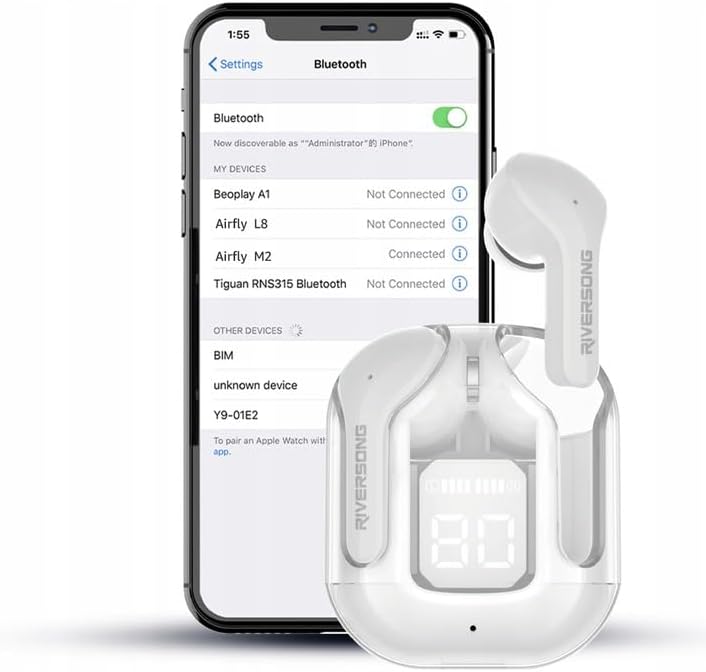
Image: The RIVERSONG AirFly M2 earbuds and charging case positioned next to a smartphone displaying its Bluetooth settings, with "Airfly M2" shown as "Connected".
Operating
Basic Functions (Touch Control)
The AirFly M2 earbuds feature intuitive touch controls. Specific gestures may vary slightly, but common functions include:

Image: A close-up of a hand's finger touching the side of a RIVERSONG AirFly M2 earbud, illustrating the touch control functionality.
- Play/Pause: Single tap on either earbud.
- Next Track: Double tap on the right earbud.
- Previous Track: Double tap on the left earbud.
- Answer/End Call: Single tap on either earbud.
- Reject Call: Press and hold on either earbud.
- Activate Voice Assistant: Triple tap on either earbud.
- Switch ANC/Transparency Mode: Long press (e.g., 2 seconds) on either earbud to cycle through Active Noise Cancellation (ANC) and Transparency modes.
- Game Mode: The earbuds offer a low latency of 40ms for an enhanced gaming experience. Refer to the quick start guide for specific activation gestures.
Wearing the Earbuds
Insert the earbuds gently into your ears, ensuring a comfortable and secure fit for optimal sound quality and noise cancellation.

Image: A person wearing the RIVERSONG AirFly M2 earbuds, demonstrating their in-ear fit.
Maintenance
Cleaning
Regularly clean your earbuds and charging case to maintain optimal performance and hygiene.
- Use a soft, dry, lint-free cloth to wipe the earbuds and charging case.
- For stubborn dirt, slightly dampen the cloth with water or a mild, non-abrasive cleaner.
- Do not use harsh chemicals or abrasive materials.
- Ensure the charging contacts on both the earbuds and the case are clean and dry.
Storage
When not in use, store the earbuds in their charging case to protect them from dust, damage, and to keep them charged.
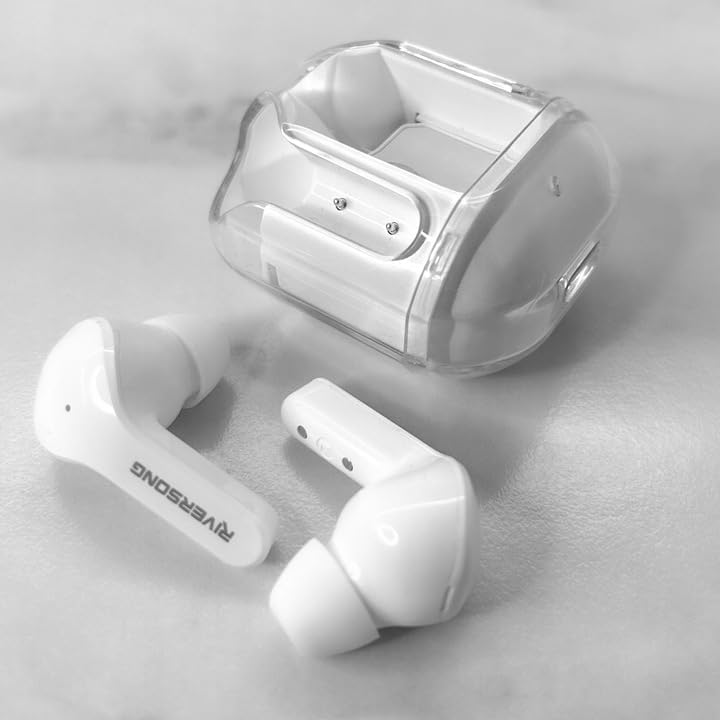
Image: The RIVERSONG AirFly M2 earbuds placed next to their open, empty charging case, showing the design of both components.
Water Resistance
The AirFly M2 earbuds are rated IPX5 water-resistant, meaning they can withstand splashes and sweat. They are not designed for submersion in water.

Image: The RIVERSONG AirFly M2 earbuds and their charging case resting on a surface with water droplets, illustrating their IPX5 water resistance.
Troubleshooting
| Problem | Solution |
|---|---|
| Earbuds not pairing |
|
| No sound from one earbud |
|
| Charging case not charging |
|
| Poor sound quality |
|
Specifications
- Model Name: AirFly M2
- Model Number: EA233
- Connectivity: Wireless Bluetooth 5.3
- Compatible Devices: Smartphones, computers, laptops, tablets, and other Bluetooth-enabled devices
- Frequency Range: 20 Hz - 20,000 Hz
- Special Features: Built-in Microphone, Touch Control, Active Noise Cancellation (ANC), True Wireless Stereo (TWS), Gaming Mode (40ms latency)
- Water Resistance: IPX5 (Splash-proof)
- Battery Type: Lithium-ion (Rechargeable)
- Playtime: Approximately 300 minutes (5 hours) per charge (depending on volume)
- Ear Placement: In-Ear
- Color: White
Warranty and Support
For warranty information and customer support, please refer to the official RIVERSONG website or contact your local retailer.
Note: Information regarding spare parts availability and software updates is not available at this time.
Safety Information
- Do not disassemble, repair, or modify the product.
- Keep the product away from extreme temperatures, direct sunlight, and moisture.
- Avoid dropping or subjecting the product to strong impacts.
- Do not use abrasive cleaning agents or sharp objects to clean the earbuds.
- Dispose of the product responsibly according to local regulations.
- Prolonged exposure to loud volume may cause hearing damage. Adjust volume to a moderate level.