
1. Important Safety Information
Please read all safety instructions carefully before using the ZHIMIFU Electronic Dart Board. Failure to follow these instructions may result in injury or damage to the product.
- Dart Safety: Always ensure the area around the dartboard is clear of people, pets, and fragile objects before throwing darts. Never aim darts at people or animals.
- Power Supply: Use only the provided power adapter. Ensure the power outlet matches the adapter's specifications (Input: 100-240V, Output: 6.0V 0.45A 2.7W).
- Mounting: Securely mount the dartboard to a sturdy wall surface according to the installation instructions to prevent it from falling.
- Children: This product contains small parts and darts with sharp tips. Adult supervision is recommended for children using the dartboard.
- Environment: Do not expose the dartboard to excessive moisture, direct sunlight, or extreme temperatures.
2. Package Contents
Verify that all items listed below are included in your package. If any items are missing or damaged, please contact customer support.
- 1 x ZHIMIFU Electronic Dart Machine with Cabinet
- 12 x Darts
- 88 x Dart Heads (Replacement Tips)
- 1 x Power Adapter (US Standard)
- 1 x English Instruction Manual (This document)

Image: Overview of the ZHIMIFU Electronic Dart Board package contents, showing the closed dartboard cabinet, a set of 12 darts, a bag of 88 replacement dart heads, and the power adapter.
3. Setup Instructions
3.1 Unpacking
- Carefully remove all components from the packaging.
- Inspect all items for any signs of damage. If damaged, do not proceed with setup and contact customer support.
- Retain packaging materials for future storage or transport.
3.2 Wall Mounting
The ZHIMIFU Electronic Dart Board is designed for wall-mounted installation. Choose a sturdy wall location with sufficient space for throwing darts (typically 7 feet 9.25 inches from the throw line to the face of the dartboard).
- Determine the desired height. The center of the bullseye should be 5 feet 8 inches (1.73 meters) from the floor.
- Mark the mounting points on the wall. Use appropriate wall anchors and screws for your wall type (not included).
- Securely attach the dartboard cabinet to the wall. Ensure it is level and stable.
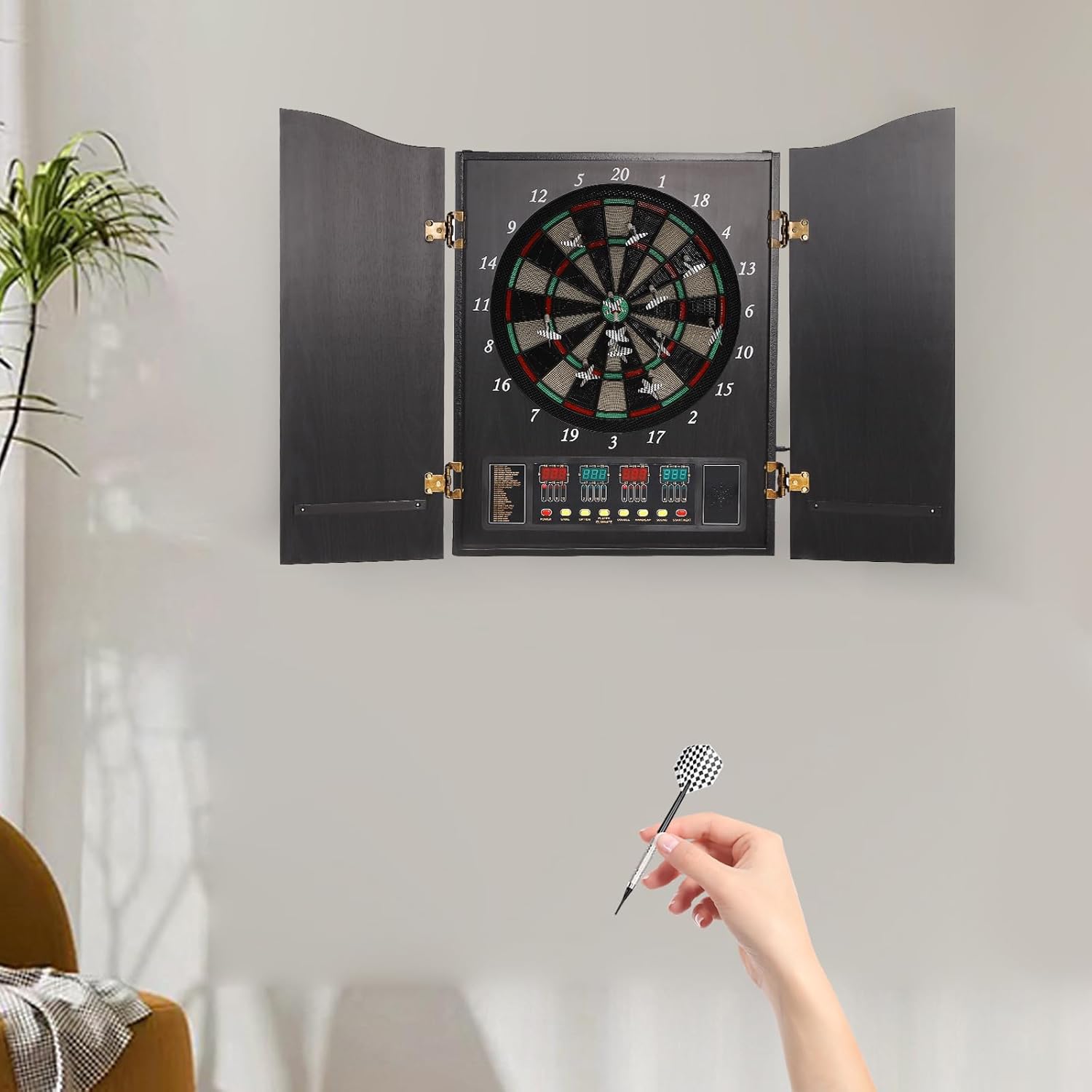
Image: The ZHIMIFU Electronic Dart Board cabinet, with its doors open, mounted on a light-colored wall. A hand is shown holding a dart, indicating readiness for play.
3.3 Power Connection
- Locate the DC input jack on the dartboard unit.
- Connect the provided power adapter to the DC input jack.
- Plug the power adapter into a standard electrical outlet.
- The dartboard will power on or enter standby mode.

Image: A close-up view of the US standard power adapter, showing the plug and the DC output cable, used to power the electronic dart board.
4. Operating Instructions
The ZHIMIFU Electronic Dart Board features a user-friendly control panel and digital scorekeeping.

Image: The ZHIMIFU Electronic Dart Board with its cabinet doors fully open, revealing the dartboard target area and the digital display control panel below it.

Image: A detailed close-up of the electronic dart board's control panel. It features four LED displays for scores and various control buttons labeled Power, Game, Option, Player/Eliminate, Double, Handicap, Sound, and Start/Next.
4.1 Basic Operation
- Power On: Press the POWER button to turn on the dartboard. The display will illuminate.
- Select Game: Press the GAME button repeatedly to cycle through the 27 available game categories and their 243 sub-categories. The selected game will be shown on the display.
- Select Players: Press the PLAYER/ELIMINATE button to choose the number of players (up to 16).
- Start Game: Once the game and number of players are selected, press the START/NEXT button to begin the game.
- Voice Prompt: The dartboard features an English voice prompt function to announce scores and game status.
4.2 Game Play
- Throw darts at the target area. The electronic sensor will automatically register the score.
- Remove darts from the board after each player's turn.
- Follow the on-screen prompts and voice announcements for game progression.
- Use the OPTION button to adjust specific game settings (e.g., difficulty, scoring variations) if available for the selected game.
- The DOUBLE and HANDICAP buttons are used for specific game rules or player adjustments. Refer to the in-game instructions for their specific functions.
- The SOUND button can be used to toggle sound effects or voice prompts on/off.

Image: A detailed close-up of the dartboard's playing surface, showing the numbered segments from 1 to 20, the inner and outer bullseye, and the double and triple scoring rings in red, green, and black.
5. Maintenance
Regular maintenance will help prolong the life and performance of your dart board.
- Cleaning: Wipe the dartboard cabinet and control panel with a soft, dry cloth. For stubborn marks, a slightly damp cloth can be used, followed by immediate drying. Do not use abrasive cleaners or solvents.
- Dart Care: Regularly check dart tips for wear or damage. Replace broken or bent dart heads with the provided spares (88 dart heads included). Ensure darts are clean and free of debris.
- Storage: When not in use, close the cabinet doors to protect the dartboard surface from dust and damage. Store darts safely in the designated holders within the cabinet.
- Power Off: Always turn off the dartboard and unplug the power adapter when not in use for extended periods.

Image: The ZHIMIFU Electronic Dart Board with its cabinet doors open, displaying the dartboard with multiple darts embedded in various scoring segments, illustrating typical game use.
6. Troubleshooting
If you encounter issues with your dart board, refer to the following common problems and solutions:
- No Power:
- Ensure the power adapter is securely plugged into both the dartboard and a working electrical outlet.
- Check if the power outlet is functional by plugging in another device.
- Press the POWER button firmly.
- Darts Not Registering:
- Ensure darts are thrown with sufficient force to penetrate the segment holes.
- Check dart tips for damage; replace if necessary.
- If a segment is stuck, gently press it to release it.
- Incorrect Scoring:
- Verify that the dart is fully inserted into a segment.
- Ensure no other darts are stuck in adjacent segments, which might interfere with sensors.
- Display Issues:
- Try turning the dartboard off and on again.
- Ensure the power supply is stable.
If the problem persists after attempting these solutions, please contact customer support.
7. Specifications
| Feature | Detail |
|---|---|
| Model | CB05E |
| Material | MDF, PP, ABS |
| Color | Black |
| Folded Size (W*H) | 50 cm * 69 cm (19.68 in * 27.16 in) |
| Expanded Size (L*H) | 102 cm * 62 cm (40.15 in * 24.4 in) |
| Mounting Type | Wall-mounted |
| Power Supply | Adapter (US Standard) |
| Input | 100-240V |
| Output | 6.0V 0.45A 2.7W |
| Game Types | 27 Categories, 243 Sub-categories |
| Display Type | 4 LEDs High Brightness Display |
| Maximum Players | 16 |
| Voice Prompt | English |
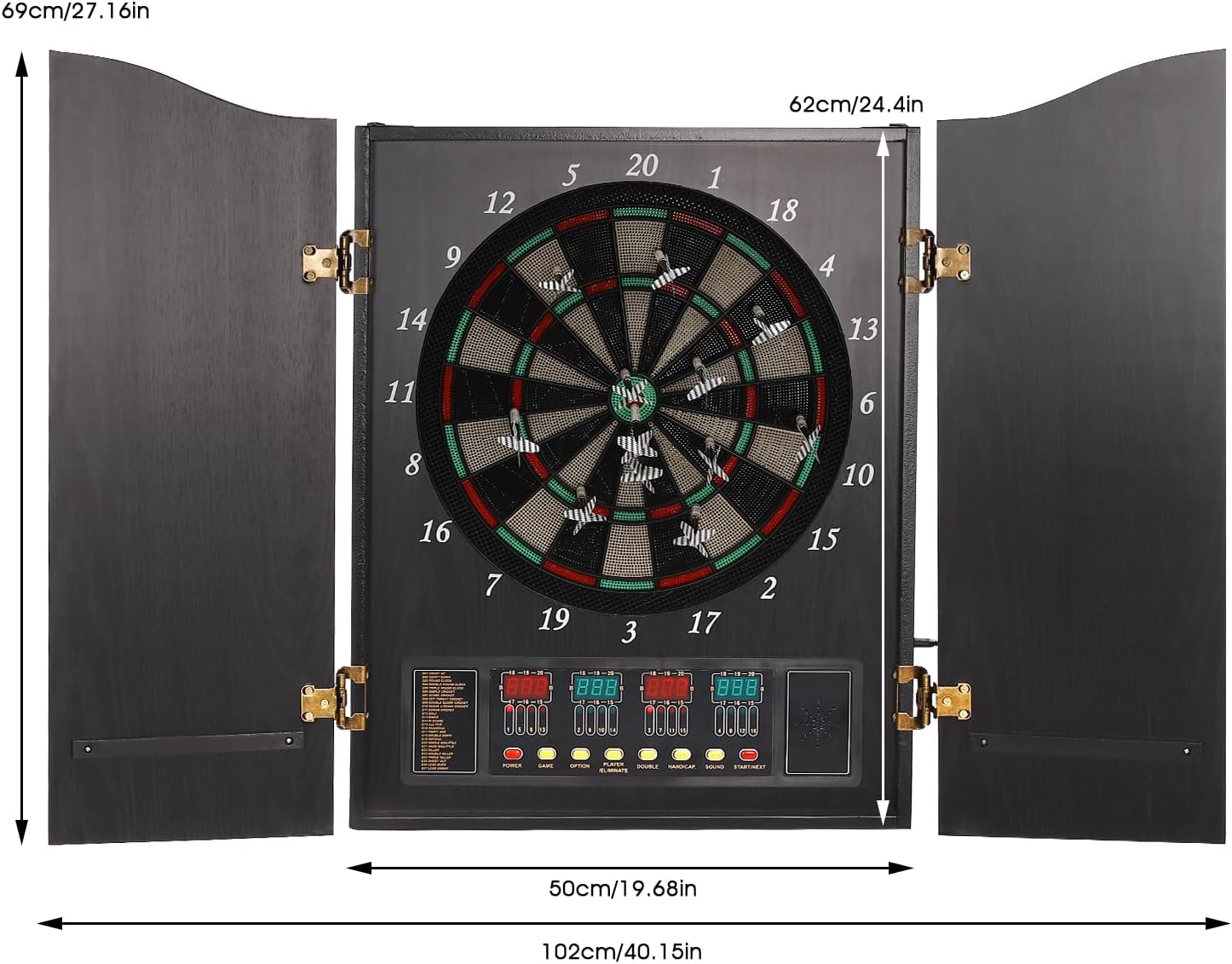
Image: A diagram illustrating the dimensions of the ZHIMIFU Electronic Dart Board cabinet. It shows the folded width as 50cm (19.68 inches) and height as 69cm (27.16 inches), and the expanded width as 102cm (40.15 inches).
8. Warranty and Support
8.1 Warranty Information
The ZHIMIFU Electronic Dart Board (Model CB05E) comes with a warranty that supports returns and exchanges. Please retain your proof of purchase for any warranty claims.
For specific details regarding the warranty period and conditions, please refer to the purchase documentation or contact the seller directly.
8.2 Customer Support
If you have any questions, require technical assistance, or need to report a problem with your product, please contact ZHIMIFU customer support or the retailer from whom you purchased the product.
Please have your model number (CB05E) and purchase date ready when contacting support.