
YITAHOME AEYIHM6RR5
YITAHOME Electric Standing Desk User Manual
Model: AEYIHM6RR5
Introduction
Thank you for choosing the YITAHOME Electric Standing Desk. This desk is designed to enhance your workspace with its height-adjustable features, integrated charging station, LED lighting, and smart control panel. This manual provides essential information for assembly, operation, maintenance, and troubleshooting to ensure a safe and optimal user experience.

Image: Overview of the YITAHOME Electric Standing Desk highlighting its multifunctional design, including spine protection, suitability for all heights, smooth lifting, easy installation, memory height function, low noise operation, and storage cubicle.
Safety Information
Please read and understand all safety instructions before assembling or operating the desk. Failure to follow these instructions may result in injury or damage to the product.
- Maximum Load Capacity: The desk has a maximum load capacity of 80kg (176 lbs). Do not exceed this weight limit to prevent damage or instability.
- Obstruction Clearance: Ensure there are no obstacles in the path of the desk's movement (up or down) to prevent collisions and damage to the desk or surrounding furniture.
- Anti-Collision Technology: The desk is equipped with smart sensors to detect obstacles. While this feature helps prevent bumps and scratches, always exercise caution during height adjustments.
- Power Disconnection: In case of power failure during operation, the tabletop will not slide off. However, for maintenance or extended periods of non-use, always disconnect the power cord from the outlet.
- Assembly: Follow the detailed installation instructions provided. Ensure all components are securely fastened before use.
- Cleaning: Wipe the desk with a damp cloth. Avoid using harsh chemicals or abrasive cleaners.
Features
Sturdy Steel Construction
The desk features a robust steel frame (8cm x 5cm with 1.5mm wall thickness) and an 18mm thick desktop, providing enhanced sturdiness and stability. It supports a maximum load of 80kg. The materials are non-toxic and odorless, ensuring an environmentally friendly and durable product.

Image: Illustration showing the desk's sturdy steel structure, upgraded motor, and a maximum load capacity of 80kg, tested for 50,000 lifts.
Electric Height Adjustable System
Adjust the desk height electrically from 72cm to 120cm (28.3" to 47.2") at a speed of 25 mm/sec. The operation is quiet, with a noise level below 50 dB. The system includes 4 memory buttons for saving preferred height settings, accommodating users from 112cm to 197cm (44" to 77.5") in height.
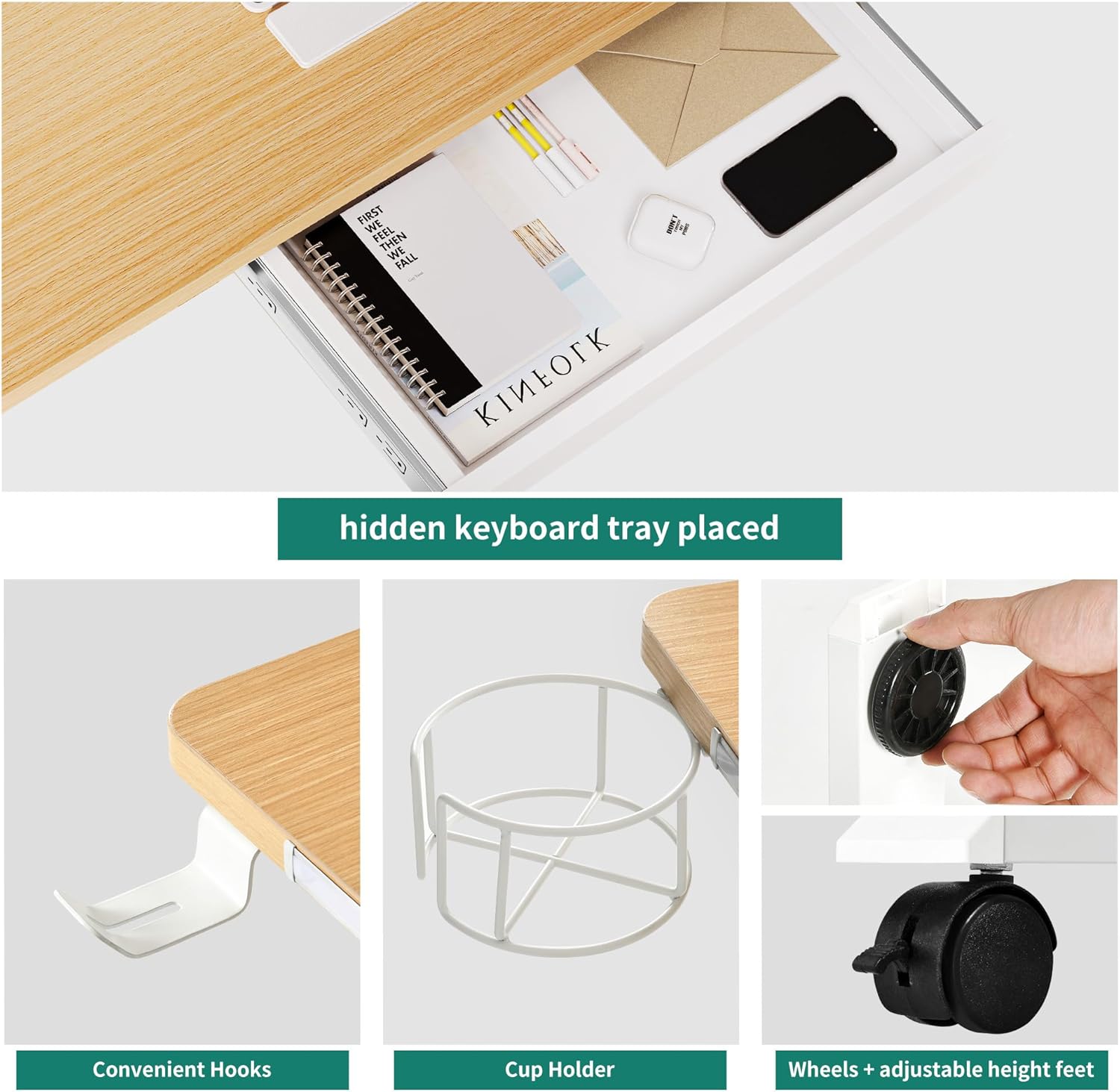
Image: Diagram illustrating the ergonomic height adjustment of the desk, showing optimal sitting and standing heights for male and female users, ranging from 72cm to 120cm.
Smart Control Panel with Ergonomic Design
The upgraded smart control panel features 4 Memory Modes, a Safe Lock Mode (to prevent accidental touches), USB Charging, Up and Down Keys, an LED Touch Display, and Anti-Collision Technology. These functions promote healthier work habits.

Image: Close-up of a hand interacting with the smart control panel, showing the up/down buttons and memory presets (1, 2, 3, 4).
Integrated Charging Station
The desk includes 2 standard AC outlets and 2 USB ports, along with a 1.5m (6.56 ft) power cord, allowing simultaneous charging of up to 4 devices. This eliminates the need for additional power strips, keeping your workspace tidy.

Image: Detailed view of the built-in charging station on the desk, featuring two AC outlets and two USB ports, with a power cord extending from it.
Upgraded Storage Design & Accessories
The desk features a built-in drawer for small items like keyboards, folders, and notebooks. Detachable raised shelves can accommodate two monitors. Additional accessories include a headphone hook, cable hole, 4 adjustable height legs, 4 replaceable silent wheels (360-degree rotation), a cup holder, and 8 wire clips. Rounded corners enhance safety and aesthetics.

Image: Collage showing various features: a hidden keyboard tray/storage drawer, convenient headphone hooks, a cup holder, and replaceable lockable casters (wheels) along with adjustable foot pads.
Adjustable LED Light Strips
Equipped with two LED light strips offering 60,000 colors controllable via an APP or remote. Features include 3 color types (Cold, Warm, Nature) and 7 levels of brightness adjustment. The lights can also sync with music rhythm.
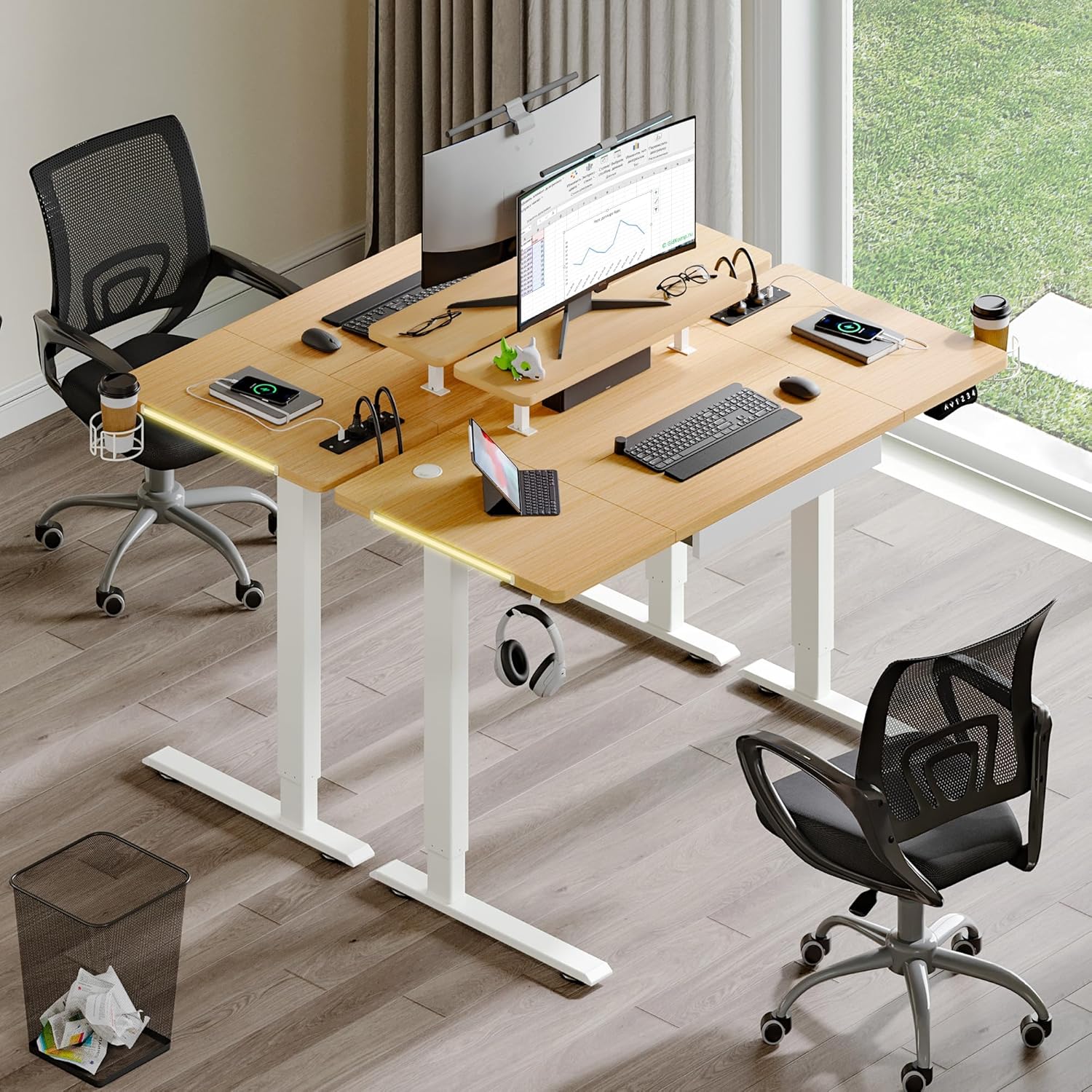
Image: Series of images demonstrating the adjustable RGB light strips on the desk, showing various color options and the desk with lights off and on, controlled by an app or remote.
Setup and Assembly
The YITAHOME Electric Standing Desk is designed for quick and straightforward installation. Detailed instructions and accessory guides are included with your purchase. The pre-drilled holes simplify the assembly process.
Before You Begin:
- Unpack all components and verify against the parts list in your instruction manual.
- Ensure you have adequate space for assembly.
- Gather any necessary tools (though most are typically included or require minimal common tools).
Key Assembly Steps (General Overview):
- Assemble the desk frame components, ensuring all bolts are tightened securely.
- Attach the desktop to the assembled frame, aligning with pre-drilled holes.
- Install the electric motor and connect all necessary cables to the control panel and power unit.
- Mount the control panel, drawer, and any other accessories (headphone hook, cup holder, monitor shelves).
- Manage cables using the provided cable clips and cable holes for a neat setup.
- Choose between adjustable feet or silent wheels for the desk base.
For detailed, step-by-step instructions, please refer to the printed manual included in your product packaging.
Operation
Height Adjustment:
- Up/Down Buttons: Use the Up and Down keys on the smart control panel to manually adjust the desk height.
- Memory Presets: The desk features 4 memory buttons (1, 2, 3, 4). To save a height setting, adjust the desk to your desired height, then press and hold one of the memory buttons until the display confirms the setting is saved. To recall a saved height, simply press the corresponding memory button.
- Safe Lock Mode: Activate the Safe Lock Mode on the control panel to prevent accidental height adjustments, especially useful in households with children. Refer to your specific manual for activation/deactivation steps.
Charging Station Usage:
- Plug the desk's main power cord into a standard wall outlet.
- Connect your devices to the 2 AC outlets (120V/12A) or the 2 USB ports (5V/2A) located on the desk's surface.
- Ensure devices are compatible with the provided power specifications.
LED Light Control:
- Control the LED light strips via the dedicated APP on your smartphone or the included remote control.
- Adjust RGB LED modes, dynamic speed, brightness (7 levels), and choose from Cold, Warm, or Nature light types.
- Utilize the music sync feature to make the lights change color and brightness with the rhythm of your music.
Maintenance
- Cleaning: Regularly wipe the desk surfaces with a soft, damp cloth. Avoid using abrasive cleaners, solvents, or harsh chemicals that could damage the finish.
- Cable Management: Periodically check and organize cables to prevent tangles and ensure smooth desk operation. Use the provided cable clips.
- Motor Care: The electric motor is designed for durability. Avoid overloading the desk beyond its 80kg capacity.
- Inspection: Periodically inspect all screws and connections to ensure they remain tight. Retighten if necessary.
Troubleshooting
| Problem | Possible Cause | Solution |
|---|---|---|
| Desk does not move or motor glitches (e.g., cannot detect height). | Temporary electronic glitch or sensor calibration issue. |
|
| Desk is wobbly at higher settings. | Uneven floor, loose connections, or exceeding weight capacity. |
|
| LED lights not working. | Loose connection, app/remote issue, or light strip damage. |
|
If you encounter any issues not listed here or require further assistance, please contact YITAHOME customer support.
Specifications

Image: Detailed diagram showing the product dimensions, height range (72-120cm), maximum load (80kg), low noise operation (<50dB), lifting speed (25mm/s), and drawer dimensions.
| Attribute | Detail |
|---|---|
| Brand | YITAHOME |
| Model Number | AEYIHM6RR5 |
| Product Dimensions | 60D x 140W x 120H cm (23.6D x 55.1W x 47.2H inches) |
| Height Adjustment Range | 72 cm - 120 cm (28.3" - 47.2") |
| Maximum Load Capacity | 80 kg (176 lbs) |
| Lifting Speed | 25 mm/sec |
| Noise Level | <50 dB |
| Primary Material | Engineered Wood (Desktop), Alloy Steel (Base) |
| Color | White Frame + Oak Desktop |
| Power Outlets | 2 AC Outlets (120V/12A) |
| USB Ports | 2 USB Ports (5V/2A) |
| Power Cord Length | 1.5 m (6.56 ft) |
| Special Features | Monitor Stand, Adjustable Height, Ergonomic, Built-In USB Outlet, Keyboard Tray Included, LED Lights, Anti-Collision Technology, Memory Presets |
| Assembly Required | Yes |
| What's in the box? | Headphone Hook, Built-in Outlet, Built-in USB Port, Cable Management Tray, Keyboard Tray |
Warranty and Support
YITAHOME provides a 3-year warranty for the desk frame and motor, ensuring peace of mind regarding the core components of your electric standing desk.
Customer Support:
If you have any questions, concerns, or require professional assistance with your YITAHome Electric Standing Desk, please do not hesitate to contact us immediately. We are committed to providing a professional solution within 24 hours.
For contact information, please refer to the contact details provided in your product packaging or visit the official YITAHOME website.
Ask a question about this manual
Ask about setup, troubleshooting, compatibility, parts, safety, or missing instructions. Manuals+ will review the question and use this page’s manual context to help answer it.