
jusmo MG-001
JUSMO ULANZI MG-001 Aluminium Smartphone Video Rig Kit
Instruction Manual
Introduction
The JUSMO ULANZI MG-001 Aluminium Smartphone Video Rig Kit is designed to enhance your mobile filmmaking and vlogging experience. This robust and versatile phone cage provides a stable platform for your smartphone, allowing for the attachment of various accessories such as microphones, LED lights, and external lenses. Constructed from lightweight yet durable aluminum alloy, it offers a professional and convenient solution for capturing high-quality video content.
Key features include MagSafe compatibility for quick phone attachment, multiple extension ports for accessories, and detachable dual handles for improved stability and control during shooting.

Image: The JUSMO ULANZI MG-001 Smartphone Video Rig Kit, fully assembled with handles and a central MagSafe magnetic mount for a smartphone.
Setup
- Unpack Components: Carefully remove all components from the packaging. The kit includes the main phone cage frame, two detachable side handles, a MagSafe magnetic mount, and an Allen wrench.
- Attach MagSafe Mount: Locate the MagSafe magnetic mount. This component screws into the central 1/4" threaded hole on the bottom interior of the phone cage frame. Use the provided Allen wrench to secure it firmly. Ensure the magnetic surface is facing upwards, ready to receive your smartphone.
- Install Side Handles: The two side handles can be attached to various 1/4" threaded holes along the sides or top of the phone cage. Insert the handle's attachment pin into the desired slot and twist the knob on the handle to tighten it securely. The handles can be positioned for horizontal or vertical shooting, or even as a top handle.
- Mount Your Smartphone: For iPhone 12 and newer models, simply align your device with the MagSafe mount in the center of the cage. The magnetic connection will secure the phone. For other smartphones, if MagSafe is not supported, the MagSafe mount can be unscrewed and replaced with a standard tripod phone mount holder (sold separately) using the same 1/4" screw.
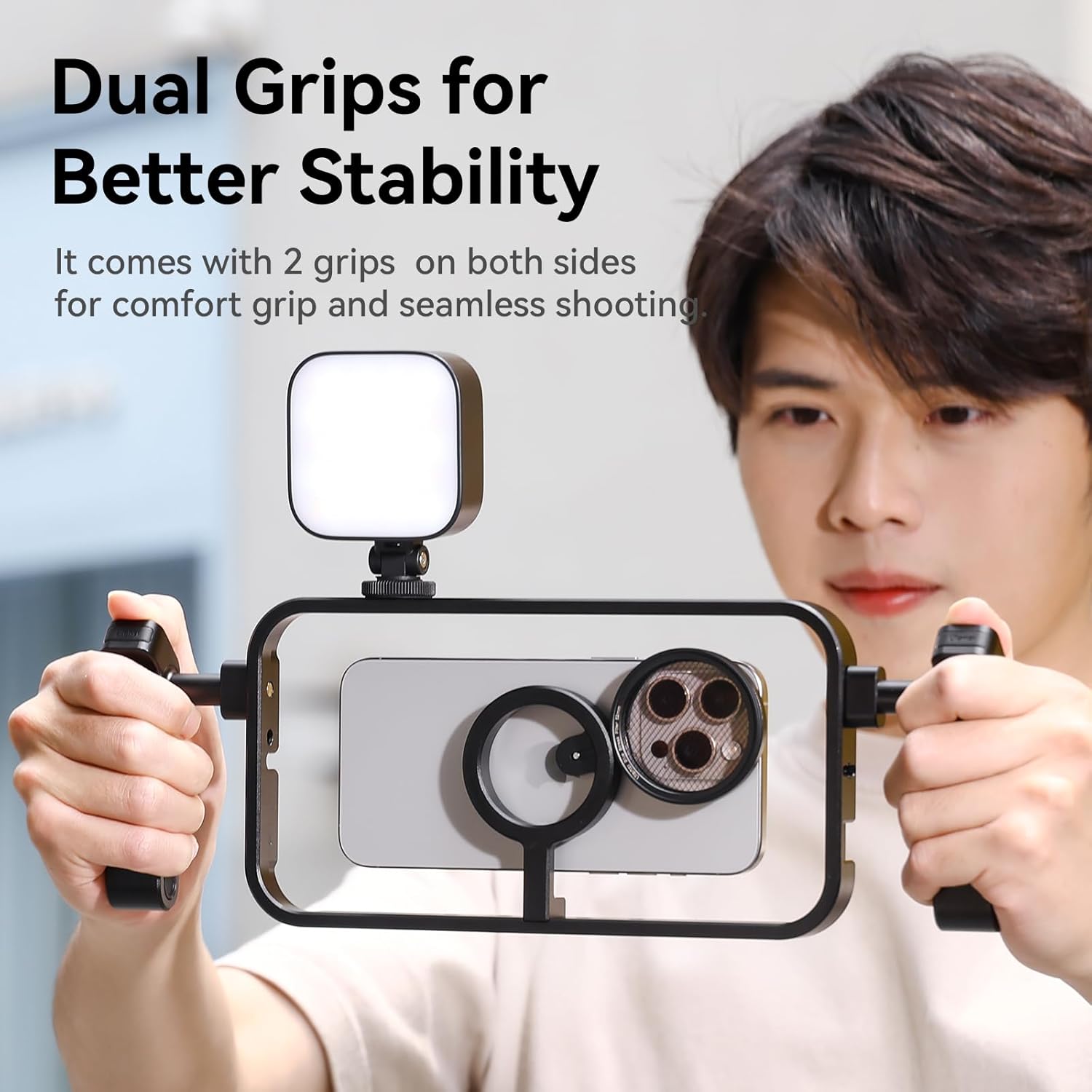
Image: A detailed view demonstrating the easy magnetic installation of a smartphone into the rig's MagSafe mount.

Image: An illustration highlighting the quick-release and detachable design of the grips, allowing for flexible configuration.
Operating
Attaching Accessories
The MG-001 rig features multiple mounting points for various photographic accessories:
- Cold Shoe Mounts: The rig includes several cold shoe mounts located on the top and sides. These are ideal for attaching microphones, LED video lights, or other cold shoe compatible accessories.
- 1/4" Extension Ports: Numerous 1/4" threaded holes are distributed across the frame. These ports allow for the attachment of additional accessories, mini tripods, or external handles.
- Locating Holes: Specific locating holes provide enhanced stability for certain accessories, preventing rotation.
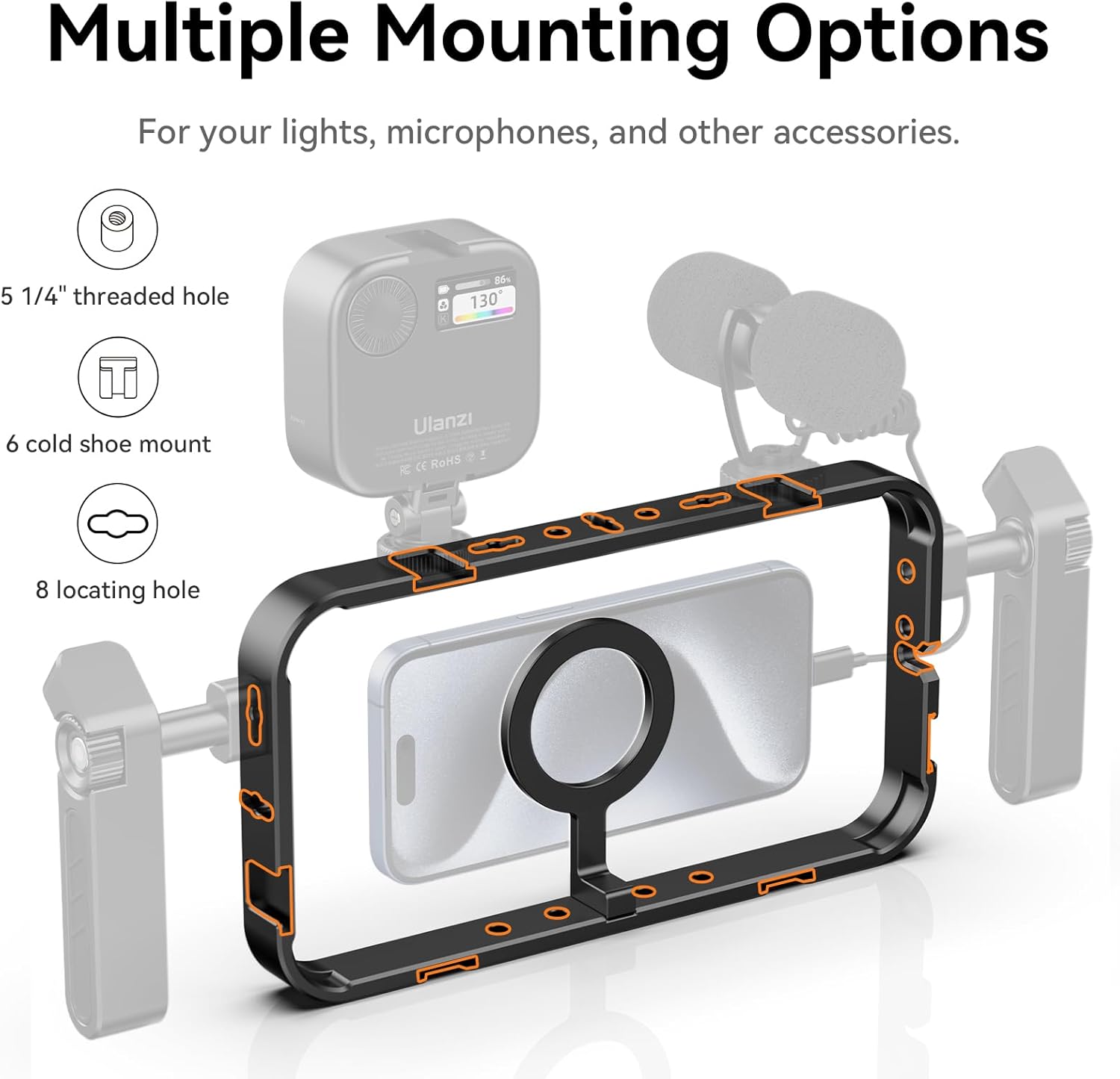
Image: A visual guide to the various mounting options available on the phone cage, detailing the placement of 1/4" threaded holes, cold shoe mounts, and locating holes.
Shooting Modes and Stability
- Handheld Filming: Utilize the dual side handles for a stable, two-handed grip, reducing shake and improving control during handheld video recording. The handles can be adjusted to your preferred angle for comfort.
- Tripod Mounting: The 1/4" threaded holes on the bottom of the rig allow for direct attachment to a tripod or monopod, providing a stationary setup for interviews, time-lapses, or stable shots.
- Vertical and Horizontal Shooting: The MagSafe module can be disassembled and reinstalled to accommodate both horizontal (landscape) and vertical (portrait) photography and videography orientations.
- Top Handle Configuration: One of the side handles can be repositioned to the top of the cage, offering an alternative grip for low-angle shots or increased stability.
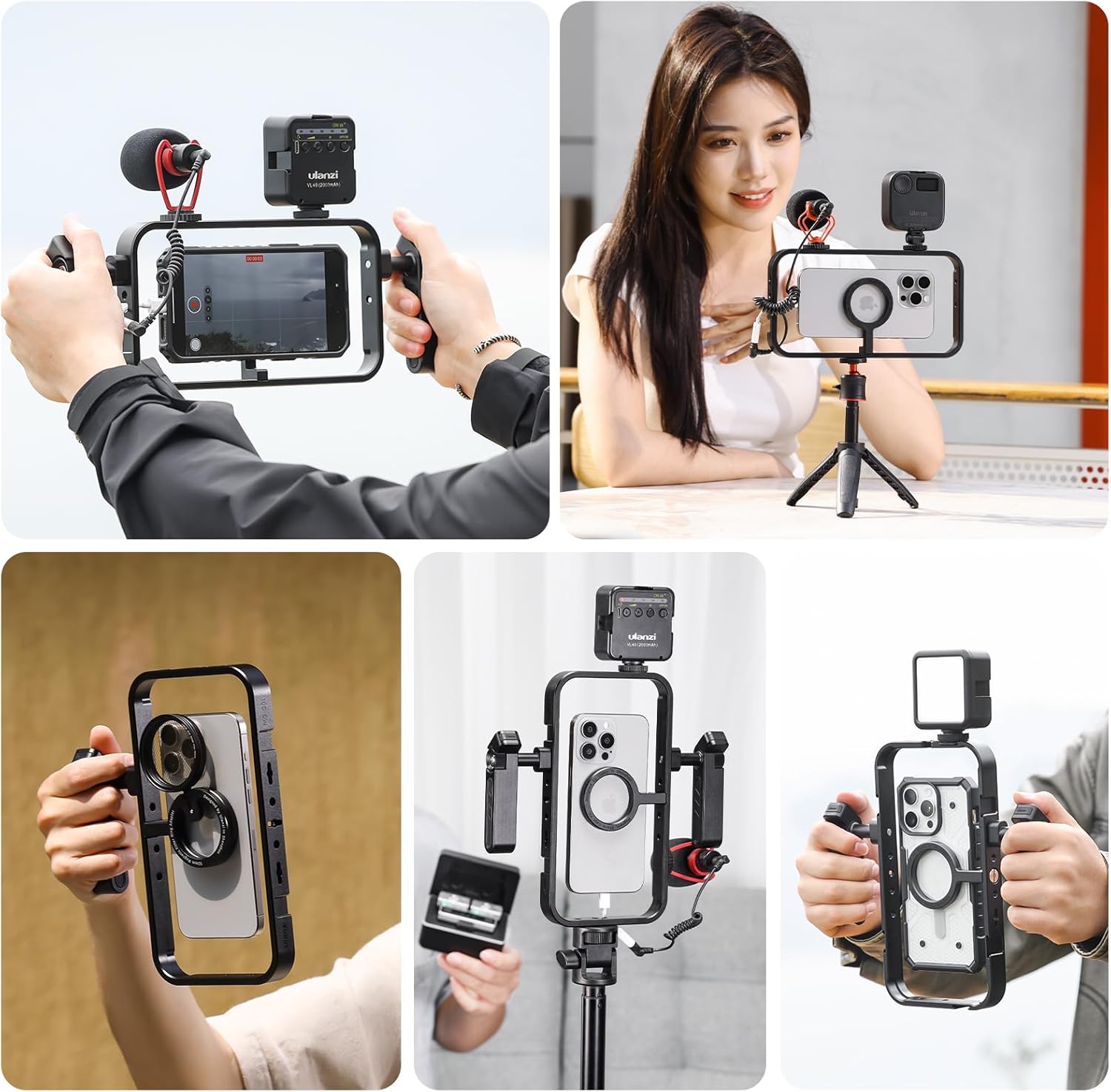
Image: A collage showcasing the versatility of the phone rig in different shooting scenarios, including handheld use, tripod mounting, and various accessory configurations.

Image: Demonstrations of the rig's adaptability: functioning as a magnetic stand on a tripod, configured with a top handle, and used with traditional side handle grips.
Maintenance
- Cleaning: Wipe the aluminum frame and plastic components with a soft, dry, or slightly damp cloth. Avoid using harsh chemicals or abrasive materials, which can damage the finish.
- Storage: When not in use, store the rig in a clean, dry place away from direct sunlight and extreme temperatures. The detachable design allows for compact storage.
- Inspecting Screws: Periodically check all screws and connections, especially those for the handles and MagSafe mount, to ensure they remain tight. Re-tighten with the Allen wrench if necessary.
Troubleshooting
- Phone Not Securing Firmly (MagSafe):
- Ensure your phone is an iPhone 12 or newer, or has a MagSafe-compatible case.
- Verify the MagSafe mount is correctly installed and tightened.
- Note: For intense shooting scenes, the MagSafe function might not provide sufficient security. Consider using a mechanical phone clamp if available, or exercise caution. - Handles Feel Loose:
- Ensure the handle's attachment pin is fully inserted into the desired slot.
- Firmly twist the tightening knob on the handle until it is secure. - Accessories Not Fitting Cold Shoe/1/4" Ports:
- Confirm the accessory is compatible with standard cold shoe mounts or 1/4" threaded screws.
- Check for any obstructions in the mounting points. - Need to use a non-MagSafe phone:
- The MagSafe mount can be unscrewed from the rig. Replace it with a standard tripod phone mount holder (not included) that utilizes a 1/4" screw for attachment.
Specifications
| Feature | Detail |
|---|---|
| Model Number | MG-001 |
| Material | Main body aluminum alloy + magnet |
| Color | Black |
| Product Dimensions | 225 x 120 x 16 mm (8.85 x 4.72 x 0.63 inches) |
| Product Weight | 205g (0.45 lbs) |
| Compatible Devices | Smartphones (MagSafe compatible or with adapter) |
| Mounting Points | Cold shoe mounts, 1/4" threaded holes, locating holes |

Image: A visual representation of the ULANZI MG-001 phone cage, detailing its dimensions, color, material, and included components.
Warranty and Support
For warranty information and technical support, please refer to the official JUSMO or ULANZI website, or contact your retailer directly. Keep your purchase receipt as proof of purchase for any warranty claims.
Online resources, including FAQs and additional product guides, may be available on the manufacturer's support pages.
Ask a question about this manual
Ask about setup, troubleshooting, compatibility, parts, safety, or missing instructions. Manuals+ will review the question and use this page’s manual context to help answer it.