
1. Introduction
The Mastfuyi FY157B is a versatile digital multimeter designed for accurate electrical measurements. It features automatic identification, intelligent anti-burning protection, and a dual mode for both automatic and manual measurements. This manual provides essential information for the safe and effective use of your device.
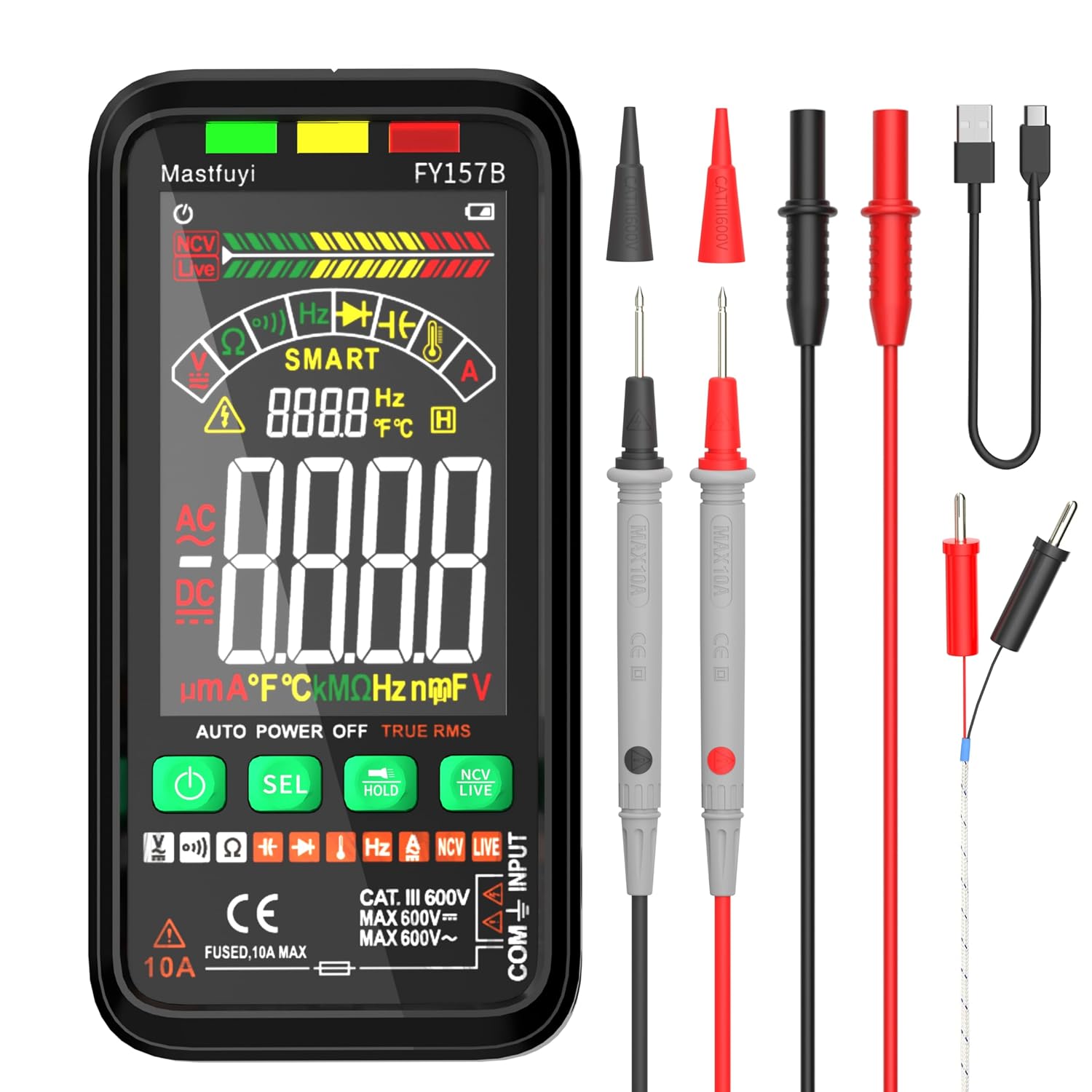
Figure 1.1: The Mastfuyi FY157B Digital Multimeter shown with its test leads, thermocouple, and USB-C charging cable.
2. Package Contents
Please verify that all items are present in the package:
- 1 x Mastfuyi FY157B Rechargeable Digital Multimeter
- 2 x Test Leads (Red and Black)
- 1 x User Manual
- 1 x TYPE-C Charging Cable
- 1 x Thermocouple
3. Product Overview
Familiarize yourself with the components of the Mastfuyi FY157B Digital Multimeter.
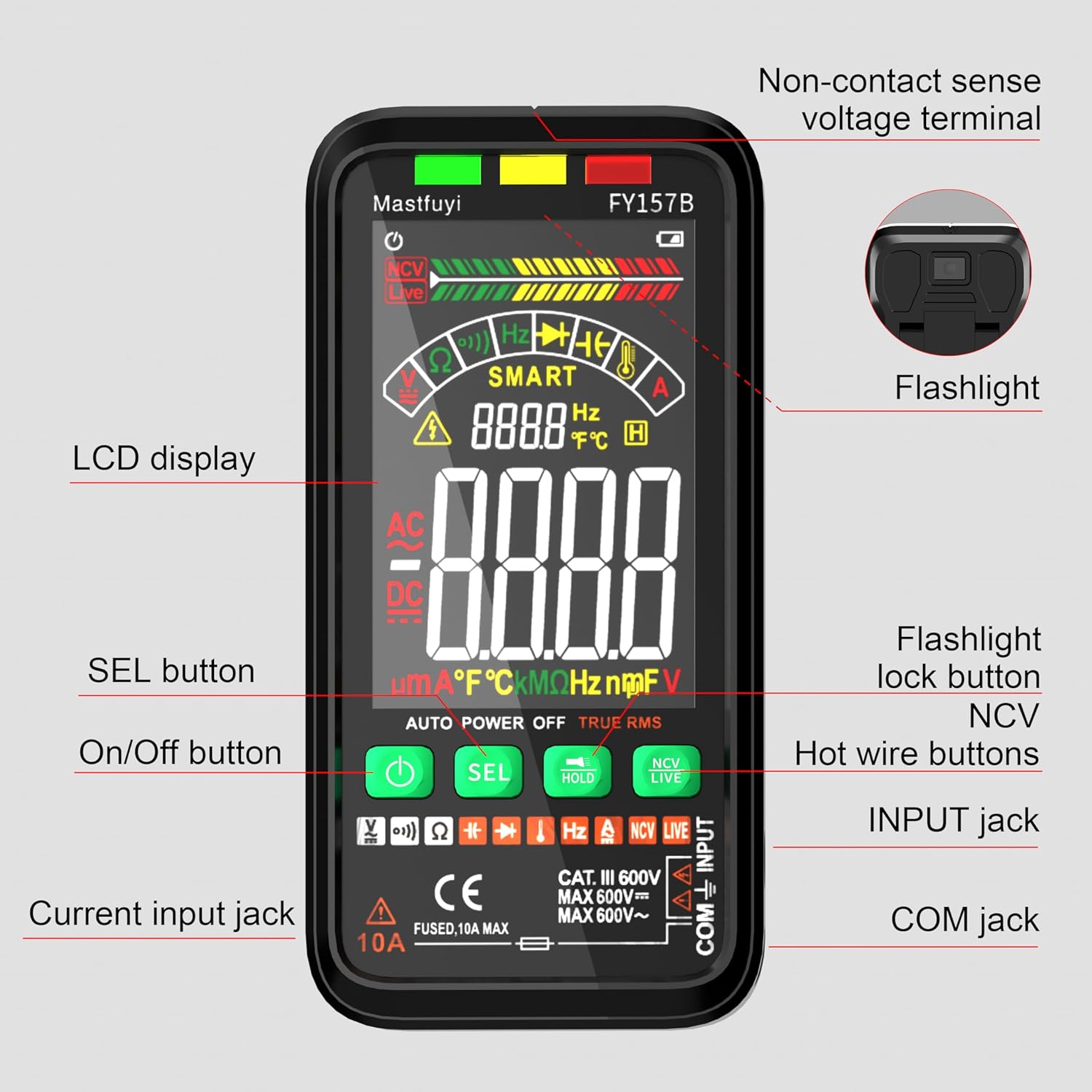
Figure 3.1: Labeled components of the Mastfuyi FY157B Multimeter. Key parts include the LCD display, On/Off button, SEL button, HOLD button, NCV/LIVE button, Current input jack, INPUT jack, COM jack, Non-contact voltage terminal, and Flashlight.
4. Setup
4.1. Charging the Multimeter
The Mastfuyi FY157B is equipped with a rechargeable Li-ion battery. To charge the device:
- Locate the back cover of the multimeter.
- Important Note: The TYPE-C charging socket is located under the back cover for protection. You will need a screwdriver to unscrew the screws on the back cover.
- Carefully remove the back cover to access the TYPE-C charging port. Ensure removed screws are kept in a safe place.
- Connect the provided TYPE-C charging cable to the port and to a suitable USB power source.
- Allow the multimeter to charge until the battery indicator shows a full charge.
- Once charging is complete, disconnect the cable and reattach the back cover, securing it with the screws.

Figure 4.1: The USB-C charging port is located beneath the back cover, requiring a screwdriver for access.
4.2. Connecting Test Leads
Before using the multimeter, ensure the test leads are properly connected and prepared.
- Insert the black test lead into the 'COM' (Common) jack.
- Insert the red test lead into the 'INPUT' jack for most measurements (voltage, resistance, capacitance, frequency, diode, continuity, temperature). For current measurements up to 10A, use the '10A' jack.
- Operation Note: Always remove the protective caps from the test lead probes before use to ensure proper contact.

Figure 4.2: Remove the protective caps from the test leads prior to making measurements.
5. Operating Instructions
5.1. Power On/Off
Press the green power button to turn the multimeter on or off. The device features an automatic shutdown function to conserve battery life when not in use.
5.2. Automatic Identification Mode
Upon power-on, the multimeter defaults to automatic identification mode. In this mode, the device intelligently detects the type of measurement (DC/AC voltage, frequency, continuity, resistance) and displays the reading without requiring manual range selection. This mode also includes intelligent anti-burning protection up to 250V.

Figure 5.1: Automatic identification mode simplifies measurements by detecting the parameter automatically.
5.3. Manual and Auto Dual Mode
The multimeter offers a dual mode for flexibility. Press the 'SEL' button to switch between automatic and manual measurement modes.
- Automatic Mode: Measures DC/AC voltage, frequency, continuity, and resistance.
- Manual Mode: Allows selection for capacitance, diode, continuity, temperature, frequency, DC/AC current, LIVE, and NCV functions. Use the 'SEL' button to cycle through manual functions.

Figure 5.2: Switching between automatic and manual modes using the 'SEL' button.
5.4. Specific Measurement Functions
5.4.1. NCV Non-Contact Voltage Detection
The NCV function allows for non-contact detection of AC voltage. Press the 'NCV/LIVE' button to activate this mode. The screen will display an analog bar strength and emit an alarm with varying frequencies depending on the proximity to the power source.

Figure 5.3: NCV detection indicating the presence of voltage without direct contact.
5.4.2. LIVE Mode (Neutral & Hot Wire Judgment)
In LIVE mode, the multimeter can identify neutral and hot (live) wires in an outlet using a single test lead. Press the 'NCV/LIVE' button to cycle to LIVE mode. Insert the red test lead into an outlet to determine the live wire.
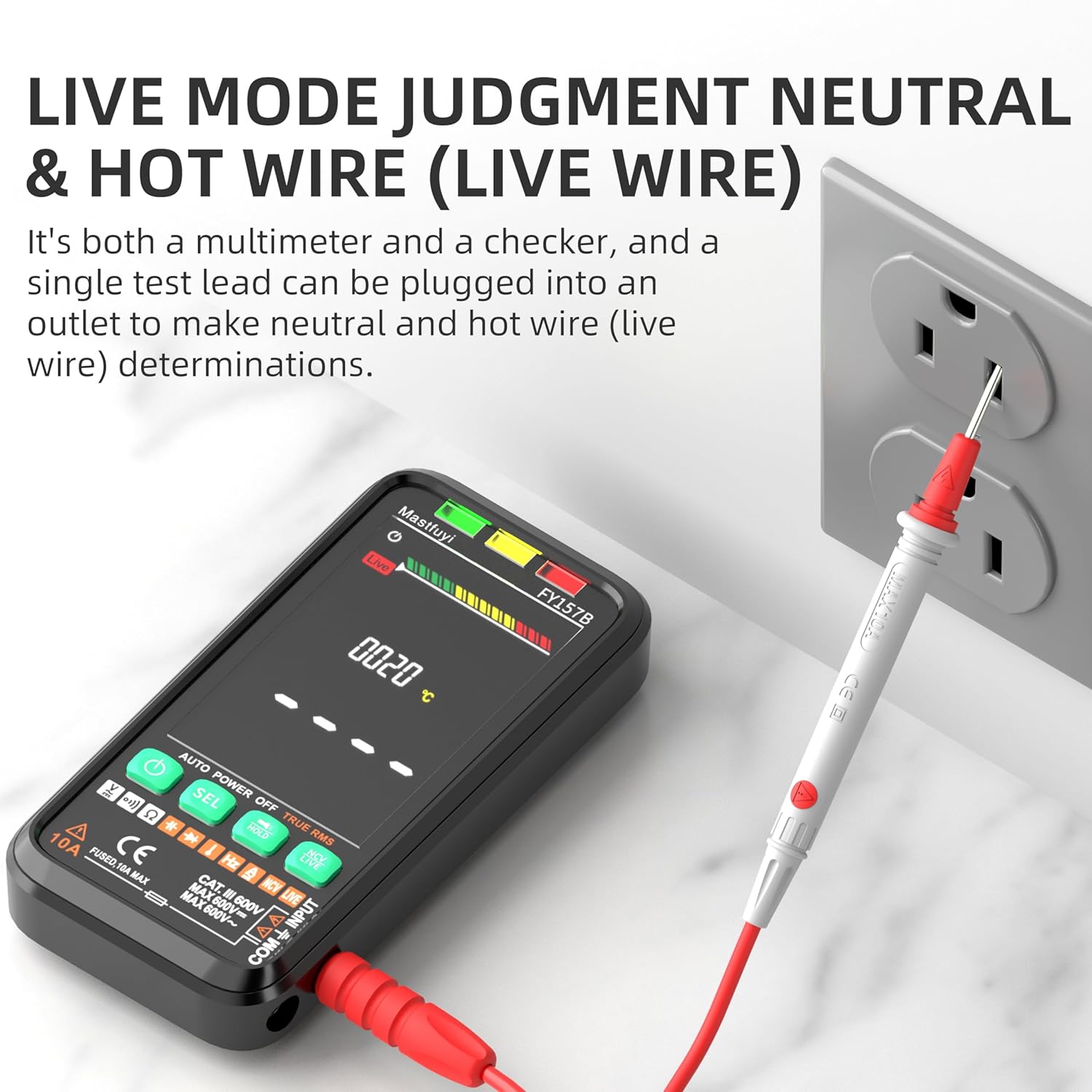
Figure 5.4: Using LIVE mode to identify the hot wire in an electrical socket.
5.4.3. Capacitance Measurement
To measure capacitance, switch to manual mode and select the capacitance function. Connect the test leads across the capacitor. The multimeter supports a capacitance range of 6nF to 6000μF.

Figure 5.5: Measuring capacitance with the multimeter.
5.4.4. Temperature Measurement
For temperature measurements, connect the provided thermocouple to the multimeter in manual mode. The device can measure ambient temperatures from 0-70°C and industrial temperatures from -20-1000°C.

Figure 5.6: Using the thermocouple to measure temperature.
5.4.5. Other Measurement Modes
The multimeter supports various other measurement modes, accessible via the 'SEL' button in manual mode:
- Continuity: Tests for electrical continuity, typically indicated by an audible tone.
- Diode: Measures the forward voltage drop of a diode.
- Frequency: Measures the frequency of AC signals.
- DC/AC Current: Measures direct and alternating current. Ensure the red test lead is connected to the '10A' jack for current measurements.
6. Maintenance
6.1. Cleaning
To clean the multimeter, wipe the casing with a damp cloth. Do not use abrasive cleaners or solvents. Ensure the device is powered off and disconnected from any circuits before cleaning.
6.2. Battery Care
The integrated Li-ion battery is designed for durability. To prolong battery life, avoid fully discharging the battery frequently and store the device in a cool, dry place when not in use for extended periods. Recharge the battery as described in Section 4.1 when the low battery indicator appears on the LCD screen.

Figure 6.1: The LCD screen features a low battery indicator to prompt recharging.
7. Troubleshooting
If you encounter issues with your multimeter, consider the following common troubleshooting steps:
- No Display/Power: Ensure the battery is charged. Check if the power button was pressed correctly.
- Inaccurate Readings: Verify that test leads are securely connected to the correct jacks. Ensure the correct measurement mode (Auto or Manual) is selected for the task. Check for damaged test leads.
- No NCV/LIVE Detection: Ensure the NCV/LIVE button is pressed to activate the correct mode. The detection sensitivity may vary with distance and interference.
- Charging Issue: Confirm the TYPE-C cable is properly inserted into the port under the back cover and connected to a working power source.
8. Specifications
| Feature | Specification |
|---|---|
| Brand | Mastfuyi |
| Model | FY157B |
| Measurement Type | Multimeter |
| Power Source | Battery Powered (Li-ion) |
| Display | Digital LCD, 6000 counts |
| Automatic Identification | Yes |
| Intelligent Anti-burning | Yes (up to 250V) |
| NCV Detection | Yes |
| LIVE Wire Detection | Yes |
| Capacitance Range | 6nF-6000μF |
| Temperature Range | 0-70°C (ambient), -20-1000°C (industrial) |
| Color | Black |
| Package Dimensions | 7.68 x 4.61 x 1.61 inches |
| Weight | 13.76 ounces |
9. Warranty and Support
Mastfuyi provides a 48-month unconditional warranty for this product, along with lifetime after-sales service. For any questions, technical assistance, or warranty claims, please contact Mastfuyi customer support through the official channels provided at the point of purchase or on the manufacturer's website.