
Introduction
This manual provides detailed instructions for the NALACAL Language Translator Device, model REF-7H. This device is designed to facilitate communication across language barriers through advanced AI-powered voice, photo, and offline translation capabilities. Please read this manual thoroughly to ensure proper use and optimal performance of your device.
Package Contents
Verify that all items listed below are included in your package:
- NALACAL Language Translator Device
- Lanyard
- Protective Case
- Charging Cable
- User Manual

Image: Contents of the NALACAL Language Translator Device package.
Device Overview
Familiarize yourself with the physical components of your NALACAL Language Translator Device.

Image: Front and back view of the NALACAL Language Translator Device.
- Front: 4-inch HD Touch Screen, Microphone, Speaker.
- Back: AI Camera for photo translation.
- Sides: Power Button, Volume Buttons, USB-C Charging Port.
Initial Setup
- Charging the Device: Connect the provided USB-C charging cable to the device and a compatible USB power adapter. The device will indicate charging status on the screen. Ensure the device is fully charged before first use.
- Powering On/Off: Press and hold the Power Button on the side of the device for a few seconds to power it on or off.
- Language Selection: Upon first startup, you may be prompted to select the device's interface language. Follow the on-screen instructions.
- Network Connection (for Online Translation): For online translation features, connect the device to a Wi-Fi network. Navigate to Settings > Wi-Fi and select your desired network.
Operating Instructions
The NALACAL translator offers various translation modes. Select the desired mode from the main screen.
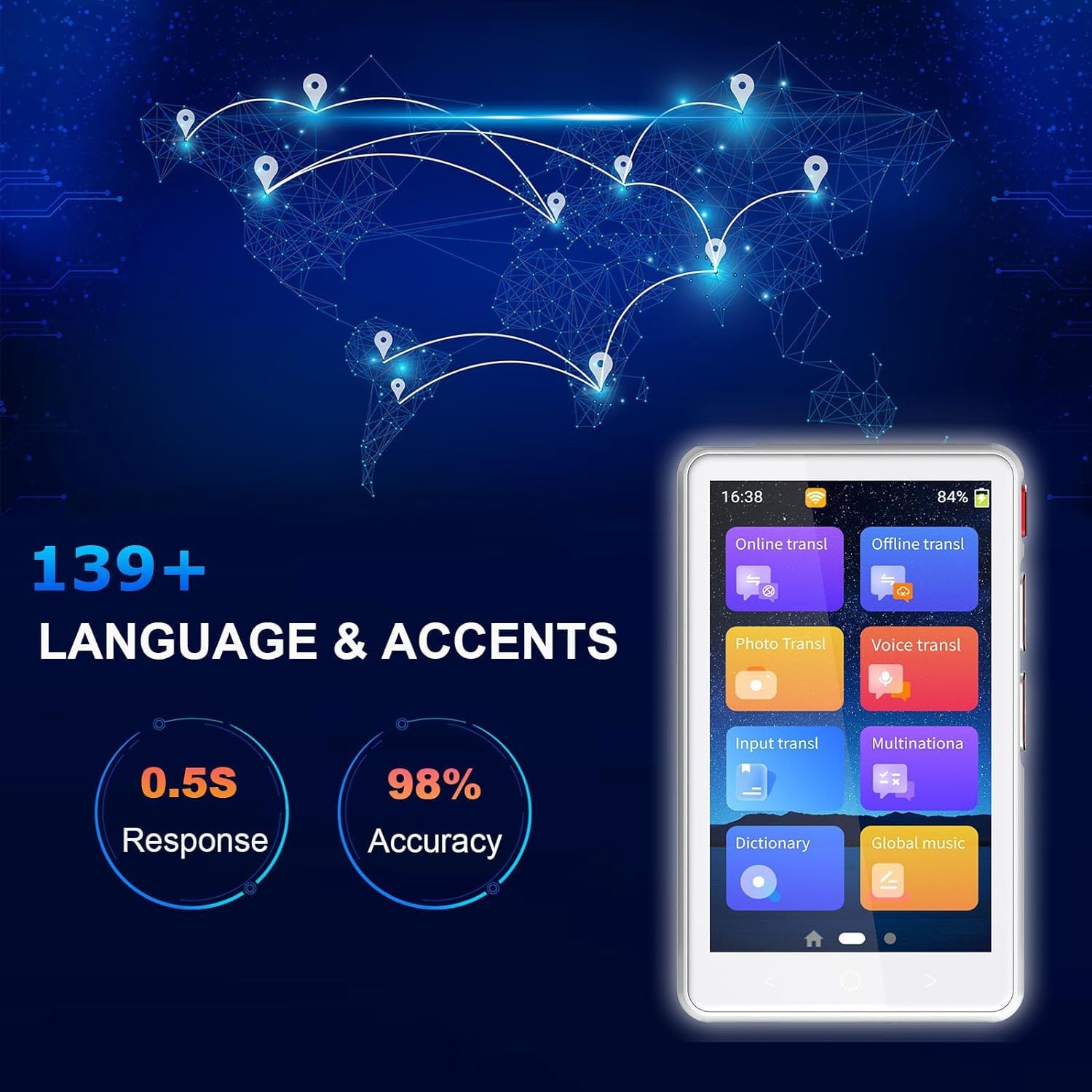
Image: Main interface of the NALACAL Language Translator Device.
1. Online Translation
This mode supports over 139 languages and accents, providing high accuracy and real-time translation when connected to the internet.
- Ensure the device is connected to Wi-Fi.
- Tap 'Online transl' on the main screen.
- Select the source and target languages.
- Press and hold the designated button (usually indicated on-screen) and speak clearly into the microphone. Release the button to hear the translation.
2. Offline Translation
The device supports offline translation for 19 languages, useful in areas without internet access.

Image: Languages supported for offline translation.
- Tap 'Offline transl' on the main screen.
- Select the source and target languages from the available offline options.
- Speak into the microphone as you would for online translation.
3. Photo Translation
Translate text from images, such as menus or signs, using the built-in camera.

Image: Demonstrating photo translation in use.
- Tap 'Photo Transl' on the main screen.
- Point the device's camera at the text you wish to translate.
- Adjust the frame to capture the text clearly and tap the capture button.
- The device will process the image and display the translated text.
4. Voice Translation
This refers to the real-time two-way voice translation functionality available in both online and offline modes.
- Select either 'Online transl' or 'Offline transl'.
- Choose your desired languages.
- Use the dedicated voice input buttons (often labeled A and B for two-way conversation) to speak and translate.
5. Other Features
- Input Translation: Allows manual text input for translation.
- Dictionary: Access a built-in dictionary for word definitions.
- Global Music: This feature may provide access to music services; refer to on-screen instructions for details.
Maintenance
- Cleaning: Use a soft, dry cloth to clean the device screen and body. Avoid using liquid cleaners or abrasive materials.
- Storage: Store the device in a cool, dry place away from direct sunlight and extreme temperatures.
- Battery Care: To prolong battery life, avoid fully discharging the device frequently. Charge it regularly.
- Protection: Use the provided protective case to guard against scratches and minor impacts.
Troubleshooting
If you encounter issues with your NALACAL Language Translator Device, refer to the following common solutions:
- Device not turning on: Ensure the device is fully charged. Connect it to a charger and wait a few minutes before attempting to power it on again.
- Inaccurate translation: Check your internet connection for online translation. For voice translation, speak clearly and at a moderate pace. Ensure correct source and target languages are selected.
- Wi-Fi connection issues: Verify your Wi-Fi password and ensure the device is within range of the router. Try restarting the device and your router.
- Screen unresponsive: Try restarting the device. If the issue persists, ensure the screen is clean and free of debris.
Technical Specifications
| Feature | Specification |
|---|---|
| Brand | NALACAL |
| Model Number | REF-7H |
| Product Dimensions | 18 x 10 x 5 cm |
| Item Weight | 287 g |
| Display | 4-inch HD Screen |
| Online Translation Languages | 139+ Languages & Accents |
| Offline Translation Languages | 19 Languages (English, Spanish, Japanese, Korean, German, Russian, French, Thai, Arabic, Italian, Portuguese, Dutch, Indonesian, Hindi, Mandarin, Vietnamese, Taiwanese, Traditional Chinese) |
| Photo Translation Languages | 56 Languages |
| Response Time | Approximately 0.8 seconds |
| Translation Accuracy | Up to 98% |
| Batteries Required | No (Built-in rechargeable battery) |
Support Information
For further assistance, technical support, or warranty inquiries, please contact NALACAL customer service through the retailer where the product was purchased or refer to the contact information provided on the product packaging.