
Introduction
The GOYERRNES GR-5800G is a portable ammonia gas meter designed for accurate monitoring of NH3 levels, temperature, and humidity. It features an electrochemical sensor for real-time detection, a clear LCD display, and an alarm system to ensure environmental safety. This manual provides essential information for the proper setup, operation, and maintenance of your device.
Key Features
- Advanced Ammonia Sensing: Electrochemical sensor provides real-time ammonia gas monitoring from 0-100ppm with 0.1ppm resolution and ±2% accuracy.
- Versatile Environmental Monitoring: Measures ammonia levels, temperature, and humidity.
- Long-Lasting Rechargeable Battery: 1600mAh battery offers up to 30 hours of continuous use, rechargeable via USB.
- Hands-Free Operation: Integrated tripod mount for stable and continuous monitoring.
- Robust Alarm System: Two adjustable alarm thresholds with light and sound alerts.
- Extended Sensor Life: Sensor designed for over two years of reliable performance.
Package Contents
Verify that all items listed below are present in your package:
- GOYERRNES GR-5800G Ammonia Gas Detector
- USB Charging Cable
- User Manual
- Protective Carrying Bag

Figure 1: Package Contents. The image displays the GR-5800G device along with its USB charging cable, a printed user manual, and a black protective carrying bag.
Product Overview
Familiarize yourself with the components and controls of your GR-5800G device.

Figure 2: Device Components. The image highlights the LCD Display, Alarm Indicator, °C/°F Switching button, Power ON/OFF button, Alarm Setting button, Increment Button, MODE Key, Decrement Button, Protective Case, Charging Indicator, Charging Port, Sensor, and Screw Hole.
- LCD Display: Shows ammonia concentration, temperature, humidity, battery status, and alarm indicators.
- Sensor: Electrochemical sensor for ammonia detection. Located at the top of the device.
- Power ON/OFF Button: Press and hold to turn the device on or off.
- MODE Key: Used to navigate through different display modes or settings.
- Alarm Setting Button: Used to enter alarm setting mode and adjust thresholds.
- Increment/Decrement Buttons: Used to adjust values in setting modes.
- °C/°F Switching Button: Toggles temperature display between Celsius and Fahrenheit.
- Charging Port (DC 5V): For connecting the USB charging cable.
- Charging Indicator: LED light indicating charging status.
- Screw Hole: For mounting the device on a tripod for hands-free operation.
Specifications
| Parameter | Value |
|---|---|
| Ammonia Measurement Range | 0-100 ppm |
| Ammonia Resolution | 0.1 ppm |
| Ammonia Accuracy | ±2% |
| Sensor Type | Electrochemical |
| Sensor Life | > 2 years |
| Power Source | 1600mAh Rechargeable Battery |
| Operating Humidity | Up to 95% RH (non-condensing) |
| Alarm Function | Two adjustable alarm thresholds (light and sound) |
| Item Weight | 0.55 Kilograms |
| Model Number | 5800G |
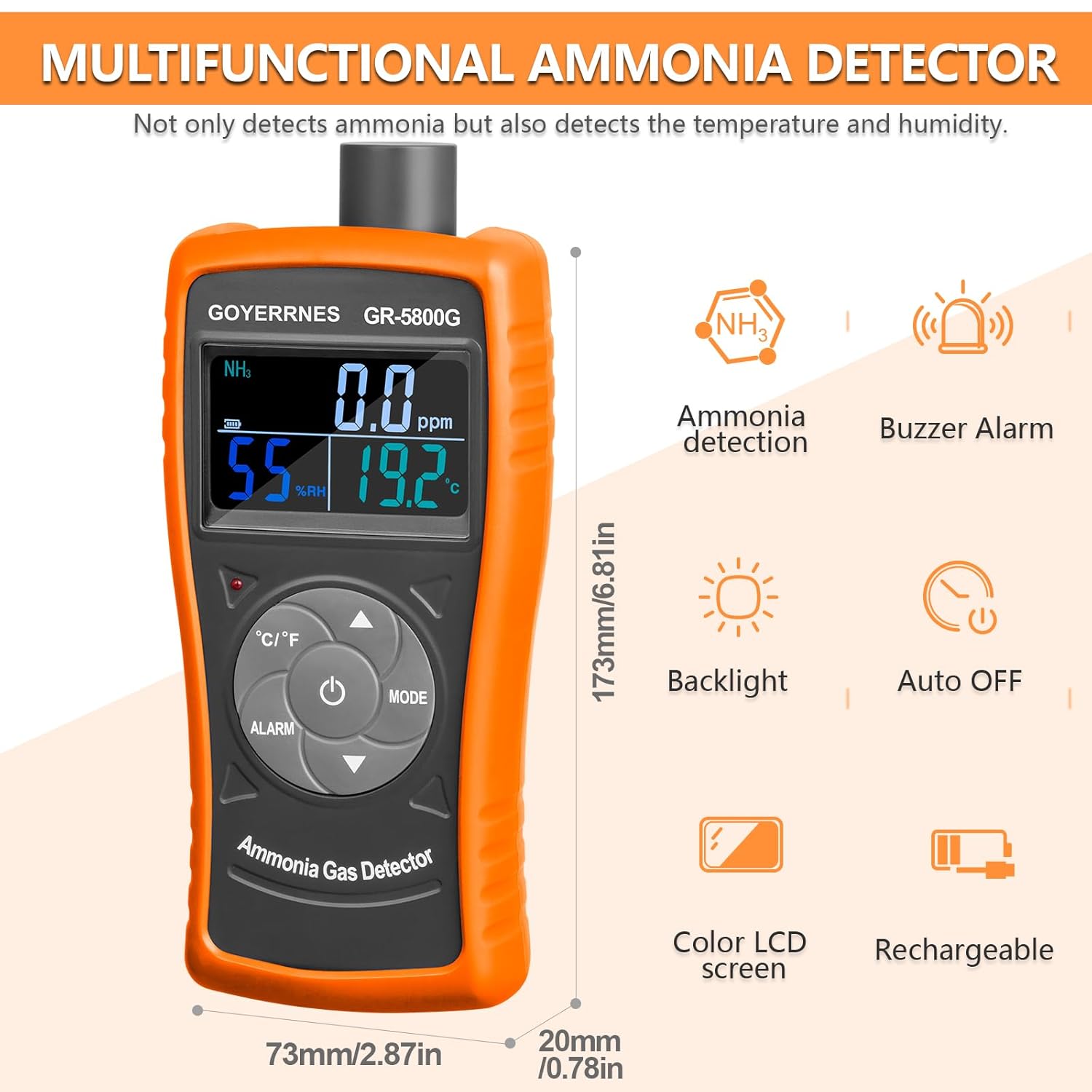
Figure 3: High Accuracy Ammonia Gas Detection. The image illustrates the device's measurement capabilities, including its range, resolution, and accuracy for ammonia detection.
Setup
1. Initial Charging
Before first use, fully charge the device. Connect the provided USB charging cable to the DC 5V charging port on the device and plug the other end into a standard USB power adapter (not included) or a computer USB port. The charging indicator light will illuminate during charging and turn off or change color when fully charged. A full charge provides up to 30 hours of continuous operation.
2. Powering On/Off
To power on the device, press and hold the Power ON/OFF button until the LCD display illuminates. To power off, press and hold the same button until the display turns off.
Operating Instructions
1. Basic Measurement
Once powered on, the device will automatically begin measuring ammonia concentration (ppm), relative humidity (%RH), and temperature (°C/°F). These values are displayed simultaneously on the LCD screen.
2. Changing Temperature Units
Press the °C/°F Switching button to toggle the temperature display between Celsius (°C) and Fahrenheit (°F).
3. Setting Alarms
The device features two alarm thresholds (low and high). When the ammonia concentration exceeds these thresholds, the device will emit an audible beep and a visual light alarm.
- Press the Alarm Setting button to enter alarm setting mode.
- Use the Increment and Decrement buttons to adjust the low alarm threshold.
- Press the MODE key to switch to the high alarm threshold setting.
- Use the Increment and Decrement buttons to adjust the high alarm threshold.
- Press the Alarm Setting button again to save the settings and exit alarm mode.

Figure 4: Dual Alarm System. This image illustrates the device's alarm functionality, which includes both audible and visual alerts when ammonia levels exceed set thresholds.
4. Hands-Free Monitoring
The device includes a screw hole on its back for mounting onto a standard tripod (not included). This allows for stable, continuous, and hands-free monitoring in a fixed location.

Figure 5: Tripod Mounting for Hands-Free Measurement. The image demonstrates how the device can be mounted on a tripod for stable, continuous monitoring in various environments.
Maintenance
- Cleaning: Wipe the device exterior with a soft, dry cloth. Do not use abrasive cleaners or solvents. Ensure no liquid enters the sensor opening or charging port.
- Storage: Store the device in a cool, dry place, away from direct sunlight and extreme temperatures. Use the provided protective carrying bag for storage and transport.
- Battery Care: Recharge the battery regularly, even if the device is not in frequent use, to maintain battery health. Avoid completely draining the battery for extended periods.
- Sensor Life: The electrochemical sensor has an estimated lifespan of over two years. Regular calibration is recommended for professional applications to ensure continued accuracy (calibration services not detailed in this manual).
Troubleshooting
| Problem | Possible Cause | Solution |
|---|---|---|
| Device does not power on. | Low or depleted battery. | Connect the device to a USB charger and allow it to charge for at least 2 hours. |
| Inaccurate readings. | Sensor contamination or end of sensor life. | Ensure the sensor area is clean. If issues persist, the sensor may require professional calibration or replacement. |
| Alarm not sounding. | Alarm thresholds set too high or alarm function disabled. | Check and adjust alarm settings as described in the “Operating Instructions” section. Ensure the environment’s ammonia level is above the set threshold. |
| Display is dim or flickering. | Low battery. | Recharge the device immediately. |
Safety Information
Ammonia gas can be hazardous. Always be aware of the potential risks and follow safety guidelines when monitoring. This device is a tool for detection and should not replace proper safety protocols and personal protective equipment.
Figure 6: Ammonia Gas Hazard Index. This chart provides critical information on the health risks associated with various concentrations of ammonia gas, from mild irritation to life-threatening levels.
- Do not expose the device to extreme temperatures, humidity, or corrosive environments.
- Do not attempt to open or modify the device. Refer all servicing to qualified personnel.
- Keep the device away from strong electromagnetic fields.
- Always ensure proper ventilation in areas where ammonia is present.
- In case of an alarm, evacuate the area immediately and follow established safety procedures.
Warranty and Support
This product comes with a standard manufacturer's warranty. For specific warranty terms and conditions, please refer to the warranty card included in your package or contact GOYERRNES customer support.
For technical support, troubleshooting assistance, or inquiries regarding your GOYERRNES GR-5800G Ammonia Gas Meter Detector, please contact the retailer or manufacturer directly. Contact information can typically be found on the product packaging or the official GOYERRNES website.