
Replacement Remote Control for LG Smart LED TV
Replacement Remote Control User Manual
Model Compatibility: LG Smart LED TV 55UH7500-UA, 55UH750V, 55UH7650 and other compatible devices
Brand: Generic
1. Introduction
This manual provides instructions for the use and maintenance of your new replacement remote control. This remote is designed to work with various LG Smart LED TV models, including 55UH7500-UA, 55UH750V, and 55UH7650, as well as other compatible devices such as DVD/Blu-ray Players, Home Theaters, Set Top Boxes, Stereo Systems, and Televisions.
Please note that this is a replacement remote control and not an original equipment manufacturer (OEM) product. It is designed to offer similar functionality without the need for complex programming.
2. Setup
Setting up your replacement remote control is straightforward and requires no programming or complex setup procedures. Simply insert new batteries, and the remote should be ready for use.
2.1. Battery Installation
- Locate the battery compartment on the back of the remote control.
- Slide the battery compartment cover downwards or press the release tab (if present) to open it.
- Insert two AAA batteries (not included), ensuring the positive (+) and negative (-) terminals align correctly with the markings inside the compartment.
- Close the battery compartment cover securely.
Note: Always use new batteries for optimal performance. If the remote does not respond, check battery orientation or replace with fresh batteries.
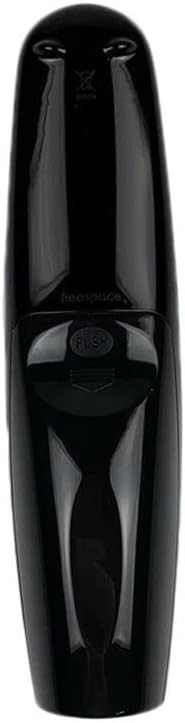
Figure 1: Back view of the remote control, illustrating the ergonomic design and battery compartment area.
3. Operating Instructions
Once batteries are installed, the remote control is ready to operate your compatible devices. Point the remote directly at the device you wish to control.
3.1. Basic Functions
- Power Button: Turns the connected device on or off.
- Number Buttons (0-9): For direct channel input or numerical selections.
- Volume Up/Down: Adjusts the audio volume.
- Channel Up/Down: Changes TV channels.
- Mute Button: Silences the audio.
- Navigation Pad (Up, Down, Left, Right, OK/Enter): For menu navigation and selection.
- Back/Exit Button: Returns to the previous screen or exits a menu.
- Home Button: Accesses the smart TV's home screen.
3.2. Voice Control (Magic Voice Remote Feature)
This remote control supports voice commands, often referred to as "Magic Voice" functionality, for compatible LG Smart LED TVs. To use voice control:
- Press and hold the Microphone Button (often located centrally with a microphone icon).
- Speak your command clearly into the remote control.
- Release the Microphone Button when you are finished speaking.
Note: Voice control functionality requires a compatible LG Smart LED TV and may require an active internet connection for certain commands. Refer to your TV's user manual for specific voice command capabilities.

Figure 2: Front view of the remote control, highlighting the microphone button for voice commands.
4. Maintenance
4.1. Cleaning
To clean your remote control, gently wipe the surface with a soft, dry cloth. For stubborn dirt, slightly dampen the cloth with water or a mild, non-abrasive cleaner. Avoid using harsh chemicals or excessive moisture, as this can damage the remote's internal components.
4.2. Battery Replacement
Replace batteries when the remote's responsiveness decreases or it stops functioning. Always replace both batteries at the same time with new ones of the same type (AAA). Remove batteries if the remote will not be used for an extended period to prevent leakage.
5. Troubleshooting
| Problem | Possible Cause | Solution |
|---|---|---|
| Remote is not working. | Dead or incorrectly inserted batteries. Obstruction between remote and device. Remote out of range. |
|
| Some buttons do not respond. | Dirty contacts or specific button malfunction. |
|
| Voice control not working. | TV not compatible, internet connection issue, or microphone button not pressed correctly. |
|
6. Specifications
- Product Type: Replacement Remote Control
- Brand: Generic
- Compatible Devices: LG Smart LED TV (e.g., 55UH7500-UA, 55UH750V, 55UH7650), DVD/Blu-ray Player, Home Theater, Set Top Box, Stereo System, Television
- Power Source: 2 x AAA Batteries (not included)
- Special Feature: Ergonomic design, Voice Control (Magic Voice) capability for compatible TVs
- Color: Black or White (color may vary)
- Max Number of Supported Devices: 5 (via universal remote functionality, if applicable, though primarily designed for LG TVs)
7. Warranty and Support
As a replacement product, specific warranty details may vary depending on your point of purchase. Please refer to the seller's return policy or contact them directly for information regarding warranty coverage or support for this product.
For technical assistance related to your LG Smart LED TV or other connected devices, please consult their respective user manuals or manufacturer support channels.
Ask a question about this manual
Ask about setup, troubleshooting, compatibility, parts, safety, or missing instructions. Manuals+ will review the question and use this page’s manual context to help answer it.