
1. Introduction
The Nascool Peak Flow Meter 2.0 is an advanced digital spirometer designed to help individuals monitor their lung function from the comfort of their home. It provides accurate measurements of Peak Expiratory Flow (PEF) and Forced Expiratory Volume in 1 second (FEV1), which are crucial indicators for managing respiratory conditions such as asthma and COPD. With its intelligent features, user-friendly design, and seamless app integration, this device empowers users to track their respiratory health effectively.
2. Key Features
- High-Precision Measurement: Utilizes a differential pressure sensor for accurate PEF and FEV1 readings.
- Intelligent Risk Indicator: Features a three-color (green, yellow, red) display to visually indicate lung function status based on preset expected values.
- Bluetooth Connectivity: Seamlessly connects to the ePEF app for automatic data synchronization.
- Historical Data Storage: Stores up to 300 test results with date and time stamps for comprehensive tracking.
- Smart Software Analysis: The ePEF app provides detailed analysis and allows data sharing with healthcare providers.
- Portable & Rechargeable: Compact design with a long-lasting rechargeable battery for convenient use anywhere.
- Two Mouthpiece Options: Includes two different detachable and washable mouthpieces for optimal fit and hygiene.
- Broad Applicability: Suitable for adults and children aged 4 and above, including athletes, individuals with respiratory problems, and smokers.
3. Components
The Nascool Peak Flow Meter 2.0 consists of the main unit and detachable mouthpieces.

The Nascool Peak Flow Meter 2.0, a compact white device with a digital display, is shown alongside a smartphone running the ePEF application. The device's screen displays PEF and FEV1 values, while the app shows a graphical representation of lung function over time, with green, yellow, and red zones indicating different health statuses.

The device comes with two distinct detachable mouthpieces, both with a diameter of 2.5cm (0.98 inches), allowing users to select the best fit for accurate test results. The image emphasizes the importance of completely covering the mouthpiece with the mouth during use.
4. Setup
4.1. Charging the Device
Before first use, fully charge the device for approximately 2 hours using the provided USB cable and a 5V adapter. If the device displays a battery symbol with an 'x', it needs to be recharged.
4.2. Downloading the ePEF App
The ePEF app is essential for data synchronization and analysis. You can download it by searching for "Asthma PEF", "Sonmol PEF", or "ePEF" in the Google Play Store or Apple App Store. Alternatively, scan the QR code provided in the manual or on the product packaging.

Scan this QR code to download the ePEF app. Download ePEF App
4.3. Bluetooth Connection
To connect the device to the app:
- Ensure the Peak Flow Meter is turned on.
- Launch the ePEF app on your smartphone.
- Press the connection symbol within the app.
- Once successfully connected, the device icon in the app will turn green, and the Peak Flow Meter's display will show a Bluetooth symbol.
Video: How to connect the Peak Flow Meter to your smartphone via Bluetooth. This video demonstrates the steps to establish a Bluetooth connection between the device and the ePEF app, showing the visual indicators on both the meter and the phone once connected.
4.4. Setting Expected Values
Setting an expected PEF value is crucial for the intelligent risk indicator to function correctly. You can obtain this value in three ways:
- Scan a QR code to calculate the expected value using a specialized formula.
- Your doctor can provide a recommended value for you.
- Use your best historical PEF values over a two-week period.
The expected value should be updated annually or if there are changes in age, height, etc.

This image details the process of setting an expected PEF value, which is vital for accurate lung function assessment. It explains automatic synchronization with the ePEF app and provides step-by-step instructions for manual adjustment using the device's buttons. A QR code is included for further information on calculating expected values. Calculate Expected PEF Value
Video: How to set the expected value on the Peak Flow Meter. This video guides users through the process of manually setting the expected PEF value on the device, demonstrating button presses and display changes.
5. Operation
5.1. Performing a Measurement
- Power On: Press the Home button. The device will display "go-".
- Prepare: Sit or stand upright and take a deep breath. Place your lips completely around the mouthpiece. Do not place your tongue or teeth against the mouthpiece, and do not cover the back of the mouthpiece with your hand.
- Start: Exhale as fast and as hard as you can. Wait for 2 beeps from the device before reading the result.
- Power Off: Hold the Home button for 2 to 3 seconds until the device turns off. The device will automatically turn off after approximately 1 minute of inactivity.
It is recommended to perform at least 3 consecutive measurements, with the highest value being the final result.
Video: How to use the Peak Flow Meter. This video provides a visual guide on the correct technique for performing a lung function measurement, from powering on to exhaling and reading results.
Video: Peak Flow Meter 2.0 with Bluetooth. This video offers a general overview of the device's features and its ease of use for daily lung function monitoring.
5.2. Understanding the Risk Indicator
The device features an intelligent risk indicator that displays your lung function status using a colored triangle symbol:
- Green Zone (PEF% ≥ 80%): Indicates a good control condition of lung function.
- Yellow Zone (50% ≤ PEF% < 80%): Suggests paying more attention to your lung function.
- Red Zone (PEF% < 50%): Points to an emergency situation.
Note: Without a correctly set expected value, the device will not display the red, yellow, and green risk indicators.
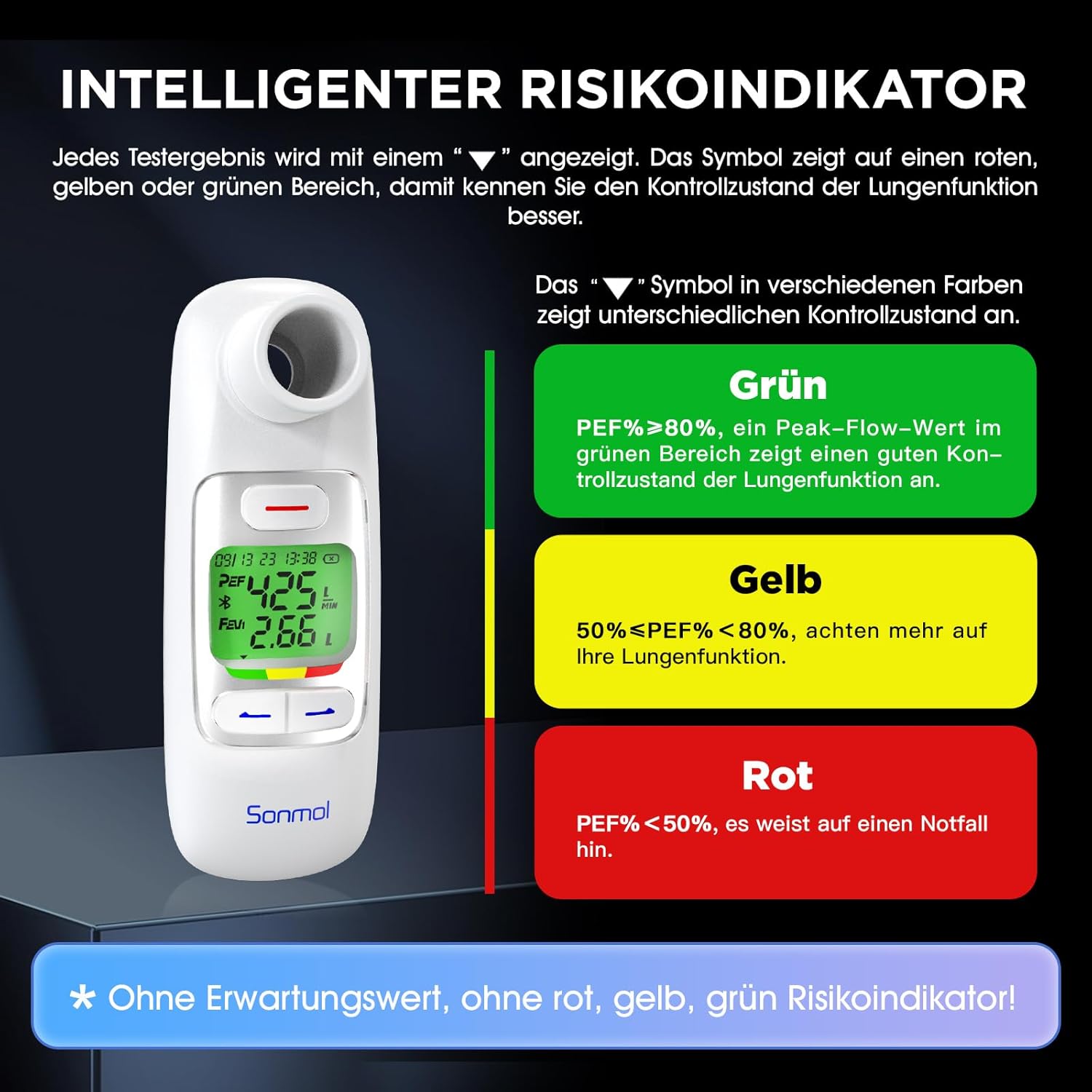
The intelligent risk indicator is explained, with test results displayed using a triangle symbol in red, yellow, or green areas. Green indicates good control (PEF% ≥ 80%), yellow suggests caution (50% ≤ PEF% < 80%), and red signifies a critical situation (PEF% < 50%), providing an immediate visual assessment of lung health.
5.3. Data Synchronization and Sharing
The Peak Flow Meter can store up to 300 test data points with current time. Once connected via Bluetooth, data automatically synchronizes with your mobile phone. You can then share your test results through the ePEF app with your caregiver or doctor to better control your respiratory health.
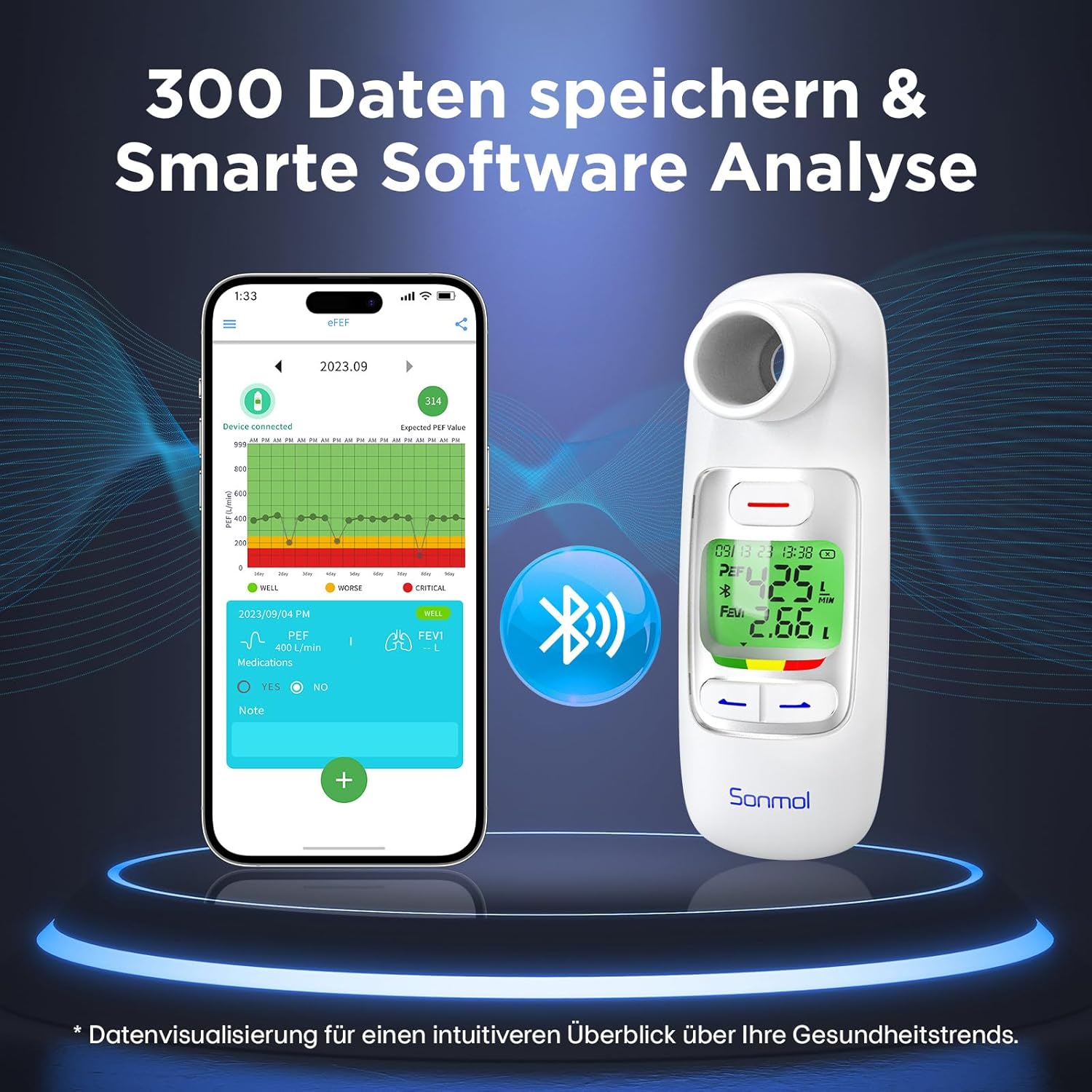
This image highlights the device's ability to store up to 300 historical data points and its smart software analysis capabilities. It shows the Peak Flow Meter wirelessly connecting via Bluetooth to the ePEF app on a smartphone, allowing for automatic data synchronization and intuitive health trend visualization.
Video: How to sync the app and data with Apple Health. This video demonstrates the process of integrating your lung function data from the ePEF app with Apple Health for centralized health tracking.
6. Maintenance
6.1. Cleaning
The detachable mouthpieces can be cleaned and wiped with alcohol to prevent bacterial residue. Ensure the mouthpieces are completely dry before reattaching them to the device.
7. Troubleshooting
If you encounter issues with your Nascool Peak Flow Meter 2.0, please refer to the following common solutions:
- Device not responding: If the device seems unresponsive, try turning it off and on again by holding the Home button. Ensure the battery is charged.
- Connection problems: If the app fails to connect via Bluetooth, restart both the device and the app. Ensure Bluetooth is enabled on your phone and the device is within range.
- Inaccurate readings: Ensure the mouthpiece is completely sealed by your mouth during exhalation. Avoid placing your tongue or teeth against the mouthpiece. Make sure your expected value is correctly set in the app.
- No risk indicator displayed: This feature relies on a correctly set expected PEF value. Please ensure you have set your expected value as described in Section 4.4.
For further assistance, please contact Nascool customer support.
8. Specifications
| Specification | Detail |
|---|---|
| Model Number | SMPF-2S |
| Manufacturer | Sonmol |
| Item Weight | 190 g |
| Product Dimensions | 6 x 5 x 15 cm |
| Batteries Included | No |
| Batteries Required | Yes |
| First Available Date | November 1, 2023 |
9. Warranty and Support
Nascool provides professional after-sales service and is committed to resolving any issues within 24 hours. For warranty information or technical support, please refer to the contact details provided with your product or visit the official Nascool website.