1. Product Overview
The CAYNEL Evaporative Swamp Cooler is designed to provide efficient cooling for various indoor and outdoor spaces. It features a 5.3-gallon water tank, touch screen controls, remote control, a 12-hour timer, and three fan speed settings. This unit operates with low noise and is energy-efficient.

Image: CAYNEL Evaporative Swamp Cooler with its remote control and included ice packs, demonstrating the unit's cooling capabilities.
Key Features:
- Low Noise Operation: Fanless design for reduced sound output.
- 12-Hour Timer: Automatic shut-off for energy saving.
- 5.3 Gallon Water Tank: Large capacity for extended operation without frequent refilling.
- Dual Control: Touch screen panel and remote control for convenience.
- 3 Fan Speed Settings: High, Medium, and Low to suit different cooling needs.
- Washable Cooling Pad: Reusable honey cooling pad for easy maintenance.
- Portability: Equipped with swivel casters and handle grooves for easy movement.
2. Setup and Assembly
Unpacking:
Carefully remove the evaporative cooler from its packaging. Inspect the unit for any signs of damage during transit. Ensure all components are present before proceeding with assembly.
Caster Installation:
The evaporative cooler requires minimal assembly, primarily the installation of the casters. Attach the four swivel casters to the designated slots on the bottom of the unit. Two of the casters are equipped with locking mechanisms for stability.

Image: Illustration of the cooler's dimensions and a close-up of the 360-degree movement casters with a locking device, highlighting its mobility.

Image: A four-panel image demonstrating key actions: adding water to the tank, manually adjusting the vertical airflow angle, draining water from the unit, and locking the wheels for stability.
Placement:
Position the evaporative cooler on a flat, stable surface. This unit is suitable for various environments including patios, porches, warehouses, workshops, factories, basements, barns, garages, gyms, and commercial spaces. Ensure adequate air circulation around the unit for optimal performance.

Image: The evaporative cooler shown in various settings, including a living room, a workshop, an outdoor patio, and an office, illustrating its versatility for different locations.
3. Operation
Filling the Water Tank:
Open the top lid of the cooler. Fill the 5.3-gallon water tank with clean water. For enhanced cooling, you may add the provided ice packs or ice cubes to the water tank. The water level window allows you to monitor the water level and ensure timely refilling.

Image: A visual guide demonstrating the process of adding water and ice cubes to the cooler's tank, with labels for the 5.3-gallon water tank and drain outlet.
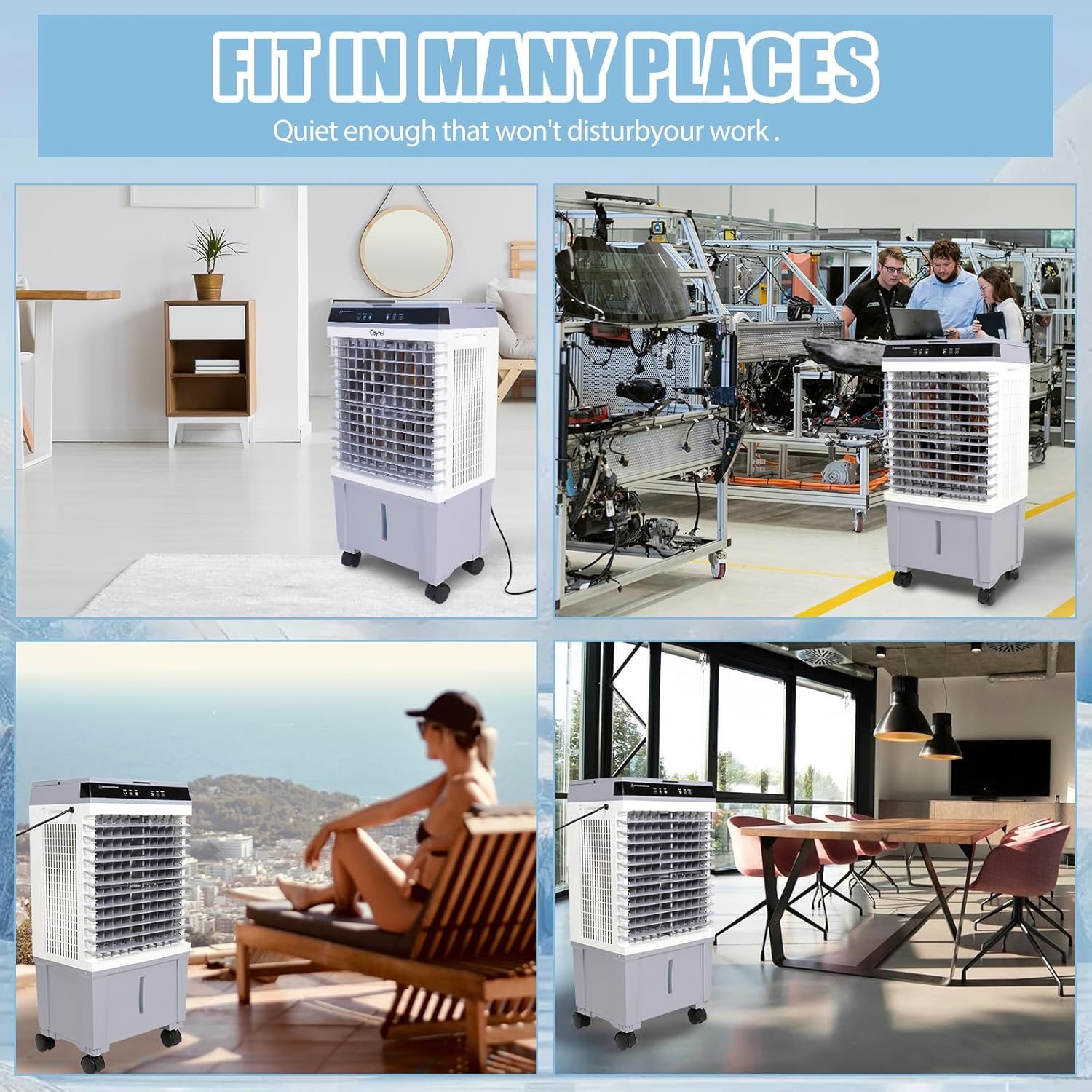
Image: Demonstrates the ease of refilling the water tank and highlights the unit's water shortage protection feature, along with included ice packs.
Controls and Settings:
The cooler can be operated using either the sensitive touch control panel on top of the unit or the included remote control.
- Power (ON/OFF): Press to turn the unit on or off.
- Speed: Select from 3 fan speed settings: Low, Medium, or High.
- Mode: Cycle through different operating modes, including Fan, Cool, and Sleep.
- Timer: Set the 12-hour timer for automatic shut-off.
- Swing: Activate the oscillation feature for wider air distribution.
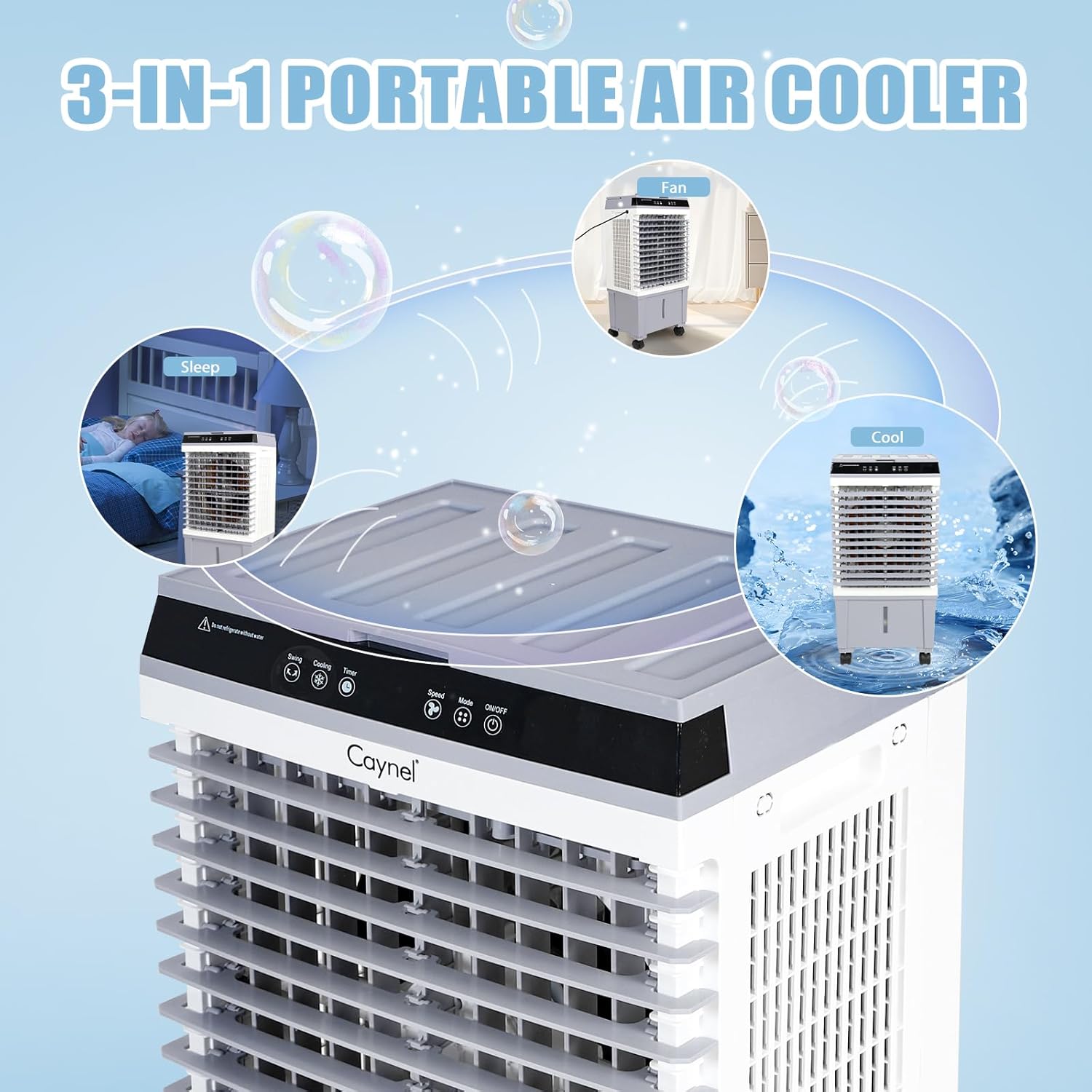
Image: Illustrates the three primary functions of the portable air cooler: Fan mode, Cool mode, and Sleep mode, indicating its versatility.
Sleep Mode:
The sleep mode operates at a low noise level (as low as 51dB) and can be combined with the 12-hour timer for quiet, undisturbed sleep.

Image: Shows a child sleeping peacefully, emphasizing the quiet operation of the cooler in sleep mode, with noise levels as low as 51dB and a 12-hour timer.
Airflow Adjustment:
The vertical angle of the airflow can be manually adjusted to direct the cool air as needed.
4. Maintenance
Cleaning the Water Tank:
Regularly drain and clean the water tank to prevent mineral buildup and maintain hygiene. The drain outlet is located at the bottom of the unit for easy water removal.
Cleaning the Cooling Pad:
The honey cooling pad is washable and reusable. Periodically remove and clean the pad according to the instructions to ensure efficient cooling and airflow.
General Cleaning:
Wipe the exterior of the unit with a soft, damp cloth. Do not use abrasive cleaners or solvents.
5. Troubleshooting
Unit Not Turning On:
- Ensure the power cord is securely plugged into a working electrical outlet.
- Check if the power button on the unit or remote control has been pressed.
Insufficient Cooling:
- Verify that the water tank is filled to the appropriate level.
- Ensure ice packs or ice cubes are used for maximum cooling effect.
- Clean the cooling pad if it appears dirty or clogged.
- Check for obstructions around the air intake and outlet.
Unusual Noise:
- Ensure the unit is placed on a flat, stable surface.
- Check for any foreign objects inside the unit.
Water Leakage:
- Ensure the water tank is not overfilled.
- Check that the drain plug is securely closed.
6. Specifications
| Attribute | Detail |
|---|---|
| Brand | CAYNEL |
| Model Name | 20L Evaporative Coolers |
| Item Model Number | CQ63206 |
| Mounting Type | Floor Mount |
| Color | White |
| Air Flow Capacity | 3000 m³/h (3E+3 CMPH) |
| Controls Type | Remote, Touch Screen |
| Reservoir Capacity | 5.3 Gallons (20 L) |
| Floor Area Coverage | 25 Square Meters |
| Recommended Uses | Residential |
| Power Consumption | 100 Watts |
| Product Dimensions (D x W x H) | 11" x 14.95" x 30.7" |
| Item Weight | 13.3 pounds |
| Country of Origin | China |
7. Warranty and Support
Warranty Information:
This product comes with a limited warranty. Please refer to the product packaging or contact CAYNEL customer support for specific warranty terms and conditions.
Customer Support:
For any questions, technical assistance, or warranty claims, please contact CAYNEL customer support through the official website or the contact information provided with your purchase. Keep your purchase receipt and model number (CQ63206) handy when contacting support.
