Product Overview
The ESR Ascend iPad Pro 11 Inch Case with Keyboard is designed to enhance your iPad's functionality, transforming it into a versatile workstation. It features a magnetic detachable keyboard with a multi-touch trackpad, a fully adjustable stand, and customizable backlit keys for comfortable typing in various environments. The case also provides adaptive protection for your iPad.

The ESR Ascend Keyboard Case provides a comprehensive solution for iPad productivity and protection.
Package Contents
- Polycarbonate Back Case
- Bluetooth Keyboard
- USB-C Charging Cable
- Instruction Manual
This video demonstrates the unboxing and initial setup of the ESR Ascend Keyboard Case, showing all included components.
Setup Guide
1. Attaching Your iPad
First, ensure your iPad is compatible with this case (iPad Pro 11 Inch 2024). Gently snap your iPad into the polycarbonate back case, ensuring all edges are securely fitted. The case is designed for a precise fit to protect your device.

Verify your iPad model for proper fit and functionality.
2. Bluetooth Pairing
- Turn on the keyboard using the power switch.
- Hold down the Fn key and the B key simultaneously for 3 seconds to enter pairing mode. The Bluetooth indicator light will flash.
- On your iPad, go to Settings > Bluetooth.
- Toggle Bluetooth On.
- Under 'Other Devices', select ESR KEYBOARD.
- Confirm the pairing request on your iPad. The keyboard will now be connected.
3. Adjusting the Stand
The integrated stand allows for a fully adjustable viewing angle from 15° to 180°. Simply unfold the stand at the back of the case and adjust it to your desired angle for typing, browsing, or viewing content.

The adjustable stand provides optimal viewing and typing angles.
Operating Features
Multi-Touch Trackpad
The precision multi-touch trackpad supports various gestures to enhance your productivity. Ensure your iPadOS version is 13.4 or later for full gesture support.
- Click: Single tap or press down on the trackpad.
- Scroll: Use two fingers to scroll up or down.
- Zoom: Pinch with two fingers to zoom in or out.
- Go Home: Swipe up with three fingers.

Utilize multi-touch gestures for efficient navigation.
Customizable Backlit Keys
The keyboard features customizable backlit keys with 7 different colors and 3 brightness levels. This allows for comfortable typing day or night.
- To change backlight color: Press Fn + Enter.
- To adjust brightness: Press Fn + Right Shift.
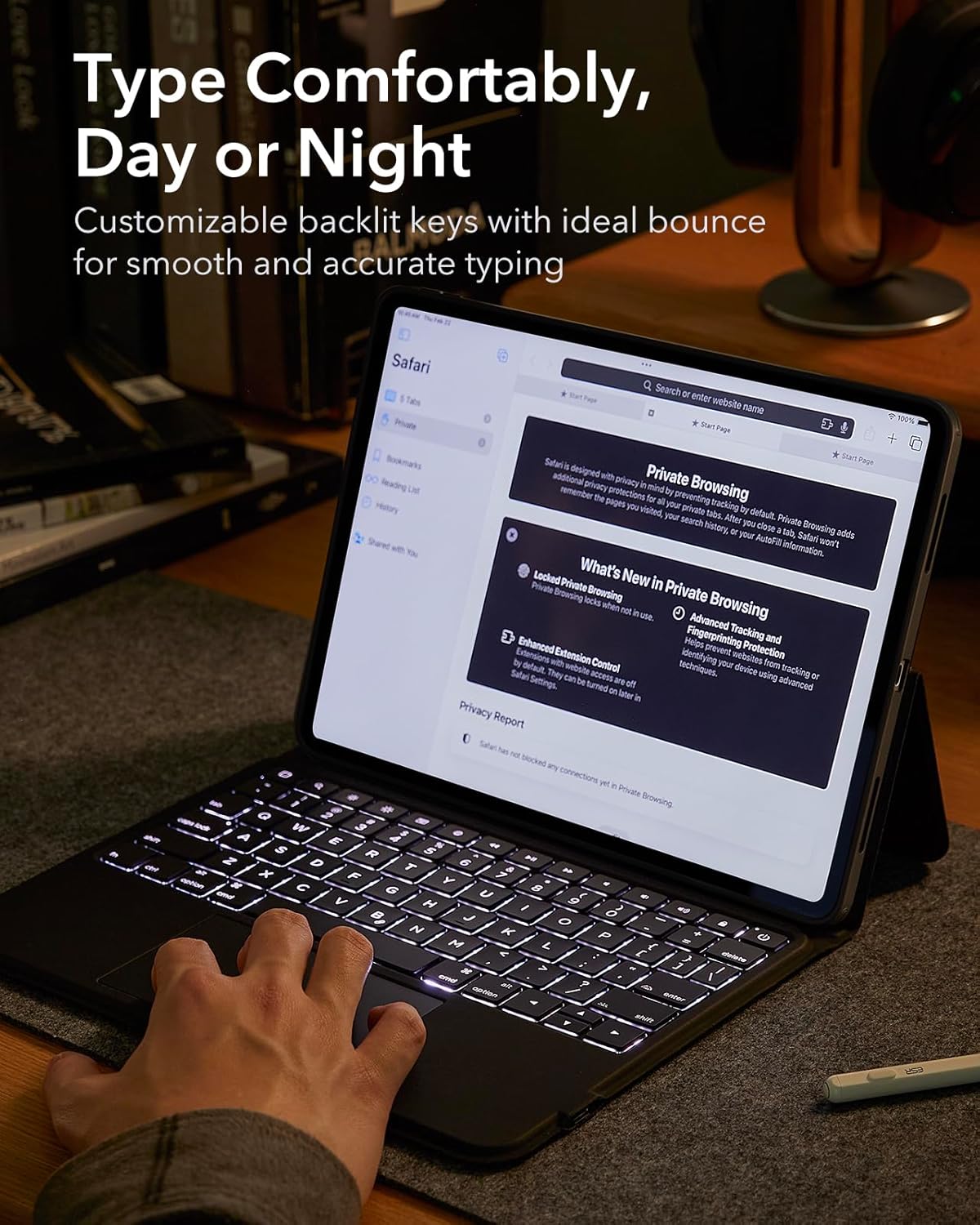
Adjust keyboard backlighting for optimal visibility.
Detachable Magnetic Back Case
The iPad is secured by a magnetic back case that can be easily detached from the keyboard. This allows for quick transitions between a workstation and a mobile tablet, ensuring your iPad remains protected with or without the keyboard.

The magnetic design offers flexible usage and continuous protection.
Pencil Clasp
The case includes a secure clasp to hold your Apple Pencil, preventing accidental detachment and loss. This ensures your pencil is always within reach and safely stored.

Securely store your Apple Pencil with the integrated clasp.
Battery Life and Charging
The keyboard is powered by a built-in battery and charges via USB-C. A single charge can provide extended usage, with up to 3 months of daytime use (backlit keys off) or 1 week of nighttime use (backlit keys on), based on 2 hours of daily use. The keyboard also features an auto sleep/wake function to conserve battery life.

Enjoy extended battery life with efficient power management.
To charge the keyboard, connect the included USB-C charging cable to the keyboard's USB-C port and a power source.
Maintenance
To ensure the longevity and optimal performance of your ESR Ascend Keyboard Case, follow these maintenance guidelines:
- Cleaning: Use a soft, damp cloth to wipe down the exterior of the case and keyboard. Avoid harsh chemicals or abrasive materials.
- Storage: When not in use, keep the keyboard case closed to protect the screen and keys. Store in a cool, dry place away from direct sunlight and extreme temperatures.
- Liquid Exposure: Avoid exposing the keyboard to liquids. In case of spills, immediately power off the keyboard and allow it to dry completely before reuse.
Troubleshooting
Keyboard Not Connecting via Bluetooth
- Ensure the keyboard is charged and powered on.
- Verify Bluetooth is enabled on your iPad.
- Forget the device in your iPad's Bluetooth settings and attempt to re-pair.
- Restart both your iPad and the keyboard.
Keys or Trackpad Not Responding
- Check the keyboard's battery level and charge if necessary.
- Ensure the keyboard is properly connected via Bluetooth.
- Clean the trackpad surface to remove any debris that might interfere with its operation.
- If specific keys are not working, ensure no foreign objects are lodged beneath them.
Auto Sleep/Wake Function Not Working
- Ensure the iPad is correctly seated in the case.
- Check iPad settings: Go to Settings > Display & Brightness > Lock/Unlock and ensure it is enabled.
Specifications
| Feature | Specification |
|---|---|
| Brand | ESR |
| Model | 6B005 |
| Compatible Devices | iPad Pro 11 Inch (2024) |
| Connectivity Technology | Bluetooth, USB-C (charging) |
| Keyboard Description | Integrated, Multifunction, Backlit |
| Special Features | Backlit, Multi-touch Trackpad, Detachable Magnetic Case, Adjustable Stand, Pencil Clasp |
| Material Type | Plastic |
| Number of Keys | 64 |
| Item Weight | 900 g |
Warranty and Support
ESR products are designed for quality and reliability. For any warranty claims, technical support, or product inquiries, please contact ESR customer service through their official website or the retailer where the product was purchased. Please retain your proof of purchase for warranty validation.