
Sxhlseller No. 10
Smart Ring User Manual
Model: No. 10 (Sxhlseller803mggdyne-13)
Brand: Sxhlseller
Introduction
This user manual provides comprehensive instructions for the Sxhlseller Smart Ring, a wearable device designed to monitor various health metrics including fitness, sleep patterns, and heart rate. It also features remote camera control and is built with IP68 waterproof capabilities. Please read this manual thoroughly before using the product to ensure proper operation and maintenance.
Safety Information
- Do not attempt to disassemble or modify the device. This may cause damage and void the warranty.
- Keep the device away from extreme temperatures, direct sunlight, and corrosive liquids.
- Ensure the charging contacts are clean and dry before charging to prevent short circuits.
- This device is not a medical device and should not be used for diagnosis, treatment, or prevention of any disease. Consult a healthcare professional for medical advice.
- Keep out of reach of children.
Package Contents
Verify that all items are present in the package:
- 1 x Smart Ring (No. 10)
- 1 x Charging Case
- 1 x User Manual
Product Overview
The Sxhlseller Smart Ring is crafted from ceramic and stainless steel, offering a lightweight, durable, and elegant design. It integrates advanced sensors for comprehensive health monitoring.

Image: The Sxhlseller Smart Ring in blue, showcasing its sleek design.

Image: The smart ring highlighting its microcrystalline zirconium nanoceramic body, emphasizing comfort, fashion, and elegance.

Image: An internal view of the smart ring, illustrating the high-performance chip and multiple synchronized sensors, including photoelectric and acceleration sensors, for robust performance.
Setup
1. Charging the Smart Ring and Case
Before first use, fully charge the smart ring and its charging case. The ring's battery life is approximately 7 days on a single charge, and the charging case can recharge the ring up to 18 times.
- Place the smart ring into the charging case, ensuring the contacts align.
- Connect the charging case to a USB power source using a compatible cable (not specified if included, assume standard USB-C/Micro-USB).
- The ring takes approximately 60 minutes to fully charge. The charging case's indicator light will show charging status (refer to case for specific light behavior).
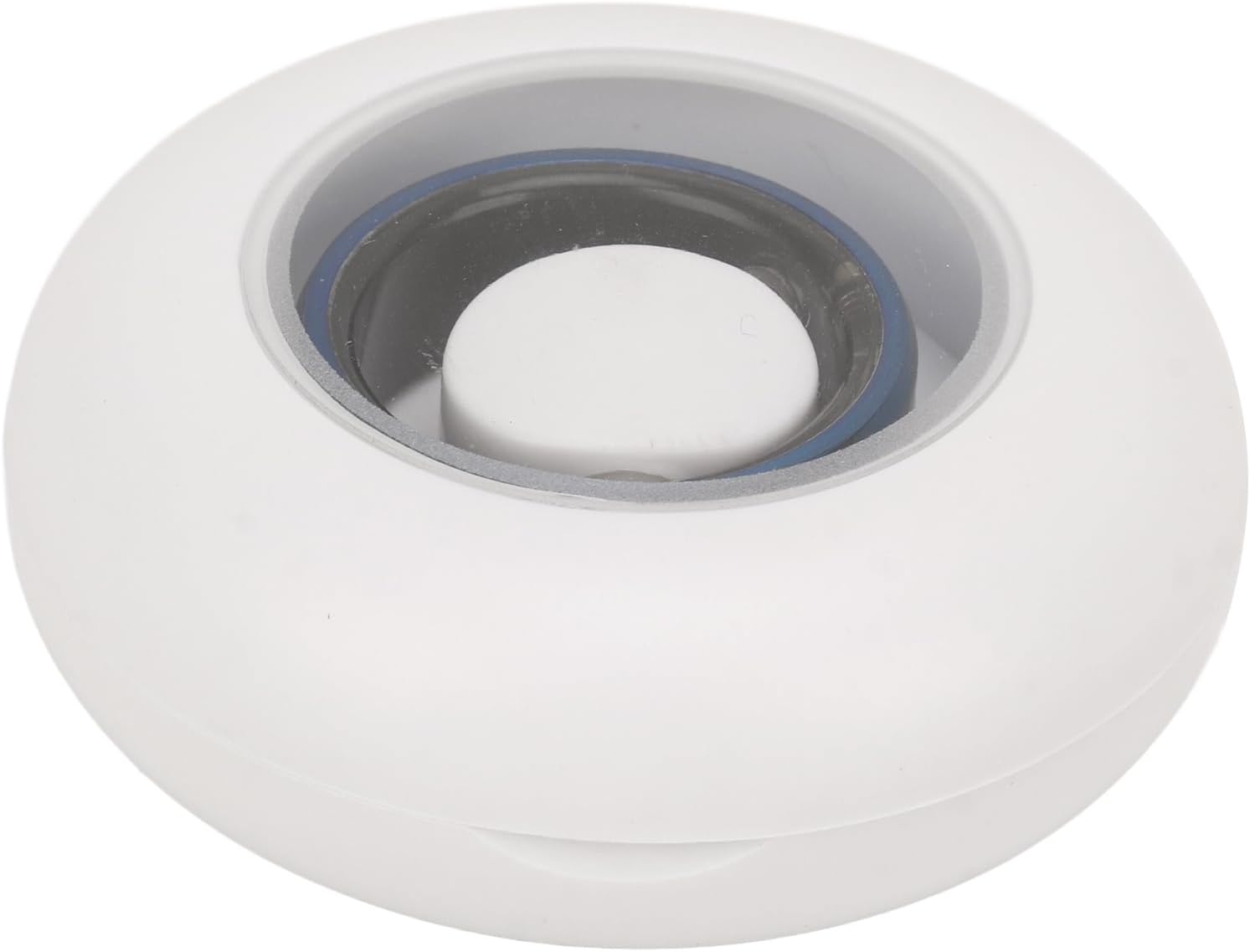
Image: The smart ring placed inside its white circular charging case, ready for charging.
2. Downloading and Installing the App
The smart ring operates with the JYouPro application, compatible with both iOS and Android devices.
- Search for "JYouPro" in your device's app store (Apple App Store for iOS, Google Play Store for Android).
- Download and install the application.
- Follow the on-screen prompts to create an account or log in.
3. Pairing the Smart Ring with the App
- Ensure Bluetooth is enabled on your smartphone.
- Open the JYouPro app.
- Navigate to the device pairing section within the app (usually found under "Device" or "My Device").
- The app will search for available devices. Select your Smart Ring from the list.
- Confirm the pairing request on both the app and, if prompted, on the ring (though the ring has no screen, confirmation is typically app-based).
- Once paired, the app will display "Connected" or a similar status, and data synchronization will begin.
Operating Instructions
1. Health Monitoring
The smart ring continuously tracks various health metrics. All data can be viewed and analyzed within the JYouPro app.
- Heart Rate Monitoring: The ring monitors your heart rate throughout the day. View real-time data and historical trends in the app.
- Sleep Quality Analysis: The ring tracks your sleep stages (light sleep, deep sleep, wakefulness) and provides a comprehensive analysis of your sleep quality.
- Activity Tracking: Monitor your daily steps, distance traveled, calories burned, and other activity data.

Image: A smartphone screen showing comprehensive sleep information monitoring, including graphs for light sleep, deep sleep, and wakefulness, indicating the ring's ability to analyze sleep quality.

Image: A smartphone screen displaying activity statistics generated by the app, including heart rate, steps, calories burned, distance traveled, and pace, with options for daily, weekly, and monthly data visualization.
2. Remote Camera Control
The smart ring can be used as a remote shutter for your smartphone camera.
- Open the JYouPro app and navigate to the "Remote Camera" function.
- Activate the remote camera feature within the app.
- Open your phone's camera application.
- To capture a photo, simply shake the finger wearing the smart ring a few times.

Image: A scene depicting individuals using the smart ring for remote camera control, showing how shaking the finger with the ring can capture photos via the app.
3. IP68 Waterproof Functionality
The smart ring has an IP68 waterproof rating, making it suitable for various daily water-related activities.
- The ring can be worn during handwashing, showering, and swimming.
- All sensors continue to operate normally even when submerged.
- Avoid prolonged exposure to hot water or steam, as this may affect the device's seals over time.

Image: The smart ring surrounded by water splashes, illustrating its IP68 waterproof and dustproof capabilities for worry-free daily use.
Maintenance
- Cleaning: Wipe the smart ring and charging case with a soft, damp cloth. Do not use abrasive cleaners or solvents. Ensure the charging contacts are dry before placing the ring in the case.
- Storage: When not in use for extended periods, store the device in a cool, dry place. It is recommended to charge the device periodically (e.g., every 3 months) to maintain battery health.
- Battery Care: Avoid fully discharging the battery frequently. Charge the ring when the battery level is low to prolong its lifespan.
Troubleshooting
| Problem | Possible Cause | Solution |
|---|---|---|
| Ring not charging |
|
|
| Cannot pair with app |
|
|
| Inaccurate data readings |
|
|
Specifications
| Feature | Detail |
|---|---|
| Item Type | Smart Health Ring |
| Model Number | Sxhlseller803mggdyne-13 (No. 10) |
| Material | Ceramic, Stainless Steel |
| Color | Blue |
| Ring Battery Type | Lithium Battery (Built-in) |
| Ring Battery Capacity | 18mAh |
| Ring Battery Life | Approximately 7 Days |
| Ring Charging Time | 60 Minutes |
| Charging Case Battery Type | Lithium Battery (Built-in) |
| Charging Case Battery Capacity | 400mAh |
| Charging Case Recharges | Up to 18 times for the ring |
| APP Compatibility | JYouPro (for iOS and Android) |
| Waterproof Rating | IP68 |
| Package Dimensions | 3.54 x 2.76 x 1.18 inches |
| Item Weight | 2.33 ounces |
| Manufacturer | Sxhlseller |
| ASIN | B0CSYZFQT7 |
Warranty and Support
For warranty information and customer support, please refer to the documentation provided at the time of purchase or contact the seller directly. Keep your purchase receipt as proof of purchase.
Manufacturer: Sxhlseller
Date First Available: January 22, 2024